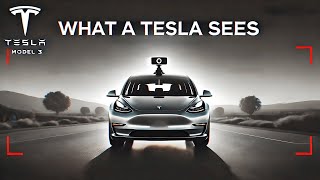
Rob Greenlee walks through Tesla's eight cameras that power Full Self-Driving, showing what each one sees. He uncovers a hidden camera calibration setting that resets after windshield replacement, and mentions another YouTuber saw major FSD improvements after clearing calibration with the 12.6.3 update.
Chapters
So welcome back to Behind the EV Wheel, and I just wanted to show you a feature that I found in the Tesla in-car software here and the camera placements of the vehicle. If you haven't seen those, there is an area in the software called Camera Preview, and it's right here, and you just tap that and it pulls up an optional view of all of the video cameras that are installed in a Tesla vehicle. Currently, I believe that there's another one in the newer version, but this is a 2022 Model 3. And so you can see that this is the main cabin camera, so you can see me. It's a camera that's mounted right above the rearview mirror. And it can keep an eye on everybody in the car and what the driver is doing. So it's very much monitoring your eye movements and what all the other passengers are doing in the car with you. I'm not quite sure what it's doing with the information about the passengers that are in your car, but I do know that it monitors my eye direction. And so That's the camera there, and then this is what's called the main camera. This is the camera that's mounted above at the top of the windshield, and it's kind of a, a little bit more of a wide view or a distant view of what's in front of the vehicle. You can see in front of me there's a concrete wall and And then up here there's what they call a wide view from the same camera array above the windshield. So you can see this one, and so you can see it's very much a wide view of what's in front of the, the vehicle. So it sees all the way to the edges, so much so that you can kind of see the framing of the compartment that the video camera is in. It's so wide. And then there's what's called a narrow view, which is a little bit more of like a zoomed-in type of angle, which I've actually never seen the views of each one of these cameras. So I thought it would be interesting for you to see this for yourself. And then on the left door pillar, that would be a camera that's mounted right behind the driver's door window looking forward, so it's— but it's looking off to the, the left, so it's viewing any kind of vehicles or any kind of thing that's going on the left side of the car, looking more forward. And then there's a left door or left fender camera that's looking back towards the front fender of the vehicle, back to the back of the car, so you can see cars that are coming up on the, the left side as well. And then on the right side of the car is the right door pillar, which is doing the same thing. It's looking forward but slightly off to the right. And then this one here is the right fender, the right side of the car, and the front fender looking towards the rear of the vehicle. So you kind of see on the upper left-hand corner there's the, the rearview mirror, so you kind of have some idea of the, the camera angle here. And then there's the rear view, which is right over the top of the license plate, so you can kind of see the, the license plate right there in the lower part of the screen. But this camera angle is very much a wide-angle view. It doesn't appear to have a lot of kind of detail off in the distance because that wide angle kind of makes it kind of like a very broad view. But I thought it was interesting to show these different camera angles. I don't know that a lot of people have dug into the software to actually see these things. And then, um, I was trying to think. I also noticed that there's a camera calibration setting in here, and I thought this was interesting. And I, I did hear a, uh, a YouTuber talk about fixing potentially some of the, the operational issues with the 12.6.3 FSD update by doing a clearing of and resetting of the calibration of the video cameras. And I thought it was interesting, if you can read that on the screen, it says clearing the autopilot camera calibration will reset the calibrated camera positions and angles stored in the autopilot computer. This procedure should only be performed if the cameras have been moved due to a windshield replacement. Clear— clearing calibration will reset or result in no Autopilot features until the system recalibrates, which may take up to 100 miles of driving on roads with highly visible lane lines. So this other YouTuber had said that he saw a dramatic improvement in the Full Self-Driving, um, software after he had gone through this procedure. So I plan on giving it a try at some point. I'm not going to do it right now, but, but it's interesting to think that maybe this might be a way to reset and recalibrate the Full Self-Driving based on the cameras, and to maybe get a more up-to-date or current read on that because this YouTuber shared that he saw a dramatic improvement in the 12.6.3 FSD software after going through this procedure. So anyway, I just wanted to bring this to you. Thank you for watching my channel, my Behind the EV Wheel series, and look forward to catching up with you in another video. So this is Rob Greenlee, and thank you so much for being here with me today.