Unlock over $500K Monthly Sales with LinkedIn: A Proven Roadmap
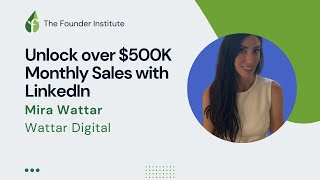
In this 60‑minute live webinar hosted by the Founder Institute, content manager Emilia introduces a global audience of 500+ attendees to a LinkedIn lead‑generation system that has helped clients generate thousands of high‑value leads and achieve $500K+ in monthly sales. Guest speaker Mira Wattar, founder of Wattar Digital, shares her personal journey—from early roles at Hyundai and Fujitsu to building her own agency and serving as VP of Global Marketing for an AI startup—while revealing the step‑by‑step LinkedIn funnel she has refined over several years. The presentation covers: (1) using LinkedIn Sales Navigator for hyper‑targeted audience building (industry, seniority, recent activity, Boolean logic); (2) A/B testing multiple message variants to identify the highest click‑through and cost‑per‑lead; (3) automating the top‑performing messages into a full sales funnel that includes lead‑gen forms, landing pages, email sequences, calendar scheduling, and retargeting; (4) scaling the system with paid LinkedIn ads versus manual outreach; (5) best‑practice guidelines for concise, value‑focused messaging and clear calls‑to‑action; (6) practical considerations such as pricing plans for Sales Navigator, time investment required, and organic LinkedIn growth tips. The Q&A segment addresses tool recommendations, pricing transparency, message length, automation vs. ads, and the realistic time commitment, reinforcing that the system can be launched within a week for testing and scaled thereafter. The session ends with networking instructions and contact details for further assistance.
Chapters
Hello everybody, welcome to today's session on Monday. Today's topic is very exciting and we have more than 500 people signed up. It's about generating leads on LinkedIn and unlocking $500K monthly sales via only LinkedIn. We have invited very interesting Speaker. She has a lot of experience, and she will introduce herself a little bit later. And she has a proven roadmap, as you probably read in the event, and that's why you joined. Uh, also let me introduce myself. My name is Emilia. I'm content manager at Founder Institute. And for those who are joining for the first time, Founder Institute is the world's the largest pre-seed accelerator for startups in the idea stage. We organize many events online and in person all around the world, operating over 200 cities, and that's why we have a very global audience in many cities. So please, feel welcome to share where you're joining from. I am in Spain at the moment. You can post in the chat and it's always fun to see your replies. Right now I see there are people from Nigeria, there are people who are in the UK and Austria. I know it's different time in the day for everyone, so thanks again for joining us and welcome. Before we start and before we invite on stage our speaker for today, just a few words about the agenda. There will be a presentation, she will present for about 20 minutes, and as usual, we want to keep enough time for questions. And to find your questions easy, please use the features of the platform. There is a Q&A session on your right-hand side. Also the chat. There is a poll that we're gonna post in a minute, and down under the screen are the emojis that you can use to show your interest or excitement about the topic. Next, yes, this is how you use the emojis. There's also shortcut 1, 2, or 3, and to change the reaction. Then after the Q&A session, we're gonna try to answer as many questions as possible, and after that we will engage in a networking session. It's optional for our guests, but we will be there, and also you can connect to each other. And talk about the topic or about anything else, and you can give us feedback then. Now I think it's time to introduce our guest for today. Her name is Mira Wattar, and she is the founder of Wattar Digital. So please— yes, she's on stage already. Hi Mira, welcome!
Everybody, thanks for joining today. I'll go ahead and let's get us started. So today I'm going to be sharing some strategies that took me a couple of years to develop, and I'm hoping they can really help you guys. So my LinkedIn targeted funnel system, it's proven and responsible for generating thousands of leads from people like physicians and hospital admins, um, connecting with investors, CEOs, and a very short time span. So right now, this strat— these strategies are very unsaturated and they're reliable. They can generate meetings and push traffic. So you can add a lot of revenue to your pipeline. And I'm going to be showing you step by step how this is done. So a little bit about me and how I developed these strategies. So I was born in the US, I lived in Dubai, started my career in the New York, and now I'm based out of California. I started my career at Hyundai where I didn't really know too much, but I was very curious and started putting together different strategies like and automating them, trying to build funnels and generate opportunities. But I did not have a lot of budget to play with. I got recruited into Fujitsu where then I got a pretty nice budget and I started testing my strategies and connecting them into funnels. And then automating. During COVID everyone went online and it was a struggle. No one could go to trade shows. And at that point, I kind of took a leap of faith and started my own operation, deciding, you know, if I can do 10 strategies for Fujitsu, I can probably do 10, one for each person who needs it, and operations. So I opened up my own company and started sharing my strategies. One of my clients then asked me to join their operation as VP of Global Marketing, and it would be an AI startup called Equinox, very niche. So I joined their operation for a year where I had a pretty nice budget, very hard targets. And now I'm back to my own operation. And this is kind of how I came up with the strategy over time. And here's just kind of a snapshot of some performance results, a very high click-through rate, which means, you know, the message is resonating, a bunch of leads for a very low cost. And this example specifically was for trying to push a product that's over $5,000. So generating leads at $4 was very in the money. So in the next few minutes, I'm going to share with you exactly how the LinkedIn targeted funnel system works. Some main points we're going to go over are the LinkedIn Sales Navigator for precision targeting and identifying your audience, how to A/B test to optimize the performance, and automating your top-performing results to attaching them to a funnel and just scaling everything with a budget. So with millions of people on LinkedIn, I know it's very difficult to stand out from the crowd and everyone gets a bunch of messages all the time. So that's why I'm here to show you how I generate sales opportunities for my clients. Now, one of the most important aspects is going to be the message that you're putting in and out to the market. Once you crack the code on what is a good message that people are engaging with and responding to, this message can also be applied to strategies within email, Facebook, and just anywhere off platform, not just LinkedIn. So I'll start out now with the basics. The question I always get asked is, well, how much money do I need to start? It's more about time and budget. So if you have a lot of time and no budget, I'll show you how to use LinkedIn Sales Navigator to identify your audience, build a list of who you want to target, and then you'll be sending connection requests with a message to engage them. If you do have a budget, then you can take the same process above, allocate the funds, and really take it to scale. So think you can reach out to 100 people manually with a connection a week, or you can reach out to hundreds, if not thousands, per day and really super speed your results with ads. So here is a screenshot of what Sales Navigator looks like on the backend. It's an upgrade within LinkedIn. So you can see it's very small, but you can choose targeting anywhere from, you know, I want to talk to an investor, CEOs, small company, large company. Let me break it down further. So here's a couple screenshots where you can kind of see the different measures where you can choose industry, location, titles. Now this one I'll bring to your attention. Is you want to choose people who have posted on LinkedIn in the past 30 days. And that is because lots of people create profiles, but this measure will give you who is most likely active and checking their, their LinkedIn page. And you can even get into revenue. There is Boolean logic, which will allow you to very much hyper-target exactly what you want. If it's something very unique, you can enter into the field and pull up a very customized list. You can also save your searches and LinkedIn will update and add to your list as it grows over time. A/B testing. So the way I do A/B testing to, to crack the code on what is a good message is I launch out 10 different LinkedIn messaging ads. I'll take them and analyze the top performing ad over a short period of time with a lower budget. I'll eliminate the ones that don't work or don't work as well, choose the top performing and iterate again, 10 more new messages and launch it. I continue to do this, repeating it over time until I really refined a message that works very well. Once that's consistent with the results, then I put a real budget behind it and I amplify it. That will give you what is a good message. And you're going to want to automate your LinkedIn approach. So there's a lot of ways to automate on LinkedIn. You can choose different call to actions where then it will funnel them into a lead gen form where you get their information. Your lead gen form can then be attached to an email campaign. You can also funnel them to a landing page where you get them to sign up for something and have another form fill, you can insert the LinkedIn Insights tag where it will then track the conversions. And then those who didn't sign up on a landing page can, you can then retarget. So there's a lot of backend automation and you always want to have a funnel. So you do one-time build out and then you get the right ad and you infuse it with money. And then you have a funnel that's just generating results. Over time while you sleep. So that's kind of the gist of how LinkedIn is, how you can use LinkedIn to generate a bunch of opportunities. So think of it like you can generate meetings with investors, let's say. So you create a message, Now, if you don't have a budget, you use Sales Navigator, create the message, add them, and start sending out messages, and you track which ones are getting responses. Or you can take it and plug it into LinkedIn and do it through ads, as we just saw, where you take it really to scale with an automated system of messaging them and choosing the best message to scale. Instead of 100 people a week, you can do hundreds of people a day if you wish. So this is kind of, that was the core of my message. Now that was my presentation. So I want you to implement these strategies and I'm going to go back to Sales Navigator just so you can see kind of the targeting that you can expect. So this is Sales Navigator, and I'll kind of give you a minute just to look into the different filtrations that you can choose, um, and I'll be opening it to show you live. All right, so this is Sales Navigator backend, as we discussed. Here you can choose a different company headcount. So if you're looking for a small company, large company, startup, whatever stage they're in. So let's say want to connect with smaller ones. Um, you can choose where they're going to be based out of. So for example, I want a company located in the US that is rather small, just getting started. And I want to talk to, let's say, the CEO, president. You can— this can go on. So you can choose founder, co-founder, um, COO, whatever targets you want. Now, this can also get into very niche individuals. So if you want to target physicians, for example, uh, medical people, anything you can kind of think of. Now, if there's very unique titles, here is the Boolean search where you can hyper-narrow it. If you are doing general targeting, you can choose the seniority level and get a much larger list if you want to expand it over time. Here is where you choose posted on LinkedIn in 30 days. Now I know these people are most likely to be active. Now so far we're at 97,000 results, so this is very large. We want to narrow it. We want geography, we want them to be based, let's say, in North America. Let's say for, for this example, I want to target people in the software industry. There we go. And now this kind of gives you— there's a bunch of industries you can get into here. And now as you're building lists, you can build many lists. So one can be for targeting CEOs in the software industry. One can be targeting investors in the real estate industry. And as you build different lists, so you don't target the same person multiple times, you can choose here to include or exclude certain lists you've made. So that way each list is refined and doesn't duplicate the same person multiple times. Now this can get very detailed, as you can kind of see with all these filters. And here is the Boolean search. So let's say we want something—
let's give it a minute.
All right, so here before we use the Boolean search, there's 3,000 results, 3,500. Here you can further narrow it down. Now if I want someone in mobile software development specifically, now I type it in the Boolean search and now I have hyper-targeted results. I will save this list and LinkedIn will actually update me over time as new people join or added to the list. And then I can go and connect with them, sending them a message. Now, uh, let me go back to my screen. So that's an example of how Sales Navigator works. Now in A/B testing, if you're going to do it manually, you want to create a tracker where you're tracking what works for each message. Whereas in Sales Navigator, you want to do, you want to look at your results of multiple tests. So launching multiple tests and seeing, you know, how many leads did each test result in? How many clicks were people, how many times people clicked on it? The click-through rate can tell you the quality of the message you're using. So the higher the click-through rate, the better your message. And ultimately what you're looking at is, does, does the amount of leads you're generating make sense for the cost per lead against what you're trying to, you know, for your product, for example. Now imagine if you're generating all these leads and automating it through LinkedIn and you're hitting, you know, hundreds, if not thousands of people per day, if you'd like, depending on your budget, Once you connect it to a funnel system, it will then from, from the ad, take them to another form fill, put them into an email campaign, take them to a signup page, send them to your calendar where they can book meetings, and then you just wake up and take your calls or send it to your sales team. So this is a very efficient way to connect with whoever you want of your audience through LinkedIn. And you can do this with no budget if you have time, or if you have a budget, you can really super speed your results. And again, this is just, well, this is a bit blurry, but here's an example. So when you send a message on LinkedIn, you can send a message and then have a call to action at the bottom, which is a button. If they're interested, they'll click it. This will then take them to whatever you connect, whether a website landing page. Another way to do it is building an interactive message where you give them options of what they're interested. Maybe, hey, I want to learn more, or I want to set up a demo, and then they'll click, and then you automate a second message follow-up again with a call to action that's very clear. So now you're walking through, through exactly what you want in an automated manner, which is most important because you do one heavy build out. Once it's tested, you just scale it and you just receive results again and again without the same level of effort it took to start it. So I know this is a lot. There's a, you know, it took me years to develop it. It can be intimidating to start. But I encourage you, you need to just kind of start and start right now. Just start testing and you'll start seeing the message that works. If you do need help, you can drop me a message, connect with me on LinkedIn or text me. I'm in the US, so there's a +1 in front of this. And I'd be happy to help you kind of get started, craft out your sales funnels, and just help you kind of get launched into this strategy. Now, the most important thing is going to always be the message. And as you come up with the message that you're going to be using, you want to make sure it's concise with a clear call to action. You want to make sure it's short because, you know, everyone gets hundreds of messages on LinkedIn per day. You want them to be able to see yours within a couple seconds. As soon as they receive your message, they're going to say, well, who's this person? Click your profile and they'll know everything about you at just a glance and then decide to engage with it. So that's kind of the highlight of how this strategy works. And then, you know, reach out to me if you need help. These messages, once you, once you figure it out again, it can be taken and dropped into email. You can actually actually take LinkedIn Sales Navigator list, download it, and get their emails and plug it into an email campaign if you choose. And then all the stuff like Elon is doing with Twitter, there's a lot of stuff going on, but once you crack the code to the right message, a lot of doors will basically open up and just automate everything. So that's kind of the gist of my presentation, and I kind of wanted to open up to any questions anyone may have. How— I need to get into the question part. There we go. Emilia?
Yes, I'm here to help with the questions. Thanks a lot for this very practical, hands-on knowledge. It was almost like a tutorial about tasting, messaging, and there's a big collection of questions. But before that, I would actually post the poll. I put it on stage. This is, this is the question that we asked you. Can you all see it on the stage or no? Now, do you see it? Okay, good. So, uh, what are your LinkedIn lead generation goals? To get meetings with investors, to arrange meetings for your sales team, or to automate your traffic? So, uh, the majority of people want to arrange meetings for the sales Then automating traffic, and last but not least, meetings with investors. Okay, I'm gonna put away now this, this page. We get the idea. I hope it's useful for Mira. And let's go straight to the questions. So number 1, the most popular is which LinkedIn automation tools are most effective for B2B lead generation?
Perfect. So, uh, I like to use Sales Navigator to identify my target market. Now, if you Google different tools, there's tools where you can download this list from LinkedIn, uh, take out their email and contact information, put them into an email campaign and do outreach. That way you're hitting your exact audience. Another way is through the funneling. So within LinkedIn itself, when you launch an ad, you can take the insight tag and put it into a landing page and launch out a message. Your message will then go to hundreds of people where if it, if they're interested, they click to engage and then they go to your landing page where you may have another form fill. They're also very much tracked from LinkedIn into your landing page. And those who show interest but maybe don't end up signing up at the end can then be retargeted once again, whether it's through another ad or through another style of campaign. Now there's different types of campaigns, for example, content-based event signups and such. I like to stick to the messaging campaign because that is the fastest way I can engage my audience. So think, you know, I could show them a picture or I could just start a conversation directly with them. That will be the fastest way to engage them. But in order to do so, you want to cross-test the message. That way, when you do reach out, they are actually responding.
Thanks for that. Hope that helps. Next question that— I'm pronouncing it— by Alexandro: the price for LinkedIn Sales Navigator is not very transparent. Can you please let us know the price for the—
yes, so LinkedIn pricing, Sales Navigator has a couple different plans. There's monthly there's annual, and then there's team-based plans as well, um, depending on what your needs are. So if you're signing up for a team, you're going to want the team-based plan annually. It will save you money over time. Or if you're just testing it out, sign up monthly. Um, I could just pull it up here. I use the team plan because I use it on a high scale though. And there also is a free trial. Okay. I think—
what was that? Good enough. I need to Google that one. Thanks. Do you have A list of good practices for the messaging, the length of the message, attaching a link into a PDF, what additional materials to send.
So my messages, all of them tend to be just a couple lines long at most. I keep them friendly so they don't read like AI-automated generated content. So they know I'm a person. I keep it concise. And when I reach out, I think, what can the other person benefit by engaging with me? What value am I bringing them in a selfish manner? You know, what do they gain from talking to me rather than what can I present? What does my company do for them? So I try to put that into about 2 lines and then I use a very clear call to action. So I'll give you a couple examples of things I've used. I've done things like sign up for our— would you like to do our 7-minute sales demo? Where 7 minutes kind of tells them, hey, I'm not here to waste your time. In a couple minutes, you'll find out if this is for you or not. And in 7 minutes, when you get them on a call, they'll know right away if this is something they want to pursue. They'll extend the 7 minutes and keep talking to you. Or go on to schedule another meeting. Now you're not asking them for an hour, like typically, so they'll schedule it pretty fast where they're thinking, oh, I don't have to dedicate so much time. I'll know if this is for me very quickly. So you want to do very, very clear and concise call to actions at the end and very short messages.
Great advice to be specific with Timeframe, things like that. This one, how did you get from 0 to 500K?
So this is, this is more high ticket sales. And then with funneling and automation as well, you can, so if you have a budget, you can get actually way past 500K. So to give you an example, in one of my clients' last operations, we reached into the millions within the first month through this system. Now, for example, if you're selling a device at a couple thousand, think enterprise accounts, okay? So you're going to want to target larger accounts that will buy multiple. You can really scale the strategy, but you also got to make sure you're targeting the right people at scale too.
Well explained, thanks. So maybe a couple of more questions. Let's, let's read this one. Where do you start building your funnel? Build out what converts your leads or just start collecting leads?
Both. So you want to add as many steps as possible. What I like to do is I build out the start of a funnel, which is on LinkedIn ads. Once I reach out at scale with the right message, they can click and I can connect it to a lead gen form where if they want to submit their information with one click and I receive all their contact information, name, company, location, etc. So I already— that's one step. Once they click the lead gen form and submit it, then they get another button which will then take them to a landing page. In this landing page, I provide even more information, maybe a calendar scheduling link or another section of how they can get in contact with me, whether I want to push it to sales team, whether I want them to schedule into a calendar and set up a straight demo meeting, um, or if I want to push them to do signups, if I'm pushing subscribers for traffic. So you can have multiple steps where you're collecting information, converting your leads, And you can also integrate email campaigns with your lead form. So once you build it out, you're getting their contact information, they're automatically engaged in an email campaign. They're also funneled to your website where they further can set up a meeting, and those who don't can then be retargeted all in one setup.
Thanks. I think our attendees love this answer. Um, what is your experience? A lot of people are asking about ads versus message and any comparison of the results would be great.
Yes. So me specifically with all my experience that I've done so far, I prefer to stick with LinkedIn messaging ads. Um, again, for me, I can create a concise message and by testing it, I'll know really quickly what resonates. If you follow also the guides I gave you on what makes a good message. You know, I could add a step before that where I show a picture of content and, you know, depict what I'm trying to say. I prefer to just go in and straight say it, start the conversation. For me, this has yielded significantly higher results. In addition, on LinkedIn, the Click-through rates are much, much higher. So if you look at the metrics, LinkedIn messaging tends to outperform almost any other ad I've seen. And then with the right strategy, you'll get the good results. So cost-effective, I guess.
Awesome. And last one, I put on stage and maybe compile to. So this is by Dan Andrei: how much time does one need to do all this work? Is it a full-time job? And so, uh, about the— I would add the second part from another question: can— do you have any suggestion for growing LinkedIn presence organically?
Okay, so, um, I mean, it took me a couple of years to really crack this code I'm sharing, but I think you can kind of get started. No, it does. It's not a full-time job. It just takes some time to test it. That is the key here. You can sign up for LinkedIn Sales Navigator and run your list in one day and just target it as much as you want, create a couple lists. And then with a couple of clicks, you can either reach out to them if you don't really have a budget now, and you're limited in how many connections you can make per week. So it can't even be a full-time job if you don't have a budget. If you have a budget, then you just automate and scale it. So in one day you could target your list, put your messaging in, and run 5 different versions to see the results. Repeat the next day or a couple of days later. And in one week you can kind of get what is a good message. And take it to scale. Now on the backend, you're definitely going to want to build a funnel and that might take a little bit more time depending on how intricate you want it and how many steps you want it. But to actually launch out LinkedIn and get results, it wouldn't take longer than a week. And that's only because there's testing involved. And again, you know, yes, you won't hit it right the first time likely if you haven't been doing this, But I definitely urge you to do it because you will get a lot of results because this is not a saturated strategy, whereas there's a lot that, that you're going to be spending a lot more to get these kinds of results. And again, I'm here if you need help getting started, I can help you out. Just DM me or text me and I can set up a session, get you lifted.
And with this comprehensive answer, we will end the Q&A session for now. Miro, would you like to add any final remarks? Something?
No, guys, thank you for letting me share this strategy. I really hope this helps everyone in their operation. And I would just say, you know, I know we talked about a lot in a very short time. Um, it can be intimidating, maybe overwhelming, and I just really encourage you to just get in and try it. You'll get results. And it's about maximizing the efficiency of your spend against the result and taking it to scale. Again, you know, for those who maybe have more time, try it yourself. For those who have budget, go in and test it. And if you really want to scale, kind of delegate it out and then receive the results and operate your business, you know.
Looking at the reactions, it seems that everybody loved your content and presentation. As usual, we will send you the replay of today's event, and you can also find Mira. Her contacts are there, she shared, and we're sharing the email. And now you're welcome to join the networking session. Also follow us on our channels, sign up for the newsletter, and hope to see you at our next event. Thanks a lot, Mira. Maybe we will meet in the networking lounge. Sounds good. Thanks, everybody. See you soon, everyone.