How to use the Facebook Pixel with Gumroad – Jimmy Xia (jingsketch)
In this walkthrough, Sahil Lavingia introduces Gumroad's new native Facebook Pixel integration, allowing creators to paste their Facebook Pixel ID into Gumroad's advanced settings to automatically track detailed events (view, initiate checkout, purchase). Jimmy Xia then demonstrates how to create the pixel in Facebook Ads Manager, interpret the event data, and use it to build segmented and lookalike audiences. He explains the hierarchy of Facebook campaigns (awareness, consideration, conversion), ad set configurations (budget, placement, optimization for conversions vs. value), and creative choices (carousel vs. single image) to maximize performance. The discussion also covers practical tips such as starting with low daily budgets, monitoring return on ad spend (ROAS) via Gumroad's value tracking, and leveraging the email list for long‑term customer relationships. Throughout, both speakers emphasize that the process is straightforward, powerful, and especially valuable for creators looking to scale sales early, even amid market shifts like the COVID‑19 slowdown.
Chapters
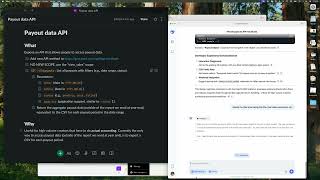
Hey everyone, Sahil Lavingia from Gumroad here. We're launching a new feature today, native Facebook pixel tracking, where you take the ID from Facebook for the pixel that you create, put it into your advanced settings on Gumroad, and you're all set. At least on the Gumroad side. There's a lot more to do on the Facebook end, creating ads and campaigns and lookalike audiences, and honestly, I am not good at that kind of stuff and Jimmy has chimed in a lot on our Facebook group, and so I thought it'd be great for him to walk through how he uses Facebook ads with his Gumroad products already using our third-party analytics tool and all these custom code snippets that he's basically able to get rid of now that we have this new feature, so that creators can take advantage of this new feature. So I'm gonna stop talking and let Jimmy take over.
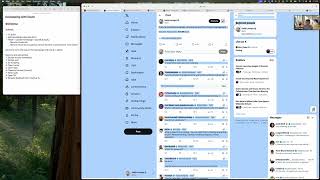
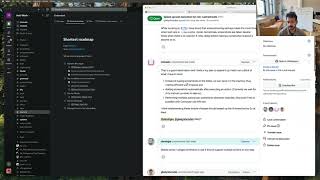
Well, I mean, you guys implemented this pixel really, really well, and so there's really not that much I feel that even needs to be explained from my end. But if you're just getting started with Facebook Ads, the very first thing you want to do is set up a pixel. And so that's what this screen is sort of like trying to explain or showing. To make a new pixel, you can just click this button, add new data source. For those new to like the Facebook Ads Manager, to get to this page, basically from the starting page, this is what you're going to see when you first start out. In this menu here, Ads Manager, there's a bunch of shortcuts, the tools that people will be using the most. For me, I found these to be the Events Manager and Audiences. Audiences are important because you need to target who gets to see your ads so that they— so it's efficient. And then the Events Manager here is how you set up your pixels. So when you hit Events Manager, what you're gonna see is like this this screen, or more realistically, this screen where all your data sources are. Um, so to set up a new pixel, you just hit add new data source and say Facebook Pixel. And it's pretty quick. You can just name it. And basically when you go to the next screen, uh, the pixel data is like generated instantly. And so you'll have a pixel ID Copy your pixel ID, go to Gumroad, and go into the advanced setting— advanced tab of your settings— and then just Ctrl+V your Facebook pixel here, and then it'll just automatically basically record every interaction that a new— you can see before this new pixel was implemented, all you could do was record purchases and page views, so that's why there's almost no activity here. There's not that much data. But as of a couple of days ago, Gumroad's implemented this new feature that allows you to record things like who views your stuff, who initiates a checkout, and then who makes a purchase. And the purchase is the most important thing because that's the optimization event that you want to carry over into your ads and into your spending, and also the optimization event that you want to use to create your audiences. So from here, you can see the data that the pixel is bringing in. So in this particular hour, 120 people viewed things, 18 people initiated checkouts, and then 16 purchased something. So yeah, I mean, basically that's it for the pixel itself. Is there anything else that I didn't cover that people would want to know about?
So this is basically kind of like a Google Analytics-esque view, right? Where you're just like, you're getting an overview, you're not currently sort of like doing any retargeting or anything like that.
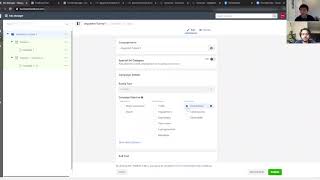
No, yeah, no, no, not at all. So this is just like the raw data that comes in, and then it's up to you to sort of basically take this data and make it meaningful towards your business. And so if we look into the audiences menu, so again, you can just get there from the shortcuts menu and then audiences. What you can do here is that you can start segmenting your audience. So if you have multiple products, this is really important to do. I've segmented out people who view my content, view my paid content, people who view my free content, people who purchase paid products, and the people who purchase the free ones. And I think this is a good way of setting up, I think, inclusion and exclusion criteria for when you actually start running your ads. Um, and what you want to do if you're just starting out on Gumroad and you have a couple of products and you're generating and accumulating all this data is that you should start segmenting out your audience, um, pretty much immediately. And then from there, uh, you can also create lookalike audiences. And this is where Facebook is like the most powerful because at least with Google, and I believe with other advertising platforms, their lookalike and similar features that they roll out aren't as— they just don't convert as well. Facebook has somehow turned this into almost like a black magic science so that the most important value is purchase again. So that's why I've been able to, at least for almost months, just use nothing but the, the purchase event. Only recently we have all this new data, but honestly, all you really need is the purchase event, because with this purchase event, you can create a lookalike audience. And from here, you want to select your, um, the pixel that you just created, and then select purchase. Facebook is going to basically automatically recommend that you use your purchase event because this is the most important event. You can also use other events. Just kidding, no, you can't. Just purchase events. And then you select your audience location, so we'll just say United States right here. And then you can create, let's say, 5 lookalike audiences. What lookalike audiences are basically is that the lookalike audiences will basically simulate the people who are closest to the ones who have already purchased something from you, if we're using the purchase parameter. Parameter of your pixel. And so this is a lot of people. 1% audiences, this is like 2 million people that you can reach. 1 to 2 is also like around 2 million. So if you generate 5 of these, it's over 10 million people that you can reach. And this is very well targeted. Like, these people will convert if you have a product that's relevant. I've already generated these audiences, so I don't need to go create them again. So I already have them. I actually have too many. So I don't know how to show this to you in a way that's not super confusing, but let's see. I think a couple of the first audiences that I created were from my Gumroad purchase event. And so here, for example, is a lookalike audience, 1% of Gumroad purchase. So I created this back in October of last year. And there are around 2.1 million people in it. So the last step, and I think the one that most people want to know, is how to actually create an ad and how to set up the pixel within the ad itself. So you have all this great data from your pixel, you have all your audiences now set up, hopefully after a couple of days of accumulating purchase data, and then finally now you can create a campaign. And so here, this is a page that you're probably gonna see a lot if you use Facebook ads. Right now I've just narrowed it down to show one campaign that I have that's pending. Normally you would just create a campaign, and Facebook campaigns have three, what do you call it, categories of like organization. There's the campaign itself, there are ad sets within these campaigns, and then there are ads themselves. And each level or organization lets you set different goals and expectations. So for the campaign itself, the main thing here is that you can either set it to brand awareness and reach. This is to show your stuff to as many people as possible. I don't see as much utility with these two, unless you're thinking really long term, like a year or two, and you're running out of steam and too many people have already seen your ads and you need to find new people. But if you're just starting out, um, I would take a closer look at consideration and conversions. So for consideration, if for example you don't have that many customers and you need to find them to make your pixel learn a bit more and get more data, you might want to set up a traffic, um, campaign. And so what this does is optimizes your campaign for link clicks. Basically people who just click on your ad and see what you have to offer. Once you have enough of those, once you have enough people who actually purchase your stuff, you can create a conversion campaign. And so these are probably the most powerful thing you can do on Facebook, conversion campaigns, because these— whenever a new person actually purchases a product within a conversion campaign, Facebook will take that purchase and say, okay, so these XYZ conditions cause this person to purchase this product. Now we're going to show this product to all these similar people who have similar interests, needs, and like habits on social media. So, okay, here if we look inside the ad set, Facebook doesn't really tell you why, like what those conditions are. They—
you sort of have to just say like, Facebook, do your magic. You know, these are the closest based on what pages they've visited, what articles they've read, what things they've liked, whatever it is, which I assume is like literally millions of data points about you.
Yeah.
Which is why it's so— it's by far, I think, like the best sort of the best thing to get started with because it's so— the lookalike audiences is like pretty crazy.
Sort of. It's crazy good. Although it's sort of like a black box. To those who are just like on the advertiser's end, you have really no idea what's going on besides that things are working, which is like, all right, that's not bad for like the short term, but maybe when you start thinking longer term, you have to like think more global strategy. But like, if you just wanna drive a couple of sales, this is a really, really easy way of doing it. Just creating a conversion campaign once you have enough like data points and then just letting Facebook spend your money 'Cause you can also track your return on ad spend pretty easily too, because with Gumroad Pixel, it tracks value. So you can just clearly see if the money you're spending is actually bringing in more money from advertising. So if we look inside the ad sets, here you can control different aspects of your campaigns. For example, where the conversion event actually happens. So for here, You want to select website, and then for the conversion event itself, it's going to ask what you want to track. And so here you can just select purchase. So I've actually separated out my paid purchases for my free and paid purchases. So now I have a new conversion event called paid purchase, and you can set your budget. At the ad set level if you want, but I'd recommend just setting the budget at the campaign level nowadays since Facebook can optimize which ad sets get more spend. And then lastly, audience and placements. So audience here, here is where you wanna, wanna select the audience that you created earlier, your lookalike audience. And then placements, I'd recommend just automatic placements unless you really wanna target a specific part of Facebook's network. You can select things like Instagram feed, Facebook feed, Instagram Explore, or you can exclude these different things. I know some people don't like the Instagram video search Messenger, so they just put things in the feed and the story, since feed and story have proven time and time again to convert pretty well. Oh, and one more thing, you can optimize the ad set for either conversions, value, or a bunch of other options. If you're just starting out and you have a couple of data points enough to optimize for conversions, I'd recommend just optimizing for your conversions. You can also try and optimize for value, although I found that this generally drives up your cost per click and drives up the amount of money that you actually spend advertising. And weirdly, your return on ad spend is actually a little less. Although this, I think this might depend on what kind of products you might sell. If you have like a very cheap product and then there are very, very expensive products, it might be in your interest to convert for value. But at least for me, where things are generally more evenly priced, optimizing for conversion works just fine. And then one last thing here is the ad creative. So from here you can set up what kind of ad you want to run. There are things like single image, where it's just you put an image up or a video up and then you have a description, a carousel where it's a bunch of images that you can scroll between, or a collection, which I haven't used myself so far. I found that for me, carousels work the best, especially if you allow them to show the best performing card first. What happens here is that, for example, if you just run a single image or just run a single video, What can happen is ad fatigue, and it happens really quickly. People see the same thing over and over again, and then they just stop paying attention to what's on their feed. But if you use a carousel, you have, let's say, like 5 or 6 images. Facebook can rotate those images, and then people can see different ones and then be like, oh yeah, wow, that's interesting. What is that? Oh, it's the same product, but I just noticed it. That's why I'd recommend carousels if you want your ads to be running for a long time. I've had my ads running since I want to say like November or October of 2019, and they're still generating purchases, they're still generating views, people actually notice them. If I had just done a single image, I feel like this would not have carried through for months. That's ads in a nutshell. So after you've done all that, just publish, and then after you publish, You can see the amount spent every day. You can see things like return on ad spend, purchases, results. I mean, it's all neatly packaged in Facebook's Ad Manager. Awesome.
Simple, easy.
Yeah, simple. Be cool.
I'm gonna do this.
You should.
Awesome. That was really good. That was really useful. I think a lot of creators know that they should potentially look into this, but it's just— at Gumroad, we see this actually a lot where people have all these questions and then they finally do it and they're like, "That was it? Really?" And I'm like, "Yeah, it's not hard." You upload some files, you give it a name, you have a nice cover, price, description. You know, it's— but I think people always have that fear that things are a lot. I mean, definitely, like, parts of the Facebook UI, like, there's so many things you just have to know. Like, these are the 3 things that matter. It's like Pixel, you know, audience, uh, and ads, like campaigns. Like, there's so many other things, you know, like you can see on this UI, there's like so many other buttons that you can get deep and deep into it. Like, I think more work on this than facebook.com.
So yeah, I mean, this is how Facebook gets all their money.
So yeah, this is why Facebook is a $400 billion company right here, this page basically. This is— and Google is even crazier, you know, Google is kind of the same thing. So yeah, everyone should mess around with this. As I'm— as I was— we were talking, like, because of coronavirus, a lot of businesses I think have stopped advertising for now. So I think you'll— starting now is— it's basically like there's never been a better time. And in general, ad costs, like, as Facebook gets better, as more people get on Facebook, like, you're basically gonna— like, it gets harder and harder to be successful. So like, start as early, and I think that's a really good tip. And also, it just takes time, you know. You'll, you'll learn something, you'll figure something out, and then your sales will jump. And like, it just takes time to get to those sort of like those, those events for you.
So yeah, and like, you're gonna reach a level where I think it'll be self-sustaining almost. Yeah. Word of mouth is enough to just be advertising for you, then I mean, that's that. And I feel like that happens sooner than you might think. Once like 10 people start talking about your products, those like spoken words generate more conversions than like any ad could, like a personal recommendation from a friend.
I mean, that's— Yeah, an ad is like acquiring a customer, but then that customer is gonna go, talk to people. And the other thing with Gumroad, sometimes when you do ads on other platforms, you make money from it, but with Gumroad, you also get the customer. So you can email, you have their email, you can basically talk to them forever. So they're your customer that you acquire. So you can kind of, if you're just doing Amazon ads for your product, you have no idea who that person is, how to talk to them again, or all these sorts of things. Follower on Instagram, etc. The nice thing about this is you're building relationships with people that are going to be really, really meaningful. So if you can even get this to break even, it's worth it because you're building your audience at least, right?
Oh yeah. I mean, in the beginning you might be losing money just for a couple weeks, couple days, but very quickly you're gonna reach the point where Facebook knows what your audience should look like. And then retargets your stuff to them. And it's not gonna take that long for you to break even and then turn a profit if your product is of good quality and people can vouch for it.
Totally. Yeah, and start low, start at like $5 a day or less even. You don't need a ton of data. Facebook's really good. You don't need a ton of data to sort of get to that point, I think.
Yeah.
Yeah. So yeah, if anyone's curious, they can check out your Gumroad. Do you have your own URL or do you just use gumroad.com?
I just use gumroad.com. It's easy. So gumroad.com/jingsketch.
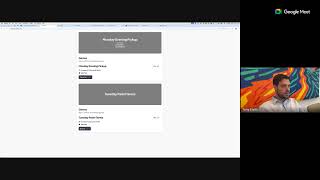
Awesome. Yeah, he has some great landing pages too. If you just click any of the products, they're so pretty.
I do do art, so that's— hopefully that's—
But yeah, great usage of, I feel like, a ton of— we often use your products internally just to make sure that we're thinking about all the things, 'cause you use so many of the features, so it's awesome.