Weekend Project Weekend: Sunday build
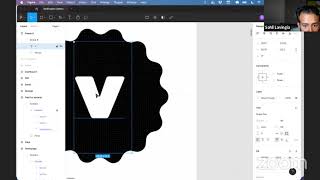
Sahil Lavingia builds a verification letter generator for accredited investors, fixing database issues, image loading, and Stripe integration. He walks through the unit economics, then explains his go-to-market plan: start with community, cold email sales, skip marketing until later.
Chapters
Looks like we're streaming. So let's get started. It's 9:20. And publicly, I'm going to get started at 10. So I'm not going to actually start building anything until 10. So we're streaming. But I wanted to kind of, I was getting anxious, wanted to start reorganizing some stuff and collecting feedback and I have 40 minutes to kill, so might as well get started, I think, and record it so everyone can see this, but we won't start building until 10. So let me just share this stuff with everybody. Uh, actually, wait one second. Yes, let me share and then I will broadcast my screen as well. Starting a little early. I guess I could share this too. It's not really anything crazy, uh, but, uh, Go to my Twitter, do the same thing, find this. Cool. So let's get started. I wish I could update the thumbnail, but I'll do that afterwards. Um, so yeah, I guess I just wanted to start first by just collecting all all the, there's been some feedback, which is great. And I also wanted to be more kind of true to how I build. And generally I check these things off, but then normally I wake up and I'm like, okay, I wanna clean up my Notion. I'm a minimalist. And yeah, so I ended up kind of deleting all the stuff that I feel is done. I can always get it back if need be. And then I'll just make a list of— so yeah, I just wanted to flesh out what we're going to be doing. So switch out keys for production. So payments will actually happen. We need to do that pre-launch. And then we can talk about launching later. But basically, sales direct— DMs, emails, et cetera. Basically this means one-to-one. I'll go through the workbook at the end as well to talk through what that actually looks like. Maybe some marketing stuff, et cetera. We'll go through the tweet, maybe email, who knows. So I deleted that stuff. That looks good. This page actually looks pretty On mobile, I want to add a polished step as well. So there has been some feedback, so let me go through it and add it all. And this is part of the Minimalist Entrepreneur Framework where you get feedback on what you're building from your community. Community first, that's the sort of first step of the, of the process. So I have community, so Makes my life a lot easier. It's motivating. It's, you know, gives me some accountability. But also it makes the product better genuinely, right? Like these are changes that will make the product better. So this is definitely something I agree with. I'll try to do, and let me add everything and then I can sort, kind of decide what I want to actually do. You know, obviously this is a weekend project, so, okay. This is good to know as well. I wasn't able to replicate it, but Certainly willing to, and I would argue this is UX feedback, to be honest, like it's affecting users' experiences. So I'm just gonna say that this is, um, that's not a to-do, so that's just a note. Do, do, do. And that's not feedback, but I'm glad. So yeah, awesome. And then I have my own notes as well. Um, because we are really close on, on kind of the, you know, half of the UX, which is kind of what the customers see, like this works. Um, and so I was like, might as well before we start building the dashboard stuff, which we will do, that's kind of the majority of today. Um, I, yeah, I kind of wanted to just like finish this almost, right? Get this to as close to completed as possible. And I. Promise I won't build anything, but I'll do a little bit of design work. So one thing, oh, that's the prototype. One thing that I noticed is I al— you know, I, when I had a bunch of tabs open, I noticed the favicon wasn't there. So I wanna add that sort of pretty easy win. So let's kind of start with, start with adding that. And the way to do that is to find the main component of this thing. And then I basically just want this to be the favicon. Right. Maybe I can do something more fun, but basically I just want this as the favicon. I was thinking it would be kind of fun to make this a V. So let's see if we can do that. My guess, I guess this is almost, I don't know, it's not gonna look like a V. My, what I will probably do is I will, I'm not that good at this vector stuff. Yep. Oh cool. I don't even have to get rid of all of it, but I will anyways just in case. So now you have this nice shape. Oh, awesome. You have that little thing. And then I want to take this V and I just put it and, you know, maybe make it lowercase. We'll see, but make it white. Actually, no lowercase. I think this is better. Um, actually, hmm, what looks better? I think this looks better cuz it's a little bit more, uh, sort of the height and width match. So it kind of fits like in the center more. And I think we can make it a bit bigger to make it feel uppercase. But to me that's pretty good. Like that feels like a, you know, uh, feels good. So we have that. I think we might want a little bit of padding generally. Like I wonder how, I mean, I guess they wrap it in this thing. Yeah, you probably want a little bit of padding. So what I think I'll do is create a new thing and then take this, put it in there, make this frame a little bit bigger. Oh no. Why is it that, why is that happening? I don't know why that's happening. That's one thing I haven't figured out about, about Figma exactly how, why it decides to do that and how to turn it off, but I'll, It's okay. Um, so that looks pretty good to me. And then what I will do lastly is I noticed that there's this white stroke that we don't actually need cuz we, we're not censoring this, this, uh, kind of other banner. Um, and it's a little off center, so now it looks good. So let's export this. Guy. And this is a new project. So we started from scratch on Friday night, basically. And all of it is on YouTube. So from beginning to end. And I, do we want SVGs for favicon? I don't know what the, I think that's fine. But we'll, we'll, we'll see. So I'll just say icon. And then let me open up Visual Studio and add it. Application.rb. No, .html. Sorry, I'm waking up. And let's add the favicon. Ooh, it's still morning enough for dark mode. That's another thing we could do, dark mode. So that's pretty simple. And I'll do it right here. Uh, and then we probably want to update this to whatever Rails' format is, which is— oh wow, they have this. That's cool. Easy. Favicon, blah blah blah. People ask me why I use Rails and this is often the reason. Icon.svg. Is that enough? And then we need to spin up the Rails server as well. Visit it. Oh, there you go. It's a little too small for me, so maybe we don't need that much padding. And the way to change it— oh no, now I have to do this thing again. Hey, someone's pro at Figma. And you're watching this, please DM me on Twitter and tell me how to do a better job of this. Okay, that looks better to me. Kind of do that again, icon, replace it, and then boom, you should just be able to refresh and it should just get slightly bigger. And it's still too small for me. So maybe we don't need it actually to have any clipping or any kind of— this fuck it up. Yeah, it will. Is there a way to like flatten this thing? I know I can lock it, but then I still see that it's changing. Like, maybe it's like an auto layout thing. If I get the auto layout working properly, it'll do it properly. Or this needs to be centered. So center, center, that feels right to me. And then If I go into here. Oh yeah, kind of better. I guess it keeps the same font size now. So that's kind of an interesting thing. I guess Figma doesn't do well. So, um, anyway, that's fine. Oh, it's actually resizing. I don't want this to be resized. I actually want this to be the same. So yeah, I'll just do, I'll just do the same thing I was doing. Maybe that is the best way. You know, sometimes the best way is whatever works, you know, even if it's hackier, like if that's the thing that's fastest, then, you know, the fast car wins the race, right? Not the, not the most beautiful or whatever. So anyway, um, to do update again, I'm done now. Even if it's too small, the third, third one. Ah, that's good enough. Uh, you know, if it feel, you know, oh no, it's white background. All right. Sorry, not done actually. So we can just make this, I don't know what this is, but I can just make it, oh no, I want that. I just want, don't want the background. So just hide the background. Boom. Now you have this. It would be kind of cool to make this a cutout so you can actually, if you have dark mode on, it'll actually, it wouldn't work because it would be black, so you wouldn't even see it. So yeah, let's keep it like that. All right. This is it. This is the last one. Fifth, fifth time. Fifth time is the charm. I always recommend, by the way, doing something at least twice, you know, like, cuz the second feedback, the second feedback loop is gonna be so much better. So Mochar says, don't waste time on this. I'm not wasting. Look, I have plenty of time, dude. Hey, this is my weekend. Don't worry. Yeah, don't use the word waste. Say spend. Don't spend time on this. Waste is an opinion. State is objective fact. Spend is objective fact. But yeah, don't worry. Don't worry. I got, I got time. I'm, I'm gonna start at, at 10:00 AM officially. So I'm just having fun right now. Okay. So we did the, I mean, that was, that was actually gonna be my request was favicon. Dark mode is a little, we can definitely do it. But I think we'll, um, it just makes things a little complicated. Um, I'll do it at the end, I think. Um, if I have time, if favicon's done. Okay. Mobile, definitely wanna fix. Okay. Let's fix this first. That seems like the most kind of buggy thing. Uh, and that is that verification letters without, with what is it? Does not redirect. If you have this. Okay. So you want that. It does work for me. Oh no. Yeah, you're right. Not secure. Okay. That's good to know. So let's, let's fix that, which is, looks like the following is needed. Use config. All right. Sure. Force it. Let's do it. I'm pro SSL. I'm surprised that that's not. On my default, but I'm sure there's a good reason for it. So that's done. Now let's commit what we got. So, oh, I probably forgot to add the icon. Yep. So let's add the icon. Let's add all files. So it'll add this DS Store thing that Mac creates to do file, I think, display it like for this file system display. But whatever, not a big deal. It's the wrong account. I created a new one for verification letters, and I don't want to do that yet. All right, so that's probably fixed. I should probably check first just in case. Why is it saying not to care? Oh, wait. Okay. Probably not deployed yet. So that's done, and then I did enable— Pushes, I thought auto deploys to Heroku, but they don't seem to be working. So I'm just gonna do this myself. Hold down Command as you resize frame in Figma. Awesome. Let's give that a shot. Um, so what did I, so I had this, okay, let's see. So what is it? Uh, hold down Command. That changes this without doing that. Yep, you're right. Wow, amazing. Command. Thanks, Bobby Goschall. Um, what if I do it here? Just kind of curious what— oh, weird. It turned it— when I'm in there, it turns it into forcing that. When I'm doing this, it can do that. Awesome. That is super awesome. I'm just gonna name this favicon or something like this, make it nice and even. Boom. Figma, what an amazing, amazing piece of software. Boom. It redirected. So we're good here. Upload supporting docs button looks disabled with the double gray scheme. Referring to this, which I think is a reasonable critique, not functionally broken, uh, but we can improve that, uh, quite easily. Uh, so might as well do it, you know? Uh, and the file uploading button is probably right here in this bottom. Um, I'm actually gonna create, this is not exactly what I wanna do. I use a button, which is less ideal now because it's not really— I don't wanna actually make it a button, but I'm gonna do this anyways. So I'm gonna make it dashed. I'm gonna make it something like a DDD, see how that looks. And then I'm gonna make the background white. And I know I could set up a Watchman or something to do the auto refresh, but I'm too lazy. So let's do width 100%. You know, that's starting to look a little bit less like a canceled state to me. I think the last thing that will really help is adding much more padding to the top and bottom. That makes it look, feel more like a drop zone almost. And you can click that. And then the other thing I need to do is there's the file upload that I put on top of it, which is actually the thing that kind of hijacks those events. So I just wanna make sure that it's aligned with this as much as possible. Which is actually, what if I do 100%? Then I have to make less kind of variable changes. Oh no. And that's likely because of this position absolute, which I do need, but an easy fix to this would be to just make sure that whatever this is in is in a relative, uh, relative, uh, container, uh, which is pretty easy to do. And I believe I could just create that. I'll just create a relative. Thing, put that in there. And then just basically in that application CSS, which is kind of the global file where I'm keeping my global stuff, I'll just add a relative class. Let's just do that. And that should fix this. Boom. And then finally, I might actually even be able to do height 100% now that it's in that. Let's see. Boom. Awesome. So now you can kind of drag and drop. So that's perfect. So let me get back to this. 0%. All right. That looks much better. Let's upload something. I do want to add like a dot, dot, dot or something to this. I'm gonna change this slightly. File uploaded. File uploaded. I'm gonna say click to replace. So that's, I think, looks a bit nicer. Maybe we can make it a little, actually, no, I like it. I, I, I think what would be cool is maybe if, hmm, if we, if we added like a, like when it's, when it's done, we added a little bit more of a like done state. So the way to do that is to create a new class, say file upload done or something like that, and just border 1px solid #959595. Um, and that will just give it a little bit more like done, I think. Uh, And file upload done. I'll go back to this file and that is this button. So let's add an ID or let's add an ID saying file upload container. It's not really a button anymore. And then we can just update this, right? So we can say document.getElementById of that. .class. I know the J— I, I use jQuery a lot. Add class JavaScript. Dot is like, oh really? That's it? Oh, .classList. I feel like there's a, a more modern way to do this now, but those seem to be the, the main options. So interesting. I mean, if it works, it works. ClassList.classList.add, composite file upload complete. Let's try it out. A loader would be cool. I'll see if I can do that. I got 18 minutes and before I wanna start actually building stuff that's functional. Okay, so that didn't work. Um, why did it not work? Oh, and the reason is it actually hijacked— oh no, that's separate. Oh, it added the class. It did add the class file upload complete. So I think I must have just— oh, that's why. Done. Uh, well, I'm too lazy to test it again, so let's just upload this to done, update this to done to see what would've happened. It did that. I think that's fine. I think maybe we can make it feel a little bit more done by just adding like a 0.5, like it's kind of disabled, kind of. Uh, I don't know. That's kind of weird, right? So yeah. Um, cool. Well, did that actually fix any of the things that I wanted to fix? Uh, yeah, this one. Um, address type ahead would be nice. Multi-select is a little tough. I agree with you, especially cuz they're checkboxes. They probably should be multi-select. Um, but the way I've schematized it is not gonna make that possible. You have to choose one of them right now. I, I guess I could figure out how to do with bitflags or something, but I think it's fine. Um, so I will defer this to kind of later polish kind of section, like post-launch polish, you know, certainly would be nice. Not disagreeing at all. Um, but yeah, mobile, definitely wanna do that. Autocomplete is kind of the same thing as this, so I can just delete that and just the important word that, uh, just so I can— it jiggers my memory a little faster. And then mobile is important. And then dark mode I'll probably also add to the post-launch. So, um, on iPhone 11, I have to scroll or pinch. Okay. Well, that's, Not great. So let's fix that. Um, and I always, I always forget, this is like a flaw that I have as a developer. I'll tell you is I always forget to test on mobile. Um, you said iPhone 11, which is not here. So hopefully you're okay with an iPhone 6. Uh, yeah, I can definitely see a problem here that is not ideal at all. Um, and the reason for that is in the header in application— almost deleted everything. Let me push what I got so I don't lose anything. Any files? No. Good. Application.html. Um, I do have the initial scale 1 here, so that should be fine. But for some reason, and I know I fixed this on my own personal website, so I will just copy it from here. Stack Overflow is number one. Number two is stealing from somewhere else. Um, so let's see where, where is there no code to do that? Oh, here it is. Viewport width equals device width. Oh, I don't even have a scale. Interesting. Maybe I don't even need initial scale anymore. These things have changed, uh, you know, in the last little while. So let's fix this without the— yeah, it seems like the viewport meta tag's not actually there, but weird. Should I do that? Let me check on my actual phone just in case to actually, you know, sometimes this isn't doing. It isn't sort of accurate. No, it's still a bit— it's still a jank. I mean, actually, the width— the, the zoom isn't janky, but, um, I don't know why it's doing that then. Dimensions. Anyways. Oh yeah, I don't see— it's still 100. It's not 100. What is— when it goes like this. Yeah, see, that's what it should be. And then if I change it to that No, I see that's not what I want. That's weird. I, I feel like it's, it's not, shouldn't be doing that. Right. I guess that's what's happening. It's doing this weird thing. Um, so anyway, let's try to fix it. Um, application.css. Well, you know, one big issue that I know is that we have this wrapper. Which is a specific width. Um, really easy fix for mobile is just to make this a max width, you know, and then now if it's less than that, it'll just shrink down. Uh, might not always be what you want though. Um, yeah, definitely there's some jankiness happening. No worries. We, we got this. Uh, so let's fix everything. One thing is this width. Again, same thing's happening here. Ma— oh, do I need this width? I don't even know if I need this anymore. It might have been a hack from before. Um, oh yeah, we do need it. Um, what if I make this a max width? Is that gonna do it? No, probably not, right? Okay. No worries. I'm gonna, I'm probably have to make this header less janky generally. Uh, which is fine. Um, I can do that. So I can, let me remove this. Let me remove this. Can simplify this. Remove this. Make the background red so I can see. Okay, so that's nice. So that's, uh, maybe better if I Do this. Yeah, it's starting to look better. I'll probably tweak the padding a little bit more. Um, it's a really easy way to do that is just to add padding to either side, I believe, like 15 pixels. And then it'll just do that. Um, so it's not perfect. Um, but you know, it seems to be good enough. Obviously we don't want it to be background red. We want it to be this thing. Uh, and then I can just move, uh, no, I want to move it this way. It will crop. Um, and so maybe a better solution would be to make this inline. Yeah, that's probably the better thing. So I can remove This awesome. Yep, cool. And then I can just actually put this— actually, actually, you know what I can do? I can move this to the H2. That's it. That's actually nicer. I can just do it here. Um, so let's do that. I can just move it here. Boom, that's cut off. I can fix that probably. Um, actually I don't even need it. What I could do is I could just do this zero or sorry, this zero and make this, what was it, 220 or something like that. And then move this whole thing. It was a negative, uh, it was -92 pixels, I think. Um, and let's make the width, you know, whatever the width is on this SVG. I got 9 minutes. Will you tell me the width? Nope. Will Figma tell me the width of my export? It is— what's doing the exporting? Something else, but so maybe not. But I think I can just make this like 1,000. It just shouldn't matter. I mean, it probably does because— actually, no, yes, it doesn't seem to matter. Cool. So I can just do this more. Um, and then what happens if I change this? Uh, it's kind of cool looking. This spacing is a bit weird to me, but that's easy to fix, I think, um, which is to just go to the welcome.html and then this paragraph Which is right after the H2. And the way to target that in CSS is to just do a plus and then just say, I think this should work. And I actually wanna make this like negative. Will this work? Awesome. Sweet. So let's see how close we are to the Figma mock. Looks pretty darn close. So let's stick with that. I'm also gonna make this $50. I decided that this is a good valuable service and $25 almost feels too cheap. I think it'll, people feel like it more legit. The other thing I wanna add is I wanna add like a powered by Stripe little tag. Which I think will kind of help just with a little bit of credibility. So let me add that really quick. Can kind of do that wherever, shouldn't really matter, but just do it up here. I don't think I actually need card error anymore. Is that gone? So I think I can delete card error. I think I show my own errors. And then card element is there and payment request button. I don't know if I actually support payment request button. It's not supported, but I'll leave it there just in case. I don't know, maybe, maybe Stripe will just randomly add Apple Pay or something. And I, they, they had that in their demo docs, so I'll keep it there. Uh, it's powered by Stripe. Stripe, you have so much free marketing. It's amazing. Text align center, and then just View what that looks like. Beautiful. Didn't actually center it. That's okay. Now it should be. Um, let's do— and I'm gonna make this like payments. Mm, it's kind of ugly. I don't know why. Let's do font-size, make this like 14 pixels or something. And then I'm going to change the color finally to be a lighter— I think I can even just get rid of that payments again. And that gives me, I like this kind of narrowing, uh, just kind of like upside down triangle, this kind of nice, these diagonal lines. This kind of has the same thing. I always look for these kind of like cool rhythms that I get to have. Um, you know, this is kind of an arrow pointing down. Kind of gets people to scroll. These are kind of some tricks that I learned from painting, actually. They talk about painting— in painting, this idea that you want to design all the lines of your drawing to point to a specific thing. So, you know, in this sort of focal area, I'm not that good of a person, of a drawer, painter. But in theory, you'd have a focal point, which I think I wanted to make. You know, generally it's like kind of the face, but this area right here, right? So everything, every line you kind of want, you know, this arm is pointing in that direction. And the fun thing is like, you know, obviously I didn't place the model like this, so it's kind of like you have to find it. But everything is kind of pointing in this and there's this clear rhythm and you don't always get that, depends on the pose, but you're always trying to find, you know, what is the focal area, right? Like here it would be this thing. This thing really is pretty obvious, you know, pretty like kind of the highest contrast. So Always trying to find, um, those things. Um, so anyway, that's what it used to look like right here, and now it looks like this. And then we also have that Stripe thing that I haven't shipped locally. Um, so let's add that. Um, oh yeah, let me keep testing on mobile. Let me open it up on my phone. Oh yeah, I have to push to Heroku. Would be nice to figure that out. Maybe I'll figure that out as part of this session. Automatic deploys are enabled. Every push to master deploys. Yeah, so this should be doing it. I don't know why. Maybe it's just slow. I'm just impatient or something. But when that's ready, I will. Um, did it? Not yet. Mobile is important. I think in this case, probably not as important because you need like The file upload, like I don't, I think most people will probably be on desktop, but yes, mobile is important and I always forget about it. And this is like a, I think it's a mistake a lot of people make who build stuff because you know, you spend a lot of your more time sort of as a percentage on your, on your computer probably. So that looks done. Let's refresh on my phone. It's better. It's still janky. Um, so let's see, let's make it better. Um, well, one reason it's janky is you can notice even when I close it, there's like this empty space. So let's find out why there's some empty space. Um, you don't even need this to know that there's some empty space. And the way to find this, this out, basically just hover over these things. You can see, oh, H2. As I mentioned before, we made this 1,000 pixels, so that's causing this thing to happen, um, which is not good. Um, so let's figure that out. So the reason is this is display block already. This header is over here and I can't do 100% width because If I do 100%, why is it— oh, I know, it's because this SVG is so massive, huh? So I have to fix the SVG. So let's open this SVG in Visual Studio. All right, maybe I'm not gonna be able to fix it like this. Basically it's the width, the width of it is so big cuz it has all this blank space in it. Like if you notice, if I open this logo up, it's gonna be, you know, I want, I basically want to crop it all. Maybe the right way to do that is Figma actually. So let's go back to Figma. Oh, it's 10. I'll start building in a sec, everybody. Where did I put it though? Maybe I'll just have to do the same thing, which is just open, create a new little thing that's like the frame for the logo, you know? And mobile is important, so I'm gonna make that as part of the build. I think that's fine. All right, so now we have this thing and then I'm gonna make it so that this is at the very edge, right? Awesome. And then I'm gonna take this and thanks to Bobby Goschel, I know I can now hold that Command just to update this and I will make this perfectly sort of trim tight, check all the edges. That looks good to me. Make sure that this background is invisible. Um, and let's give this a shot. This might eff some stuff up in the design. I'm just going to do that for now just to have a backup in case, I don't know, just in case. Well, the other thing I need to do is I change the price to $25. So let me make this $50. And I think that's everything of that. Yep, cool. And then logo is now logo new. And logo is only referenced in one spot, which is awesome. So we can just update this and see. Oh no, local. Awesome. See, it's, it's, it's, uh, it's better. Uh, we probably need to recalibrate this. Um, yep. See, now it's not, you know, by default it's kind of more centered than it was previously. Um, I wonder if this can now be 100% worth it. That's gonna work. And then if I squeeze it, then I— awesome. And if I make it mobile, I could just do this to make it mobile. Oh, that was Alt+Command+I to inspect. Pops this inspector up, but it also allows me to take this, kind of easily test this out. So that looks pretty good to me. Uh, let me move this, um, guy over. I think it was 92 pixels. It's actually a little different now, so it's probably closer to 90, which I like cuz it's nice and round. Um, and what else can I do real quick? Um, I mean, it looks pretty, pretty good. I think now this, I would say maybe the padding on mobile is a bit excessive. Like I don't need that much space on mobile. So the last thing I'll do is on mobile. CSS, find the media rule, which is something like this. And then just at the right, right here, I guess I can say, there's probably a better way of doing this, but on mobile, do something like that, right? Where it's kind of more. Hugged more tightly. Uh, I'm gonna make this 25. Oh, this is getting cut off a little bit. Why is that happening? 100% width is making that happen. Hmm. Interesting. Maybe I can do 120% width. It's an easy fix for now. I think that's fine. Um, and then, yeah, I just wanna make this a little bit closer. So I think we can do 60 or 70 even. Yeah, something like that. Right. Um, we don't get the cool logo. Anymore. Why is this called— did I— is this not updating anymore? Sometimes when you do too many CSS changes, it starts to cache it. One, one, one last thing I want to do on mobile is see if I can keep this logo cuz it's kind of nice. So if I go to this and just add, what is it, margin-top negative 50 pixels. And make it— what was it, 65? Yeah, so 65 looks best to me, but you kind of want to show it, right? I think so. We can basically remove that 92 negative on mobile. Again, won't do it actually. So if we just do it here, make that 0. Uh, we made this margin-top -55px. So it looks like that so far. Um, not ideal because if you go really on mobile, it's gonna, it's gonna get cut off, right? Um, so yeah, maybe it's not worth it. I, I probably want, what I probably want it to do is If I want to be really clever is resize it based on the width, but anyway, I'll just leave it like this for now. I think that's a good amount of mobile formatting. I think it looks okay. Let me get rid of logo, logo-old, and we can start building the dashboard. So we can get— this is now logo. We delete the logo, we add this, we commit all that to GitHub, and then I see if there are any questions and I'm gonna get started. Awesome. SSL should be there on local. It's not there, but yeah, SSL should be there. Um, that's actually a good idea. If I just took this, Miguel on the chat said if I took this and just did a transform potentially. Oh, transform. And then I changed the scale to like 0.8 or something on mobile. That would be nice. So actually, yeah, I'm gonna do that. Good job, Miguel. Good, good, good advice. Where did I put the mobile max width? Yeah, let's do that. I think that's kind of nice. Transform scale 0.8. Found 0.8 is actually— is a pretty good number. I often do use. That from kind of these mobile formatted things. It is bugging me that the CSS isn't updating anymore. So let's see if I can fix, fix that. Yeah. See, disable cache should be there. But maybe there's some weird, weird stuff happening. Weird, strange. Yeah, maybe I'm just— I'm wrong and it is working, but I don't see it. Maybe it is working and I'm just not noticing it, or this margin-top isn't doing exactly what I was expecting. But yeah, that's actually better. So that means we're pretty close. Basically what I can do is just change the height of this h2 to make it, you know, whatever it should be. Oh, the h2 is now includes that. Really? H2 should not include— oh, the h2 should not— I don't know why that's happening. Hmm, weird. Might have to do with the combination of the scale. Oh, I'm editing the wrong thing. H2, here you go. 8, 200 pixels. And then finally you want left to be 0. Nope, you don't want it to be 0 because now you have the scale, so it's going to affect this a little bit. Negative 48 pixels. So that's how it looks on desktop, and so it looks on mobile, and there's a little bit of janky, like, slightly, like, kind of edgy KC stuff. But I think it looks pretty good. So let's commit that. Go to Notion. I'm gonna consider this done for now, but please report any other things that you see, um, in, in Discord. Um, so I can address them as well. So anyway, cool. I'll keep this here. I really don't think it is necessary, so I'm gonna move this. Actually, I'll move it down there and we'll get to building and seeing if I can, uh, get this done. So what's next? The dashboard. Um, so let's refresh everyone's memory on this Figma prototype just to show everyone what I'm building. Uh, so we have this that we've built out, that we've kind of gone past the Figma mock, so they're gonna be a little bit outta date now. Um, but you know, you submit your thing, you get this little thank you note. Um, you, you get this, yeah, this, uh, you know, expecting email from us, from us in 24 hours. So at that point, the customer UX is kind of done until they get the final email. Uh, and then I'm building this today. Um, so, uh, CPAs will log into this, get a list of all the folks who have not yet been verified, rejected, um, et cetera. And. Download the files, right, which they got from here. Verify or reject them. If you verify, this is the last sort of part of the UX for the customers. They'll get this email and then they'll be able to download this PDF, right, which is kind of the product that they're, they're effectively paying for. Um, and then that's the marketing hook is there's that kind of little link at the bottom. So you can kind of create this little bit of a viral thing. Um, so that's what I'm gonna build. So let's get started. Uh, did I ship everything? Let me ship what I got to Heroku as well so people can play with it if they want, and then I'll get started. All right. Dashboard. Auth should probably be the first thing, but I probably won't build it first. But I think in terms of like the kind of logic of what the user is gonna be interacting with, right? They're gonna log in, then they're gonna see the list or, you know, they're, those folks are gonna get added to the queue. They're gonna see a list of investors. They're gonna be able to download, approve, reject, et cetera. So it's kind of ordered in that way. Though I might not go through it that way. So Cool. Let's go. Let's get started. Verification letter, verifications controller, create news index. That's the Stripe communications. This is the thank you page. There's some stuff we can do here. Like we could, we should probably do, we should probably fetch the verification itself. We probably wanna obfuscate it so people can't just use the ID. So we'll, we'll do all that, but Here's where I am, the dashboard. So let's do get dashboard to verifications dashboard. Did I not do that? And I should probably standardize these to one or the other. Cool. So now I have the dashboard. I can get the verifications. Uh, and the way to get them is to get these records from the table, the database verification dot where. And now what you need is actually what I can just do for now is all, and then I'll just list them all. We can, we can make it better. Use— let's make a dashboard. And we can just print them, right? Verifications, which is that variable, .each— do— is it like this? Something like that, I think. And then I can just print names to make sure this is working. Legal name, right? And I'll add the auth later, as I mentioned. But if I go here, boom, I have a list of all the people who submitted. Which locally is just me so far. So done, list of investors. Awesome. And yeah, in The Minimalist Entrepreneur, I talk about this kind of concept of there's effectively every, there's only two things you have to learn how to build on the internet if you wanna build stuff on the internet, forms and lists. Collect information, display information. Like that's what you need to build websites, you know, to really get, make a lot of room, you know, really get started in web development. It's CRUD, create, read, update, and destroy. So I'm in the reading, uh, and soon updating as I add approval. Um, and I've already done create, right? Yesterday was create. Now I'm doing read and update, and there's no delete, I think. Uh, so yeah. So yeah, this is, we're almost done. I mean, we have a list. It's pretty easy. Uh, let's go to the design and make sure that this is, uh, Let's move the logo to be nicely aligned as well. Where's the dashboard? The dashboard design. This is, this is all of it, right? This is what we're building. Uh, and we're, we can probably like check mark some of these if we want. There should be like a, uh, Dylan, if you're watching, uh, there should be like a check mark button where I can just like take a check mark, you know, and just have like a big check mark right over here, you know, like, uh, I have plenty of time today. I can totally mess around. I don't know, you know, like a check mark. Yeah. Anyway, you got, you got my point. Um, all right. Dashboard. So we want something like this, not just that, uh, but a string that's a bit longer than that. Right. And then the reason is important. The reason will change based on what their reason is, what they selected. There's those 3 reasons. I actually don't even need to listen to Stripe arguably anymore, so I can delete this cuz we're doing the, we're not using Stripe Checkout. We're actually doing the payment on our side. Obviously Secure is still using Stripe, but, but the actual processing, like triggering that, is on our site. So we don't have to wait for Stripe to tell us it's done. Um, but there are 3 sort of different ways to be verified, right? There's those 3 selections right here: I have a net worth, I made over $200K, and $5 million, right? Those are kind of the 3 levels. So just let me grab them. And those, you know, map to those verification reasons. So these are the— these are them, right? So let me turn them into— these isn't because they have a net worth of over a million. So basically the way to do this would be, I think, the simplest way to do something is verification. If verificationverificationreason equals equals 0, write that. Else if verificationverificationreason equals equals 1, you know, something like that. And then the final else. In theory, you could do else if as well, but that should never need to be called. And it's simple enough that I think we don't have to guard against those edge cases. We can kind of assume is an accredited investor because they have a net worth of $1 million. This is going to be is an accredited investor because they have made— Over the path. And I actually did, did write these in Figma already, what I wanted, but that seemed— I don't need to say that again. This is internal, so we can kind of have this shorthand, but we should probably still reference it. And then finally, this is, is a qualified purchaser, right? Boom. And then I wanna make these bold. So let's just add strongs to them. And then we'll have these buttons that come in, but we can write them down here while we're in town. Verify investor, reject. And this can be kind of class destroy. Remember CRUD, create, read, update, delete. So we can kind of think that that's a destruction. Class, verify or whatever. Actually, let's just say reject and then class. We already have this actually. So I think we actually, no, I updated it. So I'm gonna have to bring back the styles, I guess, for this button. Oh no. Oh, whatever. I'll say just download files, you know, and then one other. Yeah. And oh yeah. And then, you know, the other thing is this is gonna be an unordered list. Right? So this is going to be an unordered UL list of items, and each of these is a list item. So we can make these list items. And then finally, there's kind of this big-ass— oh, sorry— thing, which is this banner. Which can go at the top and this is gonna be dynamic, which is the count of those, right? So if we go back, it looks something like this. And I mean, arguably this is functional, right? I mean, if, if these buttons actually did what they're gonna do, I don't see any reason this isn't good enough. Um, so yeah, pretty, pretty, pretty cool. So let's do the dashboard design now. Um, and I'm gonna wrap these all in a dashboard just to keep it easy. I know we don't really need to and we could just use class names on everything, but I'm old school, so I'm gonna do this. To keep things really simple. So we have the dashboard, which has the header in it. It has the UL, those have list items, those things have buttons. Uh, and this is a, I guess there's nothing here. Uh, but I probably want to have this in a paragraph, you know? Something like that is kind of what I would think. So as a paragraph, this has a black background, a bunch of padding, white. I probably won't use that font because I'm too lazy to figure it out. So let's just make this a font like Helvetica, a nicer version of Helvetica. Do that bold thing that we had before. Not like that. Not, not, not as cool and pretty, but that's okay. Um, uh, we can just leave that. I think it's set by default. We can make it bold. What other things do we need this to do? Um, oh, that's the H1. I guess I forgot to close it. Yep. Yeah, so something like that. This is not showing the count. I don't know why. Why this is— oh, it's because I don't have the equals equal to print. So there you go. I think I can just make this. Yeah. So boom, you have that. This font size is 22. So let's make the font size 22. Awesome. Let's add a similar padding to each of these items. Let's add these— oh, actually, seems like I pad this whole UL thing, so I'm actually going to move the padding here. But also within it, I'm gonna need some padding, um, from the top and the bottom. So something like this. Um, and I believe the last child, the last of these, we're not gonna want padding on the bottom. The strong wants to be font-weight: bold. Um, it looks black to me, so let's Make it black. And then you have these buttons. Um, they kind of do what they kind of already look kind of nice. Um, but let's do this. So it's gonna be, there's gonna be a bunch of them, right? There's the verify and reject. And the verify is gonna have the same kind of texture as this button over here. So let's take this and put it here. I think that— oh, and then we're actually— that might— no, that's probably not enough because we probably need the— some of the button 'Cause I actually, unless I made it so that all the buttons everywhere, but my guess is these are, yeah. So these are not, oh no, this is now updated to do this. Oh yeah. So let me take the padding. I don't think I need, oh yeah, that, that I need. So what I can do is move this padding here. Cool. And then for reject, also white. I'm gonna move these next to each other so when I copy paste I can do it slightly faster cuz they're kind of related. And let's update these. So let's get the colors from the design system. Inspect. Awesome. I don't know what the right order is. Is there a border? Oh, it's right here. Awesome. Uh, and then the border is Slightly darker. Um, and let's refresh. All right, so that's what it looks like now. Didn't realize you could save. I don't think you can anymore. Um, so that's another thing we should make sure that we're sorting probably by most recent, oldest at the bottom, right? I, I should actually, I should probably indicate that. Yeah, I mean, it's starting to look, you know, better. So what else can we do? We can round the buttons, I guess. I forgot to pull that out. So we can definitely take all the buttons globally. So let's move that and just make it application-button. Boom. All right, now go back here, margin-right. Add some spacing. Um, size 17. Let's do that button, which is download files, I believe. And we're going to go back to trying to get that button that I updated, but that's okay. Let's tweak it. So yeah, I mean, it's not perfect. It's not exactly like what I— it's not there yet, but we're getting there. Buttons are a bit too small. So yeah, that's better. I wanna make the border a bit darker. Too dark. That's better. And then what else? Oh yeah, I want to make it so that when you hover over these, cursor's pointed. And then also finally, when you click— and this is internal only, but it'll look nice. And what I will do is move these as well, actually, to the application because we're going to always want these for every button. It's telling me I did something wrong. What I do— what I do wrong? That is the button. What does— what is wrong with me adding this? Why can't I do and? Did I do what? I'm missing something. What am I missing? There's something weird happening here. Everything is in— oh, everything is indented one. That's weird. All right, I'm confused. This works even though everything is indented awkwardly by one. Dang. Weird. I've seen something like that before. Is that everything fine? OK. Weird. And what if I just— all right, that's super strange. Oh, you know why? It's because it's .css. It's not CSS, so I can't do— so that's OK. I'll just make this like this. That shouldn't actually change the look, but what it means is now I don't actually need to add this here. I'll just, it'll just work for all these buttons. I don't like how it's slight. I like how I wish it were coming from the top. So let's update this to be zero, I believe. Nope. This to be zero. Yeah. So now it looks, I don't know, it kind of looks better to me. What does everyone else think? It looks like a, you can tell that it's, it's a button, right? Um, we can make it slightly better maybe by just making this like 10 pixels and then doing like really faint or something. So there's kind of this shadow, something like that. These buttons actually won't do anything. Okay, cool. Yeah, I think that's good. Um, awesome. Dashboard. Go back here. We want that border bottom, you know, something like this. Now you have these nice borders. Um, do you have this font size? Probably not. So let's make the font size 710 pixels. Yeah, I mean, that's the, that's it. I mean, that looks kind of like the same to me. I mean, there's a little bit of what I would tweak is the padding at the top, just so, just like this doesn't have any bottom padding, probably don't want the first one to have any top padding. But now you have this. Oh, and then also you don't want this to have the border that I just added. Right. So you don't want to have a border and now boom, you have this list. So yeah, we now have it skinned. I wanna see what other folks are saying. Yes, Bradley, you beat me. You beat me to it. Um, oh, cat's here. Hello. What's up? Huh? Come on, we're making good progress so I can play with you a bit more. Okay, so we got the list of investors. Um, yeah, let's do download supporting docs. I mean, that should be pretty darn easy. Um, I can actually just make this a link, uh, to the docs because that is just, I believe, verification. Supporting documents URL. This will break a little bit because it's now a link, but in theory— oh, it's not working. Oh, so I— oh yeah, I forgot to close it as an a. And normally what I do here is I just add a button class. And then I just have to go through and, and say, you know, also this affects buttons, .buttons. That's my solution anyway. Uh, it's not ideal, certainly. Uh, and I might actually end up just changing all of these to buttons, um, or to, you know, because, because now you have this thing where you have, you know, but, but a really simple fix will create some duplicate code when it compiles down is to just do something like this. But now you have these. Yeah. And it works. You click through and it takes you here. Does the thing. Not pretty, but works, right? So let's do text-decoration: none. I can actually kind of like the white look of this. I'm gonna, I'm gonna go with that. I kinda like it. So yeah, cool. So that's done. Download supporting documents. Pretty simple. Approve and reject. Oh yeah. Add. I'll do, I mean, these are kind of related backend. Add to queue. I mean, everyone is added to the queue in theory, right? Until they're approved or rejected. So whatever. I'll, I'll kind of complete these at the same time. So let's go to verifications. I will have to add auth. That's kind of an important, you know, piece of this. You should only be— obviously there's auth here, but even these controller methods should be protected, right? Um, and I'll probably at some point move this to a dashboard controller or something like that. Um, but it's fine for now. Um, what is it? Is it verify? Is that what I say? Or approve? Yeah, verify. So verify, I'll need a verify function. I'll need a reject function, and I believe that's it. Um, right. I think so. So, you know, in this case I would do something like params, you know, whatever the ID is of the, of the, of the verification and do something like verification.get something like this. And then here I'll do kind of the same thing, verification. And then this verification.status equals— and this doesn't exist yet, so this would fail. But something like this, just kind of like we did before for the the main form, something, I think it's like something like this, status failure, or success, false message. I don't know. I don't know why it would potentially fail. So maybe we actually, let's even, let's keep this even simpler. Let's just do this. And then if it does succeed, we can just render the JSON that says status success, and that's it. And then we'll do the same thing here. Presumably there will probably be these things that come up, but you know, something like this, rejected, right? Something like that. A good point. Someone said— Miguel said to try it with zip files, which is a good, good thing to test. So let's test that real quick. Let's take a zip file. I do. Oh yeah, let me— okay, one sec. Once I add this, I want to add like a loading verification message. There's now 10 investors and the last one is a zip. Click that. Boom, downloaded. Open the zip, has the files. Boom, awesome. Yeah, let me add that. That, that honestly doesn't seem like post. That does seem like something I'd wanna do, but it's fine. Okay. Approve and reject. So now we need to add a state machine. So state machine Ruby, figure out what's April 18th. Not too bad. The tests are passing. State machines. Let's see how it looks. Yeah, this looks pretty good. Probably solves the problem that I need, which is effectively managing these states. So let's do it. Let's use it. Add this line to your Gemfile. Let's alphabetize them. Executed. So let's bundle that. Did it work? Something's weird. Like, I guess I must have these installed already cuz it doesn't show them as installing. Um, but it's there, so I guess so. Weird. Uh, or it's all, okay. Below is an example. I don't want an exa— I, I kind of need to, how do I add it? To a thing. Let's see. Weird. Doesn't give me an example of how to actually add it. Did I miss that? What am I using, ActiveRecord or ActiveModel? Hell, I don't know. I don't think so. ActiveRecord is probably— I'm pretty sure I am using ActiveRecord. Right, I mean, we'll find out if I just do this. What is, what is verification? It's an application record. And what is application record? It inherits from ActiveRecord. So yes, cool. So presumably we need this. Maybe we don't, but let's say we do. Let's bundle again. Usage. I still don't know where— how it stores this data. Don't we have to write— I guess it uses— I guess it just tracks state. Like, we just kind of assumes whatever, like, this seems to be, um, doing it. Seatbelt, park. Yeah, I don't know. I'm confused, but I'm sure I'll figure it out. It's only been 40 minutes. I feel like we're making good progress. State. Yeah. See that, that has a state, right? So I'm pretty sure I do need to create add state. So, oh, Nope. Uh, so let's do that. Let's generate a new migration, which says add state. I actually believe the, yeah, add states, add state to verifications. Now we have this thing and we can go and add it and we'll just do similar to this, except it's called state. And then we'll run the migration like this. Nope. Huh? It already exists. Oh, fuck. State. Yeah, duh. Um, I'll do verification state. This might be too late. I might have effed this up. Oh no, cuz it failed. So cool. Awesome. Perfect. Uh, so if I go here now, there's verification state. Um, I actually don't really even need the state machine, to be honest. I could kind of just hack it. Right? Like I don't need, um, I'm trying to think if I actually even need a state machine really. It would be kind of nice. Um, yeah, let's keep it. Um, I actually don't need it, so I'll, I'll use it. I probably will use it, but right now we don't need it. So for now I will not use it. I'll just, oh, oops. So that sets the verification state to verified or rejected, um, which is great. Uh, and then in the dashboard, I don't actually want all of them, right? I want where verification state is not verified or rejected, right? Basically is nothing. Right. That's my thinking anyway. And that should be everything. So everything should still list here. Oh, nope. No, no. Yeah. So nil is, is kind of the default state. This is where a state machine would be nice. Cause it's kind of ugly. You could have a nice scope. You know, verification.to_beVerified or in_queue or whatever. Um, but we can do that cleanup later. Um, and then now we need to make these buttons actually work. Um, and if I wanna be really simple about it, which I do want to be for the MVP and we can make it better, uh, over time is to actually just make them links and then just do these as, as GET requests actually. Now I'll do, I'll do them the proper way, I think. Yeah, I'll do them, I'll do them the proper way and I'll use jQuery for this cuz I love jQuery. But let me, yeah, let me, let me use, let me use jQuery if that's okay with everybody. I know I haven't used it yet, but it's so easy and simple and I think it would be nice. Uh, Google jQuery. What I want is their, is their hosted library. So I can just take this and I think I can just put it here cuz this is the only page that will need it. And then I can start writing script type text JavaScript right there. And then I'm gonna say, I'm gonna add a class that just says like JRS JS rotation. Uh, and I'm gonna also add a data ID and this data ID is going to be— So if I go into the source, each one of these Should have an ID. Um, and I'll be using that ID for the verification stuff. Oh, the other thing is I wanna sort by newest at the top. Um, so what I could do is in the verifications, do .orderby, and then I believe it's something like Created at desk, right? So the top should be the most recent, the highest numbers. Oh no, order. Yeah. So now it's the other order. Awesome. Uh, and if I wanted to, I could add like a timestamp, like 7 minutes ago or something like that. So you could kind of see, um, see that. Um, Okay, back to the dashboard. document.ready, I think, is the thing, something like that. I don't know if you need all this, but let's see if I get— yep, cool, awesome. So I'm gonna add— I, I do these, I know you don't need to, but just to make sure that if you update the class and the CSS breaks. So I just like having them separate for me personally. But you basically have these two actions, right? You have the verify button, and when you click it, it's going to do that POST request to that other method that we have, which is something like— I guess we haven't added it to the route yet, but it'll be POST, verify to verification, verify, and reject will be the two things. Uh, and then just update this to verify, right? Is that as simple as that? What I made it? Yep. Awesome. And I don't have it. Oh yeah. Then the data will be the ID and the way I'll get the ID is something like this.parent.js verification, right? Which is basically. Go up the DOM, go up the stack, find the thing that matches this, and then get the date, the ID, right? Something like that. And then when you get it back, I don't know why they add these things. Then, you know, for now I can kind of do— actually, um, actually what I can do here is just refresh the page, right? Because once you verify Um, actually what, what I can do instead, I'll just hide the row, something like this, right? Or you can destroy it. You can get kind of delete it from the DOM or you can just hide it. So let's just do this for now. Uh, this will almost definitely not work. Um, for some reason, I don't know why, but, uh, I would be surprised if this worked. So let's see. Didn't work. Reject you. You didn't give me a name. Why didn't it work? Really great question. No idea. No bugs so far. There was that alert. Which is nice. Let's see if this click event is set up properly. Welcome to debugging. Yep, click event worked. So we're making— oh, it did it. Oh, it did a GET. So let's make sure that this is a jQuery post. Make it a POST, I guess. Or we can do— I guess we can make it pretty— .post. Actually, no, I'll keep it just to type, keep it simple. Less changes from what I currently have. And then that does— oh, oh, and it imploded. Awesome. What happened? Oh, invalid authenticity token. Can't verify. Authentication token. And that's because I don't have them, uh, because I'm doing this form custom, which is kind of annoying. Uh, and I'm, there's probably an easy fix for this. Simmon. Yeah. If you want, by the way, yeah. If anyone's hiring, hit me up. Um, I don't know who Simmon is to be honest, Joseph, but, uh, pin me in the Discord under the build channel. Let's see if there's a nice little answer on how to do this super fast. Fine, I'll add this. Makes sense, I guess. Not ideal. Meta. And then is this CSRF token already there? Is— are they nice enough to add it for me? Yes, they are. CSRF token. So in theory, if I just take this and put it here, yes, it will work. Awesome. Cool. So let's hit that button and didn't work yet, but We'll figure out why. POST 500, undefined method GET. .get is not, uh, is not a thing, I guess. Um, findById. Okay. It completed, which means if I refresh, it's now 9 people. Great. So now I've verified. I haven't rejected yet. That doesn't work yet. But let's figure out why did this not work. It got the ID properly. The this might be referring to something else now. So let's do that. Oh, this— see, figure out what this is. For good measure, remove that. So that's kind of 3 layers of the function. And then the last thing I'll do before I test it is I will comment this out. So nothing is happening just to test, you know, otherwise I have to keep adding new rows and stuff. So why is that not working? It seems like things are functioning. Yeah. So I think what's happening is that this is referring to the result. It seems like not, uh, not really what I want. The object is this. Yeah. So that's okay. What I can just do is say, let verify, let button equal this, right? And then Here in all these spots, I just use button, right? And that should work, I believe. So if I— you see that? Boom. And because the first childs are just being hidden, I'm gonna destroy them. Delete, I think. Nope, delete's not a thing. Destroy. Oh, it's removed. Why is this— this one is broken. Oh yeah, this is a, this is a jank one. Uh, so it's gone. It cannot be deleted. Uh, but anyway, that works. Um, so we can delete that. This is a little ugly, but I'm just going to copy this whole thing. Drying, I've learned recently, is kind of overrated. It's pretty, but it's a pain to, to manage. So you can basically just make that, it's a good identical except it just rejects them and it does the same thing. One issue is this doesn't update in real time, but we could, I honestly, like sometimes the easiest thing is just refresh the whole page. Like it, it's, it'll be insanely fast anyway. But let's do this properly. Um, and the way that I would generally do it would be to add a span around this and say it's JS verification count, right? And then, you know, in the success, once it's removed, uh, do something like, uh, verificationCount. Text. And then this will basically just be the number of these. And the number of these is going to be .count— no, .length, I think it is in JavaScript. In theory, I can also— because this is just using— It doesn't have any variables and I could test it right now. Nope, didn't work. Let's figure out why not. So what is verification? It's 7. Oh yeah, it's because I have to refresh the page because now— nope, still not working. Does anyone know why? Let's see. Um, no, I'm sure it's very obvious if you just look at this code. Um, this does exist, which is this thing. My guess is, so if I just say, you know, text blah, It does update. Okay, so yeah, this must be wrong then. It's not length. No, it is length. Huh, does it need to be a string? I guess it does, huh? Oh no, it did update when I, when I typed the whole thing in there. Super weird. Uh, well, let's figure out why. Why that's not happening in the, in, in here. I don't think I need those, but whatever. Console. Why is the console not printing? That's weird. Oh, I'm changing the rejection. Oh, I'm an idiot. That's why. Oh man. Who, who knew? Who knew as I was typing that and wanted to scream at me. Awesome. That updates. Cool. This is why you might wanna try, but I think this is fine for now. So boom. Now those people get, and now let's uncomment this and actually see what happens. So let's reject that change to 8, refresh. It's still 8, so we're good. Uh, so yeah, let's do auth. We, we, we did do that part, so let's just delete that and just consider this auth for the dashboard. Approve, reject, verify, uh, reject, etc. So the way to do that Is to have auth, which we don't have at all right now. Uh, anyone can go to dashboard and do this, which is not ideal, certainly. Um, actually one other thing I would like to do real quick just to make this pretty polished is to take the file upload icon and just put it in here. See what happens. Nothing, because this probably doesn't exist outside of it. Yeah. So let's just move this out also to application potentially. Um, why are you not showing up for me? Oh, asset URL is not gonna work in here, I guess. Okay, nevermind. I'll keep it in here, but I'll just put it at the bottom. Awesome. And then I can just remove this space. It's a little jank, so let's fix that up real quick. We'll go to dashboard.css. We'll go to the verify— or we'll go to the download buttons. And we'll just tweak this to be position relative, left 2px, top 1px, something like that. Yeah, there you go. Cool. Awesome. So yeah, let's do, let's do auth. Um, and the way I'll do auth is do Google Auth Rails and do it, figure it out. Let's figure it out. Um, It's an alpha. Come on, it's official. It was updated 13 days ago. It has hundreds of stars, so we'll give it a shot. I think, I think it'll be good. Um, it seems reasonable. I mean, it's a little bit of code more than I would expect normally, um, but we can go with this. I think an hour in, not bad for an hour, right? Um, I'm just a little concerned at the amount of code that is required, it seems. Whatever, we'll give it a shot. Let's see what happens. Let's close everything and go to the Gemfile. gem bundle. Boom, now there is new stuff. I guess I didn't have that before, which is either a good sign or a bad sign. And we can start doing this. So let's go to dashboard verifications controller. That's how you do that. No, no, no, uh, maybe I have to start this from scratch. Yeah, cool. No, same machine, jQuery done, this is done, this is done, this is done. Cool. Google Auth scope. I don't know what this means, but I don't think I need this. I probably just need, um, much more basic, uh, auth. But sure, we'll, we'll do that. So let's say when you go to dashboard, um, I think basically you want to check with the user's signed in or not. What is the best way to do this? Hmm, good question. Request.session.userid if credentials are valid. So effectively, this is the function. So I think I want to create a new function. I'm going to call it admin only. Carlos, this is OAuth, I believe. This is, I believe, setting up, setting up OAuth. So basically I'm going to just copy this right where it says— actually, no, this is not what I want to do. What I want to do Where I wanna do this is later, but there's a function I need, which is basically credentials are valid, right? Um, and I want to be able to show that. And so the way to do that is to have some similar thing, which is basically if they're not valid, it, you know, it's set like they're, they're nil, redirect to getting that, um, that user. Right. Otherwise they are valid. So I believe I can just do kind of return redirect and then this will kind of exit the dashboard. So you, you'll never actually be able to do any of these things unless you are, you have the proper kind of credentials and we can get more specific to make sure that you're kind of, you have the exact right credential instead of just being logged in or not. So you can basically do before action admin only and only do those for dashboard verify reject. Yeah, verify, uh, verify reject. Right. So now when I visit the dashboard, it's gonna run this command, but not if I go to the home, right? Authorizer is not present. Client secrets. Well, from file. Interesting. That's weird. That's a fun way to do it, I guess. Do I need Redis and all that kind of stuff? Um, maybe. I might have to create a Google thing actually. Um, well, when in doubt, copy paste. So let me grab all this stuff and do that, right? Because basically what you're doing is you're getting the client ID. The client ID is not gonna come From client secrets. Oh, boom. This is what I need. Create authorization credentials. You must include— really? It's kind of annoying, but I guess, I mean, seems to do what exactly what I need to do. So let's do it. I'm going to actually stop sharing my screen just for a sec, um, just to make sure that I don't leak anything. Um, but all I'm doing is following that set of steps, which it was In that previous thing, which is go to the credentials page, create, click create credentials, click OAuth client ID, select web application. Um, do I want to, I'm going to do this under hi@verificationletters.com, so I'm just going to switch my account and then credentials, agree to the TOS because it's a new account. Create project verification letters. Come on, give me— all I want to do is be able to create credentials. Let me do it, please. While that loads, can clean this up a bit. So, uh, we basically did that, that part of the auth. So now we just have to do overall auth. Add to queue seems to work as well. Boom. So we gotta generate the PDF, uh, for the investor and do all this stuff. Um, cool. All right. Consent screen. I need to set up. Only available to users within the organization. Yes, only internal usage. The app name is Verification Letters. The support is high, as I mentioned. The logo might not actually allow me to upload SVGs, so I guess this is potentially one downside of SVGs is sometimes you have to convert them to, uh, be allowed to upload them. But let's see if it allows me to. Oh, and it doesn't. Um, do I need it? No, I don't need it. So nevermind. Actually don't need a lot of this stuff. Um, authorized domain. I do need that. So let's do letters.com and I believe I want to do localhost. So 127.0.0.1. Nope. Doesn't allow me to enter that. So it should be fine. Developer contact is my email. Did that. So scopes now, uh, and really scope is all I need is their, their email address. Like, all I need to really confirm is, is their email. So let's just have that. Um, save and continue. I have a summary. It looks like I did that. So now I can go back to credentials, which is where I was before. Hey, create credentials. Hit OAuth client ID, hit application type web application, say verification letters, and let's do, do it. Awesome, and I have my client ID now and my client secret, which I probably assume don't want to share those. Um. So let's add those to— and then I will start screen sharing again very shortly. I will add those to config initializers and then create a new thing called google.rb. And then there, just do something like— Google client ID equals, and then that string, and then should be all set. And then I have a client secret. I'm not sure if I need that, but I'm going to save it somewhere just in case I do need it later. Awesome. All right, let's start screen sharing again. So I created, created it. Um, so we're back. Um, and of course I'm gonna need this to update to— oh, I shared it. So whatever. Anyway, you saw what I did. Pretty simple. I just did So I don't need client ID specifically here. I can just do that now. And I'll probably have to restart this. Oh, I don't have Redis. Do I have Redis in the Gemfile? I don't have Redis. So this might cause some— I will need it. So let's add it and bundle. Start and stop. There you go. Cool. I will need Redis. I probably might have to have some Heroku sort of magic set up, but we'll figure that out. I uninitialized constant. I— no, that's not what I'm using though. Google Auth Stores. Uninitialized constant GoogleAuthStores. And the reason for that might be that I don't have these things at the top. Awesome. Lovely. So we got down to right here, credentials equals, and it tries to get the credentials. Um, and that makes sense to me, uh, for kind of a similar reason, uh, which is there are no, there are no credentials. Uh, this code seems a little weird, like when you want to check that first, like, you know, return redirect, like if user_id.nil, right? Something like that. But I don't know. Um, not sure. Undefined method ID for string. Uh, it's probably doing something about that login hint. I don't know what. Um, what the heck is going on. Uh, but let's just type this into Google, see if there's any hints that I get. Now, what, what are the— what's the mistake people generally make? Is that it seems like around line 66, what is the error in your code? Params user equals a string. And then when you do that, it fails because you can't do params.id of a string. So this probably somewhere, one of these things is to not be a string and is a string, I guess. Um, which I think is probably this is nil and it's causing some headache with this. So let's, I don't even know what Google Auth Login is, so let's Let's see. Can be the user's email or the substring. If you do not provide a login hint and the user, the consent to release. Yeah, I don't need to provide a login hint, right? Yeah, I don't think I need this, so let's just remove that part. Still failing. I have binding.pry set up. Can I just do this? Uh, let me install binding.pry, which is a nice little thing. To debug. And that basically just allows me to test stuff. So I can just type request— request— nope. Request, request our ID, I guess, is probably what's happening for some reason, or authorizer. Yeah, I mean, that is, I guess, that. So that seems to work fine. And then this probably needs to be added somewhere here at some point. But I don't know what— why that's failing. That's okay. Basically the answer is to just Google some more and, uh, see where people— where, where things end up. So, um, okay, something's wrong here. Let's figure it out. Maybe I do Heroku Google Auth Rails and see if that comes up. Or maybe I can use OmniAuth. Is that what people prefer— oh no, this is something else. Um, maybe, maybe I should be using OmniAuth. What is the simple Heroku Rails Google Auth? Let's see if this has my— the answers that I need. 2 months. All right, I don't have 2 months. Help me out. Oh yeah, I need to do this part, so let me unshare my screen again for a second and let me set my Heroku config properly. Uh, client ID will be what I pasted already, and this will be the new string, secret. Awesome. And what I will do is share my screen again. Get back to this. Okay, so I did that. This is just what I did. I set them— login continues to fail. Oh, that was easy. What? That's it? I need to make sure that the callback is probably added. Yes. I guess I should probably be verifying this. Let me just add something like, I think I'm gonna need something like what that guy said. Something like this. But in the example in the code here, it's OAuth callback too. So I'm gonna go with that. Cool. I don't think I'm gonna need this. It seems a bit scary. Sahil Lavingia: It all seems like it's done in the front end. Which are not terrible but not really what I want. So maybe the right answer is to use Omnia. Yeah, this seems good. I like this. Get your API key, blah, blah, blah. Add to your Gemfile. Okay. Yeah, I like this. This seems more backendy. This is one problem with the way the web, web is headed is that everyone does so much frontend. Like a lot of this stuff is now kind of written for, which is fine, but Not for me. Okay, all right, did that. Okay, let's do it. That's this. I presume we're gonna also need OmniAuth. Uh, so let me just add that tentatively, right? Presumably. Um, unless it auto gets that as part of the other thing, but this is now there, which is allowed. It's just GET. We're just logging in. I think that should be fine. All we're doing is wanting to check if they're logged in. Michael, what is the, uh, popular auth option? I don't see, see it in the YouTube. Um, okay, so now it looks like I can access auth, um, Google OAuth 2. How do I make sure that no one gets into it? Whoa, okay. I mean, this is still a little complicated, but if we figured out payments, I'm sure we can figure this thing out too. Sure, whatever. Okay. What I need to do is kind of redirect to this URL, I think. These are not going to work because I have— so maybe I can do something like this. And again, I will stop sharing my screen so I can add this right inline. And then the last thing I would do is just make sure that I'm not gonna accidentally upload these. GitHub. So let me just change this to private. Yeah, Michael, just, uh, just retype it. I'm curious. Awesome. So that's fine, and we should be good. Okay, so I did that. Um, I'm changing this, so let me get rid of this. But does this exist now? Did I create this? Yes, I did. Awesome. That's get. You can now access this at auth, presumably. Uh, probably have to restart the server. Redirect, uh, mismatch. Re-register the redirect URI. Okay, I'll do that. Redirect URI in here. Yep. Um. I think it's that. And then I'm probably, just to be sure, should probably keep this one as well, right? Is that what— what does it say? I'm curious actually. What is the tagline? Use with requ— okay, so I think— no, we— that's where they'll be redirected, so I don't think that's right. But whatever. Oh, it's still wrong. Why? It doesn't comply. Register, I did. So I guess this doesn't— HTTP callback. Okay. And again, I want to do the same thing for that on the kind of— oh, I'm not sharing my screen. I'm so sorry. There you go. I didn't do much. All I did was add— I tried to log in, it failed, and I realized it's because the redirect URI— I haven't added this specifically, so I just went in and added it right, right here, all of these. So we can go back. All right, boom, got sent here. Oh, it failed. Awesome. New errors, always good. Uh, I'm not using this right now. I'm using this route doesn't exist. I need more examples. That's it? That's all I got to go with, really? Um. All right, sure. It's kind of interesting. That has very little, um, don't think it actually works. Um, yeah, Michael, probably just maybe links don't work or something like that. You need a route that receives the redirect on your app. Oh, I guess so. I guess it's e— I guess it's so easy that they don't even have that part in the docs. Oh man, my foot's asleep. Give me a sec. Okay, sure. So I mean, that's fine. This is a GET, right? Um, so just add it here. GET, boom. Uh, send people to— this is an overloaded controller, but you know, OAuth callback. Take that and then just have a, you know, an OAuth callback function. And I don't know what you like, what the call— I guess it's here, state code, blah, blah, blah, etc. So in, you know, in theory it's Let's go back. Let's do this again. Right. Oh, totally fine. But I— all I need to do now is check Um, check the— how do you check if they're logged in? Actually, that's the thing that I need help with now, which is if they're logged in. I guess maybe the examples would be good. Let's do that. Oh, you can add all that stuff right there. Okay. Scope. I mean, I'm setting that, I guess, on the Google side anyway. Yeah, it's pretty minimal. I guess maybe OmniAuth is the kind of— this just kind of does the— this part of it, and then the rest probably happens with OmniAuth. So Let's go to OmniAuth and see what's up. Let's do that. And maybe if that doesn't work, I'll go to the starter app. Each OmniAuth strategy is a Rack, Rack, Rack, Rack, Rack, Rack middleware. For example, blah, blah, blah, blah, blah. Yeah, maybe this is what I need and this will tell me something. Oh, sorry, binding number. I'm gonna sneeze. Are you okay, cat? Where'd you go? Um, so let's refresh. That's gonna fail. So let's go back. Oh no, what's— auth— Google Auth— do this. Oh, it's going to take a while, right? Uh, so let's do that. Boom! Awesome! Oh yes, yes, yes, this is awesome! Dot user— no, not awesome— dot info, dot info. .email. Boom. So all I can do is when it gets back, um, if And then what I want to do is, you know, that's kind of the, the check, right? Basically only people who have access to that email will be able to view these things, right? And, and take those actions. Um, so at least I have that. Uh, and now what I would like to do is sort of save that state, persist that, um, For the user, which I guess you can do using— can you use current user? Um, where does current user come from? Is that a Rails thing or is that an OAuth thing? Hmm, interesting. I don't actually know. But is it fun? I feel that was fun to figure out this little thing is enough. Um, I guess, I mean, this is what it's— what is happening. It's doing self.current_user, right? current_user Rails. Is that a Rails thing? Um. Yeah, I mean, I can just do it myself if this works. I, I don't— I honestly hate to hate to buy those things, piss me off. So I think we can just do our own little thing here in application controller, which should be empty. So basically, unless that, and then Basically, we can just return the session user ID. I think that's fine. I might have to let that fail, which it did fail, presumably. Which is totally fine. And here I'll add that binding.py again. Yeah, this is kind of annoying that I have to keep typing this, but it's okay. So now if I did like currentUser is nil, yeah, it is nil. Um, if I do session.userId, is that nil? Yeah, it is nil. Why? Because it's not set. session.userId equals Boom. And then I'm gonna do a redirect to, and I'm gonna redirect to dashboard, right? And I'm gonna do continue or is it exit? It still failed, but I think It shouldn't because we're doing a redirect, so we don't actually need this template is my thinking. Yep. So it redirected me successfully. I— oh, .info.email is probably what I actually wanna save. So let's do that one more time to re— to kind of update that. Cool. And then in these admin-only functions, what I can do is I can say— I don't know if that actually saves it. Actually, what I'll do is I'll just add this and test. If I do session, session user ID, is that set to that? It is. However, it's probably better to do currentUser. I mean, same thing, um, as it should be. So basically, pretty simple, which is if currentUser equals, you know, hi@verificationletters.com, do nothing, you know. Uh, otherwise, uh, you know, else redirect to homepage with error, right? That's kind of what we want to do. And it's probably slightly similar to do the opposite, which is to basically say if is— if this is not, then redirect, right? So basically the simple way to do that is— actually, no, the simplest way to do that is to say just return to basically do nothing if that's true, right? Because you just wanna send them through. Otherwise you wanna kind of make them do this, right? So basically the same thing, redirect to something like this, uh, with error. And the error will come just like we had the error back in the day with this flash.alert. Same thing, you can just go here. Um, and now— oh, sorry, I need to do continue. It's going to cause some headaches. Well, it's gonna let me, right? Because I am. But if I change it, boom, sorry, you can't view that page, right? So, uh, if I go back, cuz I have edited it again, I'll be able to visit it because I am logged in. And the only way you'll be able to set this is if you go to the OAuth callback. Um, and actually this is a kind of an interesting thing. Like you better, you know, just to make sure if I went directly to this, it wouldn't work. Right. Um, and so this is the only function and it will only set it to whatever is being passed. So maybe there's a way to, to, you know, if someone has security concerns, let me know. Um, Yeah, you're right, Paul. It's not— sorry, I'm a little late. Yeah, I didn't realize really it's just a mapping about of sessions. So, you know, great. Okay. Well, that's auth. So that's done. What else? Oh, actually it's not completely done cuz let's say I do, um, what I actually wanna do is if I go to the dash, if I end up here, cuz I want to be able to show a button, right? Like I wanna be like my, like my mom's gonna log into this thing. She's not gonna know what that, you know, she's gonna try to go. So the current UX, let's say you're wrong or you're not logged in, right? You can kind of assume that is you go here and you're just redirected, which is like not ideal, right? Ideally you, you probably want them to actually be redirected to the login, right? Page, which it was. If you go back here, it's right there, which is this. Oh, it changed too quickly. Uh, so let's do that. Let's take this auth., and do a redirect to, uh, /auth, Google Auth, right? Um, and that's really what you want to do is you want to redirect people to— oh, and I also wanna create a logout. Uh, and the way what this will do is session user ID equals nil. Right. Something like that. Um, and I'll map this to logout, something simple like that. And I'll, I just will visit it to, to log myself out. Um, and that way I can test this kind of stuff, uh, without having to do, um, that hacky thing. Right. So if I go to log out— oh, missing a template because once I log out, probably redirect to the homepage. I'm now logged out. Let's go to the dashboard. Log in. Let's log in as someone I'm not supposed to be and see what happens. Boom. Didn't work. Log in. Boom. It worked. Actually, I don't even need the security on my end because It's internal only. So literally you have to be that domain. So that's kind of cool. An additional layer of security. But now I can, I can visit this thing. I can do all that stuff. I can verify people. And then if I want to log out and I can have a logout link, I guess from there, but boom, you're good to go. So awesome. That's done. Um, now let's do the PDF, uh, the PDF, uh, for the investor, right? So just to kind of show every— everyone what we've been up to again, let's take the check mark and, uh, and do it. Um, as I said, I was going to before. Oh no. Why is it pasting it there? Just paste it anywhere else and literally anywhere else. Yeah, awesome. And then make this massive and make this black. It's annoying that the pages— maybe if I lock them all. Cuz we're kind of frozen in like the design's basically done. So if I lock 'em all, what happens if I start doing— yeah. So boom. Okay. Let's do that. So I didn't do the files yet. I'd done the homepage. Uh, done the homepage, done the basic receipt though. I can make it better. So I'll leave that blank. Haven't done the paid for thing. Actually, I have done the receipt, so let's actually, no, I'm, there's some changes I'm, I'm gonna wanna make to that. So, oh shit, we've only done one. Nevermind. I, we kind of did the dashboard, so yeah, dashboard's done. So let's make these checks, right? So boom, we have, we have those. We're not gonna do this for the MVP. We basically have this done. I could finish this in 2 sec. I mean, this is done according to Our design, actually it is done. So let's mark it as done. What I would like to change is I don't, I don't want people to just be able to visit. I mean, it doesn't really matter to be honest, cuz there's nothing really here. So I guess it's fine. I guess what would be nice is maybe if this URL itself contained like this download link, right? Something like that. But it's, it's basically done. So yeah, basically what's left if you consider sort of this is the MVP row. Right. And these are, this is kind of the nice to have. Um, so we just have the email and the PDF left to go really, I think until we're kind of done with, you know, the MVP and the, obviously it's, we'll, we'll do more, but, uh, not bad. Not bad. Um, so what do I want to do? I want to do the email. So let's do that. So do, do, do, do, do. What I will want to do is when I change the verification state to verified, it does this. Uh, and this is why I would wanna use the state machine, you know, is to kind of like automatically listen for that event. But I think this is sort of simple enough. Actually, I wonder if now that I've done this manually myself, it'll just work better. So let's actually go to the Rails State Machines thing that I was— we were looking at earlier and see if this actually will do the job for me. Verification state, right? Um, and then basically you have a state machine on verification state. Wait, wait, wait, what am I doing? Why, what is the seatbelt on? Is fa— oh no, no. So that's setting it. So yeah, maybe I don't even need this. Yeah. Yet. I'll just need the state machine, which is on the verification state. Initial is nil, I guess, but in— I guess submitted or something like that. I might have to update the code to show the proper thing, but let's do that. And then boom, right? Like after transition on crash. Um, do, do, do, do. This is a, there's a lot of examples here. Oh, there's an initialize function. No, there's not. Nevermind. Um, it's setting it by default here. I see. Oh, I see what it's, I see what it's doing. Yeah. So when it, when it transitions to crash, which is an event, oh, maybe I don't wanna do this. Seems confusing as hell. What is this line? Let me think some more about it after. No, I don't wanna transition anything. All I wanna do— yeah, so add on to parked. So let's check parked. What is parked? So I think I can just do that. I'll just do after transition state any to, and this is gonna be var Is it? Yeah, verified. Do, and then this is going to be verification, and this is gonna be the transition. And then do, do whatever, right? Which in this case basically is like send email, right? Is kind of what I would think. So put test, see if that does the thing that I need it to do. Actually, what I can do is BindingPry. Um, so if I go to the dashboard, log in and verify an investor. It should have triggered that, but it did not. So I do not have it set up properly to listen. So F it through that. We don't need it. We'll just do it right here. An email. Probably also wanna send an email in this scenario. So send email from Rails. Presumably we wanna use SendGrid. Twilio, I guess, is now Ruby on Rails. Sure. Yeah, this seems, uh, reasonable, simple enough. So let's do it. Rails generate, uh, mailer, and I'm gonna call this verification mailer, and then I'm gonna open up verification mailer. Oh, there's nothing here. So default, where is it going to be coming from? It's going to be coming from, um, it's not me, it's going to be coming from pietverificationletters.com. And then we're going to do sort of def send approval email post. Now I'll just say send verification letter, that's kind of nicer. And then I'll also do def send rejection, send rejection. Um, oh, and those are both on scope to the verification record in this case, right? Um, And then you mail, which I guess does this function, which does to, and it does, uh, verification.email_address, I believe it is. We can go to the schema and confirm. Yes. Email address. And we will be wanting to email them with a subject, which is you're verified. And then the— there's no body. Oh, I guess, yeah, you don't really need it because it's gonna come from the template. So you have mail. Now we need a view that corresponds to that, which means we are gonna have to create an app. Views. Now we have verification mailer, presumably that's the same. Yep. So in here we'll create a new file and we will call that this.html.rb, which is send verification letter.html.rb. And I might as well create the other one while I'm here, which is send rejection html.rb, right? Um, and this seems reasonable to me, so let's just copy paste that. Thanks for signing up. I will just change this to our copy. Um, and Oh yeah, wait a second. We have this big, you're verified. That's kind of first up. You're verified. And we can do that. We can have this link, which is gonna be another link kind of thing like this for now. And then we have this footer as well. Right, so we have— and what does this say? We don't really need it, but, uh, it's fine. And then it says download verification letter, and there's also that icon, blah blah blah blah blah, but We'll go slowly. All right, let me take a break and see what questions folks have asked, if any. Awesome, no questions. Cool, keep going. I'll keep going. So there's that. If you don't have a model, I do, but oh, that's fun. Very pretty. Now in the controller for the user model, add a call to blank when a user is saved. So this is basically what I would put it here, which is now instead of doing that, what we do is actually probably right here is when we want to do it. We'll do verification mailer dot whatever this is called, send sign up email, just called verification, uh, send verification letter. And we're gonna have to pass in that user, but in our case, we're passing in the verification. And finally, we want to add deliver, right? And same thing here, but we'll do it on rejection, right? Rejection. And if we go back to this, let me just Fill this in. Um, and then, oh yeah, one other thing I would like to do is do verification equals verification. And that way I can actually use this variable in the template. So in which I will actually need to do in both places. So let's add that here too. But here, you know, I'm probably not even gonna, I guess we could use, we could, we could use a similar design. It's not as nice. Uh, but I think it's fine here. Um, and then so this is going to be hi, and this is going to be the verification.legal name, something like this. Buy you as accredited investor or qualified purchaser. Something like that. Um, is the verification letter, and then this is gonna be this, and we'll fill that in. Um, so that's done. And now we just have to consider configure. This bit. Um, do, do, do. And again, I'm going to unshare for a brief amount of time, just as I get set up with SendGrid and create a new account on SendGrid. So my stuff don't get leaked again. Uh, uh, do create a new account. Hi@verificationletters.com. Yes, strong password. I am not a robot. I do accept the terms of service. Uh, company name is Verification Letters, verificationletters.com. What is my role? Developer. How many emails do you send? 0 to a few. How many people? 1 to 100 to 500. That's 1 to 500 is their lowest thing. Uh, crazy. Um, Okay. Create a single sender is what I would want to do. Oh wait, where do I get my API key so I can, I'll do, I'll create senders in a second. Actually, let me do the API key stuff so I can start sharing sooner rather than later. API key. Uh, let me put it in there. Let me change it first. Okay. I did that. Let me make sure I don't have anything stupid. API key. Okay. Let me share again. That was fast. Okay, cool. So I created that. Let's get back to it. So I need to create a sender identity or something like that. They said create a sender identity. Yep. Uh, so do that. Verification letters, hi@verificationletters.com. Or probably 2 is the same. Verification letters, I'll use the Gumroad office. I actually do have a Market Street postal code, but let me just use this. Do, do, do, United States. This is my old Provo spot. Don't visit them. Create. Awesome. Now I can go to Google. Uh, what is it? Email. Uh, go to this one. Oh, so I've got some emails. Do I get— oh cool, awesome. I got one customer right here. Um, anyway. Oh wait, I have to confirm that email as well. Let me do that. Confirm. Need other confirm this. Can I do like a mark later? Uh, I guess not. So what I can do instead is I'll respond to all the real ones. Personally reach out. That seems fake. Actually, no, I want to talk to the Simplify Upload people. Do that. Archive. All right. Verified. Okay, cool. So that's been, that's been successfully verified. Great. Seems good to me. Ready to send your first email, which will happen in a second. Cool. So Yeah, I mean, I think everything's good to go, so we can test it out. I guess we can do it with, uh, it's me. So let's just pick one and just hit, uh, let's hit reject. Actually reject. Oh, it failed. Oh, it's because, uh, I need to delete some of these, uh, these, uh, dead, dead items. Let me do that real quick. Ben Rails DB, is it? Oh no, console. So I want it again. Um, so we can do verification.where and it's in payment intent_id is nil. Account, how many of those exist? 6 of them, I guess, before I built that. So what I can do with these is just destroy them all. And now there's 0. And I'll do the same thing with supporting documents URL. Oh, wait, there's only real— you know, good data, which, you know, you, you wouldn't be able to create these anymore. Verification.where supporting documents URL nil. Oh, there's none of those cuz they all got deleted at the same time, uh, which is awesome. So let's just quit that and refresh. There should be zero. Um, So let's add one again. Sahil Lavingia, upload some docs. Really need to fix this uploading progress thing, so I'm gonna move it up here. Uh, submit. You're all set. Um, and then go back to the dashboard and reject. Um, okay, something happened. Reject. Uh, check my email. Not there yet. Let's wait a second. Do some other things while I wait. Uh, Google or Heroku. Oh my gosh, that's a lot of work. Um. But I should do it because, um, it matters if you don't get this email. I mean, that's the service. So let's do it. Yeah, it's funny, uh, Miguel, it's— people always ask like, how do you sell? How do you market? And it's like Honestly, if you build stuff like you'll, that's honestly way it'll, it'll come to you. Um, people will ask, uh, it's pretty, pretty awesome. Okay. So let me add some custom records, uh, as SendGrid wants me to, right? So they want me to add these, uh, CNAMEs. They're all CNAMEs. So host is that, value is that, right? Let's just make sure that that works, then I can do all of them at the same time. Cool. Yeah. Create new record. This is a CNAME. Man, this is life. This is it. Just copy pasting. Copy paste, copy paste, copy paste. S2. This one. You know, all this stuff blows your mind, my mind. You know, in a weekend you can build from scratch using emails and payments and all sorts of stuff. Like end-to-end, even incorporate a company if you wanted to, I think. So it's Stripe Atlas and stuff. All right. So I added all those I've added. It's gonna take a while, I guess, to save that information. And yes, Bradley, I, I do believe I did configure the, I just did it environment.rb. So for development and production, I'll be using this. But I think that's fine for now. Oh, all right. This failed. Um, why did it fail? Expected CNAME for em blah blah blah blah blah, which is— oh no, what happened here? Why is it a duplicate when I type this in? What is going on? Why is it adding— oh, it's auto-adding that. Oh, that's annoying. I don't need this. It's just this two people trying to be too clever. All right, let's try that. All right, so that's there. Let's try it again. Verify. It worked. Awesome. Uh, so that's good. Um, I did thought I sent my first email, so maybe I didn't actually send my first email. Oh yeah, it should show up here, right? Presumably an activity. Uh, yeah, so it didn't actually work. Good to know, good to know. But why is that? Because it looks like it's saying no processed outbound mail. Delivered mail from, to, I mean, it seems like it worked. Did I not get the email? Nope, I didn't get the email. Weird. Weird, weird, weird. Well, might as well. Okay, I'm gonna need this soon. I don't need to do those right now. Maybe I'll just see if another tutorial has some other recommendation. Web API. Ruby. Awesome. Uh, Ruby, make sure I did this. Pretty sure. Did I not do this? What? Okay. I guess you don't actually need SendGrid. Um, but as I mentioned, I'm going to do this, uh, because you know, sometimes just doing it again fixes the problem and this will take very— it should be very fast. Bundle, which is short for Bundler, save a character. Boom, installed that. And then I'll— this is a bit more logic than I was expecting, but, uh, sure. Okay, so let's go to VerificationMailer. No, this actually should— actually, one, one other thing. I'm going to try to do it one more time just, um, just to make sure that it is actually broken, broken. Oh, and then go to dashboard again and then project. And there will be this email that says delivered, blah, blah, blah, blah, blah. I think the reason is some— it's probably just like a local thing. It's not actually connected to SendGrid properly. Um, and let me just confirm that with my email, that it's not there. It's not in my all mail. And of course SendGrid doesn't think it's there. So cool, let's just go with this. Um, it's kind of ugly. Well, where is the SendGrid actually gonna— okay, whatever, let's try it. Like I'm doing something wrong here. Oh, you know what? I bet what it is, um, it is doing it locally, um, because I probably haven't reset the server. So let's try it one more time. I'm pretty sure the setup is correct. Nothing stands up. Oh, it took longer. You notice that it was a little bit slower, so that's maybe a good sign. And it still says this out, this thing, but Okay. I'm gonna check on, uh, Felipe, join the, uh, the, uh, Discord. You can find it on my Twitter to, uh, see what this is all about. Um, sorry, I'm just checking. I realize maybe it's just easier to check all this stuff on my phone that way. Uh, I can keep my screen shared. Emails. One of the things that's tricky. Nope. I still didn't get it. So weird. That's weird. Send emails, action mailer, is it called SendGrid? Find, just do tutorials until it works. That's what I do. What is ActionMailer? Blah, blah, blah, blah, blah, blah. Okay, I did that. I will probably switch this. Okay, okay. What? That's it? They don't— what the fuck? Wow, what a shitty article. Okay, maybe I need this thing. Weird. I don't think you need this. Yeah, because I'm, I'm currently using SMTP, right? Yeah, mail's not going out. I mean, I don't think it's even getting— I mean, what happened? What if I just do this? Um, Yeah, actually, let me stop sharing my screen and see, because, because of the same, but that, but then I'm gonna, I'm gonna try to just run this code, um, manually in the console and, and just try to trigger SendGrid from to kind of let me send emails. Cuz I think it's on their end, honestly. Um, let's go do this. And then SG, and then instead of that API key, use my own, which is in here. Okay, and then response, 400 body, um. Oh, it's still failing. Uh, the from object must be provided for every email sent. It is an object that requires the email parameter but also may also contain the name parameter. Unless a valid template ID is provided, the content parameter is required. I mean, I did all that. That's in here. Weird. All right, let me continue debugging. Let me share my screen again. Um, I haven't figured this out yet, but let me just pretend that I have. Oh. OK, I'll use this for now, and then I'll toss it. Let me just make a note to do that as well. And then I did that. I think I did this already. So then I should just be able to paste all this and it should just work. Oh no, I need to be in the Rails console. Nope, it failed. It failed. But I did— it worked. It said it worked even though it's obviously failed. I don't know what— why it thinks anything else of it, but response— it's kind of annoying, but it says it worked, I guess. I don't know, that's confusing. To me personally, it's angry disappointment, but show all activity. Oh, it worked. Received by open. What? No. Where? Where? Show me proof. OK, well— oh, good point. Maybe I have something in development, which is causing some problems. Doesn't look like it. Um, I mean, SMTP settings is right. I do think it's probably that, just an initialize, like it probably just maybe requires one more of these kind of things, you know. Um, but it says, I mean, I mean, look, I mean, it says that I mean, I think it's, but this is 7:15. So this was a while ago. This is not the most recent one cuz the most recent one was sent to like @from, like it wasn't sent to, so this, this was the one using the code. I mean, let me do it again. I mean, if that's now showing up, it should be faster. And let me just say like new, you know, plus kind of something like that. And then dashboard again. And again, for fun, see, it's still here. It's here. I mean, it looks like it's sent. Processed outbound mail. I mean, that really feels like it's been sent to me. Um, so let's close. We got the OmniAuth stuff working. We don't need same machines. All right, let's do it. Let's see. Oh, oh, what is this? Why does it say 17? Open, open twice. How is that possible? Okay, let me check my Gmail again. Oh, I got it, I got it. Your verification was not approved. We're sorry to say that the blah blah blah blah blah, whatever. I typed that so I know. Awesome, it worked. Lovely, lovely, lovely, lovely. So I'm gonna change this to a P to make the design a bit better. Just to show folks now that it did actually work. I guess it must have gone to my spam, but it's right here. No, it's in my inbox. So it just looks like this. I'm gonna change this to a bold so it's a little bit, you know, less crazy. Actually, I don't even need this. Because it's in the— it's right there. So I can just say, hey, I saw blah blah blah. Let's do it like the best. P. We don't need that. So there's something like that. Pretty simple. Um, exit that. So that's the rejection done. Um, so let's do the not rejection. And I would also like to set up mailer previews so I can test this without Having to, you know, go to, um, you know, send all those emails. Now that I know that emails seem to be working, I don't have to do that all the time. So let's do this. So let's go to, so we have this. We can do the same thing. We can create a def— oh, nice. It tells me what it's doing now. I actually submitted a PR to make this better, so I can— I'm a tiny contributor to ActionMailer. Um, yeah, so verification mailer, we're gonna need both of these, send verification letter and def send rejection. And basically you just do You know, with, and then you just say verification mailer with, and then instead of user, it's gonna be verification and it's gonna be, I'm just gonna do the last one. Uh, and I want to do send verification letter, right? Basically like that. And then this will be the same, except I'm gonna be sending a rejection. Um, and then I can just visit this. Rails Mailers, presumably. And you have this one. No, wait, I think this might be out of date because when you want to do like this— yeah, I don't— maybe I don't think I need this. Zoom it this the right way. I will actually wanna do a plain text email for this one, but, uh, ah, whatever. We'll, we'll keep this in. Or you know what I can do? I can to just make that a little bit prettier. Send rejection. I'll just do like something like this. 500. Yeah, that way it'll, it'll be a little bit cleaner, I think. And then maybe I'll make this a link. Actually, no, it doesn't actually— yeah, I mean, people will kind of expect it to be a link. So let's just make it a link. And then this one, verification.last, and then it shows me this thing. Um, but it's not as pretty as the Figma. Uh, do we want it to be as pretty as the Figma? It's a good question. I think, um, I think I wanna make some changes to be honest. Um, because I kind of like the, you know, for some service like this, you almost want it to not be that pretty, you know? Um, So what I can say is, uh, something like this, you know, something like this. So it's like, uh, like that. And then this is like, I will probably style a tiny bit. Um, Ah, it's easy enough, you know. Um, I can always give up if I decide not to. Um, don't need that. It's in the welcome. I want the button. I want the file upload button. Okay, cool. So solid. Yeah, solid. What was it? DDD or border radius 4 pixels, padding 10. Wait a second. I'm just— there's better CSS to copy off. I'm rewriting everything. Where was the— where is the application? No. Dashboard, maybe. Yeah, this is what I probably want. Font size, all this. Yeah. Oh, I'll take this. Steal it. Uh, cool. So I want the darker, I want that color. So I'm gonna delete that. Delete that font size is a dupe. I might need that. We'll see. This is the padding I want. I don't think I need this. All right, we're getting, we're making good progress. Delete that. What I will do is do margin and add like margin on either side. So, oh no, it doesn't work. Oh yeah, because it's, uh, display inline-block. So inline-block basically is a hybrid of inline and block. Inline means just text, but you can't add margin and padding and stuff. Um, and block kind of does everything, kind of also you don't really want, um, Width. I don't want 100% width either. I also don't want the decoration to be none. It's still not there yet, but we're making progress. La da da da da. Background is something. And I would love to be able to include this little dude, but I wonder if I can just take, you know, take this guy and just— I guess not. It doesn't have— it doesn't let me copy the S. SVG itself. You know how cool— I feel like it should allow me to do that. Uh, but anyway, I do have the image, so maybe, uh, there it is. It's worth trying. Oh, you know what? I wonder if I could attach Oh yeah, let's maybe like, that's the easiest thing to do in the beginning is just to make it an attachment. Attach files. Will it allow me to easily do that? Probably, right? I mean, seems like a, a reasonable ask. And how am I sending emails? I am sending them, um, via verification mailer, which is just using this mail thing. Um, so I think I'm gonna need to just check that I can do this. It does seem like people want to use this, which is interesting to me. Yeah, I don't know if I want to use this. The minimum code. Uh, well, it's too much for me. Yeah, I think I'll, I think I'll make it a link. I think that's fine. And that means I'm gonna try to get it to look nice. So let's do it. I have time. It's just 12:30. It's been 2 and a half hours. I feel like we're making good progress for 2 and a half hours. Oh, attachments, where are you? I saw you. Okay. Um. Well, hell, sure, let's give it a shot. Um, yeah, I think we can do attachments. Screw it, let's do attachments. I think that's what people want anyway, right? They just want— then I'll have it in their inbox and everything. Um, so yeah, let's just do that. You now have an energy. Okay, so now it looks something like this. See attached for, uh, Okay. Seems, seems reasonable enough. Um, so yeah, I just need to do the attachment, see if any of these other emails end up showing up in their little thing. Oh. Yes. So yeah. Oh, this was not delivered. Interesting. It bounced. Oh yeah, because I did it the wrong way. Oops. That's not good for my delivery. Oh crap. Oh no. Um, that's frustrating, but that's okay. We'll get, we'll get back to 100%. So close all these again. Don't really need that. Really just need this. And this example seems pretty darn good. It's effectively the same, just does attachments. You just do attachments. Oh, interesting. You don't even have to specify it specifically. And then this person is using Wicked PDF. Wicked PDF. Is a PDF generator, which is what we need, and it's from HTML for Ruby on Rails. Build is failing, so not ideal. Last updated August 31st, so good. Um, we'll verify to work. Oh no, we don't have— we're on 2.7. Hopefully this will work. Actually, let me just Google and make sure that Does work. And if there's no— it doesn't seem like anyone's saying it doesn't work. And let's see if there are any— oh, there are a lot of issues, but it seems fine. So yeah, let's give it a shot. Give it a shot. Oh, how many stars? Oh yeah, probably pretty good. Okay, so let's do it. Do, do, do gemfile, wicked-pdf, initializer. Sure, we'll do that. Oh no, forgot a bundle. Unbundle. Oh yeah, bundle is short for bundle install. Or short for bundler, which is short for bundle and so on, something like that. I don't know. Uh, generate. All right. It generated it. Oh, wow. More than expected. So cool. Yeah. I mean, you may also need to add, okay. In older versions, which we're not in, so we can avoid that because you need to install that too. Okay, sure. Let's do that. Hopefully this will work with Heroku. I mean, honestly, I could even just make a, your, a page and you just print, you know, you just, and you have a print CSS stylesheet. Like it's probably fine. This is probably, this is binary, so this is probably gonna be a bit of a large file. Hey, Pun Kaj. I'm not sure about IntelliSense. Honestly, I don't need it. Like, I feel like, I don't know, I don't feel like my bottleneck is typing. Honestly, it's thinking. So, uh, I don't really invest too much in like better tools cuz I think I'd rather just spend my time thinking about how to make my brain actually better. Okay. So I have that, which is wonderful. At least locally. This is 1.2.12. Okay. Sure, sure, sure. I don't think I need that. So now I can just do this bit, which is Back here. Okay. PDF helper. Do I need that? Probably, presumably. Does that mention here or is that sort of custom to his code? Oh, it is. Okay. So yeah, maybe we do need it. Okay. So let's do it. Uh, verification mailer and just do an include EF helper. Probably. I'm also gonna turn this off and on again. Don't think we need that. And then this person basically just does this, you know, something like that, right? Test. I don't like, I don't like when people do test, test, but let's do a verification letter. Ultimately, that's what it is. And then I can actually give it This is a nice thing with software is we can actually make these much nicer. So we can do verification.legal_name, and then they have it nice. Adds a little bit more legitimacy to it, I think. So there's that, and I will format it the way that I like it. And then this is called test.pdf. Template and then templates. Okay, sure. That I believe should probably ABC equals test. I'm gonna make this, this, uh, I'll just make this verification letter. We'll test out to see. I don't, it's a little confusing why you need both, but I'm gonna change this to verification letter as well. And now it looks like my code looks like I wrote it. And interesting. So I guess you do need that for some reason. So I, you can't remove it. I, you probably tried. Okay, good to know. Try including and use instead of render to string. Interesting. Okay, well, that's set up at least on my end. So now we can probably go back to this and see the tutorial. Okay, Wicked_PDF helpers. Where do I put these though? Oh my gosh, that's a lot of options. Oh wow, they've created a lot of options for me to read. Oh, it's a complete guide and it's 2021, so that's awesome. Oh, good to know, uh, that this might be a problem, so let me just set that up now. Good to know. And I can— yeah, I think that's fine. Okay, bundle. Let's bundle this again. I did this right. I did that rails g generate. Yep, cool. So I did that already. And then I want to do this, I guess. Echo boom. Now you can test the installation by running something like— really? Oh, cool. Let's try it. Oh, cool. Let's see. Code verification letters and Google. Nice. Awesome. Well, that worked locally. Uh, if it is set up this way, it will work correctly. So let's go here and delete all this crap. Um, and then just do I'm gonna copy this. Um, MIME types. Uh, restart server layouts. Yeah. Let's create that. Oh no. A touch to create that. And then we can just go with this for now. Uh, PDF.html. Probably wanna rename these a bit, but with simple service, so this is the only PDF here. So I think it's okay. Um, oh wow, it's doing, uh, it's doing it already. Okay, cool. No, I want to email. Okay, cool. Here. New post. So once I have that, then I just do this. This seems a lot cleaner and simpler to me than what I had, like all this crap. I mean, it's really the same, I guess. Um, yeah, it's really the same. Oh, and it's actually using the templates show posts show.html. All right. I'm getting a bit confused about this, but we can do it. Post. Oh no. I wanna go back. Sorry, I want to make this that, and I'm going to say— I'm just going to do verifications, and then PDF file name is going to be this, right? And it's effectively the same. We don't need the header, we just pull that PDF and something or other, right? So that's effectively what it's now. And we have the mail, which is fine. And it should work with mail preview. Oh, that would be nice. Oh, well, actually, no, I don't need that PDF helper. Bye-bye. Oh, okay. Well, we're making progress. So let's go back to show, right? Which is right there. Um, so we can go to verifications controller. All of these are set up. Nice. Uh, I'll create one more, which is, uh, def show. And then this does respond to format.pdf. I guess we'll just keep this for now, although I don't think we'll actually even need to do that, but it's fine. Render template. Oh, wait a second. Isn't this— oh yeah, it's just doing the, with the PDF. Okay, sure, whatever. We'll just, we'll go with that for now. I'm just, all I'm doing is changing post to verification. That's all. Always tweak. We can always tweak PDF. Uh, I'm a little confused by what this is supposed to be. Um, yeah, this is what I was thinking. It's like render template and then only just do it for that is what I was thinking. But, uh, wait a second, actually, let's— what did, what did the other person create? He did He did create, there was something, right? Yeah. This layouts, uh, PDF. Um, but I guess that's just the kind of like the wrapper and then within that there's that. I see. Okay. Um, yeah, so I think what I can do is I can just create something in here that is that, uh, verifications. Uh, oh yeah, I guess it's, it's just show dot whatever. So. I don't know. I still don't really know what PDF is referring to, but I'll just make it something like— for now, I'll just use the ID. I'll make it really simple. Something like this. And then this can just be verification.legal_name. Right. Uh, and then this is gonna be verifications.show.html.erb. Um, we'll wanna make this more secure cuz we, we don't want people being able to find out, oh, they can just go to show 1, 2, 10, right? And have a verification. We only want people who are actually verified to get these letters, of course. So we'll, we'll, we'll make sure that we do that. Um, And that actually, let me make a note to make sure that we do that, which will be, well, we already did the email, so now we're just generating. So I think that's it. And then yeah, just make sure, make sure only, you know, people can't find the It's pretty easy actually, which is like, you just, you know, you just return an error if you somehow get here. And, you know, for example, you could just do like return or for if .verification_state is not equal to, you know, uh, what is it, verify. And verify. Yeah, I'm— that's it. I'm basically— didn't really— it took me less time to fix the issue than to file it. Um, I believe that that would actually work. Um, return— I don't know if this is correct. Um, let me just fix that, but then Oh yeah, I can just do this. Render 404. Oh no, that's, uh, oh, he, oh, created that. Oh, 2458. This has the most. So yeah, I'll just do this. Application controller, boom, have a NotFound. And then you can do something like NotFound unless isVerified, right? Boom. I think that would work and we'll test that. Um, awesome. So what's wrong here? Verification show does not exist. Yep. Correct. Um, yeah, I mean, let's make it exist. Do I not have a show? No, I guess not. I don't know. That seems like it's missing from this. Oh, generate PDF. Yeah. See, I don't know why this just assumes posts show. Is there not a prereq here? Whatever. Just assumes it. Sure. Not hard for me to do that. So let me do that. So touch app/views/verification and then show.html.erb, right? Sorry, verifications. Yeah, I don't know why that autofill like that, but so we have a show and just say hello world. Like everyone does. And in theory, that should fix this problem. Oh, and there's an attachment which I can click and I can download. And it looks like hello world. Amazing. Awesome. Of course, we're gonna have to test this in production. So, so more to do, but good start. And the beauty of this is it's just HTML, so I don't actually have to like learn a new language or anything. So let's design it in Figma. I'm 3 hours, 3, almost 3 hours into today, I think. Okay, so PDF, lock everything. What are these? Oh yeah, these are the ones that I designed on Friday night, like a how I work on my Figma stuff. I guess I'll keep these around for now if people wanna, wanna play with them or something. So let me lock everything. Now the email is done, so let's add a new check over here. And finally we're doing this and then We're getting close. And let me move this. Oh, shoot. Let me move the dashboard over a little bit. I don't know why you're all the way over here. And this check, check guy. Oh no. Uh, hold and move again. All right, cool. Awesome. So let's do this one. Let's go, let's go, let's go. PDF is unlocked now. Give me all of this and let's go. Yes. Oh yeah, definitely want to remove those. Weird. And then verification letter is provided by this. I'm just going to copy. All this stuff for now and we can always make it better. Oh no, let me do it. Yeah. Okay. So there's that date and then I'm gonna just have like verification letters like I did, you know, uh, here, obviously not styled yet. Um, but we can, we can kind of fix that. So boom. Oh gosh, there you go, it's done. We're done. Um, why does this look so ugly? Well, it's because it needs HTML, CSS, etc. So let's add all that, and the easiest way to do it I think is just to go all the way on this side. And add them all at the same time. Oh, right. And then of course do it here. We'll make things prettier as we go. What if I just refresh that? No, it doesn't work. Oh yeah, cuz it downloads it. So I'd have to regenerate it every time. That's okay. Oh, boom, it's already looking much better. Um, cool. Um, so like, let's see how awesome we can make a PDF. Um, how's everyone feeling, by the way? It's 1 PM. I haven't taken a break yet. Um, and yeah, I think you're right, Miguel. I don't think we actually even need that controller action. Um, so maybe we'll get rid of it. Everyone doing good? Um, hopefully I'm making good progress. I feel good. I feel good. I got 4 hours until 4:00 PM. Um, Yeah. So anyway, what am I doing? Uh, code to do app assets, images, and it's the logo. Okay. So let's see if we can get the logo there. Uh, oh yeah. And the other thing was there's PDF.css, right? So in theory, I guess this would work. If I just do font-family, like I did something like this. Again, not sure why it flips those around. Um, but in theory it should just do that and that would be awesome. Um, and if true would keep my life a lot simpler. So let's, let's try it. So, you know, there's that footer, uh, over here that we have. So I'm just gonna copy this. I'm gonna have a similar footer. And then in the template, I'm gonna have div class footer or whatever I did. You know, I want to basically mirror what I have already, right? Which is, if you go to the bottom, what is it? It is div class footer. And then it just has that. It doesn't even have, uh, the paragraph. So that's nice. I can remove this. I want to make this bold. So let's do that strong. And I also want to make this a link for that viral loop, as I say. So I'm going to make the link. And I'm going to refresh this page. And cat's back. Sup, come and let's see how it's looking. Let's see if that actually worked. Yeah, it's kind of, it's working. So I mean, you know, it's doing, it's doing the thing. Um, I'll leave this cuz it looks more amateur but also more legitimate, funnily enough. So I'll leave that as is. Uh, let me do this logo. So this is gonna be an SVG. SVG in Rails layout. I don't know how to do this. Can I not just do that? Huh. I can. So let's just do that image source. And then probably we're gonna want, um, Image. Is there an image? Oh, let's see if I need to actually use this. I might actually need to use this. All right, let's close some stuff. This is what we need. We don't need that. We don't need this. SendGrid seems to be functioning. Um, so let's close that and let's— okay, cool. Let's see if it— if he gave an example of images. If you plan to use, you'll want an absolute reference. Best option is to use— okay, awesome. Yeah, we'll just use this and see, see if this works for us, you know. Uh, so that's just going to be this PDF image tag, and we're going to change this to logo.svg and see what it looks like, I guess. All right, what does it look like? Oh, it's not there. There's something, there's a little thing, which means I don't know if I can inspect element. It's gonna work on, uh, probably not, huh? I don't know how to debug this, but, uh, no, it didn't work. Uh, the reason is probably maybe that it has to have images in the thing. Sometimes that's required. So let's refresh again and give it another shot. Uh, and it didn't. Um, so I might not do that. I have a hack. Um, and the hack is really simple. The hack is this. Oh, you know why it's useful to have the show? Actually, I figured it out. The reason it's useful to have the show is because then you can test much easier, right? So you can just do verifications like one or something like that and be able to test it, but because there's no root route, uh, that won't be possible. So what I could do is do a show right here, right? I think turn it off, turn it on. Uh, yeah. Awesome. Great. This failed. Um, which is fine. Why did it fail though is a good question. It failed because 1 as an ID is gone because I destroyed it. I deleted it from the database. So a simple fix for that would just be to do verification.last.id. I mean, I could probably fix this as a bug if you kinda considered that a bug. You know, something like not found unless, or Unless, actually, there might be a way to one-line it like this, I think does that. No, try this. And now 4/4, which is good. So cool. Uh, but I don't want that one. 14. Oh, this also fails. Oh, it's probably because it's not approved, right? Um, .verification_state. Oh, it was rejected. Uh, so let me just override that as verified and save it. And then see if this loads. Nope. Okay. Interesting. Why may that be? Oh, this is probably the title, I bet, of the thing. Let's figure this out, everybody. Bear— what? Okay, it's there. Oh, it didn't, it didn't save. Okay, why not? Each has state verify. Okay, I guess this didn't save it properly, uh, for some reason, but that's okay. Oh, oh no, why? Why is it so slow? Should just be HTML, right? Okay, so— oh, it's probably because of this. I've effed up. Uh, is it Ah, please, I'm sorry. Remove this binding prior, I don't need it anymore. And then this will load, and then also that verification 14 should also be faster. I don't know why it's so slow. I guess it's busy rendering this bad boy. Mm-hmm. Okay, I think I messed something up. Something's going slow, so I'm gonna restart the server. I think I have too many binding files, went gnarly. Exit. All right, try again. Oh no, not that. Rails server is what I want. 127, verification, 14 is what I want. Okay, that's ugly. Let's go to RailsMailer. I'm not exactly sure why it looks so different in these two places, but this is what matters. So I'll just use this. I think it's because the reset stylesheet is not being applied to this PDF, so it's kind of getting confused, which is fine. I mean, it's a little annoying, I guess, but trying to think what's the easiest. The easiest fix to make it consistent is probably wrap this all in a div. Right. Wrap this all in a div. Boom. All this whole thing. Right. And then just say, um, close all these files and then go into pd— uh, go into verifications.scss. First time using it. And then add some stuff, right? Just basically do margin-top. 15 pixels or whatever, whatever I, I do here. Actually, this is all one thing. Um, and then that, then I think this will kind of, kind of work. Font weight bold, you know, font size 32 pixels, you know, color black, right? Like some stuff. Uh, actually I shouldn't do that. That way I think it'll be more consistent. It's getting there, I think. Um, and if they look similar enough, then I can start to use, you know, this for both. So verifications. And verification letter. See how, how close they look now? Pretty close. It's a little too much padding here, so let's do 20. Uh, the rest looks pretty darn close, I would say. Another thing that I here is font weight bold. So let's open up, let's add verification show and then start adding strong here. Oh, and this date is gonna be, has to be accurate, uh, which is, um, It's gonna be the date. Oh, fuck. Uh, I don't track the verified when it was verified. Um, so I'm gonna have to update this actually. Um, but that's okay. Okay. Uh, for now I'm just gonna use updatedAt. I think that's, uh, and then, uh, updatedAt. To nice Rails Pretty type. That's something like that. And I want it to be something pretty. I need it to be pretty. So let's find a nice pretty thing. Uh, dot. Nope, that's not what I want. This is not what I want. This is what I want. All right, so let's update this. Um, and I want it to be September space, so it's gonna be capital B. Space, and then it's gonna be the day of the month, but I don't want the leading zero, so it's gonna be an E, and then it's gonna be the year in full, not year year, but full year with century, which is capital Y, which is what it is. Awesome. Already that. So if I just refresh, it should show nicely. Uh, and it shows printed on. Whoa. Oh no, that's my fault. Like, what? How did that, how did it know? Okay, so that's fine. Let me add kind of a div class header, this. And as part of that, I'm just gonna do a similar thing like what I did with the Footer, which is to add a header. Oh dude, is this not gonna come? Why is this coming through? I don't know. Uh, basically do the same thing here except bottom. Wait. Why do I need both of these? Whatever. All right, so that's starting to look nice. Of course, this name needs to be updated. So that's gonna be updated with, with the name of the verification person, which in this case is gonna be verification.legal name, right? Uh, and that's the only part of this, like, I don't have the, uh, address of the person or anything else in here because you don't need it. Um, so that should be the same, I guess, now. But we know Sahil's not in this page anymore. We can leave this as my mom's information. Um, we will need signature, of course. But let's just do this one more time, see how close we are before we move on to that. I'm gonna add some line height. This is a little tight for me. Didn't seem to do anything. I'm actually— because you can't tell, you're probably not going to be familiar with the brand. I'm just going to say verification letter here. It's not as clear it's a logo, so that's fine. And then I need my mom's signature, which she emailed me. Dave says, um, add the image as base64 data, which is actually not a bad idea. Um, let's give it a shot because I've never done it before, so we can always learn something. Um, let's see if this lets me get Base64 out of this thing. Like, what if I export it? I'm, you know, the other thing is I could probably get it to work with, uh, with, um, a PNG, you know. Actually, the easiest thing to do would be for me to take this logo. Let's actually try that first. We're making good, we're making good time. So I feel like we can, we can really kind of try to polish this pretty, pretty nicely. So let's, let's say that is the, oh, PDF, PNG. Let's see, let's say that this does matter and give it a shot. So where is Wicked Tag? Let's go to image tag and try it. Logo dot— this time it's a PNG, and I believe I just called it that, logo.png. Oh, it didn't work here. About black lock— blocked. What? Why would it be blocked? App assets image. It seems right to me. I don't know why it's— can we not block it? Oh no, here. File code app assets images logo. Why is that? Isn't that a thing? Isn't that not the thing? Code verification letters, app assets. It is. Why would this not work? It was right there. What's, what's the difference? Not allowed. OK. That's annoying. Let's see if I can fix that. That seems stupid. Maybe there's an easier way if I can just do it. This one I can do. I'm gonna say allow insecure content on localhost. Should be fine. Images allow blah. What's blocked? Actually, I'll just look at those. Oh, that was the only one that was blocked. Okay, cool. Does that work? No, doesn't work. Interesting. Okay, well, let's see if it works in the Mailer Preview. No, it doesn't. Okay, nevermind. I don't know why. Or actually one more try, which is base64. Turn SVG into base64. That's probably not gonna work, right? You probably need, all right, let's give it a shot. See what happens. Um, I'm gonna move this right here for the weekend. App assets, images, logo.svg. We'll give it a shot. We'll see what happens. All right, it's there. Um, Paste. Okay, um, how do you do this? This is displayed image source equals and then you just dump it. All right, let's give that a shot. Image source equals the image PNG base64 And then, oh wait, that actually just literally cuts off. That's weird. Uh, I don't think that's gonna work. How do I— did it literally not download all copy? Oh wait, it's literally— oh no, it's just doing that short. Oh wow, that's cool. What if I do word wrap? Is that just gonna implode my thing? It's a bit too ugly for me. I'll go without it. It's fine. It's not a big deal. It, it looks more legit anyway to have it like this. Um, well, I do actually need to get an image in here eventually, uh, which is my mom's signature. So That's not good. Uh, actually, you know what else I can do is I can make the widths on this smaller. So let's, let's do that as well, which is if we just go to PDF, I wanna try this out as well. Oh, that's not— that's too little. Let's try. Yeah, that's— that looks a bit nicer to me. Cool. A little bit more professional, you know. Um, okay, let me get my image. Oh yeah, so I'm, yeah, I'm sorry. I'm just getting the image from my mom of her signature and we can probably— cool. Copy. Oh no, what did I do? Okay, so I copied it, so it should be— nope, it's not here. All right, let me unshare my screen for a sec. You don't want to see my lovey-dovey messages with my mom. Copy image, paste into Figma. And share again. Cool. So this is what she sent me, which I'm going to have to turn into something a bit better. Do I have Photoshop installed? I don't even know if I do. I do. Awesome. So we actually don't need a signature technically. But let's do it. I'll spend until 2 PM. I think I'll take a short break at 2 PM, so in around 34 minutes. Okay, great. New, uh, sure. Wait a second, why is this not pasting? Do I need to create a new layer and paste? Copy. Why is this not— All right, I'm just gonna export it. I don't know, that was— that's kind of stupid. All right, that's the image. Cool. So let's now see if I can get into Photoshop. Awesome. Works for me. Let's crop it down. Right. And what you're going to want to do at this point is remove the background. And there's a couple ways you could probably do that, but Levels probably is the simplest way. So let's find where the heck that is, Levels, and just make the whites super white and then make the darks also come down, or basically just mess around with this until you have something. That looks kind of like a signature, you know, like that you can use, right? Something like that. Um, I'll just flatten it out. It's not perfect. It's blue, which I actually kind of like that it has this like blue aesthetic, but I wanna make sure that it's, uh, it looks legit. Can't look unlegit. So what I'm gonna do is make, just clean up a little bit, take a brush. I just have a mouse trackpad, et cetera. But you know, not a big deal. Just go through and. And sort of make it— make these bits whiter, you know? And one way to see it is you could just go into color balance, or actually not color balance, sorry. You could go into, I don't know, like hue saturation or brightness. Actually, brightness contrast might be the best one. And then see if you can get the stuff to show up. A little bit easier. And now I can kind of see a bunch more yellow, and then I'll just try to wipe it down, right? Just go through and clean it up a little bit. And then we'll turn this off and we, we don't have to get it perfect. It's, it's, you know, it'll look a bit more real. I think if this, the bits near the text.. And, uh, I think it's— we don't even need the signature. So this is just kind of aesthetics at this point, but I think this, you know, will look pretty good. Um, make the brush much smaller and kind of keep going. Boop, boop, boop, boop, boop, boop. You can go even smaller. Basically shrink by half every time. Sort of asymptotic here in terms of how much value there is to doing this kind of stuff, but it's fun. Much easier than coding, you know. Someone did make an interesting observation, Matt Cat Music, in the Discord, which is like It's not that this stuff is hard in terms of like, I don't have to go, you don't have to go super deep on anything like this whole stream. Like there's no, there's nothing insanely technical that I've done, which kind of the point of this to show people like it's not that crazy, but also it does require just a lot of random knowledge, you know, like being able to make a signature like this, like, you know, is insanely easy. Everyone can watch this video now and do exactly what I did. Um, you know, with a kind of a trial version of Photoshop or something, but you just don't know, you know, you don't know what you don't know sort of thing. Right. So hopefully my book and this livestream and all this kind of stuff is gonna help a little bit make that easier. But the problem is it's different every time, you know, like for example, if I was building something, I needed some like audio. You know, I'd have to figure that out. So obviously that's why in the workbook I talk about, you know, are you the— do you have the right skillset? Right? Like I sort of purposefully picked something that I knew, kind of knew I could, I could do. And I think I've spent way too much time doing this. So let's stop. I think it looks pretty legit. Pretty much like a, like a thing. Um, so I'm going to export this and we will have to figure out how to do an image after. So export, I think that should be fine. I'm just gonna say SIG, um, and go to mem— uh, no, sorry. Go to this. Now I have that SIG assets images. Boom. Awesome. So I have that saved. I can go back to this. What if I do .pdf? Is that what will make life easy for me? Yeah. Awesome. This will be easier. Thanks, uh, Miguel, saving the day again. So let's figure that out, why that image wasn't working earlier, you know? Um, now that I have that open, I think I can just keep refreshing that. So let's do Image in Wicked PDF again. See what this guy said. I mean, maybe I would be— I don't know. We'll see. I'm a little worried that this is going to be a pain, but sig— it was a PNG. It's not going to work. Because of the— it's just a path to the file system, right? Um, which is a little annoying, but maybe there's another way to do it. What happens if I download it, actually? Will that work? Nope. Okay. Um, interesting. Uh, what does that guy say? Okay. Instead. Okay, let's try this image. Presumably you want to wrap it like this a little bit more, what I'm used to. Oh, nice. It's a little big. Um, what is image tag? And how can I make it a little less big, you know? All right, intermission while we wait for that to load. Just want to sell my book to you. My book, The Minimalist Entrepreneur. This is it. Trying to align it perfectly. So yeah, this is the book. Check it out. It's not out yet. October 26th. We have these cool endpapers, really excited about They're pink. And we got a beautiful little blurb. Unfortunately, John Green is not on here because he gave me the blurb a little bit too late for us, but he gave a nice little quote. Yeah, I don't know what else to say about it, to be honest. Maybe I'm not that good of a salesperson. But this is the most important— this is the most important part of the book. In my opinion, we'll see what, we'll see what resonates with people is this list in chapter 1, which you can read for free. Just DM me on Twitter, which just goes through the, the kind of overall framework. And we are at build as little as possible. So let me read that while I wait for that thing to load. Build as little as possible. When they do build, minimalist entrepreneurs build only what they need to, automating or outsourcing the rest. Similarly, minimalist businesses do one thing and do it well. They work side by side with their customers to iterate toward a solution and make sure it's worth paying for before they take it to customers outside of their communities. So I think I'm following that like pretty, pretty well. We do basically one thing, one thing, one thing only, as Kanye says. We do one thing. Hopefully we do it well. I have yet to work side by side with customers. I am a customer of this. Like I needed this, but I'm going to, you know, hopefully by the end of today, I'll ping some folks and we can kind of See if there's any feedback. And then we'll talk about sales and marketing and all that other stuff. Only build only what they need to, automating or outsourcing the rest. Outsourcing, you know, I'll give you an example of all this outsourcing that we've done. And this project, you can just go to the Gemfile and see all the stuff that we've outsourced. This is all code that we didn't have to write ourselves. You can go to gemfile.lock to see all the code that they need to run. So this is all the code that we use in this little, for this little thing, you know, and each one of these could be absolutely massive. So we're outsourcing tons of stuff. We're gonna try to automate a lot of it over time as well. You know, we can start certainly, you know, I do believe in starting with manual processes and automating over time. And we talk about that in that chapter. Actually, this is really cool. Let me see if I can find the illustration. That's what I should show off, the illustrations in the book, because I haven't really shown this off too broadly. Let's see if I can find— oh no, what was I looking for? Oh yeah, the playbook one. Let's see. Come on, playbook. Oh yeah, here it is. Oh no, I'm not sharing anymore. Oops, sorry. This is the image that I like. Develop, process, refine. You know, tear it up, start again, do it over and over again until you have the perfect playbook, and then automate. So I kind of skipped that step a little bit here because I kind of know what I need to do, uh, which is I, I need to automate. I need, you know, I, I actually, that you, you know, the simplest thing would have been, you know, like the no-code thing is like just, you know, get a Google Form and then manually generate these PDFs, or even do it, you know, print. Sign, et cetera, right? So there's some level of automation happening here. More than I would kind of, if you're just getting started, like don't do any of this, right? Just Google Form, get the data. Obviously you have to be a licensed CPA. Not everyone can do this specific thing, just like you have to be a licensed notary. But then over time you can kind of automate that over. So that, that's kind of what a lot of the book, that part of the book gets into. Build as little as possible is the is the chapter heading for that reason. And I like weekend projects because it forces me to kind of narrow down my, my thinking. You know, you're just kind of constrained in that way. So anyway, that was a detour. That was my ad. So totally paid for 12 hours of building on the weekend. Let's see. Let's see. What was I doing? I was trying to get, uh, the image tag so I can start modifying it. Um, yes, that's kind of annoying how this is done. Uh, what I could potentially do is add a class and then just do everything in that. Yeah. So let me just do that. That seems image tag. And the way that works is you basically wrap it, right? I guess you don't really need that, but that's the, that's the URL. And then you wanna add a class, which is in this place, I'm gonna say signature. All right. And then we're gonna add signature. I'm gonna add the paragraph up here. So it's all kind of in order. Go here and then say, you know, probably like with 300 pixels or something like that. Uh, cool. And then we can do position absolute. So it's kind of not interrupting the flow so much. Uh, and that's fine. However, this is going to require some empty paragraph tags. Doesn't require it, but this is the easiest, fastest way to get it to do what I want it to do, I think. But, oh, that didn't seem to work. Interesting. OK, well, what I can do instead then is just add a class sigline, right? There's a word for this, I think. I don't know what this is called. But we can just add this sigline. And sign by the dotted line, right? And then just do margin-top, you know, 300 pixels or whatever. That's too much, but yeah. Okay. Too much. 100. Probably not even 100 needed, right? Uh, probably roughly. Okay, cool. Awesome. One thing I noticed is that this would be better transparent. Um, So I'm going to merge all this, duplicate it so I can edit it, and then I'm just going to use the magic wand tool and erase. So now I just have this, and now I'm going to merge it again so I have one layer so I can see. Oh, okay, that didn't actually do what I wanted, so I'll just keep this separate. Now I'll just do save as— nope, I will do export, quick export as PNG. Get to verification letter. I'm going to move this down so I can see it because 'Cause I actually miss it when it's up there. I'll put it there. App, assets, images, sig, right? Replace it. Now this is nicely transparent, which should mean that this line shows up. Awesome. And the other nice thing about it is you can get a little bit tighter and you can do, you know, some nice margin left kind of Overlay it a little bit, like, so it feels more natural, right? That it's not perfectly like an image. It's kind of offset a little bit, you know? You see that? Um, that's pretty good. I think, I don't know what, what other people think. Does this link work? Yeah. Um, yeah, I mean, I think it looks pretty decent. Um, oh yeah. So the, the IDs, right? So, you know, for example, even if it is verified and people do access it, you don't want someone else accessing your verification letter, right? You kind of want an obfuscated thing. So I think one, I think I might have noted it. Oh, you know, I did that, which is, but I, what I want to do is obfuscate, you know, the PDFs effectively, PDF URLs, et cetera. So that's basically done. I've done that. That was hard, or at least it was. It had the potential to be hard, turned out wasn't too bad. So that's kind of done and this is really kind of has to do there. So I'm gonna say that the dashboard's done. We're done with the dashboard. I haven't tested it on Heroku, so let me like kind of make a note, Heroku test, right? But I think we can call this one done. So what should we do next? I think a good one to do next— I have 16 minutes until I'll take a little bit of a break. My break is just going on Twitter and just responding to DMs and Discord messages, to be honest. No real break, but that's okay. Obfuscate PDF URLs. Um, how to do, how to do that? Well, the, the simplest, easiest sort of Solution would be something like, uh, instead of using those numeric IDs, uh, which you can see in verification controller, like I just use the ID, like 1, 2, 3 to get it. I can use something, I believe they're called friendly IDs or something like that. I see it a lot in different code bases, but friendly IDs effectively allow you to create, uh, non You know, kind of numerically, kind of incrementing integers for the IDs. I believe that's true. But I wanna make sure that that's true because this is actually, I don't want friendly ones. I actually want unfriendly ones, right? I want ones that are hard to obfuscate or hard to find, impossible effectively to find. So we can just Google for the answer, right? And once you do this, no one's going to be able to guess, and the problem is solved. Do, do, do, do, do, do, uh, obfuscate ID. Oh, super old. A little scary to me. A little scary to me. But you know, it could be just a really simple thing that just doesn't need to be updated a lot. So that's fine. Let's give it a shot. I mean, I, I don't think this probably required much changes from 2015 to now, you know? So let's do a gem. Let's Order it. I know this is not all ordered, but bundle. Add single line. Oh, see, look, this is what I love. What I love. Verification. Oh no. Oh, that's not gonna work. It depends on Rails 3. Holy crap. Um, all right, never mind. Good thing, um, that was revealed early. Um, maybe there's an issue that I can find that does talk about it, but unfortunately no one has resolved it, but Oh, okay, even better. Just do this, don't even need to do any of that crap. Awesome. Before create, generate random ID. I can do this. Um, it's not gonna be backwards compatible, um, but you know. Sorry, def generate_random_id, self.id equals secure_random.uuid, and— oh, what? No, no, no, you can do that. Self.id. That seems a little sketch to me. Change the ID. I guess it would work in theory. Like, why not have a random ID? Um, how secure random is— how, how random is this? Oh yeah, you're never gonna be able to guess that really, are you? Yeah. Um, but It's still a little sketch to me. So what I'm gonna do instead is change this a little. And this is actually what I did at Gumroad back in the day. I thought I was super clever, uh, was I basically just generate these, um, check for, you know, in that case, I guess it didn't have to be as random. It was supposed to be short. So I would just basically pick a, pick a character from the alphabet, and then if that was not taken, boom, you got one, one one character URL, and then if that was taken, add another character, do the same thing. So things just kind of got longer over time with Gumroad. If you kind of, the default permalinks, thought that was a clever solution. Now I see a lot of people do that, but I, I think at the time we were one of the earlier ones. But, uh, I'm actually, no, that can't be true. I'm sure Billy and all these other folks did the same. Nevermind. Um, but what, yeah, what I wanted to say is I'm basically just gonna create a new column and, and do this, um, do this there, right? So, Um, and this is a string, so we can figure out what is it, add blah blah blah. So I can just do add obfuscated ID, you know, to that. Um, and then copy, uh, actually what I'm going to do really quickly is just, uh, in VerificationController I'm just gonna add this right here. You know, obfuscated, you know? Um, and then, um, then do this. And I, the reason I did that is cuz I wanted to Not lose my copy paste, which is a problem that people still have not solved. And it's actually what led to Gumroad and the pencil icon was I wanted to make an app that solved that problem and I still 10 years later have not. This is probably not that big of a deal. So add column, this is gonna be obfuscated ID. It's gonna be a string. And then we're just gonna migrate that with Rails and boom. Now what should happen in theory is that Every time, you know, something is submitted, it'll create one of these, right? So for example, this do do do upload a logo, that's gonna get rejected. Oh, it failed. Good, good. Unknown attribute, obfuscated ID for verification. Um, interesting. Obfuscated ID schema is there. Hmm, interesting. That's very interesting to me. And the reason might just be that I have to do this as often as undefined method generate_random. Oh yeah, I don't need this anymore. Let's see if that worked. Boom, thanks equals 50. Okay, so that's great. So now I wanna update— oh, what's happening here? What the heck? It's adding like a double. It's probably like some code conflicting. Footer margin top, border top. I mean, that should be fine. What? Oh, it's because now header has the same. Oh yeah. Now PDF. Why, why is this being included? I thought this whole point is that this PDF doesn't get Included. Well, the simple fix would be to wrap this all in that PDF content. I think that would be a simple fix. So let's go to that PDF, which I call— what do I call it? Verification letter, I think I called it. Yeah. This— oh no, I don't know. I don't— oh yeah. Show. Show. Yeah. Verification PDF. Okay, cool. So I think I can just do this and then that should all be scoped. Yeah, there you go. Awesome. So I don't actually want this anymore because I don't really want people to know where they 15th in line or whatever. Right. So instead I'm gonna update. This to ID equals, and I'm going to change it to verification.obfuscatedID, right? And then just to make, you know, kind of do that myself, you know, verification.last, you know, .id, let's just check that's 15 and then just go obfuscatedID., and then, you know, boom, that should just work. And then in this area, thanks ID is that, um, that's fine too. You know, this will just change. This actually doesn't actually do anything, so that's fine. It will just, this will always work actually, which is kind of stupid. So let's fix that. Uh, easy to fix, which is do this kind of thing. Um, right. Just say verification. And then I'm gonna actually update this as well to kind of use, you know, verification.obfuscated_id, right? Um, the only thing you really need to do here is to get this and that should just return not found. Uh, and I'm gonna actually change this findByObfuscatedId, right? Right. And then that can be gone like this, right? That seems like it would work. Oh no. Why did it not work? Oh, it's because, yeah, good. Cuz now if you visit this, it doesn't work. So you can only visit this. So in theory, what I could do is add like the thing here because you need, you know, the only way you know this is if you were the one who, who submitted the form. So that's cool. Um, that's nice. IDs we can still use on the admin stuff cuz it doesn't matter. Uh, but we do probably wanna update this, right? So the show is now all gonna be by the obfuscated ID. We can keep this as the parameter. Um, but you know, you're being sent to this, um, via, via the show and how, how actually, no, how did you see this? This is the, the only, the only way to see this. I mean, I have the URL, but most people will just be getting the PDF, right? Um, which is great. Um, and so I think I can just do, go to, to the PDF or the mailer, excuse me, verification mailer. Oh no, I still have 4 minutes. Oh wow, cool. Thought it was over. Um, And I just generate the PDF. And how does it know? Oh, and then it just does show. Okay, wait a second. It uses this template. Okay, so it basically just sends people to show. And the way the show controller works is that it gets— uses the ID, but where is it getting this ID from? Oh, that's gonna be— yeah, that's, that's something I don't understand. How is it getting the attachment? So if I go to the Rails Mailer and I hit this, how does it know where to send This, how does it know? Oh, I broke shit. I broke stuff. Oh no. This is, this is when it gets fun, you know, things start colliding. Why though? Verification. I still don't know exactly this PDF thing. Was happening, but I'm pretty sure— I thought you wanted this all wrapped, but now it's not actually using any of it, um, which is strange to me. So I'm going to update this. The way to fix this is— the simple way is to just try not to use duplicate classes. So what I'm going to do here is PDF header. This can stay the same because it's identical. You know, that I can probably keep the same. Uh, and then I think if I just make this PDF header, you know, we can, we can resolve most of the, of the problems. Like this is nice. This is a download, so I'm gonna have to regenerate it. Oh, I guess it knows because in the Mailer preview, it just gets the last one. So it just sends it. And then it uses the verification itself. I'm still a little confused at how it knows what has passed to this, um, you know, but, and I don't know, sometimes magic is just magic. Someone can tell me if anyone knows, I'm, I'm just like missing something obvious. Let me know. Nope. Cool. Awesome. Uh, yeah, no idea. Um, weird. Well, let's see if this got fixed at least. Nope. Well, this was working. I'm pretty sure it was working, wasn't it? Why? Is that not working anymore? It was working. Oh, class signature is probably why. So let me move this out. And now it's just that. And I don't know what to do here then. I'm getting, I'm getting, I'm losing my mind. Let me keep the thanks open so I don't, I can check that really quickly, make sure that looks good. Oh, and the homepage also look good. Yep. That looks fine. Hit download. All right. So something broke. Something broke here. Um, I'm not sure exactly what. I am still confused at how this knows, um, how to generate the right one. Um, I'm gonna have to do a little bit more digging on this because it's still a little weird to me. Um, I'm not convinced that it's gonna work when it's in production. So let me fix that first. Wicked PDF image, um, path. I can just look at this. Oh, it's 201. Oh, well, I'll try to finish this first. I mean, I get the show part, I get that it's using the Mailer Preview, uh, to get the verification, and then it just has the verification. Oh, you know what it is? It might be just be that this is the— it's able to use the, this global instance to generate the PDF. Um, yeah, that's probably what it is. That's my guess anyway. Um, I could be wrong, but seems reasonable to me, I think. Um, well, the good news is it passes verification, so that the whole ID thing is not really a problem, but I did break, uh, the image. So we gotta figure out why it was working. I'm pretty sure it was working. I saw it work. Um, so let's try to figure out— I don't know how to debug a PDF though, so that's a little worrying to me. What did I do? What did I do? How did I get it to work and then how did I get it to break? How the, how the, how the, how the— um, well, I have sig.png, I have .signature. I have an image tag, an image URL, which is sig.png. It was working. What if I just have blah? See if this is actually rendering. Yeah, blah. Well, hmm, interesting. Well, we know that it's a problem with this. Let me remove the class, even though I know it was working when I had that. Yeah, it's something to do with the, the image tag itself is having some issues. You know what I'll do is I'll try to get it running on Heroku and then I can come back to this. So let me commit all that stuff. It's fine. And then I'm going to do git push master. Okay, it's doing that as it goes. Let me know in the YouTube chat if, uh, you have any ideas on why the SIG just was working and is no longer working. It's there, it's there, it's definitely there. I got the logo too, which I was gonna try to also figure out, but You know, now it's failing. So what happens if I do that? Nope, also fails. Hmm. Well, the thing that I touched most recently was messing around with those CSS stuff. Um, and then I need to run, uh, Heroku migrate. There's like some command that I have to run to make sure that I run the migration. So all these changes that we've made to the database schema should get reflected. On Heroku. We'll do that. And I'll just stare at this a bit more. I don't know what's going on. Um, you have the sig, signature, PDF. Css. It's there, barely does anything, but that's not the problem. The problem is the image is not loading anymore. Oh, you know what it might be is I, I might not have actually tested it in the image. I might have just used— been using, using this. You know, that might have been the problem actually. It might not never have worked there. So verification.last.obfuscated_id. Let's get this guy and use it here. And that's not working. And the reason that's not working is do show go to show, where's show, def show binding, oops, binding.py. Oh, you know why? It's probably because it's not been approved. Yep, so I can fix that by going to the dashboard, verifying. Right now this should work. All right. Yep. That's the answer. Well then I think the fix, I have the fix. I have the fix. Let's see if people can guess what the fix is. Oh, Bradley already figured it out. Good job, Bradley. Killing it, killing it. I'll show it. I'll, uh, I, I have a, I have a good answer. I have a good, good one. But, uh, first let me see if I can get the logo in there. So now we don't have this. I might have to reintroduce it, but let's give this a shot. See what goes down. Oh, lovely. Okay, so this is a bit jank., but we can get rid of this and let's actually add the class or logo. And we can go into here and find where I did the sick thing. I can do logo. I can do a similar kind of thing. Where I can do margin-left -30 pixels and then also margin-top because I want to do— I forgot what I was going to say. Oh, I can't. There's a limit. Oh, that's annoying. Well, that's OK. We'll just do a different design. I think that's okay. I think I can just make it a logo now that I have Photoshop. So let's do that. Like I can just take, actually, you know, other one, there's other one other thing I wanna do, which is I wanna see if I can get the signature line to be a little more realistic. But I can go to App, Assets, Images, Logo, and we can just do some cleanup here, I think. You know, the big one being that. And then, you know, we can just change it, change like the look and feel slightly. Like maybe we just get, you know, maybe we just get rid of this or it kind of becomes like a, or I probably just looks better like this, you know? Um, yeah, boom, awesome. Uh, and I'll keep the logo there. I'll just do a margin-bottom, give it some padding on the bottom like that, right? Verification letters. That looks kind of cool. Actually, I'm gonna change my mind. I'm gonna try to get rid of this. Boom. Save that. I think this will actually look the best. Yeah. And then I don't need as much padding. I can do like 20 or something. Probably don't even need that. Yeah, that's pretty good. Oh yeah, that nicely does the overlap. So that— oh shoot, sorry. Uh, I want to see if I can get— is it the line there? Yeah. So what I'm going to do is I'm going to open the SIG and then I'm going to just go in here and just clear these— this out and clear that out. And I'm gonna guess I can do it for good measure here and here, here. I think that's it. And then save. And then when I refresh, it should have a little, it should go through it, right? Yeah. So it feels a little, I don't know, it feels a little cooler to me, I think personally. So you have this, uh, and then the, the sort of the change that I would kind of consider making to kind of make sure that we can actually do this is— oh, yeah, we still have this button there. So in theory, what we could add is— Okay, so I'm going like this, and then I'll just do a similar, uh, what I was doing before. Actually, probably don't need that. It's a small paragraph. I just do a button. A button or sorry, an a href fake button, right? Like that button and view verification or actually download, download verification letter. Right? And then when they click it, they'll be taken here in theory, which we can check. And I will remove this attachment because it's janky. Unfortunate, unfortunate. The good news is that it seems it like works. I think I don't even need this, right? Like just get rid of this. And then in this verification, I just change this to Something like— obviously, we can clean this up and use the Rails helpers to run this. But for now, I think we can just do verifications and then the obfuscated ID, right? Oh, .pdf probably is what we want. And then boom, you'll see that this is gone. You now have this download verification letter. You click it. Oh no. It turns out, no, that's not right. Why not? Oh yeah. Well, it's because I did— yeah, so let's make this real just because then I can get it to work on local. And the way to do that is to use a route. I hate this. One of the things I hate about Rails is is getting the route right. It's like verification. It's like show verification URL, and then you pass in the thing, you know, some crap like that. I hate it. I really dislike it. Um, but I'm sure it's wrong, but we'll get there. We'll get there. New verification URL. No. See, show verifications, maybe verifications show. Nope. Um, oh yeah, you know what it is? I bet you it's just verifications. You don't need anything. Nope, you do. Missing host. What? Missing host. Oh no, go away. Only path to true. No, I don't want only path to true. Okay, sure, I can do this. I'm surprised that that's not really an option in the beginning, um, like, you know, there already, but that's okay. Um, In theory, I think this is gonna be right that I don't have a test and then production. I didn't write any tests, no tests for weekend projects. When I wanna write tests, that's when I start hiring engineers. I don't know. Oh yeah. Post and change this to Uh, verificationletters.com, and let's see if that fixes the error. Uh, it might. I just have to restart this. Okay, so that's better. Okay, that sent me here. Copy the link address. Oh, and it didn't work. Why didn't it work? Oh, because I need 3000. 3000. Set reset. All right, let's try it again. Refresh. Click. Boom, you got it, right? So you click that, you have this, you have this, it has all the stuff. Oh, not done yet. I forgot something. Um, almost forgot it, which is in the show, they're not all accredited investors, right? Because there is that other designation. So what I need to do is make sure that I'm showing the right status, which is if I use qualified purchaser, I believe, I can basically write the proper status like that, right? This is just like if this, if this is true, do that else. Do that, right? Print those strings out. This is print, right? So I don't know which one this is, but we can check and see if it shows accredited. All right. So let's go make a new one and make it so that I'm a qualified purchaser and use something to verify that. Update this. Submit. Boom, boom, boom. You have this. Now I can take this. I can go to that verification PDF, go here. Oh, what did I do wrong? Verification.laf. Oh, again, I forgot. Sorry. I didn't verify myself. So update attribute. Actually, no, let's, let's use the UI. We have, we built this, we built this UI. Not that hard. So boom, hit this, and then qualified purchaser. Oh, and qualified purchaser. So actually a little annoying, but that's okay. We all— we do is we just move that, these little annoying things in here, we add those, and then We say A, and then we add this, right? Something like this. Now when you refresh, it should say A qualified purchaser. Oh, no. Yeah, it should actually. I don't think I need to reset that, right? Oh, sorry. A and reversed. Apologies for those who noticed. Um, so yeah, so that's cool. So I mean, that kind of works, I think. Um, it's not exactly what we were going for in terms of, you know, attachment versus not, but I think it's okay. So let's close all these things. Uh, let's go to verificationletters.com. Let me push to Heroku master. Okay. Let's see what's in Notion while that goes on. Bill Prosser, obfuscate. That's done. We're gonna test in a second. I'll figure out the uploading thing. That's annoying. Um, I know I literally just like hit the check mark and then delete it. But it feels good, so it's fine. Um, let's make sure that this is ready. Nope, still processing. Miguel says, would it— would be nice to have a QR code on the letter so anyone can scan it and get redirected to a page that validates it's legit. That way no one could create a fake PDF. 100% agree. I mean, this is what I love about building stuff like this, like software generally, but you know, building these kind of like little verticalized Software solutions, you could, you know, this is kind of like slightly better or, you know, it's, it's sort of, it's better and 10 times better is in kind of just speed and simplicity than some of the other competitors. But once you have the base, like imagine how many other cool things you could do. Like, yeah, you could have a QR code, you scan it, you get sent to a nice little page. It says, you know, verified by this CPA, this license number, like none of that. You know, like you could, I, I actually think, yeah, there's, there's a lot of cool stuff. And actually I'll spend a little bit of time later going through kind of what, how I would think about, you know, going forward. Cuz there's only half the book that we've, or a third of the book that we've covered so far, which is like the, you know, getting to the business idea and actually building it. Right. Which is what we've been doing this weekend. So we'll, we'll talk about the other stuff soon. So let's do that. Let's do a check. I would like to add Stripe's logo there. At least make this bold, or actually, yeah, probably make it bold. Um, hit processing payment. All set. Uh, oh yeah, now I can go to the dashboard. Oh no. Um, verification. Okay, no worries, no worries, no worries. We're still— can't be that easy, can't be that easy. I'm in the wrong place. Um, cool. So credentials, we got this. Gonna go edit it. Do I not have the right one? Oh, it's probably just the www, huh? Okay, that's not a problem. Can I— too many redirects now, huh? Verification letters dashboard. Okay. Hi. To log in. Now I'm in dashboard. I got all these people. It's ordered now by most recent. Thanks for the tests, everybody. Uh, so yeah, let's download the file. It's just the check in this case. Um, you could show the name of the file potentially if you wanted to. Um, you got, you, you all want to do that? Type in the chat if you want me to do that, if you think that would be a good idea. Okay. So I verified, pretty simple. Don't have to work too much on the UX. That should generate an email to me. So let me check on my phone. Um, if I got that email, might take some time. Okay. I got an email. I got an email saying you're verified. Um, at 2:24. Okay, so let me copy the link. Um, and I copied it from my phone, so I should just be able to paste it in here and see if that works. Oh, and it failed. All right, and cool, awesome. Well, we're pretty close, I would say. Um, and honestly, I don't really want to take a break, so I'm just going to keep going. No break for me today. Um, until actually I will probably take a break, but I'll try to get farther. Uh, okay. So there's a bug. No route matches access. Um, this is what's failing right here. It's this JavaScript number of pages. What does number_pages mean? Do I need this number_pages for? No, I don't actually. So let me just take it out. Yeah, I mean, I don't need it. I think that's, I guess, to show page numbers, presumably. I guess it's built on top of Prawn. Um, well, I mean, yeah, I guess I just ship it, you know, ship that change. Pretty small change, so just try it again. Ship that to GitHub and then push that to Heroku. See what people are texting me. Someone says, love that you're still using Rails. I love Rails, Paul. I love, I love Rails. Uh, it does the job. I really shouldn't. I really should learn Supabase and probably start just building frontend-only apps, like, you know, kind of JS-only apps. Um, but yeah, it's, uh, it's great. It does the job, you know. Oh, you know what we could do? We can make the form nicer as well. So I'll add, cuz we might be able to get some of this done. I'll remove that and I'll just say a form. Required fields. Just add, you know, this requirement so that you don't have to submit the whole form. So, wow, why is it so slow? No Procfile detected. Maybe I should set that up. All right, so anyway, this broke. Try it again. So yeah, Sahil Lavingia is an accredited investor, you know, um, seems to work. I mean, let's, uh, consider that done. Um, and then, yeah, let me, let me build this real quick cuz I, I, I think I could build this like pretty, actually, no, let me, let me see if I can figure out this uploading progress thing. And to be honest, I'm done. I'm done. Woo! I'm done. Sorry for scaring anyone who was only half paying attention, but yeah, I mean, I did all the things. I mean, there's more that I could do, but like the MVP, I think in the book, let's figure, let's, I can't, I wish I could Ctrl+F in this thing. But Paul Graham calls it— I reference his quote, but here it is: "Can I ship it in a weekend? The first iteration of most solutions can and should be prototyped in 2 to 3 days." So just eating my own dog food. Somewhere, where does he say? Yeah, anyway, I don't know. Um, yeah, anyway, the end of chapter 3, which is Build as Little as Possible, ends With, if you're lucky, you may be able to get away with building almost nothing. If you've solved a true pain point for real people, they won't fault the simplicity of your offering, but appreciate you for it. Some will even ask to pay, which happened. Uh, I have an email. Uh, this is the exciting part. You made your first dollar on the internet, $0 to $1. You crossed the great chasm, uh, the great divide. You crossed the great divide from $0 to $1. You started. So yeah, anyway, then we talk about sales, uh, which I know a lot of people have questions about. So boom, I'm done building the product. There's some polished stuff that I wanna do. Um, but it's done. I mean, I did it. I think I got it done. I have 2 and a half hours, uh, to, to go. Um, but I'll keep going today. I'll keep the stream going. Um, and do stuff. But I think I've done kind of the crux of, of what I wanted to do. So yeah, let's, let's add some polish tasks. I'm gonna move this down here. It's really, actually, no, I consider this essential. Gonna leave it there. I'll just fix the problem. Actually, no, let me make a note of this thing before. So file extensions. And sizes. Yeah, currently I allow everyone to upload whatever, right? Like you saw, I was just uploading random things. I think that's fine, honestly, for the MVP. If they don't upload the right thing, they get rejected. I mean, that's on them, you know? So I think that's okay. Maybe there's a really easy way to add— oh no, oh no, I closed the thing. I made it so far without doing that. Sorry, I closed the window, so everything— Went away. Um, oh, I have to replace the Stripe keys, you know, so that they actually— people can, can actually pay. Uh, currently cannot, it's just testing. Um, you can go to that website verificationletters.com and just test, you know, fill out some information and do that. Um, but I do have to spin this up myself again because this, this died. Uh, but yeah. Oh yeah. What was I saying was if I go to new, it might be easy enough to just add a simple file sort of limitation. Um, um, and how did I do file uploads? I used that service, Simple File Upload, but where did I actually put the code that makes it do its magic. It literally is just use— it just uses the class and it checks for— no, that seems wrong. Really? Simple file upload. That's it. Um, I provisioned the add-on. Yes, I did add. Yeah, I see you added the JavaScript. I was like, what? Um, um, cool. But the unfortunate thing is that it may not, um, allow me to do anything too creative in terms of allowing people to Technically, I guess most people use it for images. I mean, I can do it in the front end. I could have a check, but honestly, I don't think it matters. So I'm just gonna nix that one. I won't complete it. I'll just delete it. Uploading progress, that is an annoying one. So let's see if I can figure that one out. In some clever way. Basically when you click, I mean, you probably can just detect the onclick on that event, right? I mean, and then just do it. Like I, I'm sure that that would work. And then what I would wanna do is file. No, I just saved. Probably. Something like that. Oh, the other thing I would wanna do, a simple, really simple thing is to make sure that the button's disabled. Right? So when it's uploading, I'm just gonna change this to uploading, even though I know that doesn't exist. Probably doesn't exist, but I'm just gonna do that. Equals true, and then when it's done uploading, I'm gonna make it false, right? It's disabled is false. Um, and then one other thing when I go back to my local is to make it so that this can be disabled, right? Um, I don't know why the Stripe thing's not showing up anymore. File uploader has already been declared. Oh yeah, that's probably why. Um, what I want to do is make this disabled, which I might be able to do if I Do disabled here? Nope. All right. Um, how do I do disabled? Disabled, right? And then this, I cannot click. Yeah. Cool. Awesome. So what I can do is I can just add in application.css. No, not there. Application.css to button, you know, anytime. There's a button that's disabled or a .button that's disabled, basically make the cursor not allowed and then make the opacity— normally I just do something like 0.4. And that way when you're uploading or whatever, you can't actually hit this button. It'll be something like this. Right. Pretty obvious, you know, can't hit this. So that's a simple, easy win, I think. Um, oh no, now this is disabled. Why is this disabled? What? I'm confused. Why, why is that disabled? Is there another button in here that I'm— oh yeah, that is, I guess it's another button that I disabled. I only want to disable the— oh, is this what's doing that? So maybe— no, that seems wrong. What is— oh, it's probably Stripe. Um, yeah, well then I don't want to do this. What I want to do is just do Submit. All right. And then it's only the submit button. Yeah. I don't care about the other buttons. I just want this button. It's not gonna actually fix the problem because I still do that elsewhere. So let's go find those, those bits. QuerySelector button and change this to submit button and change this to submit button. All right, cool. Now that should— oh no, what? Why is that still happening? Super weird, man. I've never— that's super weird. No, well, it's still happening, so it's somewhere, uh, here. All right, cool. Yeah, there you go. And I'm thinking I'm doing something wrong here because— no, okay, no. What if I hide this? Why can't I click here? I can. Okay. And that's a broken image, but I think it's okay. Yeah. Well, how do I— I mean, how do I detect a click on something? Can I do a click on the iframe? Widget frame. No, this is such an annoying name. It's not gonna— SEO is not in my, not for my, in my favor. Well, you know, I can try things. When you click, you know, JavaScript, click on div, you know, just do something like this. See, just try stuff out. And what is this widget frame? It was, I think, and then, you know, something like this. Oh man, it seems like a lot of work. How, what is the click that I can interface with? Well, the problem is this is an iframe. I don't know. That was good. All right, let's give this a shot. Some lovely copy paste action. Message. What is message? Div message. Okay, sure. That message for now temporarily. Um, oh no, where's the message? Oh yeah, it doesn't have anything in it. Message, there you go. So if I click— oh, there you go. So I think what I can do then, it's not perfect. Um, you know, but I could do something like iframe, and then I can just update this to do these things, right? And obviously the long-term answer is probably just get rid of that simple file upload and build our own thing, but I think this is fine. Oh, didn't work. Um, why not? Why not? Why not? All right, well, that was weird. It doesn't— I guess if it doesn't alert, it probably overrides the Oh yeah, I'm just doing it too soon. So I think what I can do is add like a timeout on here and just say, you know, like 500, 300 or something. That way it's, you don't see it immediately. You see it afterwards. Yep. Cool. Awesome. Let's commit that. Let's consider that done. And let's see if there's any questions people may have. No, no questions. I'm killing it, I guess. I don't know. Um, yeah, so what else can I do? Um, oh yeah, required fields. That's pretty easy. Um, our HTML required fields. Now you can just add required to it now. So Rails form tag required, let's see what they recommend. Required is true, is easy enough. So let's just do that. These are all required, right? Required true, required true. Let's just copy paste this. Boom, boom, boom, boom, boom. All right, now if I try to hit— enter all this information in, enter this in. Right. But if I don't and I just hit— oh well, yeah, let's autofill this so it shows this in. It's a little janky, so I'm gonna have to tweak it a little bit. But, um, you know, if I remove legal name, for example, I should be able to hit this and it should not work. Yeah. Cool. Awesome. So that's done. Um, radio buttons could be multi-select. Um, sure. Let's, let's do that. I mean, it's not too, shouldn't be too hard. Um, I believe I can just kind of change these to actually, it's gonna be a little tricky. Um, yeah. That's not worth it. I, I'm gonna say not worth it. Actually. And then dark mode. Yeah, honestly, I don't think so. But I think these, maybe these two, honestly, type ahead, I, I don't think would be nice. I don't know. Like I've always been annoyed by those things. I think everyone has autocomplete. I'm only solving my own problems. I'm gonna say that like, it's not my own problem, so I'm not gonna I don't know how to do it. But yeah, this probably, like, probably people will want to be able to check both of these. So yeah, might as well. Let's do that. Let's do that. So I bet this is just checkbox, checkbox, checkbox. I will probably need to make this like verification reason 1. 1, 2— oh, sorry, this kind of gets confusing, but whatever, we'll figure it out. Uh, 2, 3, and then just remove these. Um, no, check_box, uh, maybe. Oh, those other ones will fail. Yeah, it looks like those are the checkboxes. So awesome. Let's update those and then checkbox. OK, so those work. But as you notice, these tags were not working. So first of all, I don't need these values anymore. Maybe that will help. Nope. Weird, weird stuff. Uh, Omar, you're right. Yeah, it'll continuously say uploading file. Um, unfortunately, I don't know, I don't have a real easy fix for that. Um, but I think it's okay for now. But let me test out what the heck is going on with these. So when I click There's no DOM, there's no, there's no label. It's not making it— wait, why is this not working? Uh, do I wanna do like pointer-events: none on here? And then I can have a more, you know, see, like, so weird. Um, oh, look, that's so strange. It's like not exactly aligned. Don't I want it probably to be closer to actually aligned? So what I'm gonna do is, wait, what is the issue? Is margin top. It's adding these margins. That's so weird. I don't mind margins, so I'm gonna add my own. I'm just gonna add top margin. Um, and maybe, yeah. And then I think this will have better coverage throughout. Yeah. Okay. So I'm gonna add that because it, it adds that automatically cuz that's another thing the reset stylesheet doesn't seem to, seem to get. Um, a little annoying, but that's okay. Margin 12px, 0, 0, 0, 0, and Let's figure out why these labels are not getting clicked on. So this is now verification, verification reason, not verification, but verification reason 2, which is what would be needed to get that. Okay. So that's what it is. It's basically these have to change to 3, 2, and I did that for 1, but I didn't notice it, I guess. But now these should work. You should be able to select that. Um, in theory, if you click this, that should auto-select if you want to be fancy. But now the other thing that you'd have to do is in the backend. This is more what I was concerned about, I think. So in the backend, um, verifications controller. Go to create, and it's gonna be a little bit more complicated now cuz this is not as simple as, you know, basically this has to map ultimately to 0, you know, 1 or 2. Those are like the 3 options, right? But now they're gonna come in through 1, 2, and 3 instead of a single one that maps already, right? So basically what you have to do is say verification or reason. And the only real thing you have to do is if it's a qualified person or not, but we might as well say if equals. And then what I think I can do is say if it's the first one, so if that, right? Then it should be 2, because if that's on, we're good, right? Else if— I don't know why that's doing that, but sure. Else if this— actually, I'll, I'll do it backwards. Else if this 1, and then finally else if this, right, 0. So let's test it out. It's a little annoying to test, but it's okay. We'll test it and I'll add a binding Pry as well to test it a bit easier. But it's uploaded to do. It's filled out, filled out. Processing payment, blah, blah, blah. Now it's here. Verification reason is because it should be 1, the string of 1, but it's not. So we have a bug. And the reason we have a bug is if you go to verification, you'll notice that it's a string. So it's technically true because even if this is 0, Right? Because each of these is either gonna be 1 or 0. This is, you know, sorry, 2i or 2, you know, is what I need to, yeah. Basically what I need to do is convert these into integers. That's really what I wanna know is otherwise this, this is basically truthy. So a string that's 0 is still considered true, which is why that's happening. Do I want to test this? So let that— whoa, what happened? Oh no. Let's try that again. And this time, I'm quite confident that it'll work. Famous last words. Only the first one now. So verification reason should be 0. It's still 2. So that is not exactly what I wanted. So let's try to figure that out. This is 0. And this is 0. If this puts true. Yeah, see, it's putting true. What? 0 is considered— that seems strange. Rails checkbox. What is the standard way to do this? Oh yeah, I should probably use permitted_params, but whatever. Value. Oh man, this is ugly as heck, but let's try this value to boolean. I'm curious actually what this says. So 0— oh, all right, never mind. Oh, it's deprecated. I like how they've updated it multiple times. Um, 0. False. Yeah, see? Or actually, no. Maybe that's fine. Maybe that's because it is my fault. So let me update this to that. Cast. OK, that's a little annoying, but whatever. Now it's 0, as it should be. And I'm going to update this manually, this last one to 2, to be true, which is the number 1 kind of as a string. So I'm just going to do that. And I'm just gonna test if this really fills into, which it does. So let's exit, which just means go past that. We now have the verification reason, which is mapped to that, but not perfect to what they enter, which is pretty cool, I think. So let's finish that up. Polish is done and we have one more feature. Um, it's 3. Um, let's see if there's any questions. Um, but we have the MVP done. I would say the only thing that is truly functionally what we need to change is the Stripe keys. Like, everything else I think works. So once we update the Stripe keys to— which I'll wait on to do probably until either late tonight or early tomorrow morning so people can kind of mess around with what's there without having to spend any money. That's not how you get to 100 customers. And then yeah, after we'll kind of talk a little bit about go-to-market, sales, marketing, all that, all that fun stuff. Maybe do a catch-up call with my mom and see what she's up to. She's been texting me, but Maybe tomorrow I think I'll do that. Um, but yeah, so yeah, I mean, let me, let me explain this feature a little bit cuz this kind of is like kind of in between product and GTM. And at 3, I'll take a little bit of a break. Um, and I'll be back in like 15 minutes, I think. Um, but yeah, basically what I'm thinking about for this is, you know, ultimately you, you know, it's sort of the person who fills out the form is the person paying., right? Like, it's pretty simple. But I think similar to like how Uber grew a lot, you basically have the company paying for a bunch of employees. Like, that is a great growth engine, right? Because effectively the person paying is not the person getting value. And so the person getting value is actually, you know, doesn't care as much about the price. So it's kind of— you want to sell to people who are like less price incentive— a price sensitive, right? People who are more price insensitive, they don't really care about what the price is, they just want the service. So like My fund, for example, just wants this because it's going to drive a lot more people to be accredited in the way that we need them to be so that they can become LPs in my fund, blah, blah, blah. So this is what I'm thinking about is, well, what would be cool is if a firm could say, hey, I want a link that I can just send people and I'll just cover the costs of anyone who Who pays for this? And so that's what I was kind of thinking of doing was giving people a URL where they can go to like verificationletters.com and say, you know, firm equals, and let's say it's like SHL, right? And then that, you know, that maps to a VC firm, which would be like, you know, the name is like SHL Capital or whatever the email of the, oh yeah. So there should be some contact to get, you know, just so, you know, It's easy to get, have a paper trail to who you need to collect the money from when you're ready. And I was thinking instead of actually supporting that payments in that way, which would be a little tricky, though certainly doable, you just get their customer object on saved on Stripe and then just charge that customer object. Shouldn't be too difficult, but instead just kind of automate it over time and just do it manually in the beginning. And then some token, right? So you don't want people to guess, so there needs to be some kind of thing, which I think can be something like this. Or actually, yeah, probably something like this, similar to what we did before with that URL obfuscation thing. That's kind of what I was thinking. Yeah, so anyway, actually, what would be accurate would be something like this. This, right? Um, and so you need a table. You would need— I mean, really, this will do later. So really all you need is the table. Um, and then what you would need is, you know, don't show credit card, you know, for that. And then you want to show that the firm is paying for the user. And then finally record all this data into the database so that we can do, you know, later on do these things, right? So that's what I'll do next. Uh, and then afterwards I'll go through kind of how I'm thinking about sales. A lot of people have asked those kinds of questions in the Discord. Um, so yeah, anyway, actually I'm gonna take 30, 30 minutes, so I'll be back in 30 at 3:30. Uh, Pacific PM, my time. All right. Hey everybody, I'm back a little early. Uh, I have 13 minutes, I know, until I said I would be back, but I have nothing to do. Um, my wife went out mushroom foraging, so, uh, I'm just home alone. So, uh, yeah, anyway, uh, what I wanted to do was share my screen and, um, honestly, I decided, uh, I think the right thing to do is to not actually build this. Um, the reason is I think it just complicates the offering. Like I think You know, the whole point is to like test MVP with like a very specific, small, tiny thing. So I still wanna do this. I promise you I could probably get it done in an hour and a bit. And obviously I have more than 5:00 PM if I need it. But I do think like this is kind of something that I do what I would love to do, maybe even something like as early as next weekend or something. But I'm gonna think, I think I'm gonna save it. So yeah, anyway. Other things I wanted to talk about, all the costs that went into it, you know, because that's kind of a big thing if you're building a business, like how expensive is this? A lot of people don't have a lot of money, which is, which is, which is fine. And one of the reasons I wrote the book, let's see if the description does it justice. Um, but hello, read more. No, don't read more, I guess. Anyway, the first line is what's important, which is basically this is supposed to be a framework method that's available to everybody anywhere in the world. No, you don't need VC, you don't need degree, you don't need office. Like, that's kind of the point, uh, is that you can— all you need is a laptop, internet connection, um, and you can get started. You can make a dollar on the internet. Um, and I've done, you know, I have had some costs in this business, uh, but I'm also, you know, this is not my first kind of radio Rodeo, rodeo, rodeo. But I did wanna make like a P&L almost, right? Like kind of a, and I talk about this actually in the workbook. Let's open up that workbook. We're still feedbacking it. It's in the Discord. If folks need to join or want to join the Discord, they can. But we, we're done with this kind of 3, 3 bits. Well, I'll talk about sales. In a sec. But yeah, P&L. Oh yeah. So yeah, I think it's the sort of— I'm skipping ahead to this one, 6, which is grow yourself and your business mindfully, which ends up being about co-founder conflicts. And there's actually two things that it really is about. One is running out of energy and one is running out of money. So half of it is focused around sort of co-founder conflicts and things like that. And then the other half is focused on like, well, how do you, running out of money is the other thing that kills businesses, right? So for example, I put, the assignment is to put together a P&L. So I kind of think I can do this right here. So I normally just use like a table and all I want to do is track my P&L. I wish Notion had a better way of doing this because otherwise it looks a little weird. Maybe they just think that you shouldn't do anything like that, but let's just create a super simple P&L. And I, you know, I kind of wanna post this more as a kind of just an explanation, like a, like a, I don't know, a how-to kind of just like sort of deep dive into how much this actually costs. All in, you know, like every single tool that I use, et cetera. You know, kind of the tech stack, et cetera. So I think that would be cool. So anyway, let's do it. So I need the name of the service. I need sort of like the monthly, I would say yearly. Let's actually, no, let's do monthly. No, let's do yearly. Cuz it's, you can go kind of one way. It's hard to go the other. So there's the domain, right? Google domain. All right. Actually, you know what I'll do is I'll say the name of the thing and then I'll say actually what service I used. And then I'll do the cost and the cost. Cost will be in— is the number, right? Yearly cost. So domain, I use Google Domains. That was like the first thing I did. Uh, Heroku, or sorry, hosting of the file upload, you know, thing. Um, this costs $35 a month. It's quite expensive, honestly. And you could do this for free if you know, you wanted to. Um, so $420 a month, uh, a year, sorry. I think this was 9 or 12 or something. Let's say 12 just to make it more. Um, we can sum these up and then hosting is around $7 a month. So whatever 7 times 12 is. Nope, that's not how it— sometimes 12 is $84, I think. Uh, so Heroku for this. Simple file upload for this. What else do I have? Oh yeah, I use, you know, I have a tool for design. I have a tool for like Notion, like kind of ops, I guess. Use Notion, Figma. Oh yeah. Code repo. I don't know what you would call this specifically. But using GitHub for that. Community, I'm using Discord. This is free. This is free. This is, I think, free. I don't think I'm paying for this. Personal plan. Yeah, it's free. I think so. That's free. And then Figma, I believe, is also free. So really the costs are the domain. The hosting and the file upload, but I'm sure I could get rid of this. So like $100 a year to run a service like this. Um, right, this is actually not P&L, this is just losses. These are just the costs. Um, if I wanted to, I could add, you know, I, yeah, I should probably just make this like cost, right? Or like tech stack. But this is it. I mean, this is all that's required, I think, unless I'm missing something. Please, uh, If you're listening, chime in if I'm missing something. But that's it to like build this, you know, minimalist business, $100 a year up to $500 a year. And I think the sort of go-to-market, like the kind of where I think we can get to, let me move this up so I don't forget to do this. I'll do another check on mobile. Yeah. So like kind of the go-to-market strategy or kind of like the TAM, right? People, people say, uh, VCs like to say TAM, right? So an easy way to figure this out would be like number of customers, or sorry, no, what the, the right way would be customer. This could be, you know, the actual number. Actually, no, this should be the, actually, I don't know what this can just be TAM. I don't know. I don't know what I'm doing anymore. I'm losing my mind. Mind. Uh, number of customers. Yeah, let's, let's, you know, start and learn, right? So just, just keep typing, just don't stop, and you'll get to the right answer eventually. Number of customers. And then here will be revenue per customer. This is also going to be a number, right? And then you'll have a formula. This is kind of what I was trying to get at, which is you have a formula. Uh, edit that formula. And that was— is basically just gonna be the number of customers times the revenue per customer, right? And this is gonna be revenue, uh, you know, MRR, AR, whatever, right? And you're only gonna have one row, I guess, in this case, which is what tripped me up, I guess, about this. You don't really need this. Uh, so let's just hide that, uh, which I can do by just going in here and Oh, I can actually hide that one. Okay, weird. Um, I'm using this wrong, I guess, but damn, whatever, ignore that. Uh, you know, let's say— I would say reasonably 1 customer a day for 365 days. Or let's actually— let's, let's make it less. Let's say 1 business days per year. How many? 1 customer per— so around 261. So let's say we get 1 customer a day for $261 and the average is $50. And let's say the average person does it 1.5 times because there's often this like recurring need every quarter or, uh, every year depending. So let's say the, it ends up being, you know, kind of $75 or actually, you know what we can do is we can make this, make it a little bit more complex. We'll, we'll say average ticket price kind of thing, you know, which is called average order value. Effectively, you know, how many— what's the average, uh, someone is paying, uh, every time they pay. And then I'll add kind of like a frequency as a new, as a new kind of column. So frequency, also a number, right? And I'll make this kind of 1.5, right? Um, and that way the revenue actually ends up being this times frequency as well, right? Something like this. So it's around $20K a year, I think, If we get one customer per day, every single business day for a year, not bad, profitable. I mean, effectively like $19,000 in profit for this business. So yeah, I think it has legs. I think there's potential for it to be a sustainable business, which is the goal here is to build a business that my mom can run. Feels proud of and also makes her enough money to, I don't know, do whatever. And also obviously test the framework of the book and show people what going from zero to hopefully $19,575 looks like. Yeah. So anyway, I'll do this tomorrow. Someone wants me to unblock them on Twitter. Hard to know who you are, but feel free to send me an email, um, with your handle and I'll unblock you. Don't worry, don't take it too personally. I block a lot of people for all sorts of reasons, mostly just DMing me too many times with random questions and I just don't have time to answer them all. And you don't stop, uh, when I ask. So, um, yeah, just don't, don't pester me too much. But yeah, happy to unblock you. There's nothing, there's no permanent blocks for me. Um, but yeah, I'll do this and then yeah, I guess the only real other thing to talk about is this kind of GTM, right? Which is like the actual kind of sales cycle DMs and emails, uh, and marketing as well. So let me talk about that. Um, and actually, you know what I'm gonna do is I'm gonna put this invite link and anyone who wants to, oh, sorry, wrong place, is welcome to hop in the Discord, which you can find. Um, you can find in on Twitter if you don't have it already, but feel free to hop in the Discord. I'll send this up and if anyone has questions, I'm happy to kind of answer them live, um, as, as people do. So we'll see if anyone joins. Um, but until then, I will go back here. So yeah, direct sales and marketing. So yeah, that's kind of the next part, right? So like Let's go back up to the workbook. Build as little as possible and then boom, sell to your first 100 customers and then market. And in this order, this order's like pretty, pretty, pretty important. It's community, build, sell, market. That is the order in my view. And the reason is you wanna learn as much as possible talking to community before you build anything and you wanna learn as much as possible selling before you market, right? Um, it's kind of the simple reason, but we've kind of got there, so we're making good progress. Not bad for Sunday at 3:30 PM, getting started on a Friday night. Um, so manual sales will be 99% of your growth in the early days. 100% agree. Like, it's crazy, uh, How many people think that they can just build something and then tweet about it once and then put on Product Hunt and, and you know, you're, you're off to the races. That's not true at all. Cold emails work because everyone's busy out doing their own thing. They're, they have inertia. They're happy with their Colgate toothpaste and their Diet Coca-Cola and their Starbucks coffee. And if you have a new product or brand, you have to kind of go in front of them and say, hey, this thing I built. And by the way, I'm part of your community. That's why start with community is so important. So you're not just like a total stranger. Um, if you want to get to strangers, we'll talk about that in, uh, the marketing section. But generally you should not be selling to strangers. That's kind of last. You want to sell to people who are closest to you. And I have an image of this in the book. Um, let's see if I can find it. Yeah, here it is. So I don't know if my screen is too small, but let me just close it up and you can see this image hopefully. But basically it just says the small circle is friends and family, then community, and then strangers. So the point being, start with your friends and family, just like VC, honestly, not too different in that way. Like start with the people who know you best and then kind of work outwards from there. And I write my cold emails like this. Who am I? People should already know that. Not because I'm famous or anything, but just because I've picked a product that I've, you know, built for a specific community that I'm already in. And yeah, this is, you know, pretty simple kind of stuff. And I actually have an email included in here. Let me read it out loud. An example of what I mean. Here it is, page 98. Hi John, I saw your— this is for Gumroad. I saw you're selling a PDF on your website using PayPal and manually emailing everyone who buys the PDF. I built a service called Gumroad, which basically automates all of this. I'd love to show it to you, or you can check it out yourself, gumroad.com. Also happy to just share any learnings we see from creators in a little PDF we have. Let me know. Best, Sahil Lavingia, founder and CEO of Gumroad. So really simple. That's kind of all the emails I write. You know, I will basically just DM people and say, hey, I'm thinking about building this, or I'm building, I built this, like, what do you think? Um, that's it. It's like, you know, someone asked in the Discord actually, like, let's see if I can find it. Sell. Is it in the sell section or the market section? Or maybe they just asked it in. The general section or the bill section. Let's see if I can find it. Or there's search, right? So let's— oh yeah, here it is. So, struggling with your concept of sell first, then marketing. How do you do demos, share one-pagers to make a first few sales without any kind of marketing or some kind of marketing content? Um, and I think it's— I mean, you can see what I'm doing with this project. Like, there's zero marketing material. I haven't like made a deck. I haven't made like one-pager. I haven't done any of these sorts of things. There's no video, Loom video, anything. I built a product. It's a URL, just like Gumroad. I was just like, go, go to gumroad.com, right? So you only need one marketing content, which is your product. You don't need anything else. You just need your product and you, and you're good, right? Uh, and so that's really a lot of what sales comes down to. This chapter is actually really, really hard to write for this reason. Um, this is an example from my course cohort, Ronan. This was his kind of project for the cohort. And this is kind of a cold email he wrote. And I really like it. It's short and sweet. It's focused on the customer. It has proof of work. This is really important. Basically like, show me that you've put in some effort. You know, having a URL, like click this URL to see what I built, is an example of proof of work. Like even if it's only a weekend's worth of work, that's still much more work than a lot of people put in. To their ideas. Right. And yeah. Inclusive of an example. Yeah. Ideally you have an example there. Ideally it's, I had this problem, I solved it for myself. Right. Like that's kind of like the best. So that's pretty simple, honestly. And then as I mentioned that kind of earlier, like that sort of refine the process to get to the product, sort of same thing with sales. Like keep, you know, don't copy paste this to 50, 100 people, just do it manually over and over and over again.. And I actually have an example of this because I was like, you know, as I had this idea, oh yeah, John Green had this awesome quote. Let's find it. Sahil Lavingia's book changed the way I think about my life and my business and opened my mind to possibilities for a different and better model for successful entrepreneurship. John Green, which by the way, his book is much better, much better written than mine. The Fault in Our Stars is a phenomenal, phenomenal book. And this book is actually pretty good too. But anyway, yeah, that was a nice testimonial. I don't know why I brought that up. Maybe just self-congratulatory. But yeah, I'm part of this community of VCs. I'm a small LP in this compound. And here's an example of me doing this. It's like real cold email, cold outreach. Blah, blah, blah. Um, also playing around with this idea, a biz that helps people quickly get accredited investor and/or qualified purchaser status. And I sent him, look, proof of work, like I built this little thing in Figma. Uh, and then he said, also great idea on the verification side, blah, blah, blah, already exists, which we use now, which is awesome because it means this is clearly a problem people have and are already paying for. Seems fine. Could definitely imagine a more streamlined version that had CPAs on the backend for startup equity, et cetera. That's kind of why I built it is there are all these founders who like are accredited, but they just don't have like a CPA or they don't have the ability or they don't feel comfortable or they don't know how to kind of get approved. Um, love it. We'll use it for sure. And the QP feature would be killer. Um, so Yeah. I mean, that's, you know, just do that over and over again. And it's, the goal is 100, you know, it's a big number, but I think it's important to kind of get into that flow. And you know, you'll fail a lot, but I think it's important. So that's kind of why, how I think about sales. And then market by being you. Uh, is the next chapter, which is about marketing, which is about once you have sales going and you have that flywheel moving, you have a product that has product-market fit, um, which you kind of should have, I think, really before investing in these sorts of things. Then it's about marketing. And the simple kind of framework that I use is figure out what works for you, right? Like, what are you already doing? Um, like streaming live on YouTube, like, makes a lot of sense for me as a way to promote this new product that I'm building because it's just like how I live my life. It's just what I do. And so it's kind of really important to find out what works for you. The exercise kind of in here is to come up with, you know, what accounts do you like on Twitter? What are the top 5 on Instagram, on Facebook, on YouTube, et cetera? You know, come up with content. This, again, this is just like in the beginning, like it might feel boring and too easy, like a 5th grader could do it, which is totally true. A 5th grader could do this and I hope they do. This book is written for everybody. But just go through it, get, get your brain moving. It'll really help you kind of really think more deeply and reflect more than you may have already. And then in the book, I get into like kind of the 3 categories of content, each one being 10x sort of larger in impact than the last. Education is where you start, inspiration, entertainment. And you can kind of use, let's say this livestream as an example. Like it's, it's certainly educational, I would hope. Right. But I would say a big part of it is actually inspirational. A lot of people are probably just listening, getting inspired, hopefully. And that's totally fine. And then there's probably some people, I haven't tried to make this like super entertaining or anything like that, but it's a weekend, you know, so you can have it on in the background. I don't know. You like listening to me talk about random shit. Like it's cool. So that, yeah, I kind of get, you know, obviously the book is much deeper than the workbook, but it's kind of Yeah. And then, yeah, obviously you have to post them and then measure your results. Go into Twitter, go into your Twitter analytics. I'll show you my Twitter analytics if you want. And you have this kind of power law distribution of tweets and you can look at all your tweets. And this is a tweet that I did about the Weekend Project weekend. You got 25,000 impressions. These are— ignore these. They don't really matter. Who knows what impressions means? It doesn't matter what ma— but, but think about it kind of as a ratio, right? So like this got sort of 10x roughly the amount than this. And you can kind of learn like this thing got a million, you know, kind of a lot more. It was the picture of my book, which I very much appreciate. Thank you for the engagement on that because I need people to know that I have a book coming out. My startup tweets go a lot more viral than my book tweets most of the time. This one actually did really well too, which is awesome. But yeah, you kind of learn what works and what doesn't work. You kind of make what you measure. And so yeah, kind of go through that exercise. For example, for this, I could imagine, well, one, I have everyone's email so I could start a newsletter. I could even start sharing like 506C deals with people. There's all sorts of cool, interesting ways. Once you're part of a community, it's a lot more obvious what you need to do because you kind of know how other people already spend their time in terms of like what they're looking at, right? Who they follow, what they engage with, et cetera. And then there's an example from, from Notion in here as well. And then ultimately the goal is to have customers outside your door when they launch. Cuz the joke that I use in the, in that chapter is that at the beginning, when you try to launch with no market, let's see if I have an image of that. Do I not? Oh, I don't actually. Well, anyway, in the book there's a comparison, but in the book, basically there's like the grand opening. Actually, I'll show you. I have the book right here. I think it's still there. Hopefully it's still there. Cuz it's cool. Let me show you what it looks like. Yeah, it's like this, right? It's like there's no customers because no one cares. No one cares enough. Yet, right? It's, what do I say in the book? I say like every restaurant, there's, everyone has a restaurant near them that has grand opening on the outside, right? And there's no one in front. So, and it's been there for years. It's always opening and grandly too. So yeah, that's kind of, that's the sales component. And I'll do a bunch of that, you know, like I'll just message a bunch of people like, hey, I built this little thing, let me know what you think, right? I'll do that in all of the different channels, right? I have my scout group on a couple hundred of those. I'm in some WhatsApp groups. I mentioned the Slack. And then of course I have my LPs, right? So I can email all the limited partners in my fund and say, "Hey, I built this little thing. Let me know what you think." And so that's how I'll start with that. And then if the feedback and reception is good, then I might sort of explore more of this marketing stuff. But honestly, I don't think I'll do a ton of it. Like, the goal is to get to a place— and again, I talk about this in the book— but the goal is by the time you're here, uh, at step 6, this is kind of like the don't fuck up chapter, because, you know, it's now yours to lose because you've kind of done a lot of the hard work. You're the boulder, you've kind of pushed up the hill, and it's now kind of snowballing down the other side. And now you just have to kind of like get good at what you're doing, you know. Um, so I talk about that kind of stuff over here. Um, and then hiring and, and, and culture, um, is kind of what we talk about in step 7. And that's basically the end for now. Um, and so yeah, come up with a profitable business idea, check. Give into a community, check. You know, I've done tons and tons of stuff for the investing community for free. Including this livestream, I think, you know, built it. Yep. Okay. Now I got it. Now I'm here, but you know, I'll do this. We'll do some of this. I'm kind of doing this already. You know, one of the hard things, by the way, about writing a book is you, you kind of take a process that is kind of crazy and chaotic and you try to create some sort of structure. That's really, really hard. Cuz the truth is you kind of go from one to another to back and forth, right? You kind of hop around. But I do think this is kind of roughly a good kind of linear way to look at things. This I don't really have a problem with because I kind of know how to do this already, but I'm co-founding with my mom. And so things like equity splits we get into in the book and stuff like that. A lot of the reasons businesses die, the Four Horsemen of the Apocalypse, like the reasons relationships don't work long-term, which is kind of a really simple framework that I like a lot, both for personal and professional relationships effectively, all per, all, you know, really they're all relationships, right? And then ultimately it's about, yeah, as I mentioned, like kind of hiring, what next, right? What, and this is actually like a really good example because I, Miguel was listening in on the YouTube, maybe he's listening to this right now. And he was just really helpful at some of the challenges and issues that I ran into. And I DM'd him on Discord, or he might have DM'd me and saying, hey, are you serious? I was like, I think I mentioned on the chat, I was like on the stream, like, hey, I'd love to, you know, if you're hiring or if you're available, let me know. You seem good. I don't know, you could, you know, but, but you'll, you know, there'll be some process and, and, and still, but yeah, DM me and let me, you know, let me know if you wanna talk. And I'm talking to him next week and maybe he'll chip in on this. He'll help out with Gumroad, like, Part of the cool thing about the way that I run businesses is they're not binary. They're not like you're working at Gumroad 50 hours a week and that's all you're doing. That's your whole identity. So I could, it's a lot easier for me to hire people that way because I don't have to convince someone that Gumroad is the end-all be-all of their, the single thing that they can work on. They can work on it 5 hours a week, 10 hours a week. And I think this business I will build the same way. By the way, if anyone's listening to this and you think you're really great and you want to work on this little project, you're like, I don't care about Gumroad. I want to work work on this thing, hit me up. Yeah. I mean, I'm not going to build— there's a lot of stuff that I want to build, and I'm sure there's more and more stuff that can happen. I have a book coming out, and I have a day job, and I have a VC fund to run. I don't want to do a bunch of crypto stuff. I don't have time. So yeah, I'm seriously available, and you'll just see how I work at scale. This is a super small project. Project. But generally what I would do, just to give kind of people an example, is I would probably use GitHub. I think at this point, like we use Notion at Gumroad for all our product management stuff, but I don't think we really need something that sophisticated and it might be better to have everything in one place for this. And so I would probably use, you know, issues in GitHub and like going forward, what I'd probably do is create like milestones and then move all, move all these kind of issues here. Right. And paste this and have this issue created. Oh, it got a little janky. And then normally I go in here and kind of like clean it up a little bit. But you know, basically this, like if you wanted to work with me, this is kind of how I do it. I'd go in here, I'd spec out all this stuff. I'd probably design something in Figma and like You know, put it in here. Actually, I could— I already did design something in Figma. So in theory, I could just do this right now and put that there, you know, something like this. And then, you know, I would just, you know, people would just pick it off. Like if you think you can get this done, you kind of know you, you might have some questions or or what have you. I don't know what this is. Oh, you can convert these. Oh, that's a new GitHub feature. You can now convert subtasks into issues. That's cool. So yeah, they, oh yeah, they added this too. It's pretty awesome. You know what an amazing thing about 2021 is like, you just build your business and it just becomes more fun to build your business. Cuz like the tools you are building on top of are getting better and better and better. So yeah, I'm actually gonna do that now that this is on, you know, this is on GitHub. Actually, no, I don't deserve that completion. I lied. I cheated. You know, this is probably where I'll do more stuff. So yeah, I could talk about direct sales, which I'll do. And then marketing. I can talk a little bit about this, which is, you know, I'll probably tweet about this. Nothing too crazy. And most of the time I come up with like a tweet and then I don't even use it because I, you know, when I like the day of, I just tweet it. I forget that I had the tweet or like, I don't like it or it, you know, it makes me uncomfortable, et cetera. But I'll come up with a tweet. But first I want to answer some of these questions that have shown up. Sorry for missing them. Would you start— Shriram asks, would you start with just prototypes when reaching out to the community before you start building? I mean, it really depends on how comfortable you are and how tight you are with these people. The less tight you are, the more you want to have done. I feel more comfortable building a prototype because I I think the risk is, there's two risks. One is you have a kind of one shot with some of these people, right? So you don't wanna waste it if you just have a prototype. Like ideally you have a URL and that accepts payments. Like that's the, in the book, like that's what we really get into, which is like you want a URL and you can, someone can go to that URL and pay you a dollar, which I have with NOW, right? And it's like, why start selling if you, if a weekend from NOW you're gonna have, you know, you're gonna be that, 100x better place. So that's kinda how I think about it. But sometimes, yeah, I build a prototype, Figma, and, and send that out. But I try, I honestly try to avoid it. And sometimes I, I kind of do it cuz I know that'll give me the satisfaction of having tried this and then I can move on with my life. With people you cold email, do you follow up? I never follow up. Yes. GTM means go-to-market, sort of basically sales strategy. How do you find your first customers, et cetera? And then TAM is total addressable market. MVP is minimal viable product. Those are kind of those, the acronyms that get thrown around a lot. And then I created all the images, like I designed all this in Figma and you can find this all, sorry, I'm just answering questions that show up like all on YouTube from Basically, I'll show you, like, you can build everything that I did is livestream basically. So you can go from zero to what I have. And what I'll talk about tomorrow, just by following, it's not easy, right? It's like, it's like 14 plus, it's like 15 and a half hours of content to consume on video. So it's not, it's not easy, but it's possible. I think that's why I did it. So yeah. So what else? I'll probably do this tomorrow or tonight. I'll do this. This is kind of my own thing. I have my tech stack here. This is just my internal notes. Like maybe I'll publish something or something. By the way, if anyone notices that I forgot something, let me know. Oh yeah. You know, Auth, I guess, you know, Google. That's also free. Um, PDF free. Oh, email, email, email, SendGrid, SendGrid, which is owned by Twilio. Um, and I believe, I doubt I'll have to pay for that honestly, cuz like I, you know, each email is like $50. Like it's not gonna, I doubt there's gonna be that many, that much throughput. Emails are pretty cheap. Um, but yeah, let me know if, if you, if you kind of have other ones that come up, cuz I kind of wanna make this as, exhaustive as possible. For folks who really wanna know what, what is the minimal, this is pretty close, I think, to, you know, and it adds up. I mean, this is how many different services, like 9. So it's not, it's non-zero. And I use Photoshop a little bit, so, you know, it's, I guess it's a little bit more complicated, but hopefully that's a good gist. And yeah, so tweet, you know, just to give you, I don't know, some insight into how I tweet, like Uh, built a business, you know, I would say something built a business from a mall. Yeah, this is terrible, by the way. Yeah, something like this, right? Pretty terrible, but again, like the goal is just type, just get ideas. I also had that other tweet, so I might like quote tweet that and say business is live now. I don't know exactly what I'll do. I might record a YouTube video. But yeah, just experiment. Just type stuff out. I would normally would do like a bunch of these and then sleep on it normally, and then wake up and be like, what resonates? What doesn't resonate? Normally I just cut down my tweets. I get rid of words as much as possible. You know, it might be as simple as like quote tweeting one of the other tweets and saying, What do I actually say on the website? Sometimes my copy is better when I'm, when I know I'm talking to customers. Paid for already is this design. Maybe I can get a Yeah, you know, actually something like that. Get a verification letter. This seems redundant to me. You probably clean it up a little bit. You know, something like this. It might be a simple quote tweet that's like, we did it. And then, you know, let people figure it out. You know, that's another option. I kind of like this because it's pretty self-explanatory. So like describing the service might just not work. And honestly, it's like a little bit of a, like most of my audience probably doesn't care what the service does. They're probably more interested in, uh, you know, the fact that I built a business and I use the Mailless Entrepreneur Framework and all these sorts of things. So I, it might just be something. Like this, introducing— yeah, you have to test out to showcase the minimalist entrepreneur framework and an excuse to spend more time with my mom. You know, something like that. Then lick, right? Something like that. I don't know what I'll go with. You'll know soon, I guess. But you know, this is kind of just what I do. I might even do more of these, but you can kind of almost see how they're almost getting better. Just, but you have to just do it, you know? Don't wait to get inspired or any of that crap, but like just put in the work, treat it like a job. That's kind of how I do it. And honestly, what I will likely do with data like this is I'll probably write like a long blog post, right? And that blog post might be titled And that's 90% headline, you know, something like, you know, something like that, right? Building. And then I talk about, you know, the idea, TME, building, building it, COGS. As I mentioned, COGS is another cost of goods sold. How much does it cost to actually deliver your service? In this case, the COGS is basically zero. It's all. Kind of fixed cost expenses. Do you ever get cold email customers asking one-on-one over Zoom? As in people asking me or other way around? I do all my cold stuff over email and DM, all async. I don't like calls and Zoom and stuff. If you want to understand VC better, venturehacks.com, Naval's old blog, is the best. You seem to not worry about unknowns. How did you develop that confidence? I mean, just, you know, it's like imagining there's like a ton of fog in front of you and you're scared that there's a big hole in the ground if you walk. And then someone pushes you, or for whatever reason you start walking and there is no hole on the ground, and you're like, oh, I had nothing to worry about. Right. So like, you know, I don't know. I've never livestreamed on YouTube before. Like I've never done any of this before. I've just done it for 14 hours, you know, in 2 days. Like you can figure it out. Like people have, it's like when I first learned to drive, you know, when you first learn to drive, you're like, how is this legal? How is everyone able to do this? And you just have to remind yourself, almost nobody, obviously there are some accidents, but almost nobody gets in accidents. Like, oh, You know, when you, when you first start driving, you're like, there must be accidents like freaking every day, you know? Uh, but the truth is it doesn't. So like, just remind yourself of that. And I actually talk about this in the book as well. Um, let me find that part. Um, I almost took it out actually of the book. Um, because I didn't think it was that useful. It was a little fluffy. You know how people say a lot of business books are fluffy? I really tried to make this not fluffy. Um, but there is a section in— I forget exactly if it's the end of the community first. I think it's the— yeah, here it is. I'll just read it out if that's cool with everybody, now that you have a choice. Um, so this is at the end. This is basically at the end of the Second chapter, which is start with community, which is like talking to your customers and learning their language and becoming a contributor and then ultimately a creator in the community, like I have become, et cetera. After that, but before you build, right? So the building is chapter 3. This is kind of the segue. It's called squashing your doubts. So, which it feels relevant. Let me just read out the question again. You seem to not worry about unknowns. How did you develop that confidence? And this is trying to answer that, because I know it is a thing that a lot of people do deal with, including myself, by the way. Like, I still— I guess that's another important thing to know, is like, I just hide it better, um, I think. So anyway, um, squashing your doubts. Finally, is at the end of the chapter. Finally, even though you have an idea you are excited about and are confident you can build, at some point you will have doubts. Surround yourself with colleagues and mentors who will not only tell you the truth about about who will not only— by the way, the audiobook was 12 hours of audio and cut down into 5 hours. So I'm not very good at this. Took a lot of editing. Hopefully it means the audiobook's really good. This is a preview, I guess, of some of it, you know, I did read it aloud. So anyway, surround yourself with colleagues and mentors who will not only tell you the truth, but will also encourage you when the going gets tough. After all, people need cheerleaders, not just advice. Pretty important advice. You don't need advice, you just need, you know, people to support you. Inspiring and inspired founders and leaders are not born, they are made. Almost anyone can do it with enough patience, guidance, and sincerity. A minimalist business can meet you where you are. It can grow with you as you grow, which we get into in Chapter 6. I would be lying if I said talent didn't matter at all. But what truly makes great founders and great businesses in the long term is a great deal of persistence. And one way to maximize your chances of success is to focus on a smaller product, on a community you are a core part of, and to be honest about whether you are solving the problem effectively or not. That's why a mindful approach to selling to a community you already have a relationship with is so important. When you have doubts, and you will have doubts, go back to the fact that you already— you've already started the work. By now, you will have 1, zeroed in on a mission-aligned problem to solve, this problem, and 2, generated feasible ideas for a bootstrapped business that can tackle that problem profitably and sustainably. All you need to do from here is to keep going. So yeah. It's a theme in the book and I get into it like almost like every chapter, every other chapter, I kind of go back to this idea of like, it's hard. It's not easy. You know, ultimately if it were easy, there'd be, you know, all the problems would be solved. Right? Like it's not, it's not easy. It's not easy. So anyway, that's the answer to that question. It's now 4:00 PM. 4 o'clock. I think I've kind of answered all of the things that I wanted to talk about. Um, I might hire Miguel soon and we'll start working to make this product even, even better in the coming weeks. Next up, I'll probably just make sure it works properly on my phone on mobile, and then I'll recycle all the passwords and, and, and switch out the Stripe keys for production. Let's just say I'll do this by 7:00 AM. I might do it. Yeah, I'll say 7:00 AM. Earliest, uh, tomorrow, uh, Monday, October 10th, just so you know. I mean, it'll stop working because you won't— you know, right now just go to the website, use 424242 repeatedly in the credit card, and it'll work. Around this time it'll stop working and you'll have to— it'll actually be a real product, a real business. Oh, the other option, by the way, to launch this thing, though I did mention I'm not a huge fan of launches, is to do what I did with Gumroad. Literally Monday morning after I built Gumroad in a weekend, I did this show HN post. It was at number 1 and it changed my life. And I did look over this. Let me read this out and then I'll end this and you can stop listening to me. Um, over this past weekend, I had the idea to build a sort of link shortener, but with a payment system built in. There have been many times in the past where I wanted to share a link on Twitter or just through IM with a few friends., but did not want to go through the overhead of setting up a whole store. So I built Gumroad. That's really important, by the way. If you can say, so I built in your cold email outreach, you nailed it. I coded, designed from 12:00 PM to 11:00 PM on Saturday and 8:00 AM to 11:00 PM on Sunday. That's about 12 hours, or I guess a little less, 11 hours plus 13 hours. Um, yeah. A lot. Not too much more than what I did this weekend though. So you can see, I mean, basically what I did with Gumroad, and by the way, the, the code is open source. So if you wanna see what I did that weekend, just Google Gumroad V1 and you'll find literally, you know, there, there have been some changes because I, the, the, this was the oldest thing I could find, but it's kind of cool cuz it's preserved. Like even the get history is still here, you know? It's kind of cool. I don't know why I added, and all that fun stuff. Uh, anyway, um, you know, there are still a ton of, of features missing. Like I didn't have Ajax file uploading. Um, but you know, I think it's reached that buzzword alert MVP stage where it's not even a buzzword, I think at this point, but where I want to, where I want to see if anyone's actually going to use the darn thing. I'm thinking about taking a 30% cut. Again, really important to have a clear Business model. Now we take starting at 9%, goes down to 2.9%. There's an example Gumroad link. Let's see if it works. Oh no, it doesn't work. Too bad. I use Stripe for payments. Here are some screenshots I took while making it. Again, build in public, right? Um, this is another product that I had built actually with my friend Dan, which also probably doesn't exist. I didn't use Photoshop, so no crazy time lapses. Yeah, I just ended up building Gumroad, design Gumroad in the browser. I think it has some potential. What do you guys think? I guess this, you know, I would get canceled for this today, but, uh, $500 million sent to creators, you know, uh, and a lot, it obviously took a while. It wasn't easy. Uh, it wasn't short. Uh, but just a weekend project, you know, you never know what a weekend project could lead to. So anyway, hopefully that was useful. That was, uh, the point of this whole weekend. Um, people asked, is this promotional? Is this educational? It's hard to simplify that stuff, right? It's like, what's your favorite food? I don't know, pizza, steak, pasta. I'm a million things. Life is about multitudes. Um, so hopefully that gave everyone a good sense of kind of how I work, my process, my framework. I do have a book coming out, so I'll plug it kind of one more time. The Minimalist Entrepreneur. Um, it's really about how do you build a sustainable business from scratch, from anywhere, no VC, No degree, using no-code, creator economy, all this stuff that's kind of unfolded over the last year and a half, I basically had to rewrite the book. I signed this book deal in 2019 before COVID before Gumroad kind of went like this because of— My goal was 2020, write this book. I didn't have a fund, I wasn't a VC, my life was quite different in 2019. A lot of people ask, how did you write a book and do all this stuff? Why are you doing all all this other stuff. Like, that's crazy. And the truth is like, I wouldn't have if I had known. I thought I had an open plate and then, you know, life has a way of not letting you get away with that. So anyway, hopefully that was really— I wouldn't say hopefully that was really helpful, but hopefully that was useful. I would appreciate pre-orders on my book. DM me on Twitter for the first chapter and the intro. I'll send that to you for free and then you can, you know, pre-order it if you like it. Um, but certainly no pressure. Um, Tim Ferriss has a rule where he never reads books, I think the year they come out. And I think that makes total sense. Like, you know, make sure that the book is good. Like, why waste your time? Like, spend, you know, obviously if you want to build a business, maybe there's some time sensitivity to it, but I don't think there's anything wrong with waiting and seeing if the book is any good. Who knows? You know, uh, it could not be. Uh, so anyway, I'll stop talking now. I think I've answered everybody's questions. So I'll talk to you, Miguel, next week. We'll talk about Chapter 7, which is hiring and culture. And we'll see if we can make it through the entire book for a whole new business, you know, in like a week or something like that. Thanks everybody for tuning in. This will be available