The Future of Sales Compensation Think Tank - August 28th 2025
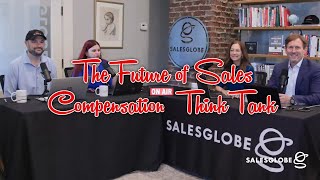
This is a YouTube video titled "The Future of Sales Compensation Think Tank - August 28th 2025" containing a detailed English webinar-style presentation involving multiple speakers from Sales Globe, including Michelle Seeger, Mark Danolo, Gail Wright, and Matt Kayer. The session focuses on practical workflows and AI applications in sales compensation, featuring demonstrations of a proprietary AI tool called SalesGlobe Sage. The content covers sales compensation plan design, governance, communication, and the use of AI to improve efficiency and accuracy in sales compensation processes. The format is a structured presentation with interactive elements and Q&A, but it is not a conversational transcript involving SalesGlobe Sage as a speaker in a dialogue format.
Okay. I gotta tell you, that video always makes me laugh. But, you know, it got me thinking. I think we have an opportunity to open up a whole new second business unit, which is the Sales Globe Theater Company. What do you think?
I thought we already did. Yeah, well, sometimes a lot of energy into that.
The way you guys act around here. Like, I. I don't know. For those of you that are joining the future Sales comp think tank, thank you. But I just wanted to say for those of you that haven't caught a lot of our videos and movies and you know, we've got a lot of shorts out there. It kind of sometimes does feel like a theater company around here. So, Mark, I actually think you have a second career.
Oh, you found out about that?
Oh, no, I didn't think it was official yet. But, you know, I mean, I'm just saying, I think you actually have another career out there as an actor. Yeah. So welcome everyone, as we're getting started here. For those of you who do not know me, I'm Michelle Seeger, partner here at Sales Globe and one of your hosts here today with a great team. And we are super excited about what we're going to be doing together. Pretty interactive and pretty fun.
Yep. Welcome, everybody. I'm Mark Danolo, CEO of Sales Globe and excited to be here. We started doing these wow. Several years back now just because people really wanted to connect. And like I say, Michelle, this is not your father's webinar, although your dad doesn't even have a smartphone. But I mean, you know, just, you know, in. In, you know, concept going a bunch of slides. Right. So what we want to do is something interactive. So that was the whole idea here, to have the think tank to be able to share ideas. So we're super excited to do that with everybody.
Yep. And with us here, we also have two of our consultants.
Hi, I'm Gail Wright and my partner in crime here, Matt Kayer, is sitting right beside me. And Matt, I don't know about you. I'm excited about the topic, but I'm super excited that we are no longer in the closet and we're in this nice open space now.
It is exciting. If you notice, we have much more room. Good cohesive team here. So very excited to be visiting from Boston and be here for the week. So thanks for having me.
So, Gail, it almost looks like to me that you could be channeling your inner J. Lo today.
I am. I was trying to hide it, but I guess it's very obvious now. Definitely channeling that.
Anyway, we are super excited about what we have going on today. And just a couple housekeeping notes. We ask you to please put any notes that you have or any questions you have in the chat. We will be monitoring those as we go through because we did say this is going to be an interactive conversation and we expect. And we welcome your input throughout. So. So if we just talk a little bit about Sales Globe, I think all of you know that we are a sales effectiveness consulting firm. And as that, you know, I am having the worst time sharing, but we're going to get there. Okay, here we go. So let me get this in the right mode. Sorry, everyone. So as Sales Globe, we solve the biggest challenges that people have within the sales organization, that companies face within the sales organization. And we really enjoy and love what we do. And as you know, we have two top priorities for the organization.
Yeah, I think these are kind of our reasons for being, which I think are important, which is, you know, we're super passionate about, number one, problem solving, not just benchmarks and best practices. We always look at the benchmarks and best practices as kind of table stakes. That's information. So we're really about getting to root cause and getting creative about how we solve this specific problem, give our clients an advantage. And number two that you can see up there, it's about operationalizing. So our clients are usually not looking for a PowerPoint as they're deliverable. They're looking for results. So we have about half of our team that has operational experience working in roles like everybody on the call here that know how to get things done. So both of those things are really important to us. So you can see all the things we do here on the right. And of course, our books as well. And if you're ever in the historic Roswell area, stop by and we'll give you a signed copy of your. Your choice of one of our books. But probably the best one that aligns with what we're talking about today is what your CEO needs to know about sales compensation.
So, Mark, that's pretty big. So anybody that comes into our office, you're going to give them a book. Gail, that looks like we're going to be pretty busy around here.
We are. Are we going to have to sign to Mark? Are you going to sign up?
Oh, everybody's going to sign.
Yeah, we'll.
We'll all sign up.
Yeah.
I don't know.
It's like the team flip.
Well, I'll get right to the agenda. And speaking of operationalizing, you know, it's A good thing. We don't expect us to be able to operationalize Zoom 100% of the time because you see, I had a little bit of a challenge tonight. Okay, so today we're going to go through five, well, actually six, but two are within what we call building a tool. So six practical workflows that you can use now. And the first one will be creating or refining plan definitions which will be presented by Matt and then developing policy and plan governance guidelines. Thirdly, plan Communications Manager, talking points and FAQs. Now those two, as far as the policy and plan governance and the talking points or communication for your plan documents, those are really important things that we really hope and expect you will take away today out of this. Because one of the things that we hear and that we know is that often these are the things that don't get done on time for plan design season or they just aren't really clear. Then we're gonna look at assessing and aggregating information. Another great. What we call productivity and efficiency play in your day. And then finally we're going to build a pay curve and then get a little more complex with building a plan calculator for an SDR role. Finally, the last part of our session, we will be going through ask the Experts and I'll call in one of our other consultants who has been utilizing AI. And you'll be talking to this team here as well. And we'll go through the do's, the don'ts, the pro tips, everything that you want to know to get the results and outcomes that you expect from AI. So with that, I'm going to turn it over to you, Mark.
Yeah, thanks, Michelle. And I want to make a couple points. We're talking about our agenda today. This is not high level conceptual. This is not like, you know, all these companies are moving to AI, which they are. But this is about specifics. In fact, we contemplated Michelle doing this in the kitchen because it's kind of like a cook cooking show, right?
We did.
You know, and just like Julia Child, you know, we pre baked the dishes, but we, we don't have any wine because it's too early for that. Yeah, we're going to get specific. I did want to bring up one thing as we get started here. Last time we did the Future of Sales Compensation think tank, we showed you some results from an ongoing survey that we've been doing on how companies are using AI for sales compensation. We have an article that you can check out. You can see the QR code here, a couple of big Points, you know, from that survey, obviously a lot of companies, like I said, are using AI. You can see almost 80% of companies using generative AI. But what we found in that survey is about 71% of companies, just the flip, right. They're not using generative AI for sales compensation. But they say that they are going to make that flip over the next year. But we get into what are they doing with AI for sales compensation and some specific, you know, pointers on that. So check that out when you have a few minutes.
Hey, Mark. And that made me think about two things that happened when we were at sales comp 25 just two weeks ago. My gosh, it feels like it was forever ago now. But we asked for a show of hands and we asked everyone in the room and there were well over 150, like they said, about 180 or so in the room. And we asked how many sales comp professionals were using AI on the job. And there were two hands, I believe, and I think that they belong to the same person.
They were kind of close together.
They were very close together.
It was a left hand, one was a right hand.
That's what I thought. Right. So it was basically one person less.
Than what we saw in the survey. Yeah.
I mean, just unbelievable.
Yeah.
Then we asked the follow up question though. And then the second question we asked was around, you know, how many people got their plan communications out on time that plan design season? And there were three hands that went up. I remember that. And they didn't all come from the same person though. No.
Yeah. I don't think it was the same person.
It was not, no. So anyway, the point is that people are not leveraging AI for sales comp today yet, but we do expect that it will be coming.
We did ask the question, but nobody answered. How many of you are using AI for sales compensation but not on your company computer, you're just doing it at home?
Well, no, you tried to ask that question and then I cut it off very quickly. There was quite a bit of laughing. All right, so on to how we are structuring our day today. You know, like any good consultant we know and like any good sales comp professional, using a framework can always help you. So we're using a framework for, as you look at your sales compensation design season. And so rather than just, you know, when we, we thought about our, our session today, we didn't think about, well, let's just talk about, oh, I don't know, what are the things we're doing? Let's Talk about communication. What we did was we looked at the sales comp diamond and we said, let's think about the job of the sales comp professional. It starts with the C level goals and the sales roles. And a lot of that information comes from investigation, it comes from conversations, it comes from attending meetings, learning what's changing. And then as you start to look at your plan that season, we look at framing the plan and things like have any pay mix change across your roles, what does upside potential look like? And then linking pay and performance, what are the measures and priorities in your plan? Have they changed at all? And then aligning your team and financials, looking at things like objectives, have they changed? And quotas, what's most important for that role to achieve and finally operating for results. And that's when we get into things like governance, an ongoing review of performance, of how the plan is doing and how people are performing against the objectives and goals. So we use that same logic as we put together this session for you. And you'll see that as we lay out each one of the scenarios, we put it in context of that sales comp diamond. You all will notice in the lower left hand corner of your screen a barcode that we've put on there. Feel free to scan that. It will provide you more information about the GPTs that we're using today and the logic that we're using. And then of course, anyone who is signed on will get details that are part of this presentation you're seeing today. But there's a lot more than just this that we want to provide to you. Okay, so with that, Matt, I'll turn it over to you.
All right, great. Thank you, Michelle. I'll walk us through our first scenario and what we're going to look at is creating or refining plan definitions.
Right.
We know within our compensation plans we may have legal language, we may have financial language. Right. There may be kind of business language or hr. And simply finding a definition for our comp plan isn't as easy as just open up the dictionary and paste it in there. Right. We need to have additional context around that. The scenario or situation we'll look at is for an extremely large deal. And if you could pretend that I'm an analyst at your company, we had a really large deal come in, which is fantastic. All the sales reps were high fiving each other. We're all excited. Seems like it's going to be a lot of revenue. But when we applied the comp plan against the revenue, we noticed that the payout is Essentially going to bankrupt our company. Right. That's not a good thing. So what I'm going to do is turn to AI. In this case, we'll use SalesGlobe Sage, and I'll walk you through how as an analyst, I could come up with a solution to this problem. Flip this over before you click Start. Michelle, just as a heads up, the orange text here is what I'm inputting, right? So this is what I'm asking the AI to give me information on. The gray text is what is the information coming back? So that's the response from Sage.
All right. So I was just thinking about something, Matt, as we're going through this. So when we get through each scenario, if people have any questions, can you put it in the zoom? And then what I can do is if we do have questions, I'll kind of stop sharing the screen. So, Matt, people can talk to you directly and then I'll go back to it. So everybody be patient with me because you saw what I did on the first slide. But I think I'll be able to share appropriately for you. Okay, you ready, Matt?
Yep. So, large deal, big payout. It's going to be problematic. What should we do about it? So why don't we roll this? So I'll walk you through the prompt and chat I would have in this case, I go to Sage, and in orange, you can see I'm asking, hey, I have a problem with this deal. It's very large. What should I do about it? Sales globe. Sage comes back and says, hey, you have a Megadeal or a Bluebird deal that's essentially a really large deal. Here's some character of it, such as, here's the size. What impact does it have to the company? Certain complexities of the deal and payout risk associated. From here, it will then ask if I would like to have a document created. I respond back saying, yes, could you draft one for me in orange? And any other things that I should consider, such as, you know, what is the threshold of a megadeal? Should it be 50% of someone's target incentive? Should it be a fixed dollar amount? The response back responds with the reasonable deal size, which in this case it gives some examples of 50% or maybe any deal over a hundred thousand dollars. And then it will draft me the megadeal policy. Right. I can then take this copy and paste it into word if I wanted to, and then have a discussion with my team or my manager and say, hey, this is what I think we should do going forward. We should Put a megadeal or bluebird policy into our plans. Here's some context around things we should think about such as, you know, approvals, who gets included, who isn't included, Is there any cultural alignment? Maybe what we do in the US versus APAC or EMEA could be different and then, you know, some context on why this should work. Right. Why should you do it and then maybe some other things you should look out for. What I like about this is it may seem a little silly just coming up with a plan definition, right. For a documentation. But many of us that have, you know, 50 to 100 different comp plans you have to write every year and then work throughout your organization to make sure that's correct and aligns with the plan can be very, very time consuming. Where this, if you have an analyst on your team or you yourself, right. Could quickly go in and come up with good solutions to some of our sales compensation problems.
What I like about this too, Matt, is you can put it in a Word document and then you can take your organization's language and wrap it. It makes it super simple.
Absolutely, absolutely.
Yeah. So there was just one other comment that I wanted to make on this that I don't think we explained at the beginning, Matt, which is we are showing you two different GPTs today. So we're using an open GPT and we will tell you that we're using chat, the chat GPT. The other thing we're using on the latest version of chat, the other thing is we're demonstrating a closed GPT which is sales globe. Stage closed just means it's a proprietary one that has been built by an organization. It happens to be ours. And the reason we chose a closed GPT for that is when we gave you a plan definition, we wanted to make sure that we were giving you the right one. And so both of them are very useful. And we're going to talk about the difference between further about closed versus open GPT. But I wanted to be transparent on what we're looking at. So did we see any questions come through?
No questions, no.
I just mentioned kind of overlay what you said. The closed that we built. Sales Globe, Sage, it's the reason we did that is because it draws upon all sorts of information that we put into it. So basically all of our research reports, books, you know, content. And so it's basically intelligent on sales compensation and sales effectiveness. So it won't give you general answers or scrape websites. What it does is it gives you very specific answers.
Okay, so let's go Back to.
Oh, we do have a few questions, Molly Murphy and Mark, I think you just addressed this is asking what, where does the source data come from? And then Jennifer Smith would love to take it for a test run. How do I sign up?
Okay, great.
So you just click the barcode that we're showing on your. On your screen on every slide we're going to be showing that you absolutely can take it for a spin and one of our experts here can actually get on a call with you. So that would be perfectly, you know, that that's how we do that. And just like what Mark said, all the information's coming from everything and anything Sales club. In fact, we were looking at one and it said, as Michelle Seeger says. And I was like all impressed. I'm like, oh my God. It's not just what your CEO needs to know. And then it did validate. It goes out to every single piece of information and video content creation that we have done at Sales Globe that we have approved.
Yeah. And we'll show you some more details on that as we go. But when you talk about source data, so you've got that. And you also have, of course, the information that you put in. So if you dump plan documents and data. Whatever.
Oh, oh, don't.
No, I was gonna say, you know.
All right, okay. We gotta make this, you know, like you gotta save some. Save it. All right, so now I'm going to go back to sharing. And it looks like I didn't share the right thing. Okay, guys, I am having a really hard time with this sharing. I'm having a hard time finding my document. It's not coming up, so I'm going to pick another one. It's just not. I don't even see it there anymore. So what do we think happened there? It's here. And I don't know why it's not sharing. Sorry, guys. Okay. It looks like maybe I got to it a different way. Yeah, I don't. I don't know. Okay, so now what we are going to do is move on to our next exercise. And this is going to be creating a governance document. Now this one I think is also really interesting. We talked about a lot of the time that sales comp. Professionals spend on creating documents. Now you're not necessarily, if you think about your team, Right. So some of you are managers of teams. They're not necessarily skilled at just writing. Right. That some of this becomes very technical writing. Let's be really clear about that. And so that's why definitions may not be Clear and a lot of times why things may not get out on time. So in this particular governance document, here's what happens. It's going to provide at first a framework and some governance considerations. So important questions that need to be asked and answered by the organization. It will provide for you and your team a very clear governance structure and a layout. It will give you some advisory guidance and recommendations to support you. But you are actually building out the details of the plan. An existing policy, meaning that it's not going to make up your company policy for you. You'll see how we can get some of that information pre populated in just a moment. But also what you can do, which I think is really great, if you have an existing policy governance document, you can upload that and it will assess it and it'll tell you how you can make it tighter and better than what you may have today. So this is what we call an efficiency, productivity and an expert play. So it does all three things and let's walk through and see where we we landed on this one. So if I start this one you'll see that I gave it a prompt at the very beginning and I basically said we have completed our sales comp plan and we're looking to update our governance policies that we have through this initial prompt. So I'm laying out what it is that I want. So I'm going to ask you to help me with a governance document. And what happens is the GPT comes back and it said okay, I'm going to confirm what I heard and what we're going to do is I'm sharing with you a governance framework. So you asked me to help you with this governance document and now here is the framework and you'll see it'll hit on things like eligibility, the definitions, mechanics, how you would handle things like exceptions, risks, disputes, all the things that should be included in a good governance document. The next step I did was I actually loaded and uploaded a document and you'll see that you can just click below on a little attach button. It looks like paperclip to attach your actual document. And what was very surprising is that instead of just pulling together the plan and the governance document, it actually gave me a critique of my brand new sales comp plan and I was very surprised to see some of the things that were in there. And so basically in this I'll just stop right here so we can talk about it for a second. It reviewed the plan and said although it's a pretty good plan and adheres to a lot of Good principles. There's a couple of areas that you might want to consider and I'll pull out one that I recalled which was in this plan. They said that 10% of any eligible incentive was going to be put on hold or set aside until year end so that, you know, they could reconcile it against year end performance. And the GPT came back and said, you know, although that policy is very clear, depending on the role in it can be seen as like, you know, you're taking something away. Although 10% isn't grand, you know, it's not like 50% hold back. You might want to take a look at that and you'll see there's other things like that as well. So that's a little bit of a bonus that you can get a critique of your plan. And this went through and talked about the cross selling bonuses and how they were handled and maybe how we might want to tighten that up as well. So I thought it was very interesting that it critiqued my plan, you know, gave me something to consider. And now I basically said to the GPT, thank you so much for that. I am ready for the governance document. Now you'll see that it started to give me a governance document and as I stated earlier, not all the details are going to be populated into that document. It's going to pull what it can from your actual plan document and that the incentive compensation plan for that, which makes sense if you had an existing policy document, it would review both of those and put it into this new updated policy and governance document. But it also asked me very clear questions and things that I needed to affirm and make part of the, of the document that wasn't clear to the GPT. And I said thank you for that. And it said, you know, you're very welcome. Here we go. So now I was asking another question that you'll see being populated in here. And I'm asking it, I'm saying, okay, well now I'm ready to fill out complete the detail of the governance document. You said I didn't really address eligibility as well as it could have been addressed. What do I need to think about when I think about plan eligibility? So the GPT went through and told me everything I need to think about. Allows you as a sales comp professional to not only have expert advisory right at your fingertips, but also I know many of you have teams and more junior people on your team. It also helps give them the right things to ask as well. So it's pretty thorough, pretty complete and you'll see that this literally was completed in, I don't know, I think five minutes. And so I would say that that document got you about probably 70% of where you needed to be.
Yeah, And a couple, couple points on that. The eligibility you brought up, I think is a, is a good call out because we ran, we ran the same prompts in an open GPT and we ran it on Sales Globe Sage. The open GPT didn't even have eligibility. Right. It missed a lot of things because it doesn't draw from, you know, a structure. Of course, the other thing is I think somebody had asked about source data. You'll see little notes in there, little, little call out boxes. And I think we show it in one of the examples.
You're giving it away early again.
All right.
Stuff away. Hey, I don't know, guys. All right.
I do have another question that came in and that we might want to address. And I know we've addressed this, but can you clarify that anything that gets uploaded in Sales Club Sage stays private, unlike Chat GPT where it goes out to the Internet?
Yeah, because the difference is your information is not recorded and stored. So we've got a tech team here at Sales Globe, so we don't even have access to your information. If we wanted to look up whatever document you uploaded, they're not there. So that is one of the requirements that we have. And all of that is in our disclosures. That was one of the reasons why we thought to create this closed GPT because we've heard things about the capabilities of copilot which are getting better. But again, it needs to be trained to become a sales comp professional. This could certainly interface with copilot, but it's completely secure and is going to give you the complete information. So that again is the difference between a closed versus an open GPT. Yeah. Okay. That's a good question. Okay, so let's see if I am getting better at this. Am I on my share? Wait a minute. I think so. I think I got better. Right. But I'm just on the wrong page. All right, so now we're going to move on to the next one, which is planned communications, but I need to go back one, so I'm not that good. All right, here we go. So now what I was asking about, I mentioned to you all this planned communications and what I'm asking for here are very specifically some manager talking points and an FAQ document. I think that these are very difficult to create and tend to take a lot of time and they never seem to meet the needs of the sales manager. They never seem to be clear. So what I did was the first thing I did was upload the plan document and I said, can we start with talking points that a manager can use to help explain how the sales plan works? And it starts at the very, very beginning where it talks about the purpose of the plan, what the plan pays for, etc. And then you'll see that that prompt that came up was just make sure that you review everything, right? Make sure that it aligns to your plan document. We expect that it's going to be complete. And one of the things that you'll note is, and we will be showing these very shortly, where you see these numbers showing up like 7, 8, 9, 10, 13, those are points that you can click on and you'll see where the source came from as to why it chose to word your particular communication in a particular way. So this ties back to what good practices are in good plan communication. So now once we went through and got the manager talking points, I asked for the FAQ document and what I said in this prompt, I was pretty specific. And I basically prompted it to say I want you to put your position in the, the seat of the person who is receiving the plan. So what are the things that a recipient of the plan might want to know? And that is what we got back. And I would say it turned out pretty good. And this was my first pass. So it breaks down what the general plan overview is. So the purpose of it, what does the plan pay for, what the mechanics are. And this entire document is formatted really well. You can copy and paste it into your own company. Company plan documents, right, that are specific to your, to your team. It goes through targets, adjustments, governance disputes, any and everything you could need. And so I would say that this exercise that took a matter of a couple minutes, it got me more than 80% to where I needed to be. Certainly it's draft enough form where you can turn it over to a manager and say what else? What is it that your team would want to know? So getting to the point that Mark was mentioning a moment ago, we were able to this showed you within this prompt where it was getting the source information from. So this referred to the book what yout CEO Needs to Know About Sales Compensation. And it talks about defining performance measures in the sales comp plans and the things that you want to consider. So again, it's very valuable because it tells you where all the information is drawn from and you can be sure that it's going to be Accurate and what it is that you. That you'll need. Again, great starting point. Get you about 80% there. And I basically told everyone who was listening that I wanted to know if this was going to get them about, you know, if they would, if they thought what the probability was of them getting their plan documents out on time this year. Oh boy, here we go again. What the probability was. We thought it was much higher than three hands. Right. So we, we basically did ask these people and we said, if you could get this plan document, if you could use a GPT to help you communicate the plan this year, do you think you would get it out on time? And the answer was yes.
Yeah, yeah. You know, and on that source data too, you pointed out one reference to a book. We also have hundreds of videos in terms of live action video content. It'll go to those as well. So you can, you know, watch things be explained. So it has a wide variety of sources it's pulling on. And in terms of security of the data, I've been using kind of the term the lobster trap. It's kind of like a lobster pot or a lobster trap. Anybody from New England. Right. So the lobsters can come in, the information comes in, but nothing goes back out. Right. And so, so, you know, that's kind of for my simple mind, the way I think about it.
Exactly. So I apologize to everyone in advance that we did not go to big screen on us, but I am like having the worst time managing my zoom and doing my best. So now Mark over to you, Michelle.
Actually want to just quickly touch on. Now you've mentioned that we can get 70% of the way there with the FAQs document. What about those that are using ChatGPT or Copilot? Could they get to the same percentage there or is Sage going to be better? Because Sage is providing that material.
It's going to be more specific. I mean, I think. I mean, I use chat a lot and it's very powerful and I mean it's amazing. But you know, when we ask it side by side, same questions, what it does is it doesn't get as deep or as specific. And you know, if you ask it for, okay, what's your source content? And it'll show you. Well, it's scraping websites. I mean, I've seen it pull from companies that maybe aren't in business anymore. So it finds, you know, Forbes magazine. Right. Sales comp. Forbes magazine. Really? Okay, so the, you know, so you, you're not quite sure what you're going to get. So It's a little bit different in terms of being more specific.
Yeah. So, Gail, thanks for asking that because what we did was we ran this through chat as well as we ran it through sales, Globe, Sage. Now you could just as well have run it through Claude Anthropic, through any Grok. Now that would be interesting. What do you think would happen if you put a plan document through Grok?
Didn't he play for the Patriots? I was Gronk. Sorry. I'm sorry.
No, but what.
I'm the guy from Boston.
I'm just guessing that Grok wouldn't pass HR standards because I know they've been known to have a curse word or two or three in there, but anyway, it would be highly entertaining at least. But yeah, so the point was it was still good, guys. Like, when you ask it to do particularly something like what Mark is going to be demonstrating in a moment, it does a good job. But there's just a couple of risks. If you load up information from your company, it's out there. But the other point is it's not as specific because it is scraping websites. So you're not going to have a lot of experts out there putting detailed information, for example, their books, you know, in detail out there or what their true thinking is around everything with sales comp or other things. So that is, you know, a good question to ask. Okay, so now I'm going to share again and we are going to pray that I do it properly. Okay. I don't know why I keep coming up with more than one screen to share. I just can't quite figure it out. Okay, so over to you, Mark.
All right, so this is a. An example from a project that we did and we've kind of like narrowed it down to make it a little bit more. A little bit tighter and smaller.
And.
And I think a lot of people deal with this when they're working on the sales comp program, which is you're collecting information from the organization in terms of interviews and conversations. This is for a healthcare company. And we interviewed probably about 20 executives and then I think probably 40 to 50 salespeople. And so I think back, you know, on the old days in the non nostalgic way. Michelle. Because I remember doing, and I've been doing this for a long time, doing interviews, handwriting all the interviews out. And then it was like, okay, we got to start putting together what our findings are so we can find the patterns here and putting them out on the floor and trying to. Okay, highlighting. Okay, well this one talked about paymix. This one's paymix. And it would take days, take days to pull things together. And was that really a trend or just did was it just said a couple times. Okay, so recent project. What we did is we took all of our notes and we took them in multiple ways. So we had some calls that were, that were teams and zoom calls. We had transcripts from those or recordings from those and we had in person meetings where we had handwritten notes. I had somewhere I use my iPad and use notability and just, you know, wrote the notes and we made pictures or PDFs of those and we took it all. And I'm going to just reach over here and go to the next one. There we go. Okay, perfect.
Yeah.
So we took it all and we gave it to, to Sage and we said, hey, help me, help me put all this together. And, and the prompt I used, I said, we interviewed a group of senior executives to prepare the design of our new sales comp program. I want to understand for all the executives combined their C level goals. Right. And an open GPT is not going to know what that means, but you know, the big priorities in terms of financial organization, customer, etc. The C level goals. What are the major challenges with sales strategy and sales?
Excuse me, I just want to say one thing.
Yeah.
It actually would know C level goals because your C level goals are out there and we tested it.
You're right.
Yes, good point. There you go. Sorry, go.
So, so I'm basically saying C level goals, strategy roles, sales comp, what are the big opportunities? And also give me some representative quotes. So tell me, you know, tell me what people said in terms of, you know, points that I can pull out. And so it's saying, okay, I got it. You know, my initial prompt is saying I got it. And it's confirming what it's going to do. So I'm going to give you these things. I'm going to, you know, look at the logic of the sales compensation diamond. I'm going to look at those different areas and I'm going to give you an executive summary and I'm also going to give you points on the C level goals. So it's describing what those are. And so basically what it's doing here is it's just confirming what it's going to do before I give it the actual information. Sales Roles is going to talk about those as well. And then we'll talk about compensation challenges, big opportunities, and I can certainly, you know, steer it in different directions if I wanted to. As well, which you'll see me doing in just a second. And then we'll give me some representative quotes and also some recommendations. So the recommendations are not necessarily just coming from what people said in the notes, but the recommendations again are coming from best practices. So based on what people are saying, here's some things you might look like. Look at like one of them was, you know, emphasizing profitability in the plan, etc. So I said, okay, great, here are my notes. So you can see on the right hand side, I'm dumping in the notes. They're a combination of PDFs, Word documents, and again, handwritten notes and also typed up notes or transcripts from calls. So it's a combination of formats. We're just dumping them in here.
So easy, you know, Mark, it can take just like what you said, easy a week to compile interviews together and really pull out the insights.
Yeah. And for somebody like me, combined with the time procrastinating, it adds even more times because there's so many other things to do.
I know, yeah.
Question too. And I think you can talk about how you can leverage SAGE to do this during interviews. Information gathering. Do you use a predefined set of questions covering the entire gamut or let the conversation play as freestyle?
Well, right.
So I mean that, that's a good methodology question. When we're doing the interviews, we are using predefined topic areas that we want to cover. Typically, you know, within sales compensation, it's going to be. And again, it depends how you talk, who you talk to. So if I'm talking to the executives, I want to know the C level goals. Right. Priorities around financial product, customer Mark, customer organization and coverage. Right. I, I have to get those out of the meeting. I am not going to ask them in a kind of a robotic way, but I want to make sure that I'm going to get that information. Then I want to understand, you know, what they're, what they see as the challenges. I want to understand about the organization. If we're talking about the sales organization, you know, talking to sales reps, the questions are going to be a little different about how they work in their job, you know, what motivates them, you know, how the sales process works. We're never asking them, you know, like, hey, what would you like in your sales comp plan this year, Billy? You know, it's like, no, it's not a Christmas list.
What's his name? Billy? I'm just curious. I don't know.
Bobby. Okay. It's kind of like that 50s name, you know, like. Anyway, we're not sitting on Santa's lap here. So so basically, yeah, we have all the questions predefined, but we're doing them in natural conversation. Right. So, but it's pulling this out because it knows, because it can see those, it'll see, you know, that structure in here. And I'm saying here now on this next prompt. Okay, great. Can you summarize these points for me and from all the interviews in one document? And whoops, I don't know why I just jumped. I'm going to jump ahead a little bit here and Right, okay.
So when you, okay, so you went through and you uploaded your documents, it gave you the information and the prompt said something like. Or the direction said something like, you're focusing the agent. So what you were doing then, Mark, was refining the interview, refining the outcome, refining the things that you wanted it to say.
So let's take an example here. So you know, when I said, can you kind of, kind of cut across all the interviews? Here's an observation. On Paymix, the current 50, 50 split between corporate and individual performance metrics is problematic. You know, Harold, Harold Fine Hair for Vikings fans suggested a, a 3070 split or 25, 2550 split to better balance corporate, regional and individual goals. So it's getting specific and it'll give, you know, kind of a recommendation there. And again, it's a recommendation based on best practices and the interviews, it's not looking at data yet. Right. So it's just giving a recommendation on, on that particular area and, and we'll just go ahead and finish up here. We already talked about the type of, the type of information and the next thing I'm going to do is ask it to, to pull some quotes for me across the jumping ahead here. Pull some quotes across the interviews.
Yeah. It's interesting because not only were you able to get a summary of, you know, what people were saying and it was pulling together common topics, but then you were able to say, give me some quotes like get very specific.
Yeah, and the thing I love about that, I've used this a lot. I'll say, well, didn't such and such person say something like this about the gross profit measure? And it, it may say, yeah, that's right. Here's what that person said. Or it may say, well, they didn't exactly said that, say that what they said was this, you know, which you could paraphrase, but it's not exactly what they said. So, so you don't have to Go back and go, yeah, who, who said this about that? It'll, it'll go. It'll go and it'll find it. Right. So representative quotes. And, and I'll just jump ahead here for brevity. And so I'm asking it to give me some more detailed quotes. And so you can see some quotes here from other people. Right. And long. But longboat, Howard, Rourke. Because this was a comp architecture project. Rajiv. Right. So you, so you can see specifically who said what in these. So this was super powerful. We even did a meeting in, in a major city where we had all of the leaders from around the world in. And we did a sea level goals workshop. We did a workshop which is, it's combo. It's a lot of fun. Sea level goals. And sell me your plan. And sell me your plan with sea level goes. You know what it is? But sell me your plan is. Okay, I'm a rep and I'm considering joining your organization. Sell me your plan. What's so great about your plan? And it was amazing to hear how everybody had a different understanding of how the comp plan worked. The managers, right. Trying to pitch their plan and then they all saw, wow, you know, and then we kind of called out where, yeah, it actually doesn't pay out at this level of blah, blah, blah. Right. So we took all that, this big workshop we did for a few hours, dump that all in and it gave us all the key findings. So super powerful again just for taking mass amounts of information like that.
Yep.
We do have another question mark from Greg. And Greg, I don't know how to say your last name. Blyth. Nick. Do you use AI minute takers during an interview?
Like yeah, yeah. So we use, we use otter. Or if we have permission to record, we can record the interview and then we can just dump it into otter. But that's become a really useful tool. Right. Because you know when you're taking notes in an interview, whether you're handwriting, which then becomes a problem to share with everybody because it's handwritten or you're typing, you're missing stuff.
Stuff.
Right. And so that becomes really important. Yeah.
It allows you to listen better.
You can listen better. Right? Exactly. Exactly.
And then you had one more comment From Scott Moore. Two 2012 points for iron Rand reference.
Ayn Rand. One of my favorite books.
I I and they always say Ayn Rand. Ayn is in mine because it's about.
Ein is in Mike. Well, what was really interesting is all these many, many years ago, it was kind of Odd. So I came here to work with that guy, and I think he walked in my office or something, and I had a copy of the Fountainhead in there because this happens to be one of my favorite books. And he's like, you like that book? I'm like, yeah, it's like one of my favorite books of all time. He's like, me, too. In fact, we named some of the offices here at Sales Globe after that book. That's where the name the Fountainhead came from. And we've got a Rourke Room. Yeah, people like to call them the What? The Kitchen. It's not the kitchen. They like to call them the Pantry. The Pantry. And it's really called the Roark Room. What's the other. We got a Roark and a Dagny. Anyway, so. Yeah, but. But I digress. So all I can tell you is that for a fact, it saves a lot of time. Now, we rolled out. It's a good time to just mention, I think, at Sales Globe, much earlier in the year, we rolled out an AI toolkit for our consultants. You've heard and seen a lot of it in the news that consultants are beginning to adopt AI as part of their. Their own workflows. Well, I can tell you proudly that we were ahead of that curve. And we've got a lot of great consultants that have been testing different tools. So if you want to know what we've landed on, please be sure to ask us, and we'll tell you all what we're doing. But the team continues to test, and we're looking at our own productivity and efficiency plays, because what we want to do is have more time for the team to spend with our clients, being the expert, giving them the advisory that they need. So that is our whole play on that one. And with that, we are going to move on to a tool which I think is going to be really fun. So give me one second here. Let's see how well I do here. I'm getting better. Guys, it's on. Okay. Over to you, Gail.
Actually, it's actually Mark.
Oh, over to you, Mark.
There we go. All right.
Sorry.
Oh, okay. So here's another thing that takes a lot of time, right, which is doing Excel analytics. And in particular, one thing I'm always telling consultants and clients is get beyond the numbers and get to the visual. So you should be able to map out what your current pay curve looks like. You should be able to map out your proposed pay curves for, you know, the new plan, ideas you're coming up with. And one of the reasons is because it really just dramatically shows visually how it works and it's easier to communicate with, with the team, with executives, et cetera. And so we kind of got beyond Excel here and go ahead and just jump to the next slide.
Great.
And. And I gave it a prompt and I said, okay, I want to build a pay curve from 0 to 200% of attainment, and I want to have a threshold at 70% of attainment where I wanted to pay 30% of target incentive. And then I want to, at 100, have it pay 100 of target incentive. And then above 100, I want to do a 1.5x accelerator. Right. So I want to have. Increase the slope. And then I gave it some details on. In terms of what I.
So hang on.
To do. Yeah.
So, Mark, basically what you did was you, you wanted to build a pay curve, and you described with your own words exactly what it is that you wanted to get.
Yeah, exactly. Right. I could type it out or I could just talk it in. And so, yeah, the cool thing is you're kind of treating this and also like the prior example, as an analyst. So it's not just a tool. You're saying, okay, if I had an analyst sitting behind beside me, a really talented analyst, and here it gave me the pay curve. So we're just going to pause on that for a sec. And it's giving me the. The columns. And again, and I wanted it in an Excel document. So let me just go ahead and pause this here. Whoops. I'm going to go back just a hair. And so what you can see is it gave me. It gave it to me in an Excel document. You can see the columns on the left, and I had asked for those columns. And then you can see the picture on the right of the pay curve. And you can see our threshold here at 70, where it's paying 30, et cetera, and the slope. And I thought, okay, that's really cool because I can take that and, and I can edit that in Excel. But guess what? I don't want to edit in Excel. I just don't want to start messing around in Excel. It's like I want to tell the analyst what to do.
So it actually became an option.
Yeah.
All right.
So I said, okay, that's great. Can you just take that and can you just create that as a picture for me so that I can just use that, use that in my report? And I could just pull that out. Right. A lot more useful. Then I say, okay, well, that's kind of Cool. Maybe I want to show another option. Can you make the threshold at 50 of attainment and can you. And above. And then above 200 attainment, I want to put a decelerator in. I want to reduce the slope to 1x. Can you show me what that looks like? Like, boom, there it is again. Give me a picture. I don't want to start messing around in Excel. And then it's confirming what it gave me. And then finally I said, okay, well, great. I want to show what our current plan looks like. There you can see the picture of what I just asked it to give me. I want to know, I want to know what our current plan looks like. Can you plot our current plan with just a red line so we can see? Because it's kind of a flat payout. And I want you to overlay that with the, with the proposed idea that I have here. And you can see it'll zoom in on this in just a moment. And you can see all the current plan in red, proposed plan in blue. I can take it steps further. I can say, well, can you take that area down on the lower left there? And can you shade that in and say, you know, that's overpaying for under underperformance. And over here there's upside potential again, the reverse Robin Hood principle, like take from the underperformers and pay the over performers. Right. So we can keep iterating. I could have it call out certain points it would add, you know, that kind of stuff. But it's what it's done. I think the big thing and you go, well, it's kind of cool. Yeah, it saved time. But I think the bigger thing that it's done is it's taking me out of the role of being an analyst and going into Excel and working on the Excel details. And it's putting me in the role of problem solver because I'm looking at it saying, okay, what does that mean? And then I'm. And I'm speeding up the analyst portion so I can spend more time on problem solving.
Yeah. And I don't think that that point can be overemphasized enough. AI, you know, we've, we talked about at sales comp 25, you know, AI, it's not going to take away your job, but somebody else who leverages it very well may, because it's going to make people that use it Right. And correctly. It can make you better at your job. Right. And become more of an advisor and become more valuable in your role.
Yeah. Like we're Talking about, you know. Yeah, the, the. The metaphor. I'm always about the bad metaphors, but it's like the bear, right? Oh, you don't have to outrun the AI. All you have to do is outrun the next person, you know, So I just have to outrun you. Not a. Not AI itself. So. Yeah, you're never going to. Alas, people that leverage AI are the ones that are going to. That are going to get ahead, obviously. Yeah.
Never.
Never.
I have family that lives there. I told you I'd go with you one day, but I'm never taking you to Alaska now. Okay. What?
I think we're done with this one. Okay.
Okay.
That one wind up here. All right. Very good.
Yeah. So were there any questions on that?
Yeah, we did. We don't have a question, but we have a nice statement from Angel Alamo, a great example. I have done this, but I really like the prompts you used. It's all about the prompts.
Oh, it is. So for those of you who want to know more about that, that's going to be our next segment. Okay. So with that, I think we can move on to our next exercise and this one and our final one, which is really exciting. And Gail is going to be. Gail Wright, the one who's never wrong is going to be presenting this one to you.
Yes. So I had a client come to me and they wanted a calculator for. Specifically for a sales development rep who's doing lead generation, who's doing lead conversion. Can you help me create this in Excel? Absolutely. I can do it in Excel all day long with my eyes closed, probably, but it would probably take me a couple of days to do it. So I went out to ChatGPT. Michelle, if you want to.
Yes. And I should mention, by the way, that Gail is on our AI for the. The sales consultant AI toolkit. She is on that committee. Yep. Oh, for. Here we go. There you go.
The Chat GPT and asked for some help to create it. And I love to start my chat GPTs with a hey, how are you today? What's going on? And then getting past the niceties, getting into how do we now prompt? And you. When I prompt, if you can hit play. So really what I did was said, hey, Chat GPT. I need to create this sales development calculator. I want a box that is yellow. So anything that we have to do an input, I want those boxes to be yellow. I want you to give me the variable incentive amount. I want you. Which is $10,000. And then I want two measures, lead generation, lead conversion. I want you to split it in this format and this weighting. I want you to add rows for it. I want you to calculate the annual, I want you to calculate the monthly incentive amounts, and I want it in a table. And what I do too is tell it how to calculate. So it's going to be very important that we understand our formulas so that we are understanding how to prompt it and then telling it the structure that I want. And in here I told that I wanted it in Excel, and actually I did not tell it because it actually it knows me. So it just put it in Excel for me. But as you can see, the annual variable target, it gave it to me in that yellow column. It did exactly what I asked and created that lead generation and lead conversion. It allowed me to change, and you'll notice when I change the 15,000, the annual and the monthly updated, I went ahead and set it back to 10,000. And I thought this was a great start. And so then I went back to Chat GPT and I prompted it again. I said, you know what? This is a great start. Now I want you to add two more tables for me. I want you to add a table for lead conversion. I want you to add a table for that lead generation. And I want columns in yellow so that I can input information. I gave it all the headers that I wanted and I'm telling it, hey, I want you to calculate over 12 months. So it's reconfirming everything that I asked Chat GPT, it's even confirming the formulas I told it to do. And then it's giving me a new Excel workbook. And in here, as you can see, I've got my yellow columns where somebody can key into. And I'm gonna. I actually prompted this so I can just copy and paste the data into it already. So I'm copying and pasting and notice how all the calculations are happening. And up at the top, it kept everything else I added because it's iterating onto this. So then I went, Chad asked if it wanted me to create a dashboard, and I said yes. And then we went back and forth on the dashboard. I kept asking it questions and making it to where I wanted it. And in that it was even down to where do I want the placement of all the charts in the dashboard? And then. And it finally, after doing that, it asked me, do you want a goal tracking gauge? Yes. And then it gives me this new version of the calculator here in Excel. And some of the things I was talking about in all the prompts that you saw was at first, column B wasn't even being populated. So I had it correct that. And then all the charts were placed randomly. So I had it fix the charts to what you're seeing here. And then I'm like, give me the monthly incentives, give me the conversion and put them in two different charts. That's easy to read. And I can even go down to tell it, hey, I want these certain colors. I could have taken it another step further and said, hey, give me my column headers this way. I don't like the black outline. Give me a gray outline. And we could have just gone on all day. But like I said, had I done this in Excel on my own, probably would have taken me a few days to get there because I would have been tweaking it, doing just this much, maybe an hour.
Wow, that's amazing. Are there any questions for you in the chat? Because I certainly would want to ask you about Gail. I know one of the challenges we have, and this is why we ask people to go back and validate, is that although it's good sometimes, it might not be the same every time.
Correct.
Now, I know I'd like you to explain to people, I think two things happened with you. Each time you went in and created it, it looked a little different. And sometimes, but not all the time, but sometimes, maybe a formula was not 100% correct. Yeah, correct.
So that's where I think it's very important that you understand the formulas yourself so that you can go back into Excel, review them to make sure. Because sometimes what'll happen is it might point to the wrong cell in Excel and, and then if you go from taking it from Chat GPT, and for those of you that are wondering, I did use the chat GPT 5.0 for that, but if you take it and you put it into copilot, you might get a little bit of a different look as well.
Okay, so it's early days on AI, and that's why I think there's a wonderful opportunity for all sascamp professionals to get on the bandwagon. This technology, it's evolving and, and it's getting better by the day. We expect that even within our own sales Globe Sage, within 60 days we're going to have this full functionality and we expect that it won't be hallucinating and having those issues in the closed environment, but the technology is moving really fast. So for you guys to just get in and dabble, that is what we really want to see. And then again, I know that people are asking how they can learn more. I'll just show this one more time if I can share my screen, but I don't know, I'm going to be so grateful when in about 30 seconds, I'm not going to have to share my screen anymore. And I have a feeling everybody else will be really glad to. So anyway, I'll just share real quick. For those of you who are interested in Sales Globe, Sage, or just want to spend some time with our consultants asking them how they leverage AI today, just please scan that barcode, send us a note and. And we'll make sure that we connect with you pretty quickly on that. And with that, I am so excited that I'm going to be announcing our next segment, which is called Ask the Experts. And here with me in our studio is Tom Petrini, one of our consultants here at Sales Globe. And I was so excited that he agreed to be part of our think tank today. So Tom, I discovered, had written, you know, had written up all this policy and internal documentation around how he leverages AI. And I'm like, wait a minute, he did a whole thing on prompting. What is that all about? So he's here to talk to us about this, that today. And so, Tom, thank you so much for doing that.
Of course. Super excited to talk about one of my favorite topics.
Yeah, it's kind of one of our favorite topics too. So I just thought we could, you know, kind of as we get started is just talk about some of the AI tools that are out there. So you and I were, we discussed with this with everybody who's listening today that we leveraged for today, ChatGPT and Sales Club. Sage, a closed and open GPT, but there's a lot of them out there. And, you know, let's talk a little bit about that first and what your experience has been using some of the GPTs.
Yeah, there definitely are a lot of GPTs, both across companies and within companies. You see, OpenAI came out with, you know, their five came out with some mixed reviews. I think Gail and I were really impressed with what it could do analytically. However, others were a little upset. It was a little too analytical and not as personal. So they did bring back their older models just fairly recently. But OpenAI's models are very good with that kind of jack of all trades, if you will, maybe master of none, which is pretty common with your OpenAI models versus your closed AI models, where you do often have an expert or more expert level, such as Sage, who You could ask a lot about sales comp and be sure it's coming from a reputable Source. The other AIs we have out there, GPTs, anthropic has theirs. They're very focused on being ethical and AI for a sustainable future. And it also has beat OpenAI's models in coding exercise.
That's interesting.
So it does still have that analytical where the ethics which is good, put some guardrails on it can limit some of the creativity or the generation of things through Claude which is Anthropics GPT model. And then on the other side of them is probably grok. Oh the quite opposite where Grox actually scraping X fairly regularly. So it's getting a lot of real time information but it's getting it from whoever's posting on X And that has led to some headlines that they're probably not so proud of.
But oh yeah, yeah, I've heard you got to be careful if you want to leverage that for sales comp with your HR team. You might not want to. Might not want to leverage GROK for that one. Although great product.
Yes.
Can't. Yeah, can't say anything about that. Okay. So as we think about GPTs in general, so I like to think about it as well. I think about Sales Club Sage and others as a super smart assistant, like almost MBA student now our close GPT Sage. It's a bit more than that. You and I had that conversation. But your typical GPT, like maybe an MBA knows a lot of stuff, but maybe not necessarily how to lay it out or to present something a way that you might want it because it doesn't have that work experience but it has a lot of information. It's really book smart. Right. So what would you say about, like about that?
Yeah, I think you're spot on. And when we get into kind of the, the five keys of a good prompt, definitely context is huge. Cheerpoint super book Smart, you know, has the whole information of the world at its fingertips but because of that can get lost along the way. That's where you'll see hallucinations in your prompting or can just start generating things that great. But what do I actually do with this in a real world application? So putting context and some guardrails is usually very helpful to limit the world of knowledge to what exactly you're trying to reach and do with your prompting.
Okay, so this is where I want all of you to really listen and tune in. So we're going to go through five keys that Tom goes through each and every time when he's using an AI tool like one of the GPT tools out there. And I think I should note that after this, when you get the notes back from us. Right, so everyone that attended today, we are going to include his five keys in there, but let's, let's talk about them. So you've got five, I call them your golden rules for creating an effective prompt. So let's go your first one, first.
One is give it a role. So often here we'll give it, you know, you're a sales computer Comp expert with 25 plus years of experience to kind of give it a reference point of what they are. But sometimes we do like to say you're a CEO and we're presenting you with a comp plan or something like that. So you can give it, let it imagine if you will, who it should be and that'll give a kind of a reference point of where it should start pulling data from. Should be from a sales computer, website or expert. Should it act as, you know, you can even have it act as an adversary for an idea so you can start brainstorming better ways to discuss, maybe change management with someone reluctant towards that. So really giving it somewhere to ground itself on what you're hoping it starts pulling information from.
Okay, that's great. So having a role and perspective.
And I just wanted to bring one thing up, Tom, we were talking about this yesterday when as people read through my prompting earlier, they're probably going to see that I'm not saying be a, let's be this expert and create this pay curve. I just went straight to the question. But I think a lot of that is because of the fact that my Chat GPT knows who I am and it knows the questions I'm going to ask it. It knows to put it in an Excel editable form so I don't necessarily have to. To prompt it to be that expert.
Yeah, yeah. Especially models like Chat GPT where it does have a decent amount of memory, it will start learning what you role it wants you to play or what type of output you may want and then kind of have a quote unquote default if you will. And then if you want it to change or you want it to be the CFO and not the sales comp vp, you might need to tell it that. But for your day to day, it will start learning you and what you like. So it will cater to those without being specifically told.
So the other thing that I found when you do that is like, let's say you ask it to Be a sales Comp professional with 25 years experience. You are a medical professional that was, you know, working at a place like Hopkins or who knows, right? Or one of those big institutions in research. I found that when it answers, when it gives you responses, you know, versus, let's say fifth grade teacher. I noticed that the responses are also more like how that person may communicate. That type of person.
Yes. Yeah, you'll see it will give you very technical answers. If you have it be a very technical person, then you often have to prompt it. Give that to me again. But as an eighth grader with, with much less technical knowledge or something of that sort. So yes, I've seen that as well. It will cater, tone, vocabulary, everything to what you're asking it to be.
Pretty amazing. Okay, so role in order to give it some perspective. Number two, context.
So here's your role. But now we're a Fortune 1000 company or we're working with a sales team of a hundred plus people and we need to do three different pace curves or what have you give it exactly what you're, where you're working and given that context. So again, it can kind of cater not just the whole scope of the Internet, but exactly what you're looking at, what maybe some benchmarks are with people in that realm. So it's not pulling, you know, great insights for, you know, small business. When you're asking about your company, that might be a lot larger than that.
All right, and number three.
Number three is probably what most people are familiar with. It's the actual objective. So this is where you are going to say, I need you to provide me an sdr, you know, pay structure or job description. And you'll want to give it your actual goal. But it is probably what people are most familiar with with prompting. It is the actual ask and objective of the prompt.
Okay, number four.
Number four I think is very important and often overlooked. It's the constraints. So we did have a conversation yesterday about, you know, I looked at some of the references and I'm seeing these social media sites pop up. So you can put constraints in place, including make sure you're 100% certain on all the information you're providing and do not use references or resources from social media pages such as and you can list out what you don't want. But even if you say no social media, it usually does drop off most of those. So you're getting true information, not opinions.
Now I think that's a little worth digging into because we had some lively conversation about that yesterday. As a team, we had mentioned things like Reddit. Right. Where I think you brought that up yesterday, Matt.
Yep.
And we had mentioned, I mentioned Wikipedia. And so, Tom, you had mentioned that sometimes you'll just say, please exclude all blogs. Right. Blogging, and that most of that content would be excluded. Now, again, we're talking about forgetting sales compensation advice. If you're looking at, you know, what's the most popular color for spring of 26, you know, whatever for fashion, open it up. Right. But it just depends on the context and what it is that you're looking for.
Yeah.
Because I know I'm always looking at the color trends and in style, I.
Ask it to give me the sources so that I can actually go click on them. And sometimes you'll see that the source doesn't even exist.
Oh, really?
That happened?
Oh, interesting. I haven't had that, but I have had sources that I have not wanted. So I was looking at a really important thing. You know, we were talking about some practices within a particular source space and a particular vertical. And I was asking for how certain things were working around the process. And it brought me into an article that was a complete opinion piece of like, what it could look like, but not what it actually looks like at all today. And I went, oh, you know, had to pull that one out. So it always is good to check those sources. Yeah. All right. So make sure that you take a look at the content there and address any constraints and requirements that you may have. So requirements that might be sites that you want to be included as well. Right. Okay.
Or it could be. We didn't talk about this yesterday, but I was thinking when you upload information, you can say, only use information from what I uploaded.
Oh, interesting.
So then it'll frame like it won't go search the Internet. It'll use whatever you just provided it.
Okay, that's very interesting. So then your fifth point, last point.
Is how do you actually want to output? So a lot of times it'll give just like the bullet points or whatever as we talked about the defaults. I know with analytics it's nice. Similar to Gail, mine will usually either give it to me in Excel or immediately ask the follow up of like, would you like this in an edible Excel file? But to your point, Michelle, you can also say give me five bullet points that are appropriate to present to C level discussion and it'll make it more professional, a little cleaner, probably a little more brief, versus give me a paragraph that I want my team to read on this topic or something like that and get a little bit more detailed. So whatever the output and style, and you can be fairly specific, as Gail was showing, with not just editable Excel, but I want this column yellow. I want this. So that's definitely something I recommend playing around with too, because it is kind of cool to see what it can do.
Yeah, it's really interesting. So we leverage it a lot to do research. We'll leverage it. And it has saved a lot of time. In fact, I'll tell you, as part of. Of the work that we do, we do a lot of deep research on our clients before we actually start the engagements with them. And we try to, you know, we connect with leaders on LinkedIn. We, you know, are looking at their website. We've even gone back and we've read annual reports. So I'm telling you, it has taken hours to get this information. Well, now we can leverage AI that can put at our fingertips within a matter of minutes. It's the information that just to gather took hours. And so we found that that really helped us out. And then in the prompting, to your point, I got something, oh, about a week ago. And it was so technical because in fact, it was. Mark was like, what did. What did they do? And I'm like, they do this, that, and the other thing. And he's like, do you really know what that means? I'm like, I don't really know what that means. But anyway, I went back to my GPT and I said, before I talked to him, actually. Cause I knew he would ask. And I said, can you give this to me in everyday terms, like, you know, break it down as if I am someone who does not know about this particular technology. And boy did it. It was like so perfect. And it even talked about that the company think about it as a chef in a kitchen and how the chef goes into the pantry and has all these different ingredients, but some of them are in jars and some of them are, you know. Well, it said frozen. You know, it's not 100%. I know we don't put our frozen things in our pantry, but it did say frozen, canned, whatever. But the point was it takes the ingredients, organizes them, gives you some. Some pulls company information altogether. So it's very interesting in that if you prompt it properly, you can get different responses. Okay, so now one of the things that I think people really want to know is those are the five golden rules that you have for prompting. What are some of the common mistakes, mistakes that you see, and I'd love to hear from you guys as well. Matt and Gail so some common mistakes.
The first one I wrote down was trust and I think there's at least two aspects of that. The first is definitely check your resources, make sure it's citing things appropriately. But the other bit especially and it sounds like a lot of people on this call might be familiar based on the question you want to don't want to trust an open AI or really any when uploading a bunch of like company data with company names or people names, you want to anonymize anything. And unless you're doing specific research on a public company, I usually just be vague with that as well or change names of companies just so we can keep track of which one's which. But we're not uploading any identifiable data to the Internet as a whole. So trust is definitely one. You don't want to be completely skeptical of it, but you want to have a healthy skepticism both in what it's providing and what you're providing it. And the other one that we've talked a lot about is just context. I've seen people just, you know, a huge data file and say summarize this for me and I have heard they're trying to get better and I haven't tested it on 5 but before 5 for sure in like O3 it would answer any questions you provide it. Now I don't know if they were right or would try its best if you give it a big data dump. So you really want to break that down a lot more, give it the context and if it's a really big idea or can be a big think through on it, you'll want to start wide and go into more of a funnel idea as you prompt through it. So as you're breaking up the idea across multiple prompts and getting more specific as you go instead of just one major dump.
I think being too vague as well because had I gone to chat GPT and said just give me a sales development rep calculator I don't know what I would have gotten. Probably a lot of stuff that I didn't need. So prompting in a way that we're descriptive and being very precise on what we want makes a huge difference. And Tom, correct me, it might even stop some of the hallucinations if we're a little more structured on what we are looking for.
Yeah, it definitely can help with hallucinations. And the other thing I've had when I've been too vague is it gives me an SDR calculator that is so generic it's Also not useful. So it does go that way too. Or it gives you, you bullet points on something. You're like, okay, but what does that actually mean?
Exactly.
And on that note, when you, when you're doing your prompts, do you find it helpful to enter one large first as a run through, Right? Like get all your thoughts down and then iterate, or are you starting with like a sentence or two, seeing what is output and then building upon it?
I always start with the context and everything we laid out and then have a path to my goal at the end so that I go deeper, deeper, deeper. I have not tried, you know, here's my brain dump, we'll dig into it. That'd be an interesting test. I have not tried that. I would fear you might overload it though with that much information.
So because my mind is always working like really in overdrive. I hear that a lot. I've done it both ways. And sometimes like I'll get up at 5:30 and I just have this thing and I've typed the whole thing and you are correct. It has totally broken on me and hallucinated or sometimes it's given me an answer and it's been, you know, somewhat accurate. And I think I should just, just make a caveat note because we're talking a lot about data. We don't upload any client data to any GPTs. We do a lot of testing with fake data. In fact, to the point that you just made, we just assessed something yesterday and the data was still a bit too generic. Okay, so now I want to go to pro tips. And I thought this would be a fun rapid fire pro tip number one.
Pro tip number one for me is you can use the model that you're working on to help refine your prompt and get a better answer. So you can give it your prompt and say, how can I make this prompt better if I'm trying to do this? And then follow those context objective rules and it will provide a better prompt that you can copy and paste back in there for a better answer.
Okay, My pro tip is something that Gail actually mentioned is something that she does. Be nice to your GPT. So I actually am. And I don't know if you all, if any of you saw Sam Altman when he was in the Wall street. This is what caused me to test that he said he's losing money on, you know, how much energy is expended on those people that are nice to the GPT. But you do get better answers and I find that it's very Polite to me and particularly early in the morning. I sincerely appreciate it. Gail, pro tip.
My pro tip. And Matt, you actually asked this question about how do I start? Do I feed the whole thing or do I start pieces? I always, and Mark mentioned, you know, thinking as you're a cooking show. I start small to make sure it's doing what I want and it's given me the information and then I start to iterate from there. So don't be afraid to start small and iterate.
Matt.
Yeah, I piggyback on hers and it would be just get started. So some of the exercises that we showed you today, you may know how to build an SDR calculator. You know, may know how to write a megadeal policy. Right, right. But a lot, often times you're going to be doing that at the end of the year when you're setting quotas for a new year, you're doing year end payouts, you're dealing with your exceptions by implementing even some of these tools in your annual processes and, you know, workflows you might do on a monthly or daily basis. It's pretty straightforward. You can save a lot of time and I think it makes our jobs as practitioners a lot more guess impactful.
And.
Just positive than going through and constantly doing manual activities.
All right, and last pro tip from Mark.
I'm back. My pro tip is think right. Don't let this become a crutch for your thinking, but let it accelerate your thinking and elevate above and be very critical about what you're trying to do. So use it to expand your ability to, to do better thinking, better problem solving.
All right, well, thank you, thank you for that, Mark. And thank you to everyone here today. Tom, thanks so much for your time. I loved it. Matt and Gail, as always, you were fantastic. And Parker, we wouldn't be anywhere without you. And Claudius and Avery, behind the scenes. I won't forget about that. I appreciate you all. And we will see you all at the next think tank. Please make sure that you contact us to get your materials on this session. And we look forward to talking to you all soon. Bye. Bye.
More from SalesGlobe


Sales Compensation for Results - Course 1: A Strategic View on Sales Compensation - Trailer

Freative Friday - Episode 98 - Insight in Your Hunt for The Revenue Roadmap Pt 4
Freative Friday - Episode 97 - Insight in Your Hunt for The Revenue Roadmap Pt 3
Freative Friday - Episode 96 - Insight in Your Hunt for The Revenue Roadmap Pt 2