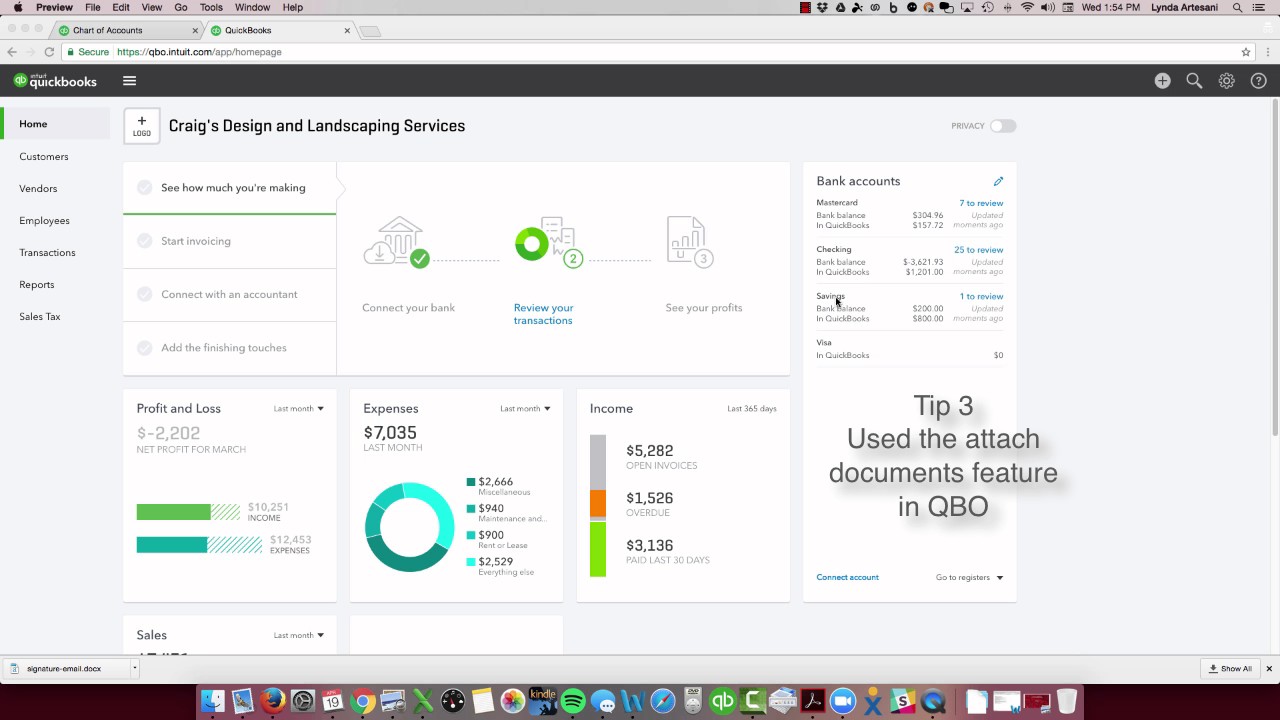
In this instructional video recorded on April 19, 2017, Linda Artesani of Artesani Bookkeeping walks small‑business owners through a series of practical steps to get ready for the 2017 tax year. She begins by urging viewers to review their personal and business tax returns and profit‑and‑loss statements side‑by‑side, even if the details are confusing, to understand where money is flowing. She then advises estimating the tax percentage of income and setting aside that amount each quarter in a separate savings account, possibly opening a dedicated account for tax liabilities. Artesani emphasizes moving to a paperless workflow: using QuickBooks Online for bookkeeping, Hubdoc for receipt capture, and the bank’s online bill‑pay to attach documents directly to bills. She demonstrates how to locate vendor reports, attach receipts to transactions, and retrieve attachments via the QuickBooks gear icon. Quarterly reviews of vendor balances, uncategorized income, and the chart of accounts are recommended to catch errors early and keep the bookkeeping structure aligned with the tax return. Finally, she notes that hiring a professional bookkeeper or CPA is a deductible expense and invites viewers to contact her for help. The overall tone is supportive, instructional, and focused on proactive, organized financial management.
Chapters
Hi there, Linda Artesani, Artesani Bookkeeping, and it's April 19th. It's the day after the big tax day where we had to file our personal returns. We can all take a deep breath in and a deep breath out and start to relax a little bit. However, it's really not time to relax because we're actually already into the second quarter of 2017. So if this is the year that you've decided You're not going to stay with being a little bit all over the place. Maybe you had to file an extension, maybe you didn't have your records in order and it became a big stressful time in your life to get this stuff ready. What can you do for best practices to get ready for 2017's taxes? So one of the things I recommend is, let's for example say that you did receive your tax return, take a look at it. Take your business return that was due March 15th, so maybe you've got the business return finished, Take a good look at it even if you don't understand the whole thing. I seriously think they make it as complex as they possibly can, but if you— even if you don't know what half the stuff is, you can take it with your profit and loss report and put them side by each and start to analyze where your money is going. So starting to really get control over your spending. Another thing that I recommend is that at the end of the year, it kind of falls under that abundance So if you've got a lot of money in your checking account, we tend to spend money. We find that next shiny object and we spend the money that's there even if it's really something that's really not necessary. I think back to my days of my early marriage, the first marriage, and how we ran on a real low budget. We didn't have a lot of money. I stayed home with my children, so we ran off of one income, and I can remember writing lists and using the calculator to try to figure out how much— this is before computers— To find out how much it was going to cost to go spend the money to buy food for my family. So I don't do that anymore. So I tend to spend— I'm one of those people that walks into the supermarket and just picks things off the end aisle, which supermarkets love. And that's— if you do your work, your business that way, it's really not a great way to really control what's happening with the spending. And then at the end of the year, if you've had a profit, let's hope you've had a profit, Then you've got to pay a tax bill and you don't even have the money to pay the tax bill. And we don't want to put ourselves in that place. So if you start out with a nice checking account and you start to take— and you take a look at how much income did you make on the tax return and how much did it cost you in taxes, figure out that percentage of what it's costing you to, you know, have a business in the United States. And then start to— start to put money away. The first quarter is done. Start putting money away. Into a savings account. Pull it out of that checking account and put it away for your tax bill, having it ready for next year. It's really not your money when you have to pay it back to the government, so start looking at it that way. You maybe even want to open another account, a savings account, and put some away for your profit. That's money you'll be able to take out of the business, hopefully. But at least get that money in there for the tax bill so you're not having to take money and spend it. you know, spending a big chunk of money that you don't have when the time comes at the end of the year. Start a quality filing system. So start using the attached documents. So it's a great feature. This is one of the things I love about QuickBooks Online. I don't have filing cabinets full of files. This year I made it one of my goals to stop using files and papers in my office. I'm, you know, filing everything away and then I have a few clients that have You know, they're contractors and I'd get the documents mailed and I'd have to attach, you know, put them with the bill and the check stubs. No longer do I do that. I've got a system in place now. It works wonderfully. I use Hubdoc. I use the online bill pay at the bank and I attach the documents to the bills. So if you haven't done that yet this year, the easiest way to find your bills and to do that is come to Reports. Reports. We'll come in here and just type in vendor. That'll bring up all your vendor reports. And then come to vendor balance detail, or you can go to transactional list by vendor. Let's go there. And then let's do the report as of this year. So we're going to just start catching up, and they make this a good practice. So you can come over to all these expenses and come into the cash expense and say, okay, I bought this with cash. I have a receipt. Oh, what did I do with the receipt? Maybe you've got it in a box. Scan the receipts. Hubdoc has this little thing, you take a picture of it and it uploads right to their system and drag and drop it. If you don't have that and you want to, you can use QuickBooks, has a little scan and drop system too with their app. And then all you have to do is grab your document and just drag it up to the, to the place where it says attachment and so let go and it attaches itself. And now that document is there so I can just save it. Over here, save and close. So now my documents are attached. And the more you start to attach your documents to all these receipts, you can throw the receipts away. You don't have to keep the paper anymore. Now, if you're unsure of documents that don't have— if you want to come back to this, say, oh God, I know I bought something with cash and I can't remember what it was, and you want to see your list of transactions, you want to find your attachments fairly quickly, you just come to the gear wheel and come over to attachments. And any document that has an attachment here will be attached and sometimes it has a little preview and you just click on it and that'll bring you to it. So you just click on it and open it. You can download it. So if you need it for whatever reason, maybe you're returning something, you can download it. So that's here and that's an important piece because you really want to be able to start to really look at becoming paperless. It makes it so easy. I worked with a client this past week. We closed out the quarter and we ran reports together. We did a virtual meeting, ran reports together, and one of the things I loved about it was that The two of us work together and he's looking at a bill for one of the buildings that he owns. And last year the bill was $500 for the month of March to heat it, and this year it was $800. And he's like, why is this so expensive? What happened? And when you started to look at the two documents, you could see that it was just— it was a colder March up north. Remember, compliance starts with preparation, right? So the more you prepare, the better off you're going to be. That being said, if you take— start taking a look, review your reports, that you've got this account for uncategorized income and your CPA at the year-end is going to go, what is that? So if you start to look at your reports at least minimally quarterly, you start to see that and say, well, what is in this account? What is it for? Why is it uncategorized? What happened? That's some of the practices. Getting yourself prepared, starting now, getting your records in order, attaching The documents, getting the compliance stuff, so getting things in the right categories, looking at last year's income tax return and take a peek at it, see what things, where things go, start to understand it, maybe even modify your chart of accounts to, to look a lot like your tax return so you'll be able to see at the end of the year when you look at the report where these transactions are going. It's just a few steps. Of course, you can always hire a professional. To help you do the work. It's a tax deduction. So if you have any questions, feel free to reach out to me. These are just some of the steps. I will put my Facebook page on the bottom of this blog post, but I hope that's helpful to— for all of you out there. I've got a few clients that just want to— I want to be prepared. I don't want to be behind the 8-ball this year. I really want to make sure that I am ready for next year, ready for 2017. It's just some of the best practices that I can tell you work for my clients. Thank you so much for watching. Bye-bye now.