Linda Artesani shows how to customize the email message that goes out with your scheduled QuickBooks Online reports. You can set the send date, personalize the greeting and sign-off, but you'll need to edit each report's email individually since QBO doesn't allow one default for all reports.
Chapters
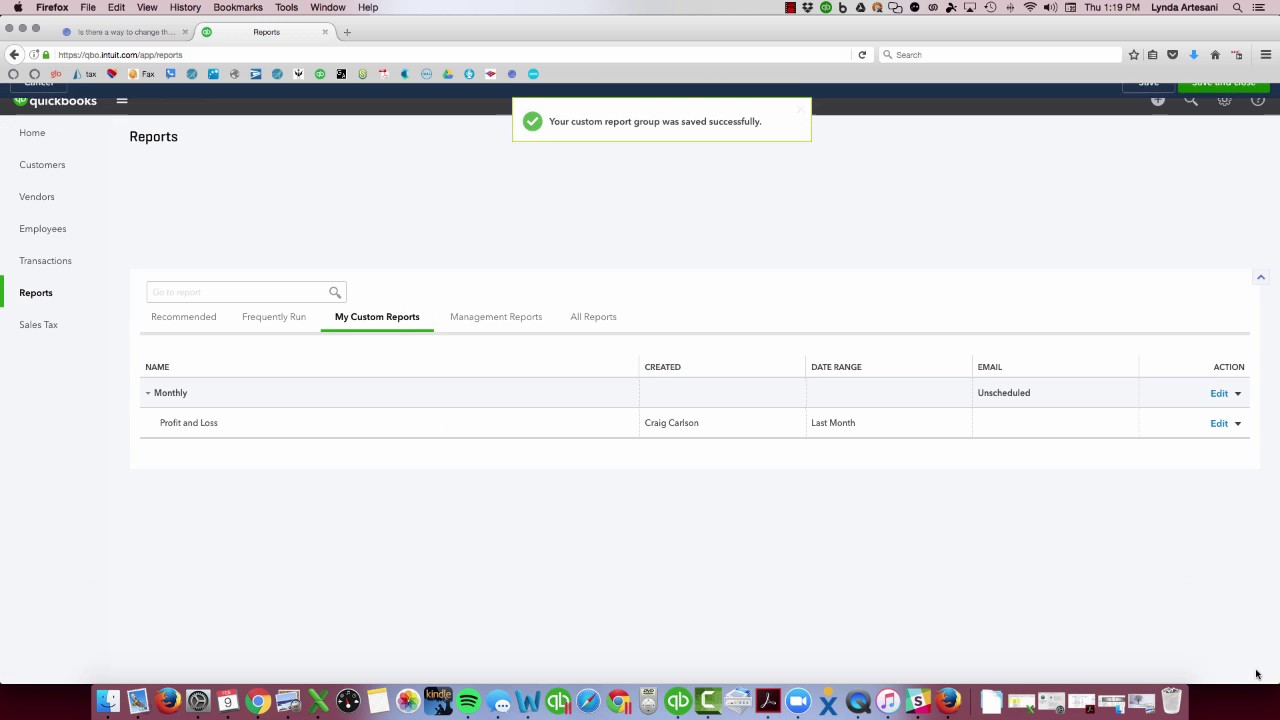
Hi there, Linda Artesani, Artesani Bookkeeping, and I wanted to do a little video on changing up the email message that goes with the report. So I happened upon this question, this is where I got the idea from: is there a way to change the default email message when emailing report? Well, there is a way to do it, but you have to save the customization of the actual report. So let's pretend that That I have a client and I like to send him every month a copy of his profit and loss report for the prior month. So I just— and it's really what I love about QuickBooks Online is you can automate this. So I just have to hit Save Customization, and I'm just going to put this in my monthly— I'm going to create a monthly report group. So I'm going to add this new group, Monthly. And I'm going to share it with everybody. I'm going to hit Save. So now this report is saved in my custom reports. But let's say I want to schedule it because you can see this little box that says Unscheduled. So I want to schedule this report. And this is where you're going to be able to get into the wording. So I'm going to set the email schedule and all I have to do is come over here to turn it on. And then I can set this to go every month. I like to wait till about the 15th of the month to send it out. Send these to my clients so they can see what's going on in their business. So it's showing the prior month, and I want to make sure that all the data is in for January before I let the bank reconcile. So I'm just going to send it to myself, and it's my financial report. So here I can say, you know, hello, hi George, attached is a set of financial reports that I might just put in here for your business. Unless he has more than one. And I'm going to change this to your profit and loss. That is the profit and loss for last month for your, for your business. You know, if you have any questions, please reach out to me. And then I'll just— I hate regards, it sounds so cold. Um, you know, it's kind of an email, so I can just go Linda. That's good enough. So now I want to set this to go out on the 15th of the month. The next day will be Valentine's Day. I'm just going to hit Save and Close. So now on the day of the 14th, it's going to generate and populate this invoice. And what I really— uh, this report— what I really like about This is I've had some clients. It usually goes out about four o'clock in the morning, and my clients will say, "Hey, what are you doing up at four o'clock in the morning?" Well, I've been working my tail off. It's that time of the year, but it's just an automatically generated report. So hopefully that makes sense and will help you in figuring out how to change that wording. If you want to change the wording generically on any report you happen to pull up, then you have to type it in. There's no real place to type it in and keep it. Set as a certain wording. So if I wanted to come over to any report over here and, you know, come to any report, whatever comes up for my report, I can just run it. And if I want to grab the— if I wanted to email it, the email is going to be whatever, you know, here's your report basically. It's not, you know, I can email it attached as a sales page. It's just a generic canned report. But if you want to specifically change the wording like I just did, that's the way to do it. Hopefully that makes sense. If you have any questions or would like any further videos, please reach out to me, www.artisanebookkeeping.com. You can sign up to get links to these videos as they populate, as I generate them. They'll, you know, you get on my list, you can start to get them, or just be connected to me so that I can reach out to you if anything comes up QuickBooks related. As soon as I find out, I share it with my clients. So I hope that was helpful. If you have any questions, feel free to maybe even reach out to me on Facebook, Artisanal Bookkeeping. Thank you. Bye now.