QuickBooks Online Advanced now exports reports directly to Google Sheets with one click. Use Sheets comments for budget reviews, Boomerang reminders to prompt clients, and checkboxes to track undeposited funds across your team.
Chapters
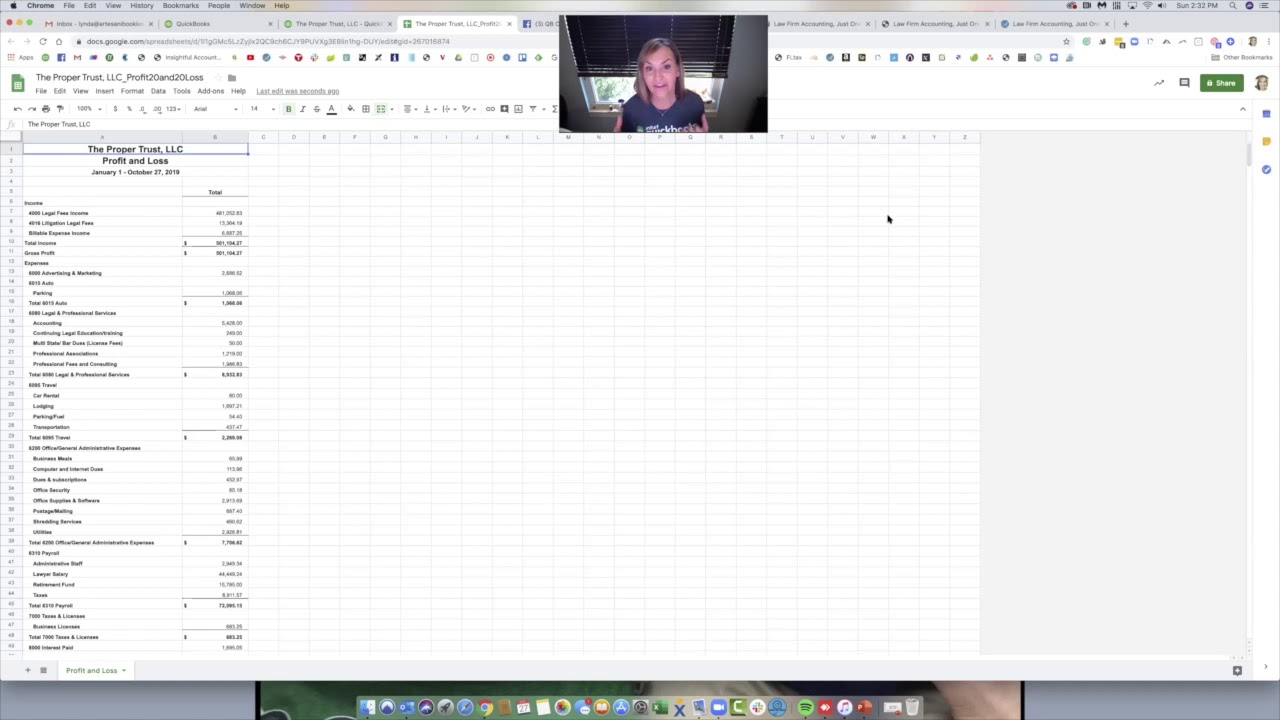
Hi, I'm here to tell you about a brand new feature that I'm really excited about, and it's exporting to Google Sheets. So in the past, we used to be able to export a report to Excel, and then it would be on your computer, maybe in your download folder. Then you'd have to import it into your Google Drive. Well, no more. It's just a click away. So you're going to come over— I pulled up a report, just a profit loss report, something simple— and then you can click here, this little arrow, just like you're going to export to Excel. But now you can see you can export to Google Sheets. It's still beta, but it's— I haven't had any problems with it. So you click here to export it. And what's really cool is you can just move it to the client file. So I have files already set up in my account that are client-related, where the client will collaborate with me for like maybe the Ask My Accountant account, where every, every month I go through and there's some transactions we don't really know where they go. So I will put them in that Ask My Accountant account and then they can always access it. Then I set up Boomerang to remind them that, hey, after the 20th of the month, I'll send them a note saying, hey, check your folder and kind of update them to let me know that you've got transactions that I need some direction on. Same thing if you're working with maybe someone with a budget and they want to— you've got like a board and they're working to collaboratively work on this one document. You can create the budget, send it to It— send it to Google Sheets, and it can be in a combined folder that a lot of people have access to. And then they can comment on it, which is what one of the things we love about Google Sheets. You can see right over here, there's a comment button. So they can comment and add their notes. And then it's almost like having a mini board meeting before the board meeting. And then when you do the board meeting, you can open this up and go through it and start to go through the comments and just change the numbers. And then I have a document now that I can now update my, my budget in. Another use case for this is working with my team. So sometimes I have folders that are specific to my team. And what they'll do is we just did a big account where the accounts, the undeposited fund account was just— they had hooked up an app and it had dumped a whole bunch of transactions in, but it never made the deposits as they grouped. So we have to tediously go through and check where they went in. So what I would do here is I would come over and we'll just pretend this is the undeposited fund account with a lot of transactions. You can come right over here and hit Insert. And insert a checkbox. And then I can just maybe copy this and then copy it down and just add all these, right? So that I can add them all in and just put all the checkboxes in. So as we go through the transactions, we can click and say that we've done it. So maybe I start in the middle, maybe another team member starts at the top, someone starts at the bottom. So many hands make light work. So we're able to go through that account really orderly and get through it, get through all the deposits, and just make it all, you know, go through and clean that account up. So I hope this was helpful, and I hope that you all come on and try QuickBooks Online Advanced and try some of the brand new features. That's just one of them. There's like 5 new ones and seems like one's popping up every day.