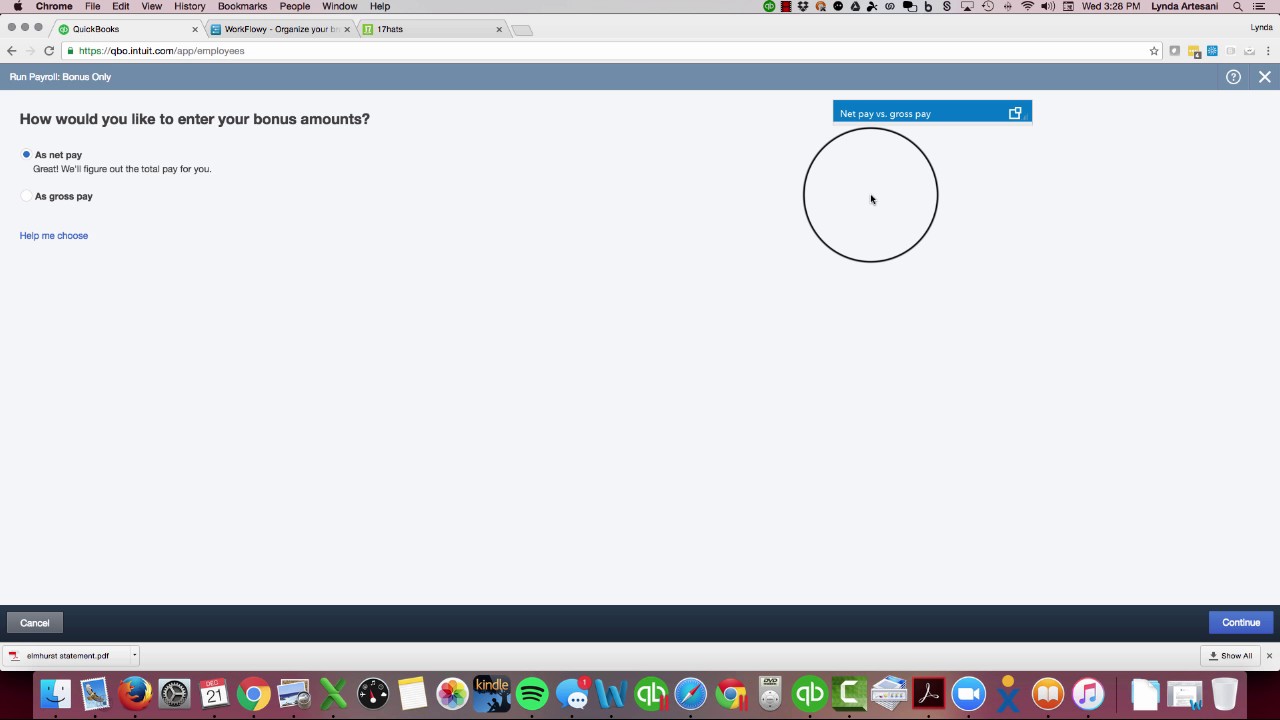
Linda Artesani shows how to create bonus checks in QuickBooks Online. You must enable the Bonus payroll type for each employee first, or the bonus field won't appear. If you want to give someone $1,000 net, QBO calculates a $1,206.49 gross payout to cover taxes.
Chapters
Hello, my name is Linda Artesani. I'm the owner of Artesani Bookkeeping, and I've been— I'm very active on the Intuit Community Forum, and I've noticed a lot of questions around how do I create an employee bonus or Christmas bonus check. It's almost Christmas time here in 2016, and I've seen a lot of questions about how to do that. A lot of people just started using QuickBooks Online this year, and this is the first time they've had to experience Creating a bonus check because it's the year-end. So I just wanted to show you how that is done, and you may not even have noticed where that is taken care of. So here's my employee page. So I would come on my homepage, click on Employees, and I would populate my employee list. I've already run my payroll for the week. You may not have noticed there's a little Bonus Only section in here, so most people probably are clicking this, and this is where the people are running into trouble. The one thing you have to make sure you do first is you need to go into each employee, click the little pencil under the pay, and I have to make sure that I've got the bonus payroll type active. So I want to come in here and add an additional pay type, and I want to click bonus. So now I'll be able to populate the figure in the bonus check. If I don't have that part done, It won't let me put an amount in. So let's go to my bonus check. So let's get out of here and let's go to my bonus check. So I've clicked that little bonus line and it says, how would I like to enter your bonus amount? So you have a net pay option or a gross pay option. If you pick as a net pay, that's awesome. That means if I'm going to give somebody $1,000, they're going to get a check for $1,000. If you pick it as a gross pay, If I wanted to give myself a bonus of a gross pay of $1,000, I might end up with $700 and change because it's going to take the taxes out of that $1,000. So I'm going to demonstrate that for you. So as a net pay, I want to give myself $1,000. So here's my bonus check of $1,000, and it's already figured out that it needs— I need to pay myself $1,206.49 in order for me to get that net paycheck of $1,000. So that's basically all you have to do to create a bonus check. But if you don't do that important piece of adding that additional pay type to each one of your employees, you have to do that on every single one that you're giving a bonus to, have that ability to be able to type it in. If you don't do that, this box doesn't populate. So you'll see bonus, but you won't be able to type in an amount. So that's the tip for today. I hope it's helpful and stay tuned for more tips. I'd love to have you subscribe to my channel and follow me. Maybe even on social media with Facebook. So thank you. It's again Linda Artesani, Artesani Bookkeeping. Bye now.