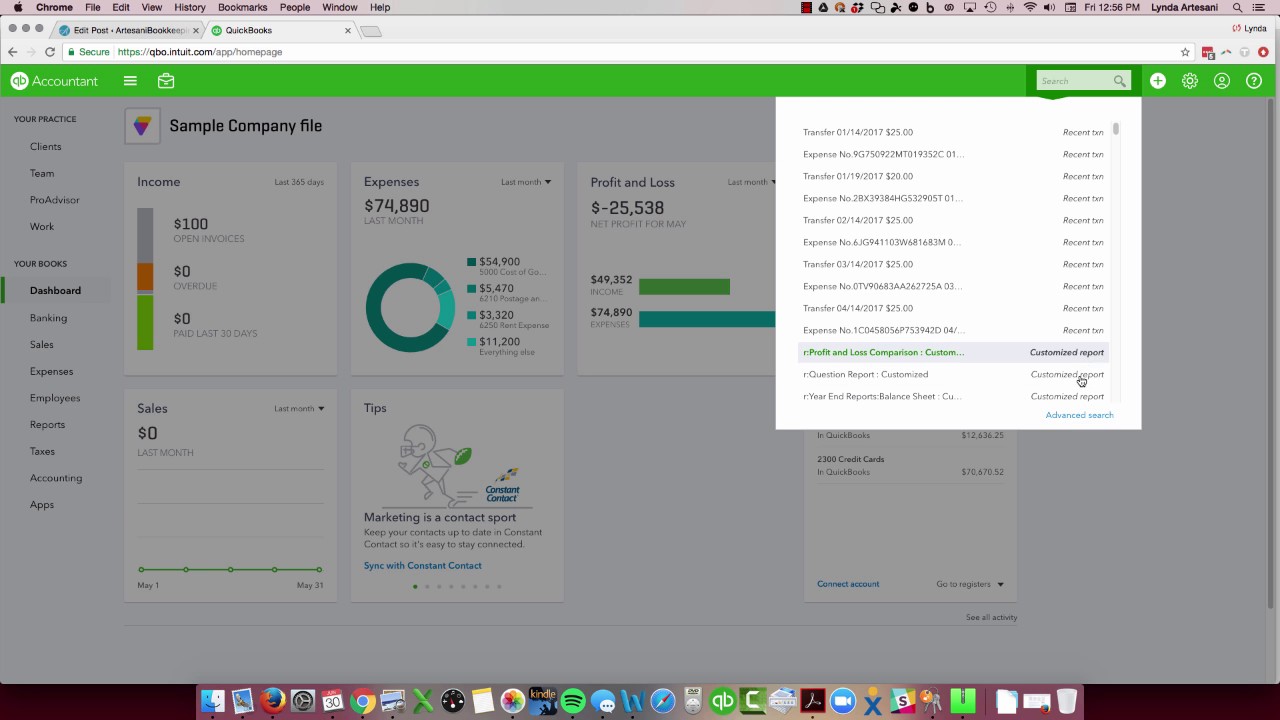
Linda Artesani shows how to use QuickBooks Online's search feature to find transactions by amount, type, or date. It's especially useful for bank reconciliation and locating missing entries. You can also attach Hubdoc documents directly from the search interface, something QuickBooks Desktop can't do.
Chapters
Hi there, Linda Artesani, Artesani Bookkeeping. So I'd like to discuss a little bit about the search feature or the find feature in QuickBooks Online. This tends to be probably one of the most valuable features that I find when I'm working in a customer's file. So let's come to a file, my sample file here, and I'm going to say that I'm going to look for a specific amount. I know I'm off by $20 in the bank reconciliation and I just can't seem to find— I know the transaction should be there, maybe it's cleared already, maybe there's some reason why it's not popping So first of all, you can come right to this search box and it's going to populate the recent transactions that you've entered or where you've been in the most recent time period. I love this because I could do a transaction like if I'm pulling stuff in from Hubdoc, I can enter my transactions and then go back and attach the documents very simply through this feature. I also like it because it's just so useful. I had to work in desktop the other day and it's like, oh, I wish I had that feature in desktop. It's just not there. But for the most part, I use the advanced search. And so one of the things I like about it is you can really fine-tune it. Most of the time when I'm looking for something, I'll do all transactions and I'm usually looking for an amount and then I'll put the amount in like $55 and then I'll do a search and every transaction in this file that's $55 comes up. So that's one way of searching. Then you can also fine-tune it. So you could fine-tune it to bill payments. You can fine-tune it to credit memos, credit cards, checks, charges, bills. I mean, it's wide open here, all the different things you can fine-tune it to. And then you can obviously filter down in this box what you want to look for. Again, Linda Artesani, Artesani Bookkeeping. Thank you for watching.