Linda Artesani shows how to set up quarterly invoices in QuickBooks Online for a condo association. Create an invoice for a resident, then convert it to a recurring transaction that repeats every three months starting October 1. The invoices auto-populate on their scheduled dates, saving manual entry work.
Chapters
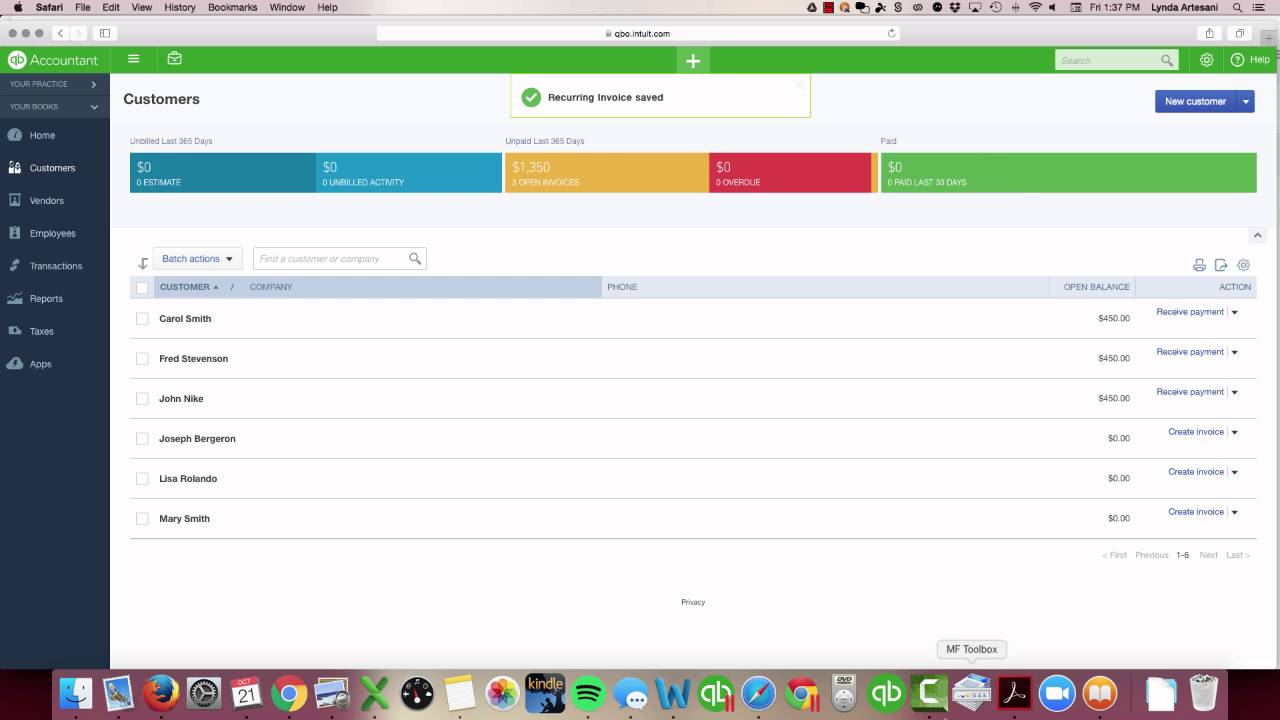
Hi there, my name is Linda Artesani and I own Artesani Bookkeeping here in Estero, Florida. We're just a little bit north of Naples. So I'm going to start a series of videos for homeowners associations, and it's basically to step you through some of the recurring invoicing that needs to be done so that you can properly create your invoices and Skip the step of having to do it every quarter, have it memorized, and it's called recurring entries in QuickBooks Online. So we're going to come over to our customer list. This is a very small condo association, there's only 6 units, and we're going to, we're going to set these up so that they're memorized. So I'm going to create an invoice for this customer named Joseph Bergeron, and I'm going to create his invoice as of 10/1 because That's the beginning of the last quarter of the year. And I'm going to bill him for maintenance fees. So my maintenance fee account points to my maintenance fee income account on my income statement and my profit and loss sheet. So here is where I'm going to charge him $450. It's $450 a quarter. I'm just going to save this to start before I make it recurring. So now it's saved. 10/1 is in my books. And now I'm going to make it recurring so I don't have to do this in January for the next quarter. And since we don't email these, these are going to be just for our record purposes. The people who live in the condo association know every quarter that they owe this fee. Now, if you have a condo association that does email them, you can definitely set that up. But for this purpose of this video, this is going to be really for record purposes of tracking the accounts receivable here in this company. So I'm going to make this a scheduled recurring invoice. We're going to schedule it on a monthly on the first day, but we want to do every 3 months because it's really a quarterly billing. So we'll put the quarter. The next one will be on 1/1/17. And then what I'm going to do is just save the template. So now this is going to populate on its own. I'll do the next one, Lisa Rolando, create an invoice. Maintenance Fees. Again, it's 10/1. Save it first so that it saves to my books and then make it recurring. So I'm going to make it recurring. I don't want it to print because it's not going to be sent out. And then we're going to make it happen every 3 months because it's going to be a quarterly. And then you can also use the calendar here to select your January 1st date. And these will populate all, all on their own. So now if I go to my recurring list, that's under this gear wheel. There's so many little settings under the gear wheel, as you'll see in a moment. So if I want to go to my recurring transactions, here's my recurring transaction list. Now I'm going to see that these are all scheduled. They're all going to be populated every 3 months. The October date is in, so I don't have to worry about that. The next date they're going to populate, just to recheck my information, make sure that they're correct. And then the amount was $450. So that's how simple it is to create these recurring transactions. So when I come to work on January 2nd, because the 1st is a holiday, I will come in and because I have that scheduled, they're automatically going to populate in the books and they'll be in there on January 2nd. And then when I get my payments in, I can apply the payments to those. So that's basically in a nutshell A very quick video on how to set up recurring transactions, invoices, in QuickBooks Online. I hope it was informative. Stay tuned for more videos. Thank you.