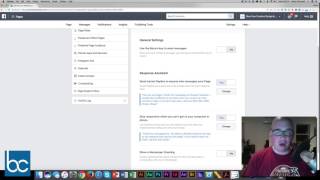
Shaun Whynacht shows three Facebook Page features: adding a Call-to-Action button like Send Message or Book Services, setting up automatic replies and away messages, and defining your Preferred Page Audience by location, age, and interests to reach the right people.
Chapters
Hey everyone, it's Shaun Whynacht here at Blue Cow Marketing Incorporated. In this quick video, I'm gonna show you 3 things that you absolutely need to know about your Facebook business page and how it can help you interact with your prospects, your customers, and grow your business online with social media. So why don't we hop right in it right now? We're looking here at our Facebook page, and one of the key things that a lot of businesses that we see don't do with their pages yet is they don't create their call to action button, which you see right here where we have it set for send message. Now if you haven't set it, when you go to your page, it's gonna say Create Call to Action. And when you click on it, you've got various options. So what I'm gonna do, I'm gonna go into the editing settings to show you some of the things you can do. Now depending on your business and the type of work that you do would determine which type of call to action button you would like. For example, you got some book services, you can book now or start an order. We can say get in touch, this is the one that we use. We use send a message 'cause we use a lot with Facebook Messenger. Now if you want people to call you, You could use Call Now, which allows you to put in the phone number. So if they're on their phone and they press it, it's actually going to dial with their cell phone. If you got Contact Us, can take you to a contact form. There's a whole bunch of options that are in here. Email Us, Sign Up, you know, and there's other options you can click in here. There's Learn More. So if you got a video you want to link to a specific video, if it's a video about your company, so Learn More About Us. There's a wide range of options and they're always adding new ones to this. So check it out and create that call to action button. Now let's hop into the settings of your page. Now you got to make sure that you are an administrator of your Facebook page, and you know that by across the top if you've got these options that I'm showing you right across the top here. So we're going to hop into the settings. So we go ahead and click on the settings. First we're going to do is we're going to click on, on the left-hand side under messaging. Now this is a really cool feature of Facebook, and one of the things that you need to understand is people are using Facebook and the messaging option just like they would if they picked up a telephone. Now imagine your business if you had an advertised phone number and somebody called it and you didn't answer. How much business would you be creating? Probably none. So you gotta keep this into consideration when you're looking at your Facebook page, that people may be messaging you. And if you don't wanna be tied to your computer or tied to your phone answering these all the time, you need to set some expectations and we do this in this messaging setting. By Response Assistant. Now what Response Assistant is, is it allows an automatic reply to go back as soon as somebody types a message in there. So the one that I have in place here, and I've turned it on, says, "Hi, how are you?" And it can merge in the first name of the person. "Thanks for messaging me through Facebook. I usually have my phone on me wherever I go, so give me a few minutes to reply." Now I know that I will reply within a few minutes. Now if you don't hear back, give me a call, and I put in my phone number. That's what I want. So a lot of businesses, maybe they check it twice a day, once a day. Be honest, tell people when you check those messages so they're not sitting around waiting for you. The other thing down below, right below this, is stay responsive when you can't get to your computer or phone. So if you're signed off, you're not online, or if it's outside of the business hours that you have set on your Facebook page, this is a great message to put in here because when somebody messages during that time,, then this message will show up. So mine says, "Thanks for messaging me. My office is officially closed for the day, so my response time may be a bit longer. If you need to reach me ASAP, give me a call," and I have my phone number in here. One of the other options that you can put in here, I don't have it turned on, but I only do it if I'm away for a certain absence, is a Show Messenger Greeting. That's as soon as somebody clicks message, this message will be at the top before they even type anything. So if I'm closed, I'm on vacation, I will use this and turn it on and off. So these are great settings to check out and make sure you're integrating this with your page. Now, one of the other latest settings in here that, that I think you absolutely need to set, because Facebook is doing all its, all its power to make sure your page is showing in front of the right people. And on the left-hand side, you see Preferred Page Audience. And just like it says, they want to know who is your preferred demographic. So when you go in here, you're gonna be able to set this just like you would if you were setting an ad. So in my case, I picked within Canada, New Brunswick, Nova Scotia, Ontario, Prince Edward Island. That's my demographic. Demographic, small business, business networking, digital marketing. I get to pick some of the interests of people and usually between 30 to 65 are my demographic for audience and it estimates about 817,000 people fit that demographic. So it doesn't mean that other people can't find your page or your stuff won't be shown in front of them but this is the core group of people that they will push the hardest to put your page and your messaging in front of. So those are some 3 great things to consider with your Facebook page. One of the best things is there's a whole lot more to know, and what I'm doing is on Monday, June 19th at 1:00 PM Eastern, 2:00 PM Atlantic, I'm holding a live webinar that I'll do just like this, but we'll go more in depth and we'll talk about a bunch of different stuff when it comes to your Facebook page and what you can be doing, even when it comes down to using Facebook for advertising. We're going to dive right deep into it and I can take some live questions while we do it, so I urge you where you're seeing this right above this Facebook message. Register for the webinar. It's going to be a great time, and I'm able to answer your questions and the things that you want to know.