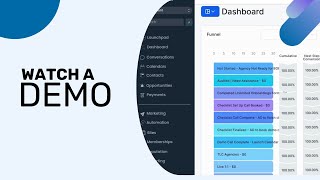
The video provides a comprehensive walkthrough of the ClientConnector platform, highlighting its suite of tools designed to help businesses capture, nurture, and convert leads. It begins with the dashboard that visualizes key metrics such as opportunity status, conversion rates, and funnel step success. The Conversations hub aggregates messages from Facebook, Instagram, TikTok, SMS, and email into a single inbox for streamlined communication. Calendar integration lets users embed customizable booking calendars on websites and sync them with Google, Outlook, or Apple calendars, with appointments managed in an Appointments tab. The Contacts area supports bulk actions, tagging, import/export, and detailed contact views. Leads progress through visual pipelines, with automations tracking their journey. The Payments module enables invoice, contract, and payment link creation, product and coupon management, and integration with PayPal and Stripe. An email builder offers fully customizable templates. The Social Planner consolidates social accounts, schedules posts, and provides cross‑platform analytics. Workflow Builder visualizes and edits complex automation sequences. Form & Survey Builder allows drag‑and‑drop field creation, custom CSS styling, and custom fields for lead capture. Funnel & Website Builder provides drag‑and‑drop page construction with responsive preview, menus, and a full suite of elements. Membership areas let creators sell products, track member activity, and view analytics. Review & Reputation tools generate review request templates via SMS/email, link directly to Google Review, and aggregate received reviews. The narrator emphasizes the breadth of features, ongoing updates, and the platform’s potential to streamline business processes.
Chapters
In this video, we will be showing you a general overview of the different tools and features you will get access to through our service. We hope this quick tour will give you an idea of all the value and endless possibilities that will be made available to you. The dashboard displays important metrics and visual representations of information, such as your opportunities' status and value, as well as your current conversion rate of turning leads into customers. You can also view the success rate of each funnel step and a breakdown of your opportunities placement on specific pipelines. When leads reply to messages, the entire discourse for each contact will be viewable in the Conversations section. This section compiles all conversations from across all integrated platforms such as Facebook, Instagram, and TikTok in order to better streamline the nurturing process. Whether it's SMS, email, or social media, you will be able to easily respond to leads all from the same place. For booking appointments with your leads, you can create and customize calendars and embed them in your websites or funnels. You can also integrate these calendars with Google, Outlook, or Apple Calendars, whichever works best for you. Once a lead books an appointment, their meeting information will be recorded in the Appointments tab. Here you can view all upcoming appointments with leads, and you are also able to edit each meeting as needed. If you need to reschedule or delete a scheduled appointment, you can do so here. In the Contacts section, you can look through the entirety of your contacts and access their information. Additionally, by using the bulk action features, you can make various edits and changes to more than one contact at the same time. If you need to send a text message or an email, or add a tag to multiple contacts at once, just use the bulk actions to quickly and efficiently update your contacts. You can even export or import selected contacts as well. Once you've successfully captured leads, you can view their status in the pipeline. As you nurture leads through various tools such as automations, you will be able to keep track of each lead's journey down the pipeline. Within the Payments section, you can create and send invoices, contracts and payment links, as well as manage orders, subscriptions, and transactions. Additionally, you can add products and create coupons. You are also able to integrate services such as PayPal and Stripe for outside merchant processing. You can save time and work more efficiently by managing all payment-related aspects of your business in one convenient location. The email builder allows you to completely customize high-quality email marketing messages. You can create and save templates to make your emails stand out using stylistic elements, images, and more. The Social Planner tool allows you to manage all your social media accounts in one place. With this feature, you can save time by creating and scheduling posts all in one place. You can also view your social analytics from across your Facebook, Instagram, TikTok, X, LinkedIn, and Google My Business accounts. Workflows allow you to thoroughly customize your automation processes, with the ability to combine various actions and triggers to create an automated system that's as robust as possible. With the Workflow Builder, you can easily visualize the path of your automation and easily make any changes or edits to your automated sequences. In the Form and Survey Builder, you can customize forms by dragging and dropping various form fields. You can also use custom fields to make forms that are best suited for your needs when adding leads into your system. Through custom CSS, you can stylize your form and make it look however you want and make it fit your style. In the funnel and website builder, you can build custom landing pages with the drag and drop customization feature. Through columns, sections, and rows, you can populate your page however you want. You can even use the menu element to build out full websites with texts, blocks, buttons, images, forms, surveys, calendars, popups, and even more features. The funnel builder offers endless options for you to build the best funnel for your needs. The builder also gives you the option to toggle between desktop and mobile view so you can make sure your funnel page is looking good across all platforms. In this section, you can create your own custom membership site for your clients to access. The membership area allows you to easily create products and offers for your members to access. And also provides analytics regarding your members' activity. Once you've generated leads, you can create review request templates through SMS and email to ensure a steady intake of reviews and feedback. You can include a link that opens a Google Review pane so that clients can easily leave a review. All they have to do is give a star rating, write a quick review, and click Enter. To send a review request, you just have to click the Send Review Request button and enter the client's information. Once you have started receiving reviews, you can view a record of these reviews in the Reputation tab. You are also able to send review requests to specific contacts from this section for a quicker process that generates reviews. This was a super quick tour and overview of different options and tools you'll have at your disposal. There are so many different features we didn't get to explore, And there are new tools being added all the time, so be on the lookout for cool new updates.