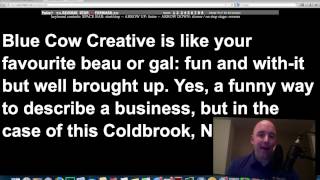
In this instructional video, Shaun Whynacht of Blue Cow Creative demonstrates how to use the free online teleprompter at cueprompter.com to create smoother, more engaging webcam videos. He walks through copying a script into the text box, adjusting screen size, font size, and color schemes (white‑on‑black for readability, black‑on‑white to illuminate the speaker’s face). He explains the reverse‑mirroring option, how to start and stop scrolling with the spacebar, adjust speed with the up/down arrows or preset speed levels (1‑5), and use F11 for fullscreen. Shaun shows how to reset to the top, choose appropriate speeds, and highlights practical tips for lighting and natural delivery, concluding with a call‑to‑action to try CuePrompter.
Chapters
Hey everybody, it's Shaun Whynacht here from Blue Cow Creative. We have a lot of clients who like to shoot their own videos, especially when they're using webcams on their computer. Now we all know that when we wanna talk about a topic, it's very hard to memorize, and if we wanna write it down, it's even harder to make the video look compelling if we have to keep looking down at our paper like this. So I've come across this great website that's gonna help you, and you see it here on the screen. It is a teleprompter for your computer. So what that means is if we look here on the site, all you need to do is go to cueprompter.com, cueprompter.com. It's the online teleprompter. And what you see here is an open text box. So that is where you either write or copy and paste in your script. So I just copied the about section from our website. I'm gonna paste it in here. Now once we have it in here, we've got some settings that we can choose from. For example, down below the screen size, we're gonna go that it's max screen size. It's gonna fill my whole 17-inch MacBook here, and we're gonna have the font size as big so that we can see it real easily. Then your set colors, do we want white text on black, which I highly recommend. That's a great one to do. Now if you're in a dimly lit room and you find that your camera's having a hard time picking you up, by choosing black text on a white white background, you're gonna be using luminosity of your screen to highlight your face, so it might be a great option for you to do that. And then obviously reverse mirroring, you don't wanna do that unless you're projecting it on an actual teleprompter piece of glass. So we're gonna go ahead here and we're gonna go Start Prompter. It's gonna come up here on the screen as you see right here. Now to get it started, all you need to do is hit your spacebar and it's gonna start to move. Now, if you're going along and you find that the scrolling is actually too slow, by pushing the up arrow on your keyboard, you're able to actually speed up or slow down the teleprompter script. So your audience that's watching you doesn't really know that you're reading that much, and it's gonna be a lot easier for you. So for example, if you're gonna do this, we're gonna be reading the script like, "Blue Cow Creative is like your favorite bo or gal, fun with it but well brought up. Yes, funny describes this business, and if you haven't checked out this Colebrook, Nova Scotia," place, then you've got something coming. Now, as you saw that, if you're watching along, the script actually went too fast because I sped it up and my reading wasn't kept up with it. So what I can do is, if that's the case, you need to start over. All you need to do is hit reverse at the top, and it's going to scroll back to the top. You've got different set speeds. You've got 1, 2, 3, 4, 5. You can also, as you see here, press F11 for full screen if you'd like to do so, but we're not going to do that. So we're going to hit speed 1, hit the spacebar, and going to start again. Now you can also do what I do a lot of the times is use the spacebar to start and stop, so it's going to be a lot easier for you to do this. So if I wanted to read this paragraph, or actually we'll go down and we'll look at the next one because we just read that one. So as a leader in social media consulting, Blue Cow is on the leading edge of technology. Application, combining an up-to-the-minute understanding of the current tools and trends with proven skills in creative design and video production to offer clients the latest, hippest approach to their business needs. But Blue Cow's approach dictates that superior customer service and a personalized approach is the hallmark to their operation. Here, high-tech meets down-home. So as you see that, as you're reading along, you can write a really intense script and actually shoot a great video. So check it out, cueprompter.com. Another great tip brought to you by Blue Cow Creative.