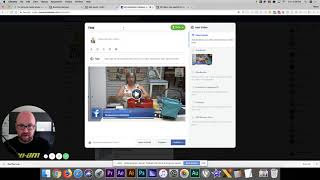
In this video, Shaun Whynacht introduces Facebook's newly released Premiere feature, which lets page owners schedule pre‑recorded videos to appear as live events. He demonstrates how to access the Premiere option on a client’s Facebook page, walks through the upload process, setting a title, choosing a date and time (within a week), adding a custom thumbnail, and scheduling the premiere. Shaun explains that once scheduled, Facebook automatically creates a wall post inviting users to set a reminder, and the video will play as a live broadcast at the appointed time, driving higher reach and engagement. He highlights practical marketing applications for trainers, stores, consultants, and other businesses that lack live‑streaming resources, emphasizing the feature’s potential to boost visibility. The video concludes with a call to action to subscribe, follow BlueCow Marketing on YouTube, Facebook, and their website.
Chapters
How's everybody doing? I wanted to show you this feature that I came across in Facebook today when I was uploading some videos that we just produced for a client. Now this feature is not available on our Facebook page, but it has been released to our client's Facebook page and you may have it or you may not, but I wanted to make you aware of it because this is coming down the pipeline and when a new feature is released by Facebook, they give a lot of priority to it and a higher reach. So be aware and start thinking about how you can use this. So here we are on our client's Facebook page. We're going to go in and we're going to upload a video. Okay, very similar you would be doing to upload any type of video. You're going to click the video file and click upload and you get this screen, which I'm assuming you're familiar with. Now here's the thing. Look right here. This button says Premiere. This is what caught my eye and I said I had to figure out what this was about and I had to do a video on it. So if you look on Premiere and you mouse over it, it says schedule and release new videos and episodes as live events. What? No way. Cool. So we're going to click on Premiere. Oh, we got to give it a title. Uh, we'll give it a title here, just whatever it is. And we're going to click Premiere. Now here is the cool part. You get to select a date and time. It has to be within the next week. So if we're going to click on the 8th, let's say at, let's do a 6:00 PM. Obviously not going to do this with this client's account. You can also put a custom image in here, so it'll have an actual image in behind on this section. But when you click Schedule Premiere, here's what happens. It will immediately do a post on your Facebook wall saying, hey, there is a premiere video going to come up at, you know, August 8th, 6 PM here. Want to get a reminder? So you click that, you will get a notification when it's about to go live. When that time rolls around, Round, set it, forget it. It will go as if it is a live video. Now you're getting people to come back. They're getting notified that this video is going to roll. Now what can you do with this? Well, if you're not around to do a live video or you just don't have the production to do it live the way you can, you can produce it obviously with cameras, with phones, record that video and do it. Now think about it. If you're a trainer, if you're a store, if you're a consultant, whatever it is, there is probably a use for this. This is a really cool feature, Facebook. We thank you for this from a marketing world, and I can't wait for it to get released on our page because I'm going to use the heck out of this one. So think about that. Keep looking. If you see that Premiere option pop up, utilize it. You will get far more reach than just uploading an existing video because it is a new feature of Facebook and they love to show off their new fancy bells and whistles. So thank you very much for watching this video, and if you like it, subscribe to us. If you're watching this on YouTube, we're going to be doing more videos like this. Comment wherever you're seeing this video, show us some love. Check us out, youtube.com/bluecowmarketing. If you're on Facebook, facebook.com/bluecowmarketing, and on our website, bluecowmarketing.ca. Thank you very much and have a great day growing and marketing your business.