Shaun Whynacht walks through creating a Facebook Ads account and setting up payment methods like PayPal or credit card. He explains that adding a payment method doesn't charge you until you actually run ads, and covers how to access the Boost Post feature.
Chapters
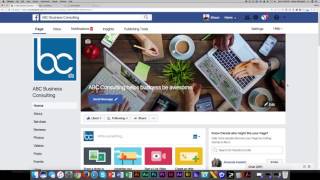
In this section of Facebook 101, we're going to talk about targeting. And by targeting, I mean being able to reach potential users of Facebook that's not an organic post. What I mean by that is there's a difference between organic and paid traffic. Organic is when you have a Facebook fan following, people like your page, you post content, and some of those people see see it and they share it and so forth, and it's just organically spreading. Now we know that that doesn't always work as fast as we would like it, and that's where Facebook targeting has come into play. Facebook is a business, they generate revenue, and they do that through having users pay to promote their messages to other users. Now there's different ways to do that, so we're going to walk you through a few of the most common things you need to know if you're gonna find new prospects using Facebook. The first thing you're gonna need to have is a Facebook advertising account. It's not that difficult, it's free to set up, but you do need to pay for all the ads that you run on this. So how do you go about doing this? Well, the first thing you're gonna need to do is in the top right-hand corner, choose the dropdown option. And you're gonna go down to where it says Ads, and it may say Create Ads Account. What we're gonna do is go to Manage Ads because I already have an ads account, so I'm unable to show you what it would be like to actually create one, but it's really quite simple when you go ahead and do it. So I'm gonna go ahead here and And I'm gonna go into an ads account that I have. Oh, wrong one. I'm gonna go into this one. So the ad manager, when you create it and set it up, it's gonna allow you to run ads, it's gonna allow you to boost some posts that you have to a larger audience. And so you're gonna go through the steps to set it up, and one of the key things it's going to ask you to do is to create a payment method. Now what I'm gonna do is I'm gonna see if I can get into that section here and show you the options. And there's in essence really 3 different ways that you can be paid— or not be paid, but pay Facebook. You can create it by by adding a PayPal account. You can add a credit card just like I've done, or if you get a coupon in the mail to have a $50 or $100 Facebook Ads credit, you can add that into the account and then everything will work for you. So once you've got that set up, you've basically unlocked a lot of the features of the Facebook advertising account. So when you go to your Facebook page— I'm just gonna go back here, I'm actually going to open it in another tab— ABC Business Coaching. Once you've set up your payment account, you're gonna see below each of your posts this boost post option, and we'll talk about that in another session. So make sure you get everything set up. You've got your payment method on file, but don't worry, just by adding it on there, you're not going to be charged anything. I'm going to show you how to effectively set up your budgets for promoting ads and promoting posts.