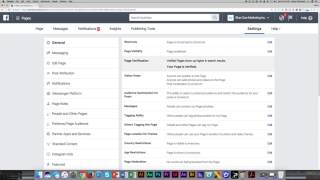
Shaun Whynacht shows how to get the gray checkmark on a Facebook business page. You need 30-50+ likes and active posting, then verify through Settings by entering a code texted to you or uploading a utility bill with your business name and address.
Chapters
In this lesson, I'm gonna talk about page verification. And what do I mean by page verification? Well, we're here on our Blue Cow Marketing Facebook page because we have our page verified. And by that, we mean that there is a little gray check mark next to our name. And it confirms that we are an authentic page of our business. So in order to do that, You're gonna just like getting the username, you're gonna need to have, you know, a set amount of likes, 30 to 50+ likes. You need to be posting content and using the page. It's not always going to show up instantly when you get there, but because ours is verified, I'll show you where you go to see it. Because if you can't get verified, the option's not there in your settings. Let's go ahead and look at the settings tab just like we've done in previous topics. And when we get in there, it's going to be under the General tab, and it's going to be one of the ones at the top. And right now it's in the third position, Page Verification. When yours is not verified but you can get it verified, it's going to show up and it's going to say Page is Not Verified. You would click Edit, and then you would click Get Started. And what it's going to do is going to give you two options. It's going to give you the option to use the phone number on file, so the one that you entered, and it will allow you to either have a number text to that number or a phone call made to that number. If it is your cell phone you're using, use the text option. If it is a landline or office line, for one, make sure that you have access to answer it within the next few minutes of doing it. So I would use the phone call one. Now if you use the phone call, what's going to happen is it's going to be a pre-recorded call that comes through with a 4-digit number. You're then going to enter that number in this screen to verify you have it. Most of the times that you do it, it's going to work no problem. Sometimes it says it can't be verified, and then what they're going to want you to do is actually upload an image of a utility bill that shows your business name and your address on it that matches the one on the page. Why is it requiring you to do this? It's doing it because people have abused Facebook. People have been creating fake pages, they've been creating duplicate pages, they've been trolling people by creating other pages and then pretending to be them. So this is a way for people to have trust that you are the official brand, you are the official page by that little check mark. So that is page verification. It is extremely important. For you to put this on your to-do list and make sure to check back that you can verify your page and get it done when that option is available.