Shaun Whynacht shows how to set up Facebook's Response Assistant to manage customer expectations on Messenger. Use Instant Replies, Away Messages, and Messenger Greetings to tell customers when you'll respond, capture leads while you're offline, and reduce frustration.
Chapters
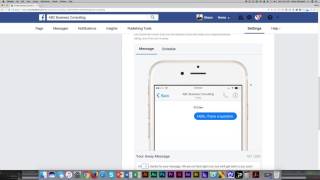
—talk about setting expectations through messaging using Facebook's Response Assistant. This is a phenomenal feature of Facebook, and I'm so happy that they have implemented this into all the pages and all the messaging options that are out there. And the reason that I am over the moon excited about this is because when you look at how people are using Facebook and how they're engaging with brands, they're going to Facebook pages and they're clicking send a message and they're sending a text message by typing through to that business and they're sitting there and they're waiting for somebody to respond just like if they would pick up a phone and call, they expect you to answer the phone. Now we know that you're running your business, that doesn't always happen. You're not always monitoring it. So using something called Response Assistant allows you to set that expectation and let them know when you are most likely to respond back to them. So we're gonna go into the settings section again, and when we get there, what we're going to do is we're going to go down to the second option called Messaging. And in here, you're going to notice if you scroll down, a section called Response Assistant. And by reading these settings, you can get a really good understanding of what it's going to do. The first one, send instant replies to anyone who messages you your page. So we're going to turn this on, we're going to click change. It's going to show you here, somebody messages, hey, hello, I have a question. Then by default, your response is going to come up. So I'm just going to go and modify this. And you can put anything in here. Actually, I'm going to get rid of it all. So I'm going to say, thanks for messaging us. And you can add in personalization. So we're going to go ahead and put in their first name. We will respond to your message in the next 12 to 24 hours. If it's urgent, please call us at— and you can put in the number, whatever it is. 555-555-5555, right? You can put in your phone number here. So make it unique to yours. So maybe you check it at lunchtime and, and, you know, at the end of the day, you can put that in there. So now they know that you're not going to sit there and reply back to them instantly. They can leave, go about, you know, go look at some other things online, and you will respond back to them. So that's how you can set that expectation. The next one here is stay responsive when you can't get to your computer or phone. And the reason for this is if somebody sends a message and you're not logged into Facebook, either on your phone or on your computer, or it's outside of your regular hours, then you can go ahead and put this message on there. The other option is you can go in here and you can schedule times that that message would appear. So let's say you're actually open, but you want it to block out a certain time in the day then that you don't want messages to come through, you can go ahead and put these schedules in here so you can keep that response level accurate and so forth. So same type of thing, you can add that personalization in there. The last one is show a messenger greeting. Um, so as soon as this happens, um, as you can see here, before they actually, actually put in a message, um, it'll show up in, in light gray on the messaging option. This would be allowing you to, you know, promote something. So maybe you're going to be closed for the holidays, or you can use this to actually, you know, send somebody for some lead generation. So, you know, thanks for thinking about messaging us. Hey, we've got a great online course on Facebook. Go to this website and you can opt in and learn more, right? It can be unique to your business. So that's what a messenger greeting is. It's not within the messaging. It is actually— if I turn this off and back on, it might show up again. It shows up right there, right? And then they click message and boom, then they can start to engage with you. So that is Response Assistant, and that is where you go to turn that on.