From Podcast to Promotion: How AI Streamlines Content Creation and Social Media Marketing
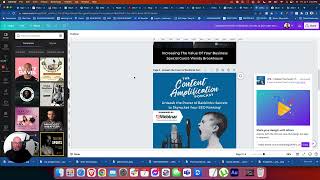
In this instructional video, Shaun Whynacht walks viewers through a complete, AI‑enhanced workflow for turning a solo podcast episode into a suite of marketing assets. He starts by exporting the raw audio from Adobe Audition, then uses Descript to quickly generate a transcript. The transcript is fed into ChatGPT‑4 (and occasionally GPT‑3.5) to produce a concise episode summary, three click‑bait‑style titles, a 500‑plus‑word blog post with humor, and an SEO‑friendly meta description. Shaun imports the content into WordPress, sets up the post with Yoast SEO and Thrive Architect, and adds a featured image created in Canva. Using Canva’s bulk‑create feature and a CSV of extracted quotes, he generates a series of quote‑style social graphics. He then employs AI (ChatGPT and the Voila plugin) to craft LinkedIn and Facebook promotion copy. Throughout, he highlights tool settings (e.g., turning web access on/off), cost considerations (Canva and ChatGPT subscriptions), and the total time—under 30 minutes—from audio file to published blog post and social assets. The video serves as a practical guide for small‑business owners and content creators looking to streamline content repurposing with readily available AI tools.
Chapters
Hey, what's up guys? It is Friday and I wanted to start doing something where I'm just going to take you through some of my workflow of actual stuff that I'm doing right now, uh, to promote my business and using the different tools that are here. So I just recorded an episode of the podcast talking about backlinks. That's not what this video is about, but I'm just showing you here. What you see here is my Adobe Audition where you have the full kind of edited timeline here, music and all that fun stuff that makes podcasting cool. Um, but I want to take the main part. That's really the meat of the sandwich that's here. So I'm going to go and double-click and I'm going to save this just as a cold audio file, right? So we're going to go save as, and you'll see where this all comes into play here. So we're going to go, I'm just going to throw it into my downloads and we'll call raw audio backlinks. I don't care what it's called because it's only going to serve one purpose for me. So it's going to save it. Now, um, you saw any of the other videos when I talk about Descript, I absolutely love this program. So I'm going to go back here and I'm going to say, um, New project. Now I was doing some video stuff in here, so I just want to make sure that it's going to allow me to transcribe it. Even though it has video there, I don't really know if it's going to cause an issue, but we want to extract all the words that I said in here.
So it's going to ask me who is speaking.
It is only me.
So we're going to add that in there and we're going to let it do its thing.
So it's going to prepare and it's going to create that.
Now it doesn't take that long.
I mean, the episode was only, I don't know, less than 10 minutes. So Even if it was longer than that, it doesn't take that long to transcribe, which I absolutely love about this tool. Now, the purpose of this is I want to create multiple pieces of content out of this. So on the post for the podcast, I don't want to just have an actual raw, true transcription word by word of what I said. I want to provide additional value. And as you can guess, we're going to be getting into talking about some AI stuff that's here. So there it is. Okay, so it's all my talking. It's got my own 'cause it's not going to be in the final version. So I'm going to click publish and we're going to go to export here. And I want to export a transcript just to plain text. And we're going to export that and we'll call that same thing.
All right.
So we are going to open this up in our text edit program.
So there we go.
There's a copy of the, of the transcript. So I'm going to copy that to the text. Now let's go over to our GoToMeeting. For now, here I am at the beginning of posting this episode. Okay. I haven't actually published it yet. So we're gonna go to ChatGPT. And we're gonna use ChatGPT-4. And I'm gonna say, uh, based on this pod, I can't type, cast transcripts.
Right, summarize the episode for me. Now I'm going to space. There we go.
We're going to let it do its thing, work its magic. All the GPT little minions are in there doing their little dance and listening to it and making this content. So anybody watch these videos, watch me try to type when I'm recording this stuff, probably thinks I have no computer skills whatsoever. It's really weird because when you're not recording, you're typing just fine, but when you guys are watching, I don't know. So yeah, I mean, ChatGPT has come a long way. Now if you're looking at this and you're saying, hey Shaun, this looks a little bit different than mine, I have an AI plugin, a Chrome plugin for ChatGPT that gives me all these prompt library things that are in here. So I do like GPT-4 more than GPT-3. It's a little slower, but the web access part is really cool.
All right, so there we go.
So this top part, when we do this, is just the whole transcript. Now it's gonna start to write this down here. And because this is just word for word transcript for me, I know it's gonna be talking on that topic. I don't have to sit here and read through it. Okay, so I'm just gonna let it go ahead and put all that in there.
There we go. Okay, perfect.
So I'm going to then just copy that.
Now we're gonna go back over here, I'm gonna paste that in here as the description for that.
Now I do know that I did reference two websites in here and I talked about the SEO stuff, so Gonna put that in there.
And I'm just gonna grab, um, no, that's fine. We'll keep it in there like that.
So this is episode 121.
I know, crazy, huh?
Um, and I'm gonna create a graphic for this.
So we'll go over to Canva.
Now the other thing too, I want a really good title. So I'm gonna ask it here. I'm gonna prompt stack here. Uh, so now based on this episode.
Description: give me 3 possible clickbait.
Now I like to use the word clickbait. I don't like clickbait, but I like using the term when it comes to ChatGPT because it gets a little more creative.
Uh, clickbait episode titles.
You'll learn certain things that, that start to get better, so No mistake in the description is not provided.
Instruction. Oh, okay. Sorry.
So it did not take that from there. So sometimes, uh, it doesn't work. So let's just take the description. I'm gonna copy that here and we're gonna put it in.
So based on this description, come up with 3 paint episode titles. Period.
I probably could put it right at the end, but I like to go ahead and put the space in there. You're going to see how this is really going to create a lot of different content for you.
So wait for it to start generating here.
It's doing its browsing and processing and thinking. Somehow that's how my brain works half the times. But if you see me, like I've talked about AI before, um, and really spoke about, you know, how to use it ethically, I guess. Uh, and I really am a fan of, of you initiating the content, right? So you are coming up with the idea. In this case, I did the podcast. I just spoke about the topics, uh, and I transcribed it and I use that to kind of anchor all the stuff that I'm creating off of that. So here we go. Uh, unleash the power of backlinks, secrets to skyrocketing SEO, backlink bonanza. Don't like the Bonanza thing. Ditch your low-quality backlinks forever. So, okay. So I like this one. That's more in line with what it is that I'm doing. That is going to be my sexy podcast title.
Okay.
So we're going to go over here to Canva. I'm going to find my— there it is. And because it was a solo episode, I'm going to use one of the ones that I use for the solos.
Um, which one do I want to use? Let's do this one here. Cause I like it.
I paste that in there.
There's 121. Put the title in that. Put the title in that. And we're gonna download. There we go.
And I'm gonna make it a JPEG instead of a PNG, reduce the file size.
Okay. Oh, not there. This one.
So we're gonna upload this bad boy. Now I am just publishing this today because I do the episodes on the same day that I publish them.
I'm gonna put the website in there. There we go. Hear my phone dinging? People are messaging me.
Don't you know I'm making a show?
Anyway, yeah, it's Friday.
It's hot outside. It's not so hot in here, but I'm losing my mind. Okay, there, that's published. Published. Now let's go a step further in the land of this. So that's going to publish. Now I'm going to go to the website here and hopefully we're able to log in. If not, I'm going to pause this video. Nope. Okay, I'm going to pause the video, get logged in so you guys don't see all my credentials, and I'll come right back in a sec. All right, look at that. Boom, boom, pow, instant. So here we are, WordPress. That's what we use for our website. Going to make a post. That's what we do with all our blog posts and our— sorry, our podcasts. We make them into a post and we put article content in there. So I'm going to go in here and I'm going to go ahead and take— where is it here? We're going to take this and we're going to give it the same name as the podcast. Okay. So I'm going to go here and I'm going to make the— now we don't get too much into the whole SEO stuff in this video. I'll tweak that later.
But I do want to make sure I get the subject line out of there. Perfect.
We're going to also say here, write me an SEO-friendly meta description. Actually, no, not for that yet. I'm getting ahead of myself. We want to write the blog post, right? That is going to be our thing that we want.
So we're going to go and take the transcript, which is, uh, transcript over here.
So we're going to take this, copy this again, and we're going to come back in here.
So based off of this transcript, write me a 500+ word blog post.
Now I like to have a little fun with this. I like to say use some humor, right?
Use humor in your writing and relate to the small business owner. Perfect.
Now I'm gonna throw little quotes around this stuff here. You might say you don't need to do that, but you know what I'm saying? Too bad. That's how I do it. All right, so we're gonna go ahead and let it do its thing. Now, the reason I wanted to do this before the SEO thing was because The SEO description is about the articles, not about the podcast, even though the podcast is part of that post. Okay. So what I'm going to do while that is— don't— this might soon write here. I've got to write anyway. So we're going to hop over here. I'm going to leave that as that. I'm going to go ahead and go in here. We'll do blog and podcast. I'm going to come back over to Canva. We're going to get an image.
For this episode or this podcast.
So I just have one standard kind of project and I keep overlaying images. So loving Canva because it's got a stock library. So let's just see what we get up for backlinks.
But you'll just show a computer with the word backlinks on it.
Yeah, look at that.
Um, let's see, let's get something that's going to stand out. I will go with this thing. Now I don't actually, hmm, the way that our blogs look, excuse me, go take a look at the articles here. Okay.
So they don't want to see when I go in, I think they put text over top, you know, put text over top. So I don't want to have an image that actually has text in behind.
So we're not going to use this one.
We are going to use this one.
All right, that looks pretty snazzy. Pull that out to there. Um, and we want to also use the same title, so we're going to download this JPEG, only the one.
All right, so we're going to have that in here.
That's not the one we want. We want this one here.
So we're going to make this the featured image.
Oh look, it didn't actually take the name, so we're going to rename that. Actually, no, no, that is okay.
It's because we had the other, um, this one here.
Let's delete that one. So we can actually use that without the 1.
Perfect. Now we always want to have the alt text. We're going to match again that, throw it in there. Now while it's here, uh, and we have the title up here, I like the Yoast SEO, so I'm going to go in here. I'm going to make the title.
We're just going to slam these in here.
Hey, awesome. You guys are sticking around for all this. Okay. So I'm going to save it as draft. I don't want to publish it right now. Save it as draft. It's going to be key. Now we are a huge fan. I love Thrive Architect.
That's what I'm going to actually build the blog post in.
So the first thing that I, that I want to do with this is I want to put the text in there before I put the episode in. So we're going to go back over here and we're going to see how it made out with it's writing.
So scroll.
Oh, the message you submitted was too long.
Oh, okay. Um, let me— now, why was that too long? Why? Here's what I'm going to do.
Let's try a new chat here. Sometimes ChatGPT just becomes a pain in the arse. So we're gonna go here.
Um, write a 500-word 500+ word blog post using humor based off of this content. Now let's see, see if we still has an issue.
Ah, we're using 3.5 this time, I think.
Maybe not, I don't know which one I clicked on.
Maybe we're using 4, who knows.
Again, it's Hey, it's Friday.
Well, it's almost 2:30 in the afternoon. I want to go inside. I mean, we're here in Eastern Canada. We had about, what, 1,700 weeks of rain and it just got nice. So Friday is my day to make content and Friday is also my day to kind of decompress from the, from the great week.
So I'm doing this for you guys, right? Okay, so sometimes we just wait, right?
So much time just sitting around waiting. There's nothing else I can actually—
there is something else I can do.
We're gonna go to Spotify. And the reason I go to Spotify is I like how their player embeds. So even though we use podcast.co for our show, I like the player from here. So there it is there already. We're gonna go to the three dots here.
Oh, there we go.
Three dots, share embed episode. Actually, let's not do that yet because we got to put the content in there. So we'll leave that open.
Oh, my computer is starting to give me the beach ball.
I guess it wants to be at the beach. So hopefully this doesn't lock up on us.
So let's just see what we got here. There we go.
Hey, we're writing. Perfect.
Acceptance. I don't wanna take that title, but we'll let it do its thing here. Regenerate. Okay, so it did it. Okay, so we're gonna copy this and we're coming over here and we're gonna paste this text in here.
Hang on, we're, we're almost there, folks. Almost there. One thing I don't like about ChatGPT is it always does this whole welcome weird thing at the beginning.
Dear readers, to my entire episode today— well, I'll leave it, whatever.
So let's go ahead and put that episode in here. So we're gonna go, we're gonna copy that code, come back over here, and we're gonna throw in a HTML.
Oh, it's gonna be like that, is it?
Okay, so throw it in there, but I want to put this text on the top.
Unfortunately, I guess I got to do this. Cut that out and put another text on top. Where's the text box? Oh, come on, you be a pain in my butt today, huh? You're going to make me do this, aren't you? I'm going to throw you out the window. All right. Now we're going to throw this down here. There we go, there we go. Okay, so there's the episode and the post. Um, we're all good now.
I will go ahead and add other elements in this, um, as well. Um, but for the sake of this, I'm going to go now back to—
I'm going to move my head out of the way here.
Save and return to post editor.
Now that we have that episode here, we're going to say write me a, a 160-character—
that's just what Yoast requires or wants to have—
SEO-friendly meta description for this article.
Now again, if you guys have made it this far through the video, please, I mean, like and subscribe. I'm going to be doing more of this stuff here on YouTube, um, or if you're seeing this shared on another platform, please comment, like, subscribe, share, do all that fun stuff that everybody wants you to do. But if you've made it this far, you're obviously not one of those people that actually says, hey, you know, this AI stuff is, is, um not authentic, not legit. It's this time saver, right? This, if you read the content that it creates, especially if it has been initially incubated by real content, which this has, um, it'll be easier to, to read and understand, right? So people will get value out of it.
So there we go. Oh shoot. What's it? Learn how to optimize click-through rates. Summary is in one— no. Okay.
So that was not what I wanted. Um, let's give it the same prompt again. So we're gonna give that an old thumbs down.
This is not helpful. Submit that feedback. So we're going to say, um, rewrite the meta description without talking about 160 characters.
I mean, this is just A software that is learning from what you give it. So I always look at this as if it was a team member that I'm talking to. There are times it's not gonna get it right. And that is okay.
Right?
You just need to go back. And it does like praise. It does, you know, it learns from that, especially if you're giving quite long prompts in there and you're just like, you know what, good job on that. I love it. I love this. Or, you know, I'd like you to do something with this. It will learn from that as you go down the prompt. Now, as you saw, we kind of changed and went to a new prompt with this. So it's learning kind of over again.
And so let's go through.
I could have turned off the web access part. This would have sped this up. It wouldn't have taken as long to do each of these prompts. But I do find that you do probably get better quality going this way than just using the main one that's there because it does reference what it can learn on the internet when it's doing the prompts.
Okay, so here, learn the art of having a—
Okay, so it still thinks I'm talking about meta descriptions. Let's go back and say no, you knob, that's not what we want.
That is not what we want. Uh, here, let's just see here. Did I go too far? No, let's go to— is that the whole article? That's crazy. Copy. Okay.
I want you to come back and say it's too long.
So how you guys doing?
Right? Hopefully you're learning something from this.
I see right there there's a URL in there that it pulled out, and I gotta make sure that that is in here. Okay, we came back to this, which is fine. We're going to save that draft. I'm gonna come back to the editor. I do want to fix that URL. Now where did it go? I don't think— I think I copied the wrong one, but oh well, who cares. I think I'm looking at the wrong one, but this is the right one here, which is fine. Okay, so I don't really— we'll go back to this. It's still going to do what we want it to do, we hope.
Okay, this is a backlink.
Perfect, that's what I want right there. All right, so we're in here, we are going to pop this bad boy in there. We're going to come over here and we are going to put that in there.
Okay, awesome. Let's publish this. Okay, so we're going to publish this blog post.
I'm gonna check it out. There it is, Old Fashioned.
Now here's the next thing that I will do with this. I will copy this. I will come back to, um, over here. Now I can use ChatGPT, but I use another one called, uh, Voila, and it is more so— it's just a plugin that works over top. So if I hit Command+M on my Mac, it pops up here.
And I'm gonna say, write me a LinkedIn and a Facebook post to promote this blog article. Look at that awesome sauce.
So I can put those articles in and I can promote that out. And there's the episode there as well. So other things that I will do with this is I'll leave that open there, but let's go back to old chat.
And I'm going to go into—
I can stay in this one, doesn't matter. But I'm going to actually— no, I'm not. I'm going to go new chat. Sorry to be all over the place here, but we're going to go ChatGPT-3. I'm going to turn off the web access so it's faster, and we're going to take this transcript and we're going to copy. And I'm going to say extract 7 informational quotes from this transcript.
That will help business owners understand the importance of backlinks in their SEO.
So now it's gone through and it's taking the exact quotes, uh, words that I've said into this.
Okay, so now what I'm going to do here is I'm going to copy this, we're going to copy that like that. We're going to go into Sheets.
You may have caught my other video on this using Canva.
So we're going to create a new sheet and we're just going to paste— hopefully it comes over—
those in there like that.
Okay, now we're going to call this Backlink Quotes. And I'm going to— I'll get rid of that AI thing. File, X, download as a CSV file.
Now let's come into Canva again, and we're going to see here.
I did have graphics that I've designed that look like a tweet that I like to use. Um, let's see here.
There's been a lot of designs since then.
Let's see if we can find— here they are. I like So we're going to come in here. I don't know how many have been in here before, but I'm going to delete all the other ones. All right, so we have one.
All right, so now we are going to go to bulk create on the left side and we're going to say upload CSV file.
There it is right there. And that's the one, right? We're gonna choose this.
We're gonna choose that, sorry, first. Then the data field.
So connect the data, right? Right-click the element and then say connect.
Okay, so we're gonna right-click and we're gonna say connect data and we're gonna do this. So it does that part there and we're gonna hit continue. There they all are. Let's generate 6 pages. Opens up another tab., and there we have it. There's all the quotes generated. Now, some of them you might need to format, and there might be some things. Now, obviously I would, I would take a little more time and read through these, um, before I went through this process to make sure they are bang on. But I wanted to show you how quick we can do some of this content that's in here. Now, I could have done it in the Excel side. I could have done it, or the Google Sheets side. I could have done it here. But now I have these social graphics. So as you saw, just going through what, less than 30 minutes, right, from when we started to now, we had the podcast audio, we transcribed it, we created the elements, we created the posts, we created the social promotions, we created quotes and everything in under 30 minutes. Like guys, do you realize the world you live in right now with the tools that are available to you? Canva account, less than $20 a month. ChatGPT, $20 a month. You know, I was using the Voith thing. I bought it for a one-time license. And there's also a video about that too on my YouTube channel that talks about it. So you can get all that content. All these tools are available to you and the amount of time you save from having to do this manually every single time and come up with unique content is crazy. So again, thank you so much for watching this. If you have a comment or question about anything that I showed you in this video here today, please leave it in the comments of the video and I will reply back to you. Again, subscribe to the channel. Love that you are watching this and absolutely passionate about sharing this content with you. Thank you. Have a great day and enjoy your weekend, or whenever you're watching this, enjoy the rest of your day.
More from Shaun


Julie Vanexan recognizes Shaun Whynacht from Blue Cow Marketing at the Nova Scotia House of Assembly








