How to Customize & Understand Facebook Ad Metrics
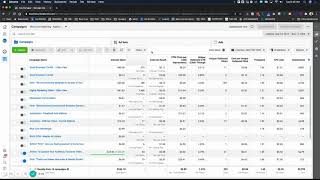
In this instructional video, Shaun Whynacht of Blue Cow Marketing walks beginner‑to‑intermediate Facebook advertisers through the process of creating a custom columns view (which he calls a “Master View”) in Facebook Business Manager and explains how to interpret the key metrics that determine ad performance. He demonstrates how to remove default columns, add and reorder metrics such as amount spent, CPM, unique outbound click‑through rate, CPC, cost per result, frequency, impressions, and quality score, and then save the configuration as a preset. Shaun then reviews real‑world campaign examples—video‑view, conversion, and post‑boost campaigns—showing how to read CPM, frequency, unique outbound CTR, cost per result, and video‑play metrics to diagnose creative fatigue, audience mismatch, or scaling opportunities. He explains the difference between horizontal scaling (new audiences) and vertical scaling (increasing budget), and how to use video‑completion percentages to build custom retargeting audiences. Throughout, he offers practical tips on reporting windows (lifetime, week‑over‑week, compare), saving presets without creating duplicates, and encourages viewers to subscribe for more tutorials.
Chapters
Hey everyone, Shaun here with Blue Cow Marketing. In this video, what I'm going to do is show you what you need to look at in your Facebook Ads account. Now this video is targeted towards beginners to moderately intermediate advertisers. So if you're just getting started with Facebook Ads in your business or your organization, this video is definitely for you. So When you get into your Business Manager, which is what you see here on the screen, this is just my agency account here. That's where I run the ads for myself and my business. So a lot of my ads, well, currently at this moment I haven't turned off, but when you go in here and you look and you scroll through, you're going to notice there are different metrics at the top. So metrics referring to different data points that you'll get. There are a lot more than what you'll initially see, and you can find this under the dropdown here. For columns, and they got different pre-made setups. So if you're gonna look for, you know, delivery, then you can choose that option. It's gonna show you things like frequency, cost for people reached, impressions, that kind of stuff. If you're doing video ads, you can do video engagement, and then you got all these different ones in here. For the most part, a lot of this pre-made selections will work great for you, but one of the key things is to know what metrics are going to determine if your ad is working and what you would need to adjust if it isn't, okay? And one of the bigger things that you need to look at is obviously improper creative. So maybe the messaging is not resonating, so the primary text above the image, or maybe the image isn't working, those type of things. And we can look at that through click-through rates and seeing if it's really resonating based on the amount of people that your ad is being shown to. So there's two parts of what I wanna show you here in this video. The first part is how do you go ahead and get a custom view that's going to give you what you need? Well, we can do that by hitting this dropdown and going down to Customize Columns. And when you do that, you're going to get a pop-up here, and this is really laying out what you're seeing on the screen. So depending on which one you're on when you hit Customize, that's what it's going to show you here. And then on the right side, these are all the available columns that are selected. So these are the ones that are in the report, and these are all the ones that you could See, there's a whole bunch there. So what I like to do is go ahead and we're gonna just go and remove every one of these. So I'm just gonna click X on all that. So we're going to assume that we're going to be doing more so like a traffic ad where we're trying to drive somebody to the website, knowing that there are different types of objectives like conversions and video views and all those type of things. We'll do another video on those different types later on for you. So some of the key things that I want to look at when it comes to it is frequency, amount spent, and then we're going to go down, we're going to look at impressions. And as we scroll through, there's a whole bunch in here, right? So one of the things that we're going to look at is CPM, cost per thousand impressions. We're going to look at CTR. Now there are different click-through rates that you would look at. There's click-through rates, all click-through rates, there's unique click-through rates, there's outbound click-through rates. So when you're trying to drive somebody to a website or a landing page or anything like that where they're leaving Facebook to go to it, you really want to be tracking the outbound click-through rate. That means this is somebody who clicked a link that's going to take them from the ad somewhere else. The click-through rate for all, that is looking at somebody just like if they clicked on the image to blow it up and look at, at a larger, that is considered a click, but you want these outbound click-through rates. Now there is a unique outbound click-through rate, which is going to register per unique person. That means that if I saw your ad 3 times and I clicked on it 3 times, it's only gonna register as 1 versus here being it would register as 3. This to me is a more truer metric to, to pull from. So we're gonna use unique outbound click-through rate as well. Then what we'll do is we'll get rid of this here and we'll come through. I like to pull in results as one., and we'll keep going down. We can do cost per click, CPC, and these ones here, these ad relevance, these are okay, especially if you're, you're new to doing ads to have those in here. And we'll resort these here in a second once we go through and do all these, uh, cost per result. And I'll explain these once we get them in a view. Now, if you're doing anything with engagement, you want to see, you know, in a view, does the ad have likes, does it have engagements, does it have comments, and all that kind of stuff, you can put those on. I don't necessarily turn those on at this moment because there is a predetermined engagement list dropdown. We'll go down. Now, if you had videos, you can have all the video stuff that's here. So this is your outbound click-through rate. Now, you could have unique outbound clicks. You want to see a numbered value, you can put that on there as well. And then your cost per unique outbound click. And now here, these are all the metrics for conversions. We're not going to talk about doing conversions in this video. And that's pretty much it, okay? The rest of the stuff here is just other things that would come up in, in other scenarios. Now before you click Apply, what you're going to do is on the bottom left-hand side, you're going to go save. Save as Preset, and you're going to give it a name. So I'm going to call this Master View. Before we actually go ahead and hit Save again, we're going to reorganize some of these. So it depends on, on what your preference is. I like to know, you know, initially out of the gate, how much have I spent on that ad or ad set, and then I like to look at my, my cost CPM, and then we're going to bring up our unique click-through rate, or I can't even speak, unique outbound clicks. So put that up there and put the cost below it, and we'll pull this actually cost per result, put it up there a little bit higher. Let's put the amount spent above it and our outbound click-through rate And yeah, that's pretty much good. Frequency, results. Let's put our results up here. Conversion rate, engagement. Okay, perfect. So, and then we'll put this right there. Okay, so I'm basically looking at the top and it's going to show up left to right. I've got the campaign name, the amount spent, the results I got from it, the cost for the results, the cost per 1,000 impressions, the unique outbound click-through rate, how many clicks were there, what was the cost for that, the frequency, the cost per click, impressions, and then you got the quality of the score, okay? So we're gonna click Apply. Now we're gonna see that that's gonna show up here in the list. Now unfortunately you can't move these to the top. Your custom ones are always gonna be on the bottom. Now let's go ahead and look at some of these. So if I was to go into an ad account, I would look at these metrics. So here we've got, this one here was a video view. So I spent $40. Oh, and here's the other thing too. You gotta make sure that you're reporting on the top right within the, the window. So if you wanna see like the lifetime of the campaign, you can drop that down and you can go and choose lifetime. And it's gonna give you as long as that campaign was running. If you wanted to start to look at these like week over week or look at the weekends versus the weeks, you could go ahead and break those down and change those and change those different parameters that are here. Another great tool is you can actually go and say, let's look at the last 7 days and then turn on compare and it will look at the previous 7 days and give you a plus or minus in there. So let's look at, let's say the, the video views here. So this one here was a conversion type for getting people to watch the video. That was what it was trying to do. The Facebook algorithm was showing this ad to people who have exuded the, behavior of watching videos. So I spent in the lifetime $40.48. I had 379 through plays, so that was people that watched the video. The cost per play was 11 cents. My cost per 1,000 impressions was $8.29. Anything that's under $10 is a great CPM. So, you know, in, in most ad accounts that I've, I've used, that's a good number. If it's getting up, you know, pretty high, then, you know, the audience targeting is not that great. So our unique click-through rate here was 0.31. That's not as big of a deal for me because my goal was them to watch this. Remember, this was outbound click. There was no real reason for them to click out. There was a link in the post where they could link and go to my website, but I just wanted them to stay on there. So the outbound click-through rate, not as big of an issue on here. I did get 11, and then there was, you know, $3.68 per ad frequency. My impressions on the right-hand side here are showing me, you know, 4,881 impressions. Okay, so that's the amount of times that it's been seen. Now when I look at this, some of the things that are going to stand out to me that I'm, you know, not really concerned about, but what I'm looking at is, you know, is this an ad that that is still working. It doesn't have creative burnout or anything like that. The fact that I have a low CPM means that the audience that I am targeting still is, is great. So comparing that, if that number gets high, it means that your audience is starting to not be the right target because it's having a hard time showing your ad to those people., and it's driving up your cost. You're burning a lot to get people to see it. So a low CPM is a great metric to have. And then the other one too is your frequency. So if your frequency— and what frequency means is the amount of times that that ad has been shown to the people in that group. So if I had 1,000 people in my targeted audience that I was running this to, it means that in the range that this was running, this video ad was shown to everyone 1.36 times. Now, how you say, how can you see 0.36? It's just an average of that. As you start to see your frequency goes up, it means that your ad is getting fatigued. It is— the audience is getting burned up and you're spending too much to keep showing it to that same group of people and that pool is not growing. So watching your frequency is going to help you realize, is it time to either expand my audience or change my audience, things of that nature are going to be told under frequency. If your cost in this case for video views gets up really high, it means that it's not resonating with people. Your cost per video view or cost per result is gonna be your determining factor on now it's time to change the creative or it's time to try to adjust it out there. Now let's go down and look at a different one here Now this one here was just a test I had done. It is for the same target, so Small Business Toolkit. I only ran it for a couple days. I spent $6.19. You know, not really a good amount to spend on doing a test, but it was enough to get some metrics in here for the sake of this video. The goal of this was a traffic campaign. So the goal was to get— actually, no, this was a conversion campaign. I apologize. So the idea behind this was to get them to claim that small business toolkit. Now with that, I created what's called a custom conversion. So when they opted in for the small business toolkit, they would hit a thank you page. My Facebook pixel is on that thank you page, and when that page is loaded, it tells back to Facebook that that conversion has happened. So that's how it knows that there were 3 small business toolkits claimed here. Now my cost per result is basic math. They took the amount spent, divided it by the amount that was claimed, it gave me my cost per result. So it cost me $2.06 to get somebody to claim a small business toolkit. Now my CPM here, this is the average cost per 1,000 impressions, is quite high. And the reason it's quite high is mainly because I didn't run this that long. So you might say, okay, how can it be $20? You only spent $6. It's because it only started. Once you run your ad long enough, like at least 7 to 10 days, you're going to get a truer average in your CPM. So then you're going to get a better understanding. So if I ran this for another like week, this CPM will come down. The longer you run it, the truer that average is. Now I look at this and I look at my unique CTR. So my outbound click-through rate, 0.8. Now this is low. You know, you're looking at something like a 1 to 3% is what your goal is for that to get people to click out to, to your website. This is telling me that this ad needs to be adjusted. So maybe it's the video. Maybe I didn't have a call to action early enough in the video to tell people that they wanted to actually go and get that link. Now In the ad, it is still the video, but we are optimizing for outbound clicks versus people watching the video. So it's gonna show to a different subsection of that audience. So maybe the video needs to have a CTA earlier on. I know the video at the very end tells people to go and get the, go get the small business toolkit, but maybe it could have been earlier on, or the primary text ahead of it could have a little more clearer in there.. So that would tell me to go look at that, is in my outbound CTRs. My frequency, the audience is okay, right? I'm not burning an audience, not too small. So that's what my determining factor is there. Now let's go look at this one here. This one is a post. So I boosted a post and I was optimizing it for engagement. Now engagement is getting people to like, comment, share, those type of things. I did a preset, and this was using just the boost feature in Facebook that you see on your post, and I set my budget for $25. It ran the entire length of that, so this ad got 188 post engagements at 13 cents per engagement. My cost for reaching 1,000, really low, $5.28. My unique outbound click-through rate, because it linked to an article, uh, and mainly because it was also very locally focused and had a photo of me and two other business people in it, and it was more of a community event that we were promoting. It had a really good outbound click-through rate. My outbound clicks were 109, 23 cents. Frequency was still pretty good, and my 8 cents per CPC was a really good number. This one here, looking at this, this would tell me this is a success. If you see these type of results and you're running a campaign that doesn't have a clear end date, and you go in here and you can check, this is gonna say, okay, this is good. So, here's what we can do. The creative's working. We're getting good engagement at a low cost. Our frequency is still pretty low, which means there's more room in that audience to find more people. So, we wanna scale this vertically. So, there's two types of scaling in Facebook. There's a horizontal scale, which means let's take this audience and let's find a similar audience or a different audience and move it separate, like to the left or to the right, and then we'll just duplicate that campaign and find a different audience to target it to. Leave everything the same, but we're only going to change the audience. A vertical scaling means we're going to keep the same audience, but we're going to give more money to Facebook to give more power to boost to more people.. So, in this case, I could up this bid from $25 budget to, let's say, a $50 budget, and now it's just giving more fuel to the Facebook algorithm to show it to more people in that audience. So, that's the difference between horizontal and vertical scaling. So, what I really showed you in the video is the different metrics that would be in here. Now, let's go ahead and just, for the sake of this, because we do have a video view campaign in here, I'm going to show you the video engagement. It's preset. So we're going to look just at this one, and I'm looking at the campaign level. If you, if you have that selected there, you can go into the ad set and you can see, you know, right down to even the ad level. You're still going to get the exact same metrics pulling across. So we've got 2-second video, cost per 2-second, 3-second, 10-second, through plays. So 2-second video plays, $0.976, goes down 3 seconds, you know, $18.46, and then it gets longer from there. Throughplays are really what you want to look at, and that's still a lot, you know, $0.11 per throughplay, which is good. But if we go over here, we're going to see the different metrics. So 25%, 50%, 75%, 95%, 100% video plays in total. So you can start to see this. One thing to be aware of is if you're doing any kind of ad marketing for your business, and this is what we tend to, to try to do when our clients are going to do video ads, is if they're doing any type of educational video where they're teaching somebody or giving information away, who would be the most likely to actually go to the next step in your buying cycle? Is it somebody who only watched 25% of this video? You know, let's say it was a 3-minute video, or somebody who's watched all 100% or 95% of it, right? These two numbers here, the 18 and the 17, we can actually create custom audiences to retarget in Facebook to say, okay, put anybody who watches 95 or 100% of this video or these three videos in this group, and let's retarget them with a more, um, conversion focused ad that may be offering them something to buy or offering them into a webinar or anything like that where there's a higher buyer intent because only people who actually exude that in this free content that they're seeing are gonna get that next step. So we know it's a warmer audience. Nobody that watched 25% would ever get that because they'd have to at least do this. So that's how we utilize these metrics to build multi-step campaigns to move people through that whole buying cycle of your business. So just to regroup and recap where we're at in this video and the intent of it, going down and using the custom columns is going to be a great way for you to pull out those exact metrics. There's no limit on the amount that you have in here. Um, you can always go in and make new ones. And one last little caveat that I want to show you with this is let's say you build this and you're like, well, I want to move a metric or I want to add something. Choose your, your custom one, the master view, hit customize. And let's say we want to add in, um, you know, clicks all. Okay, so it puts it at the bottom. We want to move it, um, here. Don't click apply because it's going to make another one called customize. Always choose to save as preset. It's going to put the name in here. Then when you click apply, it's going to Replace. And now you don't have multiples. You still have that one, but you really just did like a save as and overwrote that. And then it's going to start to calculate those that are there. So hopefully that was helpful to you in understanding it. My promise to you is we're going to be doing a lot more of these videos over the next couple of weeks because I want to help you guys utilize these tools to, to grow your business, especially going into 2021. And I just want to get this information out there for you and show you what you can do in your business. So As always, if you like this content, please subscribe to us wherever you're seeing this. If you're seeing it on Facebook, go ahead, give us a thumbs up, leave a comment. YouTube, go ahead and subscribe so you can get notifications of all future videos.
More from Shaun


Julie Vanexan recognizes Shaun Whynacht from Blue Cow Marketing at the Nova Scotia House of Assembly








