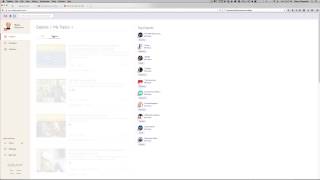
In this tutorial, Shaun Whynacht of Blue Cow Creative walks viewers through the Klout platform, explaining how it measures online social impact via a Klout score that reflects engagement across connected social accounts. He demonstrates signing in with Twitter (or Facebook), linking a variety of social profiles (Twitter, personal or business Facebook, Google+, Instagram, LinkedIn, YouTube, Blogger, Flickr, Foursquare, Last.fm, Tumblr, WordPress.com, Yammer), and using the Explore tab to discover topical content suggestions based on geography. Shaun shows how to share and schedule posts directly from Klout, including previewing content, uploading photos, setting future dates, and optionally shortening URLs. He then reviews the Measurement tab, highlighting the 90‑day score trend, recent activity breakdown, and a network contribution snapshot that shows which platforms drive the most impact. Throughout, he emphasizes the value of Klout for personal branding and especially for businesses that want to monitor and improve their social media presence, noting email alerts and the ability to track week‑to‑week score changes.
Chapters
Hi, Shaun here with Blue Cow Creative. Hope you're having a great day and doing something very exciting. I wanted to share with you this website right here. Now Klout has been around for quite some time but it hasn't been until recently that I feel that the platform has some great value to it. Now what Klout is, it's a great way to find out what your impact is online. And that's through your social connections. Now I've used Klout in the past to see a measurement of how engaging I've been, how engaging the content I'm creating and putting out there is, and really how I stand day to day. So the website klout.com, I'm gonna show you, I'm gonna hop right into this account. Now you can sign up, it is completely free by clicking the sign up button. But I'm going to sign in. The one thing I really like is that they've got Facebook and Twitter sign-in options so you don't have to remember username and password. So I'm going to use mine. I'm going to sign in by Twitter. It's going to automatically recognize me because I have been logged in. So here is the platform of Klout. Now you're going to notice that by your little avatar in the top left-hand corner there's a number. That's your Klout score. Now this number will go up and down based on how engaging you are with your audience. The one thing you're going to need to do when you set up and you go through the tutorial is set up your different platforms. So I'm going to show you the different platforms that you can connect. They are as follows: we've got Twitter, your personal Facebook, your business page. Now you can only have either your business page or your personal page connected here, so if you're doing this for business reasons, then obviously use your company page. Google+, Instagram, LinkedIn, YouTube, Blogger, Flickr, and Foursquare, Last.fm, Tumblr, WordPress.com, and Yammer. These are the accounts that you can connect in there. Obviously, the more you have connected, the more engaging your score will be. I'm going to come back to Explore now. This is the part that's really quite exciting. It's the fact that when you log in, you're going to see some topics in here that you can use based on your geographic area for posting out on your social media channels. You can look at newest. Topics in here, and it's just going to do a quick search and it's going to find some other, other topics that would come up. Or when you come back to all, this is where they are. Now it's really quite easy to share from here. All you need to do is find one here. I won't actually share it, but let's say if it was this one, we'd click share, and then we can preview what it says. We can upload a new photo, we can write something about it, we can schedule it in the future, so different date and time. We can shorten the URLs if we don't like them being long, or we can say don't shorten. And then we can go in here to people. Not really sure exactly right now what people is. This is a relatively new feature of it, and I haven't really ever got it to go past this part of it. I've been able to schedule to Twitter there. Sorry, we can't find any recommendations. So I'm assuming if people had recommended this post, they would show up there as well. And then you can share to Twitter. Now this is only linked to to sharing to Twitter at this current point. So I foresee that they will have other options available. If you want to schedule, you just click schedule and you're off into the races. Now the other cool part, and this is really I think where you'll find the most use in your business, is get a cloud account, connect your accounts in there, and just come back every now and then and check it out. Now they will email you and tell you your score's gone up and down, which is great. But when you go to the measurement tab, it's going to show you your 90-day score. It's going to show you how active you've been over these days. As you see here, it goes up and down and up and down and up and then really up to the top. Now this has been because I've been doing a lot of posting and I've been doing a lot of sharing in the last day or so, so my score has come up. Under your recent activity, it's going to show you each of your posts that you've put out here and how impactful they have been to the score. So obviously the more dots, the more impactful. You can look at Facebook, you can switch over to Twitter, Instagram, and then other networks if they're here. Now I don't have Foursquare connected, but there has been no connections for me. I'm using Google+ and obviously Foursquare. Facebook and Twitter are going to be your key measurable items. Then on the right-hand side you've got your network contributions in a snapshot showing you of all your connected sources what percentage of which one you are the most engaging and the most impactful, I guess is the word that they use when it comes to your social media presence. So check it out, klout.com, K-L-O-U-T.com, and let's see where your score is from week to week. Thanks for watching. Check out other great videos on our website at bluecowcreative.ca, or if you're a YouTube junkie, subscribe to us at youtube.com/bluecowcreative. Bluecowcreative.com.