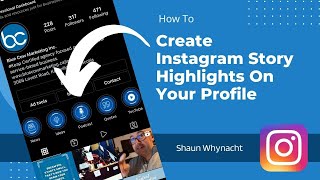
In this tutorial, Shaun Whynacht walks viewers through the complete process of creating Instagram Story Highlight icons using Canva and then adding them to an Instagram profile. He begins by selecting Instagram highlight templates in Canva, customizing each icon (changing graphics, colors, and titles) to match a brand theme, and saving the finished designs to the phone’s camera roll. Shaun then demonstrates how to upload all the highlight cover images in a single Instagram Story, which makes them selectable when creating new Highlight categories. He shows how to add, rename, and organize Highlights on the profile, how to attach existing Stories to those Highlights, and how to remove or convert Highlights to Reels. Throughout, he offers practical tips (e.g., using the Canva mobile app for easier export, posting all covers in one Story, pausing story timers) and encourages viewers to subscribe and ask questions.
Chapters
Hey, what's up guys? You know on Instagram those little circles that are below the profile that everybody that has them set up, it looks really cool, but how do you actually do that? Those are called story highlights, and I'm going to show you how to put those on your account in today's video. So what we're going to be doing is we're going to be utilizing Canva. Canva is an amazing tool. If you don't have Canva, check out the link below the video and get it. It's only like, I don't know, $17 a month, but it's, it's It's packed full of design resources, including Instagram highlight templates. So in my Canva account here, what I did is I went and searched for Instagram highlights, and as you can see, there are a lot on here. Now one of the cool things about this is when you come to any one of these, you just keep your mouse over it and it will start to slide through. Oh, hold on, let me click on the page so it highlights it. It'll start to slide through and show you these images that are here. Now when you go into them, I'm gonna show you here, this is the one I'm gonna be setting up our account at Blue Cow Marketing, they make them as different pages and they're all preset to the right size and everything. Now you will find that not always all of the icons match your brand, which is okay because you can search under the elements. And what I'm going to do is I'm going to actually remove one of them, which is this one here, and I'm going to put a microphone in place. Now just put that in there, it's black, no problem. Any of the elements we can go ahead and make the color wherever we want and then easily kind of fit it in there to look perfect, okay. Quotes, so just think of in your highlights what are some of the common things that you would be posting on your Instagram. So for me, looking at this as marketing, these are like ideas that are here. This would be information, like I'm giving you information. Now what I could actually do is I could go and look for information, see what comes up here. It could be the eye, that might be a little easier than the hands, let's do that, let's put that one in there. Microphone, so we do the podcast. These are quotes, that's a very common thing. This one's kind of like brain ideas. Do I have an ideas? I have that one already, so let's go down here and let's change that one out. Let's put a video link in there. So let's do video, see what comes up. There's a little play button and we'll make that there. Okay, excellent. I'm okay with those. Let's just see what else they got for news. Sorry for being so picky here. Let's do this news. I like that one. So as you see, the sky's the limit as to what you want to put in there. Some people even just put in text, but the key is to keep it within this parameter here. So I'm going to go and change the title up here to blue. Cow Marketing Story Highlights, doesn't matter what you call it. Perfect, so now it's designed in here in the desktop version. What I'm gonna do here is we're gonna hop on over to my computer, so, or my computer, my phone. So let me just share my phone here. I'm gonna cast it to the computer once it comes up. Should take over the screen. Perfect. So now you're going to see my screen. Now what I'm going to do is, you see here, I already have these set up from before. I'm going to actually remove them. So we're going to go in, we're going to hold on them, and we're going to say Delete Highlight. Delete. Just because I'm rebranding it, I don't want them in there. So pretty easy to, to do this. So we'll go through that whole process. Now if you don't have any set up on your account, that's okay because essentially it'll just look like the plus new sign. Okay, so they're deleted. I'm at like a basic clean account. Now what I have to do is I have to go to the Canva app on my phone. And if you have Canva, you don't have the app on your phone, you might want to get it because it allows you to do this a lot easier. So I'm going to go find where I have Canva If you're like me, you got like a million apps. So it's already pre-logged in. So there's, as you can see, this one here is the ones we just did. And then click that little down arrow in the top right-hand corner, not the up arrow, but the down one. And it's gonna say save, and it's gonna prepare this design and save it to my photo camera roll. So that will allow me to go into the Instagram app and actually post these. There is a step-by-step process that you have to follow. There we go, saved to the camera roll. Now what we can do is we can go back to Instagram. Here is the first step, and this is where I think a lot of people fall into that trap is they go and hit the plus and they think they can just upload to that at that point. If you click this here, it's going to bring up your stories and you're going to be like, well, what? These aren't what it is. What you need to do is you need to post all all of these in one story. Okay, so I'm going to go ahead and do that. I'm going to hit the little plus sign at the top, and I'm going to say Your Story. Again, keep clicking. Oh, sorry, there we go. Plus Story, send the story. So I'm doing the plus sign at the top, I'm hitting Story, hitting the next one, and then the bottom left hand I'm hitting Your story. So I want to all put them into one of today's stories. Last one. There we go. Now that they're in the stories, it'll allow us to pick them when we go and look at our profile. So on the profile, we're going to click Add New. And now you're gonna see them all right there. So I'm gonna go ahead and click on News, hit Next, and I'm gonna give it the title News. Add, Add New. Let's do YouTube because we do a lot of YouTube content. Plus, and we're going to say quotes. That's pretty self-explanatory. And we'll do podcast. Um, and we'll do ideas. I don't think I'm going to do the information one. There we go. So that's pretty, pretty straightforward there. It's on brand, it looks good. Now anytime that I go ahead and want to post to one of these, I can hit the plus and I can say Story Highlight, and I would then go ahead and pick whatever image that I wanted that's on my phone and be able to post that into that. Now I don't have anything currently that I want to post in there. Let's just see here. I don't know if I have anything. These are a lot of Christmasy things in here, but the idea is, is you would pick one of your current stories that you have there. So you have to post it first, and then you can go ahead and do that. Now the other thing, if I hit plus and then I go story, let's see what I can find here. Is there anything that I would like to— here, let's use the background of the office. So what I would do is I would post this to my story like that. Okay, now that I have actually posted that story, that photo of the backdrop of our studio, how you get to add it to one of the categories is you go into the story and you find that, that slide. So I'm going to tap through it and I'm going to click with my finger and hold on the actual image. And then down below it says highlight. Oh, hold on, time passed. Now one little tip here is these are timers that are running. If you hold your finger on it, the timer stops. But down below there's a highlight button, you're gonna click on that, and then you can go ahead and add it to one of those highlights. And then it was added to the news. So that is how you go ahead and add your different stories to those highlight categories. So now somebody comes back here and they click on this, it's going to go in, it's going to play the news one, as you'll see here, which is always the heading. And then it's going to go ahead and play that one there. Now if I want to remove that, I could go ahead and say remove from highlight. Um, now if you also have a series of really good stories in there, you can actually convert that to a reel, an Instagram reel, but with the button down there. So I'm going to actually remove that from the highlight and not have that there. There we go. So that's how you create those Instagram highlights and those little icons that are on your profile. If you found this video helpful, please subscribe to the channel. If you got questions, put them in the comments down below.