Shaun Whynacht shows how to read ActiveCampaign's Reports section: campaign open and click rates, automation funnel performance, contact growth trends, and geographic data. Use these metrics to spot problems like low opt-in email engagement and fix your campaigns.
Chapters
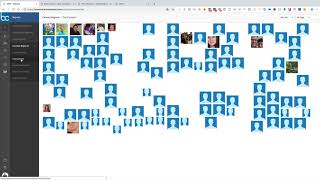
Okay, so we're nearing the end of our lesson series on ActiveCampaign. We've got reports we're going to be covering now, and then we're going to get into the settings in the next and final lesson. So when we go to reports, we're seeing the option for different types of reports— our campaign reports, which you can also see when you go into campaigns, but it's just going to show your open rates and your clicks. And you can go ahead and, and go and look a bit deeper into that, just like you're familiar with this because we showed you in a previous lesson. Then you will see on the left-hand side you've got different things around messaging. Some things you'll see, some things you won't be able to see. Show overlay, hide the overlay. I'm not really 100% sure. I've never been able to get really an overlay showing up here properly. But opens and reads are important, right? So your total open reads, average recipients per open and read, things of that nature. So if you're a statistics person, that's hard to say. Statistics person and you like these kind of metrics, then you'll really geek out and love this kind of stuff. Clicks, geographic locations, so right, you see these little icons popping up here, but where are people opening these emails? I see it's kind of fun to go in here every now and then and check that out. Under social, nothing found, and nobody shared anything socially from ours. Updates, unsubscribes,, things of that nature. Under Automation Reports, now you can see things in here like your Core Funnel, um, options. So of the emails that go out, all the different open rates from those different reports that are there. Goal Reports— if you got some goals set up within your campaigns, uh, as you go through and build it out in your automation, it'll show up here. Uh, your Contact Reports, so contact trends, uh, right? So Contact differences, average contact growth per day. So if you're building, trying to build your list, you're going to see some of this stuff show up here. Who are your top contacts? Who's opening emails? All right, so you kind of got a collage here. It's kind of fun to see that. Um, yeah, what do we got here? Um, open and read trends. Let's close that down. So there's a lot of different things that are in here. So you're nearby, so if you got the geographic location set up It's going to show you which contacts are nearby. So there's some, some reports that are handy in here, some that are just fun. Really recommending that you get used to the reports that might be of interest to you and go through and check it out and become familiar with what's in here. And like I said, ActiveCampaign is always adding new stuff all the time. They're actively in development, so there may be new reports that come out that you're seeing when you're watching this that aren't in this training at this point. Point in time. But a lot of times you really want to see how's your campaign doing, you know, who opened, who clicked, or even how's some of your automation doing. How are people moving through your core funnel or your, your free opt-ins? What, you know, what's working? And using that information to see, okay, maybe I need to change something. So let's say you get somebody opt into a book, and for some reason they're just not opening that email that comes out. Maybe there's something that's off about it that, you know, they're not actually downloading it. Maybe you could know that If that number is low, you're going to go back and you're going to go and modify that email within that automation. So your, your reports are very handy from that standpoint.