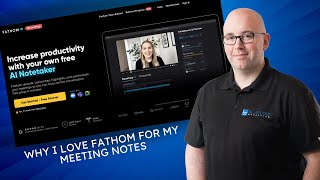
Shaun Whynacht shows how Fathom captures meeting notes automatically across Zoom, Google Meet, and Teams. After each call, it generates a transcript, bullet points, action items, and a summary that syncs to your CRM via Zapier. The premium plan costs $19 a month or $180 a year.
Chapters
In this video, I'm going to show you the number one AI note-taking meeting tool that I use in my practice and have been using it for several months now and are absolutely in love with it. It's called Fathom. And this tool— now I've used many before trying different things out, but there's some key features in this one that I'm going to show you that I like. And the, the key part behind this for me, especially running an agency where I'm meeting with prospects and doing discovery calls and clients and things, is the accuracy that it can pull out things that we talk about. So when I go to a meeting, I want to be focused, I want to be present in talking with the client, brainstorming ideas, saying, hey, this is— I'll do this, you do this, those type of things, and not have to remember that I have to be typing out these notes as well. And you can probably attest to that's something that you struggle with, um, you know, in your business. So what I found with this is in addition to recording the meeting, also can giving a transcript of the meeting. It is the bullet point ideas that it pulls out, and I've tested this deliberately, uh, in just making little suggestions along the way during the meetings, and it actually finds those and puts them into action items, which I'll show you here in just a moment. So show some love if you want to check it out. There is a link below this video or in the post with this video, wherever you're seeing it. That is my partner link with Fathom. So click on that. I get a little bit of a commission if you decide to sign up. Again, don't go for just that reason, I want to make sure this is the right tool for you. So go and try it out as well and see if it works for you. So let's— let me go over to the other screen here and show you exactly what it looks like. This is my live account that's in here. So as you go, you go into your account, there is a plugin that loads in the top side. I don't know if you can see it up here, uh, that's popping up on the screen, but I have no calls scheduled for today. If I did, they would be listed here, and it will then give me in the countdown on the top, hey, you've got a I have a meeting with this person in 1 hour and 12 minutes, and it will give me kind of an in-my-face presence of this. Now, when the meeting's approaching, I get a little popup on my screen that overlays and tells me, hey, join the meeting. Another factor is the fact that it can join Google Meets, Zoom calls, and Microsoft Teams. And all 3 of those are ones that you probably run into on a day-to-day basis. You probably have your primary one that you use all the time, but you will join other meetings with people, that will be in those other platforms. So that, that is a great feature. And then when you come in here, you've got your calls, uh, that are set up and they will, they'll show up in here. Now what I'm going to do is I'm going to, um, hop into, let me find one here that I want to pop into. Let's just see here. Yeah, so here's one here. Um, we're just going to hop into this one. Now, when the meeting finishes, it only takes a few minutes, and this actually is what comes to you by email. So you get a list of all these takeaways and topics and stuff, but when you go in, you can actually go through and click and view the meeting recording as you move forward. Also, you can send the summary to different clients that are in here, that are in that meeting, so they can get it. There's another setting in here when you have the paid version where you can actually ask permission from those that are attending the meeting if they want to be included in the recording. You could turn that off if you don't want that to happen. But where the power comes into this is what it gives you. So as we look down here at the bottom, we got the purpose of the meeting, and I've given it nothing to start the meeting. It's just, it starts to record and learns this information. Gives me a list of the key takeaways, the topics that are covered. So in this case, I talked about the background, or got a background from the client. What were their challenges? What are their goals? What are their concerns in the industry? And then the next steps. This is exactly what I would hope to get out of a meeting and absolutely need. So then when I'm done, I can go copy summary, copies to the clipboard, and I can either paste it in an email, a document, and so forth. There's other options that are in here that you can give different formats for this, um, you know, customer success. And now it's going to generate this from the recording. And these are different templates that are in here. Project updates, kickoff interviews, standups with your team. So you've got different formats for this. Your transcript, so it's going to give you a word-by-word transcript of what was said, almost like a chat, even though it was just a verbal one. And then on the right-hand side, you've got your questions. So you can kind of see what are the questions that you asked as you go through, and then what were some of their questions. That are in here. So as you can see, the power of this to make you more productive and be present with your clients is absolutely phenomenal. Now we've taken it a step further with ourselves and any of our clients that we sign up because it does integrate with Zapier. So what we do is we create up a zap so that when a meeting finishes, it will actually take this summary that was in here, um, that was generated and post it on the client record in the customer's CRM for that customer under notes. So now they don't have to go back in here. They can go to the CRM and they can see all the notes that are there. Now, each of these different items are also hyperlinked. So if I wanted to see, okay, what, what did she say here? If I click on it, it'll actually go up and play that part of the video. Where it was talked about. So now you read it and you're like, what was that all about? You click on it, now you can hear it and go and see what was said exactly from there. So that is what I loved about fathom.video. Again, check it out. Please click the link with this. This is a great tool. I absolutely love it. Their pricing model— let me just see if I can pull up their website here and see what their pricing is. From this for you. Uh, fathom.video. Let's just see if they're like everyone else and have /pricing. Uh, not there. Let's see, get started free forever. So they do have free versions as well. Um, it doesn't give you all the functions. I recommend upgrading. Let me find the pricing on this page. Uh, can't really find it here easily. Help? Nope, that's just the help section. Let me just do a Google search here. Fathom video. Here we go, pricing. Maybe it's in here. Uh, manage subscribe. There we go. Uh, so the premium pricing, which is the one that I'm on, $19 a month or $15 a month if you do annual. Uh, that's what I ended up doing, $180. I mean, the time saving in there, highly recommend it. You get more detailed, um, summaries and everything over the free version that's there. So, um, that's what I'd highly recommend. I mean, if you can invest $180, get you a whole year of it. That will go— you'll get that return back exponentially in the time saving and the accuracy that you need that's there. So if we look at what the paid version gives you in premium, this is the advanced AI notes, the automated actions items, the Zapier integration, and the ability to name your bot's name. So when it joins, I change mine to, you know, Shaun's meeting assistant or note taker or something like that. So that's, that's important to be able to do that. So check it out, and if you have any questions, please, wherever you see this video, whether it's in a post or a YouTube channel or on LinkedIn or wherever, you got a question about it you want to ask me, put it in the comments below the video, and I would be very happy to answer those for you.