In this concise tutorial, Shaun Whynacht of Blue Cow Creative walks viewers through Google Alerts, a free online monitoring service accessible via a Gmail account. He explains the purpose of Alerts—tracking keywords and phrases across the web, including news, blogs, videos, and more—and demonstrates how to set up alerts for personal and business names, website URLs, and client topics. Shaun shows how to use quotation marks for exact‑match phrases, and walks through the configurable options such as notification frequency (as‑it‑happens, daily, weekly), source types, language/region filters, result quantity, and delivery method. He also covers how to edit or delete existing alerts. Throughout, he emphasizes the value of Alerts for small businesses to stay aware of brand mentions, blog post shares, and client activity, positioning it as an under‑utilized, 24/7, free monitoring tool. The video ends with a call‑to‑action to like, subscribe, and visit the SEO4All/Blue Cow Creative YouTube channel.
Chapters
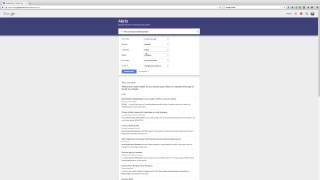
Hi, welcome to today's video. I'm Shaun with Blue Cow Creative. Let's hop right into it. I'm not going to take a lot of time but I want to show you this tool that's put up by Google. Maybe you're aware of it, maybe you're not but I'm going to explain how I use it in my business just to keep tabs on what's going on. It's called Google Alerts and you can get to that by going to the URL you see here on the screen over top of the video, google.com/alerts. Alerts. Now in a nutshell, what this is, is it's an online monitoring system. So you go and you set up your account, it's completely free if you have a Gmail account. If not, they'll set one up for you. And you put in keywords and key phrases that you want Google to be looking for. And they're gonna be looking through different things, so social networks, blogs, their search engines. So when things come up and get indexed by those search engines, you'll get an email notification of of that. Now, how I use it is, I'll just show you right here. I'll just go to my account. Let me just go to that. There we go. So there are my alerts. And basically I just got them set up for my name, my company name, my other company name, my website address, and then a couple other clients that we're just looking for, for new content that we're putting blogs out for. So this is a very basic setup. We're using the quotes here because we want to make sure that we have that entire phrase. So for example, let's say I'm going to set up a Google Alert for Nova Scotia small business. I want that phrase and I want to know that. Well, if I put in here Nova Scotia small business, spell it right, it's going to come up and it's going to look for any combinations of those words. So as you see here, you got small business, you got business, just the word business. But if I want that entire phrase, I'm gonna have to put the quotes on either side of it. Now it's probably gonna be hardly much that comes up, but there we go, Nova Scotia small business. So every time those words show up in combination, then that will actually send me an email. Now the key then is to change the options here. So how often do you want to be notified? So you've got as it happens, so as soon as Google sees it on its radar. Most of 'Once a day,' at most 'Once a week.' So depending on how frequent the word is, you may not want emails every time it shows up. Sources, what sources will they choose? News, blogs, web, video, books, discussions, finance, you can choose all that. Language, you can look by certain regions. How many, so do you want all the results or only the best results? And then where do you want that to be sent? So if I'm going to use that, I'm going to go ahead and click Create Alert. Now it's on my list. Now at any time you can come back and you can click the pen here and you can modify those criterias or you can actually go ahead, once we just click this, we're going to change that to— let's try just small business because I'm not going to keep it. You can go ahead and you can click the garbage can and delete that Google Alert. That right there is Google Alerts. It works really great especially when we're putting out blog posts and people are sharing it. We want to make sure that we're notified if anybody is commenting or mentioning our name in the online world so that we can be engaged in that conversation. And Google Alerts is pretty much your 24/7, 365 online monitoring service, completely free, underutilized in my opinion by most small business owners. Thanks for watching. Be sure to check back and like and subscribe to our YouTube channel at youtube.com/seo4all. Bluecowcreative. Until next time, have a great day.