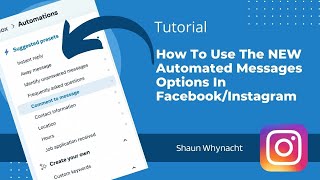
In this tutorial, Shaun Whynacht walks viewers through the latest automated messaging tools available in Meta Business Suite for Facebook and Instagram business pages. He begins by showing how to access the Messaging settings, then demonstrates each automation option: Instant Reply, Away Message with schedule, Unanswered Message alerts, Frequently Asked Questions with menu integration, Comment‑to‑Message triggered by hashtags, automated collection of contact, location, hours, and job‑application info, custom keyword‑based replies, and feedback/appointment reminders. Shaun highlights practical use‑cases, points out current limitations (e.g., limited actions for unanswered messages), and encourages businesses to set up these automations to save time and improve customer experience. The video ends with a call to subscribe and ask questions in the comments.
Chapters
You know that Facebook is all about giving you the coolest features. In this video, I'm gonna show you something that just blew my mind today. I was in the platform doing a training for a client and I saw a couple of new features and I knew I just had to do a video for you guys here today. So without further ado, let's hop right into it. We're gonna be focusing on the Messenger side. So if you got a business, you got a Facebook page, you know that people can message you through there and let's see what Facebook has put together to make it so much easier for you to engage with people and keep them informed. And I, I'm just, I'm giddy. I'm just excited to show you this today. So let's hop right in. So you know, on the left side you got to go down to Settings and then go into Messaging. Uh, and once you're in here, if you scroll all the way to the bottom, um, obviously you can see the show greeting stuff, but that's not what we want to talk about. We want to talk about the automated response elements. So we're going to click Setup. It's going to It's gonna flip us to a whole new section of Facebook under the Meta Business Suite. Now look at all this stuff here on the left-hand side. How freaking cool is this? Instant Reply, this has been around for a while, so this one not as super exciting, but it's gonna get a whole lot better real soon. So let's go through each of them anyway. So Instant Reply, somebody sends you a message, what do you wanna happen to them when they message? I have my Instagram account connected to my business page, so as you see, it works both for Instagram as well as Messenger. You can go ahead and write in the message that you wanna have happen down below once they send that message. Now, away message. Now, how many times have you had people message when you're closed, you're asleep, or whatever, and you wish you could say something different? Now you can do that. You can set up your schedule, when you are there, when you're not there, what are the hours, and then what do you want that message to say? During those away times. Next one, and I think this is gonna even improve even more than what it does now, identify unanswered messages. So you can set it for both the time, 6, 12, or 24 hours. What do you wanna have happen? Now I think this is where Facebook has some opportunity to grow. This is basically just either adding a label or marking as unread or marking as follow-up. I think having a message option to send them back another message maybe,, or a different way to notify you would be an added benefit for that. Okay, don't worry, it's still getting a whole lot better here. Frequently asked questions. So in here you can go set this up. This was kind of cool. You can go and you can edit the question. So, um, it's like, when are you open? If I can type. And then in here, we are open, you know. Monday to Friday, 9 to 5. Okay, whatever, you can write the message up to 500 characters and so forth. And then with any of these, you can also personalize and put in information that might be on the record of the client. And you can add a button here so it can go to the website, maybe get your hours on your website, even cooler. And then here, add to menu. Now what's gonna happen is in this part of the channel, when the automation— so when a person opens a new chat with you on the selected platform, it'll show up like this. This. So when they open it up, they can actually click Ask. So you can have a list of these frequently asked questions. Again, how cool is that? Let's go on to Comment to a Message. Now this one here was where I was like, oh, what's going on here? Like, Facebook, you're putting some stuff in here that's really kind of being super cool for us. So this says send a message or send a message reply to comments on a page that contains specific hashtags. Think about that. You know, prior to this you could use like any of the Messenger, MobileMonkey, or I can't remember the other one, but regardless you have to have a third-party plugin. But now it's monitoring the comments on your post. So you do a, you know, a post about an ebook and maybe you want people to get it. Instead of actually putting the link, you can say, hey, put a comment with hashtag whatever, right? You can go ahead and put in the hashtag here, and then once it's there, you go down here and you edit edit and you can say whatever the message is and you can send them a link to it or an offer or coupon. And the cool thing is you can have multiple hashtags, so you can add another one and have a different message for the second hashtag. So it allows you to do a whole lot more with the messaging. And just think, think with your head, the sky's the limit as to what you can do with this. Pretty cool, huh? Um, contact information. So whenever somebody responds, uh, you know, asking for contact information, uh, it will actually do this. It'll give them the, you know, this message and so forth. Same thing with location, same thing with hours, and same thing with job applications received. You can also do custom keywords, so send automated responses when a message contains specific keywords. Okay, so what this could be is if somebody sends you a message, and the example they had here was contains the word sale, you can then send an automated response about your latest sale, right? So it's gonna monitor the messages that are coming in, not just the comments on to your posts moving forward. And then there's some stuff down here, positive feedback, you know, if somebody gives you positive feedback, so sends you positive feedback about your business. I'm just reading some of these as to how they've documented these, you know, send the message 10 minutes after giving them feedback. And negative appointment reminders, you can do a whole lot more. And I just think that they're going to build this out, you know, over and over again and give you a whole a lot more features. So check it out, set up the automations for your business. A huge time saver, a huge experience boost for those who are engaging with your business and your brand through Facebook and Instagram. If you found this helpful, do me a solid, hit subscribe on the video and show us some love. And if you got a question, as always, put it in the comments.