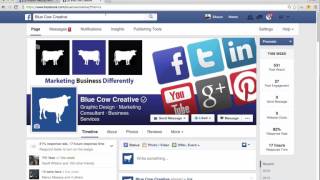
In this short instructional video, Shaun Whynacht of Blue Cow Creative explains recent changes to Facebook's newsfeed algorithm that can cause fluctuations in page post visibility. He demonstrates two practical actions: (1) how to verify a Facebook Page by navigating to Page Settings → Page Verification, entering a phone number, and completing a phone call that provides a 4‑digit code to confirm ownership; and (2) how fans can ensure they see a page’s posts by using the “See First” option under the Like button and customizing notification preferences for all posts, videos, photos, links, status updates, and events. Shaun advises marketers to inform clients about these steps so their content reaches more people, and he directs viewers to BlueCowCreative.ca and the Blue Cow Creative Facebook page.
Chapters
Hey, it's Shaun Whynacht with Blue Cow Creative. I got a social media tip for you specifically for Facebook. Over the last couple weeks, there's been quite a significant change to the Facebook algorithm in the way that, that your page posts are displayed in newsfeeds. And you may see a decrease in interaction and people saying, hey, I'm not seeing your posts showing through my newsfeed. Or you can have the opposite reaction where you're getting more exposure. Now, there's no rhyme or reason as to organically why this is happening. It's just a change to Facebook's algorithm. But you do want to reward people for being engaging with your post. But there are two things that you can do. One that you can do right now, and two, the other thing can be done by those fans who want to receive your notifications in their newsfeed. I'm going to show you both of those right now. So you see here on the screen, this is our Blue Cow Creative Facebook page, and you notice next to my name here there's a little checkmark. And it says here that it's a verified page and verified by Facebook, that this is authentic. Now how do you get this verified page option on your page? So I'm going to flip over to another client site which I have to actually get verified, so we're going to do this here in this webinar. So what you're going to do is you're going to go into your page settings and then you're going to scroll down here to page verification. You see here, this one here is not verified. So I'm gonna go ahead and I'm gonna verify the page. So what it's gonna do is it's gonna ask me to go through the steps here to put in a phone number to get this verified. So what you need to do is actually put in your phone number here, and this is the phone number of this client's page. So I'm not gonna actually click Call Me Now 'cause I need to notify them that this is happening. But what's gonna happen is as soon as you click Call Me Now, it's going to then automatically dial that number and Facebook's gonna read out a 4-digit number that's gonna allow you to type it into the next popup window and verify the page. So they wanna make sure that you are actually the owner of this page and you can verify it that way. So once you do that, then everything is good to go. Now the other thing to make sure that people see your page is once somebody likes your page, it's only going to show up in their newsfeed if they're engaging in your content, liking, commenting, or sharing. But there is a way to override that. Once you like a page, if you scroll over the liked button here, you're going to see these options pop up where it says post in newsfeed default. If you click on this, you're going to see two options aside from the default. You can unfollow, which means you're never going to see the post from that page, or you can see those posts first just by checking this. The other thing you can do under notifications is you can choose which items on that page you want to be notified about, and that'll show up obviously at the top where you see your notifications up here. And it can be all posts, it can be videos, photos, links, or status updates, or as well events near you related to that page. So those are some options. If you've got a client or contact that says, hey, you know what, I'm not seeing your content, let them know that they can go ahead and do this, and then your posts will definitely show up in their newsfeed. Hopefully that's helpful, and let's get your posts seen by more people. Check us out on our website, BlueCowCreative.ca, or heck, hop on over to Facebook. You're already there, Facebook.com/BlueCowCreative. Thanks, and we'll talk to you soon.