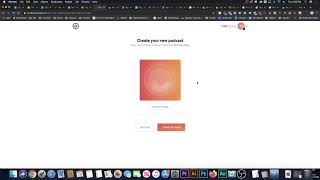
In this video Shaun Whynacht walks through his first‑time experience with Podcast.co after purchasing a lifetime AppSumo deal for $79 (regular $490). He records himself creating a new show called the "Content Amplification Podcast," choosing categories, setting a custom pod.co URL, and noting the ease of editing the description later. Shaun explores the dashboard, highlighting features such as episode upload, analytics, advanced settings, embeddable player, subscription button, and automatic distribution to directories like iTunes and Google Podcasts. He compares Podcast.co to his previous tools (pippa.io and a self‑hosted WordPress setup), noting the cleaner interface and recommending the platform for both new and existing podcasts. The video ends with a brief endorsement and a reminder to check the description for the AppSumo link.
Chapters
Hey guys, today I'm going to be talking to you about Podcast.co. Now I just launched a new podcast and I thought, hey, this is a great time to try out this, this platform. So I just bought this highly discounted— nothing against the software, but the fact that AppSumo has it available for $79 for a lifetime deal was a great opportunity to do that. And I actually have a link to get that at that price below this video. So wherever you're watching it, just check the description for it or in the comments and you can see it. So I thought, hey, you know what, before I go in and set up this podcast, I'm going to record me doing it so we can see how this all works together. So I'm just going to flip the screen here. Here we go. So here is, here's the, the offer in AppSumo. So $79, regular $490. It's a lifetime deal. Okay, perfect. Now I went ahead and I bought it, I redeemed the code, and I got logged in. So when you log in, this is the very first thing you got. You can import a podcast from somewhere else or you can create a new one. We're going to create a new podcast. So I'm going to go ahead here. I'm going to give it my name. So it is the Content Amp— if I can spell— Amplification Podcast. And categories. All right. What do we got here? Business, entrepreneurship. Let's just say marketing. That's where it falls under. English. Okay. So the content app. Sorry guys, I should have wrote this all out beforehand, but I didn't really give it much thought. I can go back and edit it after. Podcast is a real life. Let's do a hyphen in here. My Grammarly will pick up on this. Real life. Tactical and strategic podcast that helps you amplify the reach and effort and reduce the effort needed to grow Business. Here we go. I can modify that later. I'm going to hit next. Okay. Now I need a pod.co URL. So let's see if ampup is there. Let's do Amplify. Let's see. That might not be there. Amplify. Look at that. Amp LaFay, make sure I got that. And LaFay, you know, that's right. I don't think that's right. That might be right. Oh, perfect. Look at that, get in early, you get a great name. Here's some clicking out my dog in the office today. So here we go. We're gonna hit next. Image, don't have an image yet. We're gonna do that later and create podcast. All right, so there it is right there. Now let's just see how this all works and click on it. We go in here, we can say upload episode. Analytics, which is great. Let's see what we got here. Obviously there's nothing yet, so it's going to tell you people view it. Settings, and go back and edit all these settings. You got advanced in here, subtitles, URLs if you got everything for it, all your information. Share and publish, so it's got ways for you to get those, your podcast feeds, so you can then submit it to iTunes, Google, all those fun places where everybody finds their podcasts. You also can Looks like you can edit the player, so you got a player that you can embed on your website. You got a specific page for the podcast, your social channels. This is pretty slick. This is pretty sweet. You got a subscribe button that you can embed right on your stuff. So yeah, I'm impressed. So when you go to upload an episode, you're obviously going to upload the file, and then you're going to give it a description and all that kind of stuff. So unfortunately, just very new to this new podcast, don't have an episode completely ready to go. But yeah, check it out. I'm happy with this. I used to use pippa.io and I just stopped using it because I went and went back to using my WordPress site to host my other podcast. And then when I created this one, it was time to try these guys out because of the great deal over at AppSumo. So yeah, I'm impressed with a very easy interface. And if you've got an existing podcast, you're creating a new one, that I recommend. Check it out. And hopefully this was helpful to you. And yeah, happy podcasting.