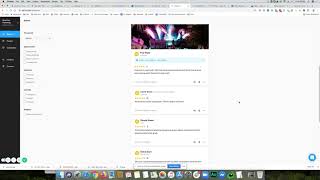
In this product showcase, Shaun Whynacht demonstrates the NiceJob.co review‑management platform, emphasizing how social proof and online reviews are critical for business growth. He walks through setting up a NiceJob campaign—a drip‑notification system that first texts clients and then follows up with a series of emails, letting reviewers choose to leave a Google or Facebook review. Shaun shows how NiceJob notifies the user when a review is posted, how to edit the testimonial by adding a custom image, and how to share the review across multiple social channels (Facebook, LinkedIn, Google, etc.). He also highlights NiceJob’s integrations with QuickBooks, Zapier, and HubSpot, enabling automatic contact syncing and custom field triggers. Finally, Shaun displays the on‑site review widget/pop‑up that showcases recent reviews on a website, reinforcing social proof directly to visitors. The video concludes with a call‑to‑action to try NiceJob for streamlined review collection and marketing.
Chapters
Hey, in today's product showcase, I want to show you a great service and a site called NiceJob.co. Now we all know that social proof and getting reviews is really a great way, and probably I would say one of the most effective ways to grow your business when you're looking to get new clients. I came across NiceJob and I signed up for their service and I am impressed. The first day of being on there, I got 2 client reviews. Now here's one of the challenges that you always face with reviews is when you send out and ask for one, you got to ask the person, hey, can you, can you leave a review either on Facebook or on Google? And then when they do, that's where those platforms sit, right? So you're not able to really cross-promote that easily. That's where NiceJob comes in. Now I'm going to show you here inside my account. And what I absolutely love about how their service works is you set up a campaign. Now a campaign is really a drip notification system. So the default one that's in there starts by sending a text message. So if you got a phone number on file for your client, it'll actually send them a text for them to leave a review. They don't do it after that, then it's going to go and it's going to send them an email. And this is really built out with 3 other emails that they will get. Really quite easy when they get it. Would you recommend? Puts in your company name. Oh yeah. And then they can go and they can leave that review. Now you can also choose in your settings where you want them to leave the review. So by default, what I'm using is Facebook and/or Google. So they get to choose which one they want to leave the review at. Once they leave that review, you will get a notification and it will show up within your platform. So this one here, Kelsey, a good client of ours, left a Google review, a 5-star review, and this is what he said. Now I was able to go in later and actually add a picture that I wanted to represent that Testimonial. So they made the platform, the review through NiceJob shows up here, but it also is natively integrated with the platform they chose. So if I go over on Google and look us up and I click on the Google reviews, there it is right there. There's the review and there's another one that came through the system, uh, as well, uh, earlier on. So now when I go ahead and put the image on there, I can go ahead now and share it out to any one of my different platforms that I would like. Hit share, and now the review shows up on my Facebook feed, Google, LinkedIn, wherever I want to share it, and it also has the image of my choice. How do I go ahead and add another image? Well, I can just go down. Let's just say I'm going to go to Perennia here, and I'm going to click. I'm going to say edit the story. I've already got a picture selected that I want to use. Wait for it to upload. Just takes a second or two for your internet connection. We're going to go ahead and hit save. And now I could go ahead and click share and then share it out to my social platforms that I would like. So I'm going to take off Google+ and Twitter, and I'm going to go ahead and hit share. Now it's pushing it out to those two platforms that I wanted, and once it's done, I will have that reach out and people can click on it and come back to the site. This is a great platform. It's very light and it integrates with a lot of different services out there. For example, if we go ahead and look at their website here, we can learn more about different apps that they integrate with, right? So here's a bunch of different ones. QuickBooks— obviously a lot of clients are using online QuickBooks, and we do as well. We— there is a connector with Zapier, uh, and there's— is with the free version. So you can set it up and it can actually push your client contacts in through QuickBooks, uh, or actually QuickBooks is natively integrated. Zapier, I use it also for HubSpot, so I was able to connect it to a custom field or property in my HubSpot that says request review. If I click that yes and hit save, it'll push those details over to within my NiceJob account. And here's the last thing I want to show you about this. If we go to our website You know, a lot of times you're on a different website and you'll pop on there and I'll just refresh it. And you can embed different, different review widgets that the site has for options, but the one that we like to use— I'm just gonna actually go to a different section, I don't think I have it on my homepage— but it's a little pop-up that'll show up down here in the bottom left-hand side. I'm not sure if it's going to show up here when I'm doing this screen recording, because it comes every now and then. There it is right there. So shows the review, pops up, right? Kelsey left a 5-star review, social proof. You can go ahead and click on it, pops it up. You can look at it quickly and also scroll through and see the other reviews. So this is a great little helpful, you know, social proof sales tool that you can have on your website, integrating everything into one nice clean platform. So if you like this, you want to learn more about it, go ahead and click on the link that I included with the video. And/or the post and where you saw this, and you can check out their site. Nice job! And get reviews working for your business.