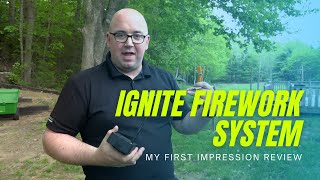
In this video Shaun Whynacht, a licensed fireworks technician, provides a hands‑on review of Cobra’s Ignite i18 consumer fireworks firing system. He begins by unboxing the unit, showing its compact size compared to a traditional Cobra professional controller, and walks through the hardware components: the main module, antenna, USB/9‑V power options, and built‑in lithium‑ion battery (≈20 hours per charge). He demonstrates the app‑based setup process—installing the Ignite app on iOS/Android, pairing the module via Bluetooth by entering the code on the battery sticker, and confirming cue connectivity through green LEDs. The system offers 18 igniter cues, which can be programmed via a desktop or web app; pre‑programmed show codes (available from shopfireworksfx.com) can be imported for events such as weddings or birthdays. Whynacht also shows the “free‑shoot” mode, using a Quick‑Match/Visco fuse to test Bluetooth range, achieving reliable ignition at roughly 100 feet. He concludes with pricing (just under US $300), availability through a Canadian retailer, and remarks that the Ignite system is suitable for both backyard hobbyists and professional shows.
Chapters
Hey there, backyard fireworks enthusiasts. My name's Shaun Whynacht. I'm a licensed fireworks technician, and I'm gonna show you in this video a new technology brought by the guys at Cobra. So this here is a Cobra firing system, but that's not what we're gonna talk about. We're gonna be talking about this right here, the Ignite. I just got my hands on this the other day, and we're gonna open it up together, and then we're gonna go through, gonna go out in the yard, and we're gonna show you how this system makes firing fireworks, consumer fireworks, in your backyard extremely easy with your mobile phone. So let's take a look at this. Now before we get started with actually opening up the Ignite system, I want to show you here a traditional Cobra firing system. We use these systems when shooting professional fireworks, and they can be used for shooting consumer fireworks as well. So just want to show you the size, and I'm going to keep it there in the shot so when I bring this out you can see the size comparison behind it. So there's the box, really nice job the guys at Cobra did with this. So let's go ahead and open it up for the first time. Now, I'll be completely transparent with you. I did open it prior to this video just to check it out. So, but I left everything in the exact order when I did put it back. So you get some nice information here. You got their tech support card. If you do have any problems, you get a decal. Everybody likes a sticker. Sit it on there. Links to the app. It is all app-based. So any iPhone or Android device, you can go ahead and install this app. You can just look in the App Store and look for Ignite Firing System. Systems, and we're going to show you that in a second. And let's get through this, pull this nice little white foam cover off, and there she is. Let's pop it out. So you got the, the main device, you have your antenna. So basically all we're going to do is just going to pull off the little rubber protector on there. I'm going to screw on the antenna to the device, and then you've got some USB and charging here. You can also you know, connect in a 9-volt battery as well if you wanted to use that. It is obviously— everything is fired through DC, direct current, so you don't need any AC power for that. Now the best thing that I really like about this is the fact that unlike these systems where you have to use actual batteries or rechargeable batteries and change them out, this comes with a lithium-ion battery in it already. So you can easily get that and recharge it. There's another cable there you can plug it in to recharge that battery. The specs say that it is good for 20 hours of usage on a full charge. So that alone is smaller than the remote of the Pro system that we have. And it's as easy as basically just pushing the button and it's gonna light up. So once you get the app downloaded and installed, you're gonna then turn on your Ignite device. Now I've already paired mine. You'll see here in just a moment that green-red circle or the firework icon will turn, or sorry, the red circle will turn green. That indicates that it has successfully repaired. But in order to pair them, that is extremely simple. You're going to go into the module section, you're going to click add module, it's going to look for a nearby online module or turned on, and you'll click on it, and then you'll enter the code that's located on a sticker behind the battery in the back. That will be all you need to do from that point forward. The moment you turn them on, as long as you've got your Bluetooth on your device turned on, it will sync and find those modules. Now as you see here, we've got the 18Qs, and as you have different talons plugged in, these will light up green to show you which ones for continuity are connected properly. Now when it comes to firing, you can build your shows and automate your entire show using the desktop app or the web-based app for Ignite. Really quite cool. And if you buy your fireworks shows from, you know, shopfireworksfx.com, which is where I've gotten this module, they will actually give you a code where they have pre-programmed the shows. So if you've got a special event coming up, a wedding, an anniversary, or birthday, you can buy like a 500 $1,000, $2,000, whatever budget you have show, and they've pre-planned it. And they'll give you a code that you'll go in and you'll be able to import a show, enter the 4-digit code, and all the fireworks will be ready to go. You get an Ignite system, you plug in the igniters to the specific firework into the right cues, and simply you just hit go on the show and your scheduled pre-choreographed show will fire for you. But what if you want to free shoot? And that's what we're going to show you here today in the backyard. You simply go into the free shoot mode, and I actually recorded this after I did the demo outside, so you can see on cue number 1 has already been fired. You would basically pick the cue that you want to fire, and once you do that, the red button on the left side, you'd hit that and it will ignite that igniter and shoot the firework. Really quite simple. So let's go outside out back and I'll show you what that is all about. So I'm here outside my property, and what I'm going to do is I'm not going to shoot off an actual firework. I have just a piece of Quick Match with a Visco fuse that we can actually ignite, uh, in this. And I'm actually going to test the range on this. And back over my property, way back over there in the field, is where I'm actually going to set up this module. I'm going to come back to the camera, and we're going to try to trigger it and see what the range is of this device with the Bluetooth connection on the phone. So we're going to take the Talon igniter clip and we're going to plug it into cue number 1, and then we're just going to clip this on the ViscoFuse. So I'm going to go set that up and then we're going to come back here and we'll be able to see how it goes. All right, so here I am and everything is connected. As you see, cue number 1 is ready to go. So what we're going to do quickly is, and you should see the little bit of smoke when this ignites over there. So we're going to go back here, we're going to go to free shoot, which is that one right there, as we see, number 1. So if I simply hit that, it gets ready to fire. Let's see what happens. There we go. And that's probably about 100 or so, uh, feet away from us. So, uh, pretty good range on this to be with Bluetooth. So I'm impressed with the system. I'm excited to use it on a lot of my, my home shoots. And actually, I could see this being used in professional shoots as well, being able to have some choreographed stuff for finales and all those different points. So where did I get it? shopfireworkseffects.com is a website where you can get that here in Canada. Go check it out. And I think they're going to retail just under $300 for the unit, but you get 18 cues, and it's a great system. It's the Ignite fireworks system. I'm impressed. I know you'll be impressed. Check it out, shopfireworksfx.com.