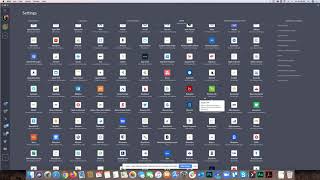
In this tutorial, Shaun Whynacht of Blue Cow Marketing walks viewers through Shift, a paid desktop application ($99 USD per year) that consolidates multiple email accounts and a variety of web apps (Slack, HubSpot, Google Drive, Calendar, Twitter, YouTube, LinkedIn, Messenger, etc.) into a single interface with its own browser‑tab system. Shaun demonstrates how to add accounts and plugins, flip between them, and use built‑in Google Drive/Calendar shortcuts. He highlights the main benefit—simplifying workflow for users who juggle many accounts—while also noting key drawbacks: Shift does not support many Chrome extensions, including tools essential for his marketing automation work, and it cannot integrate with his password manager (LastPass). Because of these limitations, he stopped using Shift after a year, recommending it only for users whose needs are limited to email and basic social/app access. The video ends with a call to action to try Shift at tryshift.com, subscribe, and watch future tutorials.
Chapters
Hey everyone, it's Shaun Whynacht here at Blue Cow Marketing. We're going to review another tool here. Now you may have seen this coming through your, your news feeds on social media from this company, and they're called Shift. Now I have been using Shift over the last year. I've since gone away from it, not because it's, it's not a great product, it's just that my workflow, it didn't work well with what It did. But in this tutorial, what I'm going to do is walk you through how it all works and show you the pros and cons and what I absolutely love about it. If you have multiple different accounts and really you're having issues logging into them at different times. So the website is tryshift.com. This is a paid application. So it's about $100, $99 US a year for this. And what it does is it allows you— I'm just going to open it here on the bottom of the screen— it allows you to run different email accounts, different programs, apps, add-ons, all within one application. So as you see here on the left-hand side, I've got my, my Blue Cow Marketing email, which is what you see here on the screen, uh, pulling in Gmail full functionality. I've got options for, you know, all my pullouts here on the side. I can do anything that I want to do as it would work in a browser tab here. I can also add other ones. So here's another email account that I have with another contract that I work with. And then down below you got the different types of plugins that you can add. So I've got Slack for myself, for the company, this for another project that I'm working on, HubSpot. And as easy as just clicking on the the button, uh, and it flips you over to that application. I want to go back to the email. There we go. I want to go into Slack. There I go, right? Pretty easy to flip between these social media and put in Messenger and put in LinkedIn. You can put in Twitter, YouTube. If you want to add more, let's hit plus and I'll show you what we can add in. Look at all the applications and programs that you can actually add right into this. And the benefit behind using this is if you're looking for a simplified interface where you have to flip between different different tabs, different programs, Shift is a great way to do that. One of the other things is that on the top side you've got Google Drive options, so you can click on that. Now I might not be logged into it. Oh, I am. So it brings up my Google Drive. Got Google Calendar here. I can go back to email. I got different extensions that I can bring in as well. And across the top you can open up a new tab And now you got a browser window. So very similar to what I would assume like a Google Chrome or Android type interface would be on a Chromebook, but now within one application. So why did I pull away from it? I have it on one computer. This is the one that I'm recording this on, which is my podcast computer, because I do a lot of different things in there. Now, The one downside that I don't like about it has been that a lot of the times I'm using a lot of Chrome extensions for different applications when I'm building out, you know, doing Facebook pixel tracking and all those different elements. As of right now, I haven't been able to leverage those within this system. So that's why I still go back and use my browser tab because I've got a whole bunch of extensions here. So I found myself as I was doing certain workflows on another computer where I'm building out more elaborate automation and campaigns and different types of marketing strategies, leveraging these different plugins as well as LastPass, which is my password management system, being able to pull that in. So if you rely a lot on browser plugins, Shift may not be the option for you, but if you're just going through using your email, different social applications, then having Shift would be a great way to simplify your workflow. So if you want to give it a try, you can go and check it out, and it is at tryshift.com. And thank you for watching this tutorial. Please subscribe to our YouTube channel, help us share the wealth, and I'll be doing more tutorials just like this on different applications throughout the year. And, and enjoy what we have to bring. Thanks for watching.