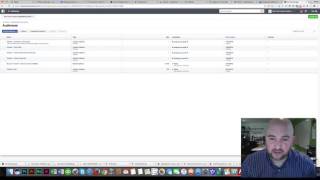
In this instructional video, Shaun Whynacht of Blue Cow Creative walks viewers through the process of leveraging the Facebook pixel to create and use Custom Audiences for retargeting. He begins by reminding viewers of the prior steps—installing the pixel and running basic boost ads—then dives into Facebook Business Manager to create audiences based on website traffic. Shaun demonstrates selecting specific URLs (using "URL equals" or "URL contains"), setting time windows (30, 60 days), and naming audiences. He explains Facebook's minimum audience size requirement (20 users) and how the platform identifies users via cookies. The tutorial covers advanced segmentation options, such as including/excluding certain pages and targeting users who haven’t visited in a set period. Shaun then introduces Lookalike Audiences, advising viewers to first build solid custom audiences before expanding reach. Throughout, he provides concrete examples (Infusionsoft case study page, restaurant menu page) to illustrate how businesses can retarget interested visitors with tailored ads. The video concludes with a call to action, inviting viewers to schedule a free 15‑minute consultation to discuss their digital advertising goals and a structured process for deeper engagement.
Chapters
Hey, it's Shaun with Blue Cow Creative. It is Friday of Small Business Week, and this is the third and final video in the series of promoting yourself with Facebook ads that I'm going to be doing. And I'm going to be doing something, uh, probably moderate, uh, to high-level strategy for you and just showing you how this works. Um, so in the first video, I talked about embedding the Facebook pixel, um, into your website so you can start to generate that traffic. And then the next one I talked about, how can you place some ads using the boost feature and then going into the ads manager. Now we're going to leverage the traffic that is being generated by that Facebook pixel and to build some custom audiences based on where people are going to your website so that you can retarget and market to those people based on that segmented interest. So let's get right into it right now. So you see on the screen, I've got my Facebook page here. Um, And like I mentioned in all the other ones, I'm using Facebook Business Manager, and you can do so by going to business.facebook.com and registering for that for yourself. So what we're going to do is we're going to go to the very top where it says Pages, and we're going to come down to something called Audiences. Now what an audience is, um, is basically a grouping of Facebook users based on different criteria. Um, some things could be a list that are uploaded to Facebook of contacts, email addresses, or phone numbers, uh, that you have in your database. But in this case, what we're going to do is we're going to look at building custom audiences based on certain pages that people have gone to your website. So let's go ahead and do this. I've got a couple set up already, um, and I'm just going to show you how I did that. Um, so now that we're in here, um, we're going to see the create audiences button on the top left-hand side. We're going to drop this down and we're going to create a custom audience. And we'll talk about what the other ones are as well. So you're gonna immediately be, um, given the option here to pick one of 4 different options. We've got customer file, website traffic, app activity, or engagement on Facebook. And we'll talk about this one and this one for this tutorial. So we're gonna look at website traffic. So when we click on this, it's gonna be using, in this case, our Facebook pixel that we have embedded on our website. And then we can choose from the website traffic. Now we could do anyone who visits our website., but we're going to go down to more specific. So people who visit specific web pages. Okay, so I'm going to choose this, and now we're faced with the option here of URL contains or URL equals. So let's go over here and look at our website. So let's say we want to then target people who have come to our website, uh, and expressed an interest in Infusionsoft, uh, as one of our options. Okay, so because we have a specific page for Infusionsoft, which is this one right here, What we're going to do is we're going to take the URL at the very top and we're going to copy this into our clipboard. We come back over here, we can say URL equals, and we're going to paste this in here. Okay, so there's the full URL that's in here. It is there even though it looks like it's cut off. And we could say, okay, in the last 30 days or 60 days, include past website traffic. And we could call this one, um, website interested in Infusionsoft. And then I could add a description. This is someone who visited the Infusionsoft page in the last 30 days. Okay, and we're gonna say create audience. This is— thank you for creating a custom audience. And then we got up here at the very top, that's where it shows up. And it does say audience is too small because this is a new one. I just set a couple of them up, so it needs to to generate this traffic. And basically what this means by audience is too small is they need at least 20 people, as you see here on the screen, in that group before it'll show up and you can actually run ads to them. So since I put this in here, 20 people obviously have not visited that page that are actual Facebook users. So that's why that's there. And how they know that is because they would have a browser plugin not a plugin, but a cookie on their browser that shows that they're logged into their own Facebook account, and that's how Facebook knows who they are for when they come to our website. So some of the other ones that we could do is let's go create another audience, and we could go in here and we can say, okay, anyone who visits a specific page but not others, okay? So you can really narrow it down to just that one. Because in this case, the one that I used before, they could go to this Infusionsoft page or they could go to the video page. And because we've got tracking on the video page as well, they've really fallen into both groups. Groups, so then you'd see 2 ads coming out. But if you want to just pick one or the other, then you've got this option as well. The other one is people who haven't visited in a certain amount of time. Okay, so what this means is let's say you've got a blog and you're putting new content on your website, whether you've got a store, a restaurant, you've got specials that are coming on there. You can have a Facebook targeting pixel based on people who have visited the website, but then run some ads like, hey, we haven't seen you on our website in a while. Check out our blog. Those kind of ads can run if it's set that they haven't been in your website in the last 30, 60, 90, 21— doesn't matter how many days— and then that will trigger them to be into that group. Okay, now the other thing that you can do is something called a lookalike audience. Now what this allows you to do is choose, you know, for example, I'm going to pick my page here I could pick audience size and then we could go in here and say, okay, let's give me a lookalike of people. So find new people on Facebook who are similar to your most valuable audiences. So we know that, that as we grow our audiences on our Facebook, they'll start to get new people in there and we can target to them. But let's go reach out to people who are similar in nature. People who have similar profiles, geographic areas, interests, those kind of things, and then expand your reach even further. Because we know that if people meet this demographic and they are an ideal demographic for you, you want to reach more of those type of people. So that is where a lookalike audience comes into play. But one of the tips that I give you is make sure you build your custom audience for a while, start to build those, those numbers and build those statistics in there, start to market to them, and then go ahead and look at doing a lookalike audience. Don't try to do it all at once because you're not going to have enough data in place for Facebook to pick up on that information. So that's what a lookalike audience would be as well. So that's really important when you're doing that. Now the key is, so let's go ahead and say we've got here, you know, visitor Infusionsoft case studies page, which we have a page on our website. So what we could do is let's say we've got a different case study that's not profiled on there and we want to run an ad to that. Well, then when we set up our ad campaign, we can say, hey, use this custom audience to run this ad. So we know that they've already had an interest in case studies based on Infusionsoft on our website, so they're going to be interested in seeing this content that's coming out there. And that's where it's really handy for you to use that. So, you know, if you've got a restaurant and you've got a menu page, you can use that and then you can run, you know, receive daily specials direct to your email, some kind of newsletter promotion. Through your Facebook ads. It's gonna really help you leverage that exact audience. And then you're not limited to a one-size-fits-all ad campaign, which is what we are stuck with with traditional means of advertising like newspaper and radio, is we really gotta find an ad that's gonna talk to the masses in one single chance. Now with the power of retargeting, pixels, Facebook, that kind of stuff, we are able to reach an audience with exact specificity and talk to them in a language that's going to be very beneficial to them to say, hey, you know what, let's engage a bit more. So hopefully that's interesting to you. Again, the 3 videos just wrapping it up is talking about how do you put the Facebook pixel on there, how do you run some basic ads, and now we just covered custom audiences. So thanks for watching. Hopefully this was helpful for you. Hopefully you can implement this. If you think that this is going to be too much and you still want to get involved in it, I invite you to please go to our website, which you see right here when you come to the homepage. And what you can do is go get in touch with us, okay? And that takes us to the page where you get all the information about who we are. But if you really wanna schedule an appointment to talk, up here on the right-hand side where it says schedule an appointment, click on this, go down to 15-minute phone consultation, because that's what we require, is let's get on the phone, no cost to you, 15 minutes. Let's talk about what your goals and objectives are in your business, why digital advertising, what do you want to do, how we're going to measure it, and let's see if there's a fit. If we think there's a fit, then we can go ahead and get into a 1-hour consultation and then start the whole process because we have a specific process to, to pull out the goals that you want to achieve. How do we measure this? How much do we invest in it on your part? And most importantly, how do we make sure that this is the right action to grow your business? So go down to that 15-minute consultation You're going to click Book Now, and really, this is, this is the cool part. Okay, pick your time zone. Obviously, you're probably in the same one, and it's going to be running off my schedule. So you can go in here and pick a certain day of the week for that 15-minute call, and then you can choose a time that suits you. And then you can go ahead next and fill in the information, and then once I confirm it, we're good to go. So thank you for watching. Happy Small Business Week. I absolutely love working with people just like you to help you grow your business. Thanks for watching. I'm Shaun with Blue Cow Creative. Let's grow your business. Take care.