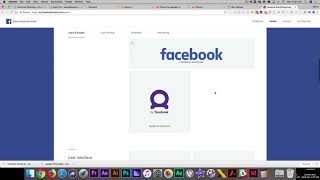
In this short instructional video, Shaun Whynacht explains how to obtain official Facebook brand assets for graphic design projects. He introduces the website facebookbrand.com as the central repository for Facebook logos, badges, icons, emojis, and other brand graphics. Shaun walks through the site’s navigation, showing the asset library and the ability to filter assets by usage type—online (PNG, SVG), print (coded and uncoded EPS files for different stock colors), and TV/film. He highlights the brand usage guidelines, emphasizing that colors must not be altered and logos should not be stretched or otherwise modified. After selecting the desired assets, users can download them directly to their computer. Shaun concludes by encouraging viewers to like the Blue Cow Marketing Facebook page and YouTube channel.
Chapters
Hey, good morning! It's a new week and I have a new resource for you. Now, I was doing some graphic design for a client and we were doing some big signs, which means we needed some assets, we needed some EPS files, and more specifically, it was around Facebook. We wanted to have some Facebook logos on the signage, so we need to go and get those assets online. Now Now most people didn't know that there is a website called facebookbrands.com, and you see it here on the screen, and it's really a great resource. So you go here, you go explore assets, and then you've got everything from logos and badges, the live icon, the like, find us, everything in here, audience network, user interface, pretty much every graphic you would need, all the different emojis, all this great stuff that you can work with. And really, if you want it, All you do is you just come here, you click on the button. They've got some guidelines here that you have to follow, dos and don'ts. Obviously, don't change the colors, don't stretch it, don't do anything like that. And when you're done, you just download the asset. It downloads to your computer. And here's the other thing that I really like about it is when you go into that, you've got it broken down by online, for print, or for TV and film. So if you're going to do online, obviously you're just getting your PNGs and your VG files, but if you're going into print, you've got your coded, your un-coded based on the different stocks that you're printing on, and in here it's an EPS file, so you've got a vector graphic to really scale it to any size that you need. So if you need Facebook assets for any kind of print design, go to facebookbrand.com. Thank you very much for watching, and if you're watching this on Facebook, like our Facebook page at Blue Cow Marketing. On YouTube, like our channel. Thanks and have a great rest of your week.