Shaun Whynacht shows how to use Facebook's Saved Replies to handle repetitive customer questions faster. Create templates with placeholders like first names, save them, and reuse them with one click. Build a list of your top 5 to 10 most common inquiries.
Chapters
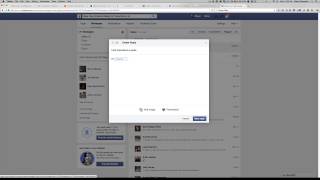
Hey, it's Shaun Whynacht with Blue Cow Creative. Hope you're doing great and business is booming for you. Now if you use Facebook for your business and you frequently get people messaging you using Facebook, then this feature I'm going to show you here is going to save you a lot of time, especially if you find yourself replying over and over again answering similar questions. So I have a message that came in here and I'm just going to click on it. Now when it comes up here in this little lightbox, window, you're gonna notice something new. Now I'm not sure exactly when this has appeared. I've only recently started to notice this, but here's the message here. Hi, I'm interested in video production. Now on the left-hand side, you've got saved replies. So, you know, I can't chat right now is default, and how can I help you? And it's gonna put in their name. Now the benefit to this is you can go and create a new reply. So it could be 'Let's chat about a quote' could be the subject line. And we could go 'Hi,' and then we can click Personalize down here, and it's going to ask us to merge in any of the information. So 'Hi, first name,' and obviously in the future it'll put in the name of whoever's messaging.
We can put in here and go, 'I'd love to speak with you more about your project. When would be a great time to talk so that we can create a custom quote? Let me know. Chat soon. Then I can put in my name, perfect.
I'm going to save that reply, now it's going to show up here. So the next time anybody sends a message, for example even this one here, all you have to do is click once, boom, it puts everything in here, and I can go ahead and click reply. Simple as that. So you can build this list of saved replies and you can scroll through it. So think about those, those top 10, those top 5, whatever it is, frequently asked questions that you get asked on Facebook, and it's going to save you and your staff or your social media manager a lot of time replying to those inquiries. If you like this video and other videos we put out there, please subscribe to our YouTube channel at youtube.com/bluecowcreative. I'm Shaun Whynacht, we'll talk to you soon.