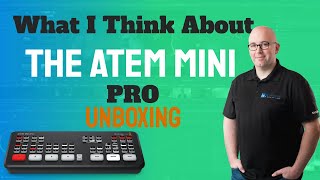
Shaun Whynacht unboxes the Blackmagic ATEM Mini Pro and explains why its $400 premium over the standard Mini is worth it. The Pro streams to YouTube and records without a computer, while the basic Mini needs one. He recommends the Pro for multi-camera live events and off-site productions.
Chapters
So you're interested in the ATEM Mini, whether in your personal life or in your business, and that's why you are here today watching this video. Well, in this video, we're going to be unboxing the ATEM Mini Pro. But before we get into that, I want to share with you why I have this. First things first, this is not sponsored in any way by Blackmagic. I have purchased this because in my business, I do a lot of video production, and there's a production coming out where I have to do a multi-camera streaming event. So this was the device that I got. Now, why did I go with the Pro? That is exactly why I'm going to tell you this in this video. [MUSIC] So like I said just moments ago, I chose the ATEM Mini Pro. Now, this wasn't an easy decision for me because the price point is about $400 more than the regular ones. Now I'm in Canada, so the price for this was about $800 after taxes and shipping, it was around $900 once I got it. But the reason that I went with the Pro were for some key features of this. Now I did a lot of research, and I'm sure you've been doing a lot of research in the two versions, and being from a television production background, I'm gonna share with you my viewpoints as to why I went Pro versus the regular version. So, but before we do that, we're gonna actually rip off the plastic, whoa, that almost hit me in the face. We're gonna rip off the plastic here, and we're gonna see what's in the box. Really excited to see it. I've only seen images like you see on the screen here online in other people's YouTube videos. So let's go ahead and dig right into this. I'm just going to try to rip the plastic here so I can get in. We're going to see what kind of accessories and kind of what the whole feel of it's like. I've watched other unboxing videos of this when I was doing my research, um, so I just want to kind of see and share with you what it is that's in here. Okay, so We open it up, we've got, you know, some collateral in here about them. Let's just pull that all out and put that down the desk. Just some, you know, just some paper, um, basically. We've got the power supply that's in here. Now here's something cool about this is this is universal. So we've got the power supply here. I'm not sure if you can see that, but there's no plug on there. But in here we've got different plugs that we can plug in based on whether if we're in North America, um, you know, somewhere else. But we can go ahead, there's our— oh, right here, got a bunch of them. I think there's 4 in here. So here's our North American plug. I don't know the names of all the different ones, whether it's Australia, UK, all that, but they're all in here, which is awesome. So if you're traveling with your productions, you can go ahead and do that. I'm just going to lay this down. We're just going to go ahead and slide this in, see how easy this goes in. Here, click. There we go. So now I've got my North American power supply plug for that. All right. So we're going to pull out the Styrofoam here. And there it is looking at us right there, right in the bottom. So pretty basic in its packaging. I know you don't get too excited about the packaging, but we're going to pull that out and set the box aside here. Now, first thing I just noticed when picking this out is this is not a cheap plastic light device. It has, you know, some weight to it and I wouldn't want to get hit in the head with it. But the benefit with that is when you put it down on a table or anything like that, it's not going to slide around easy. Now, you know, when you got the cables in, if you've ever plugged in something that was probably cheap and inexpensive and you got cables that may have some kind of flex in it, it tends to like slide the device based on where the cables are pulling. And that's not going to be the case. Also, it's got these rubber footings on the side which are pretty awesome. And one thing I noticed when I pulled out the power supply here was that this power supply doesn't just slide in, but when it goes in, it actually has a screw head that will actually screw it in. So there's no chance if this gets tripped on or pulled on that it's going to come out and lose power to the device. Okay, so I'm just going to actually take that off so I'm not playing around with that. So why did I go with the Pro? Well, the reason for this is I'm going to be streaming some events in the community, so live events, and I wanted to be able to, um, have the ability to just plug in a network cable there, hardwired, and stream out to YouTube. And this is one of the benefits of the Pro that you don't get with the basic version. With the basic version, you have to connect with USB into a computer and then stream through the software to YouTube or Facebook or whatever the case is. By going the Pro, this is basically standalone. Set up the feed beforehand, get the streaming key, put it into the, the software to program it in here, and then once it's programmed, once you hit on air, it's basically going to then stream out to that service. That was number one. The other thing that I absolutely loved about it was the fact that we could go ahead and put in the HDMI out, but also the USB out in here. So that was another benefit, and the ability to record right into the device so that we're able to then go ahead and record right into this and not have to actually, you know, go out to an exterior recording device or hard drive. I'll be doing some web shows here in my office. Actually, that's what this set is built for. I'm actually recording into a standalone camera at the moment into that memory card, but in the new setup, now that I've got this unboxed, we'll be feeding that camera into this. We'll be feeding a laptop into this so we can do some training on software, and possibly we'll probably do an overhead camera for doing anything on the desk here that we need to show, or even some cool whiteboarding stuff and be able to, to change between that. But being standalone is a really great feature for that. And then, you know, there's other options that are in here that are also in the the other version, like audio follows video, all that kind of stuff. This video is not about going through how to actually use the device. There are tons of other videos out there. I may do one down the road, but really what I wanted to get across to you was the fact that the ability to record into the device, the ability to stream directly out was worth that $400 difference. Now, if you just want to stream out a very basic setup, in your home or in your office, or use it for a webcam for Zoom calls and be able to just switch between, you know, a better camera, not your computer webcam, and your desktop, and really that's all you're going to do, you're going to feed it into a laptop, you absolutely don't need to go with the Pro. But if you plan to do anything offsite, if you plan to do anything that is more elaborate, you don't want to run multiple computers, and you don't want to have to be using the computer that you're sharing into the device for your feed to be the one that you're also controlling the output, then go with the Pro. So my feeling with this, actually I didn't expect it to be this nice and solid and hefty, and this is a really nice size. The feel of the buttons is really nice. You know, there's a little bit of a click there, not audible click, but you can feel it when you're pushing the buttons. So a lot of cheaper versions of switcher devices or anything like that, the buttons don't have that feel. So go ahead and check it out for yourself, the ATEM Mini Pro. I'm impressed. We'll see how it works. And most likely what I tend to do with any kind of hardware like this is I'll use it for a little bit and then I'll do another video and throw it up here on YouTube. So if you like this video, go ahead and subscribe to our YouTube channel. I'm doing a lot of different videos like this. They're not always hardware-based. Some of them are marketing software related, but go ahead and subscribe to our channel. Love to have you as one of our fans.