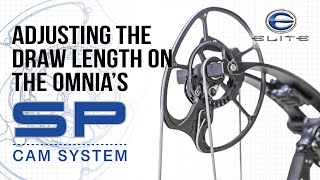
Pro Archer Shot-Coach video demonstrating how to adjust the draw length on the 2023 Elite Omnia bow using the redesigned SP Cam and a T15 Torx wrench. Video explains factory cam position (number 5 = 28 in), how cam positions map to draw length (e.g., #1 = 30 in, #2 = 29.5 in), the use of two T15 Torx screws on the SP cam, and step-by-step instructions to move between indexed positions (including half- and quarter-inch increments) and to mirror changes on both cams.
Questions this video answers
T15 Torx wrench.
Number five from the factory = 28 inches.
Position 1 = 30 inches; Position 2 = 29.5 inches.
Two T15 Torx screws.
Chapters
The 2023 Elite Omnia has a brand new, completely redesigned SP Cam in conjunction with the V2 Micro Mod. This complete system allows you to get the exact draw length to a quarter inch, the holding weight and the back wall preferences that you desire. Today I want to do a deep dive and show you how to get the draw length you desire with just a T15 Torx wrench. When you receive your bow, it should come in the number five position. There's a little window right here on the cam, top and bottom that'll show you exactly where your draw leng. Number five from the factory is 28 inches. Number one on the elite Bose is always the longest draw length. So number one on the Omni is 30, number two is 29 and a half, number three is 29. Etc. Etc. If you want to adjust the draw length from 28, you just need your T15 Torx wrench. You've got two Torx head screws now instead of three like there was on the Asym Tri track cam system. The new SP cam just has two T15s. You'll need to take the first one out, loosen the one in the track and say we're gonna go from 28 to 27 and a half. We wanna go from number five to number six. And if you're not sure what draw length you are or what position means what, check out the draw length chart or the mod chart and it'll show you exactly where you need to be. So I wanna go from number 5 to number 6. I slide that over until number 6 is perfectly visible in the window. Reposition my T15 Torx hole that lines up best. Replace that T15 snug down the screw that's in the track. And whatever I do to the top cam or bottom cam, I want to do to the opposite cam. If you make an adjustment here, you want to make sure and make the adjustment on the other cam. And if you want to double check yourself, I have it in number six in the window. When you flip it over to the other side, there's machine markings engraved on the mod and the cam that will line up whether you're on 6, 5, 5. And if you can see the number clearly in the window, that means you're in a half inch increment. So number five was 28, number six took us to 27 and a half. If I want to get to 27 and three quarter, I would go right between number five and six and then you can flip it over and check and make sure you're right. Between five and six on the adjacent side. If you're questioning if you're in the correct position, please reference the mod chart to make sure you're setting it to the correct draw length. If you want to double check which position you're in, you can look at the window on this side of the cam. You can also look at the graduations on the backside of the cam. Lastly, make sure whatever you've done to one cam, you do to the other. And finally, if you have any other questions, please visit one of our retail partners.