Bycoin wallet from BYTOM: How to use

Learn to use the Bycoin wallet to trade in Bytom's MOVE competition and earn BTM rewards. The tutorial covers downloading the wallet, generating main-chain and side-chain addresses, executing trades on Lightning Exchange or Magnetic Exchange, and staking to earn. The competition runs until June 7.
Chapters
Hello, Byteon family. In this video, I will be showing us how to take advantage of some opportunity available on the Byteon blockchain at the moment. This is our website, byteon.io. Currently, the project is running the MOOC trading competition where you have the opportunity to win more than 2 million BTM coin. I will show us how to participate in this competition. How to download the Bycon wallet and how to perform some transactions that will make us eligible for this trading competition. Let's quickly go through, um, the competition. This is, um, Bytom's Medium page, and here we can have full information with respect to that competition. How do you participate? You have to download the Bicon app. I would be showing us how to do that. So all this, and the competition is ending on the 7th of June, so we still have some time between now and the 7th of June. These are the juicy rewards that is available for participants. Round 1 is already over, round 2 is currently on, and then you can still make more BTM coin and participating in round 3 and round 4. This competition is powered by Move. Bytom is currently moving. Move is a sidechain on the Bytom blockchain. So let's quickly click on the Move website. This is the Move website, and from here we would see where to download the wallet. So this is where we can download our Bicon wallet. So once you click on download, it will take us to the Blockmeta, and depending on the operating system of our phone, we would select the Bicon wallet that would function on our phone. If the operating system on our phone is iOS-based, you click on iOS. If it is Android, We'll click on Android and we'll download and install the Bicon app on our phones. You can download the Bicon wallet from blockmeta.com/wallets. Just scroll to where you have Bicon, select the operating system of your phone. Is it iOS or is it Android? Anyone selected, you will be able to download the one that will work for your phone. Bicon wallet is also available on the App Store. So you can also search for Bycon. This is the spelling, B-Y-C-Y-O-N, on your app store. I have successfully installed the Bycon wallet on my phone, so I'll show us what to do now. I will log in with my fingerprint. Okay, so this is the interface of the Bycon wallet. We have the sidechain as well as the main chain. To generate address on the main chain, all you need to do is click on receive just as I have done, and you would see your address. The address starts with BM. BM starts your wallet address on the main chain. Whereas on the sidechain, when you click on receive, what you have there is VP, stating for VePol. So the sidechain is on VePol, and I can transfer some of my assets from the main chain to the sidechain. To be able to do that, what I just need to do is to click on cross, then I select crossing side because it's still between the main chain To the sidechain, the amount of the BTM coin I want to transfer to the sidechain 0.9. I confirm this way. So a confirmation detail will appear on my screen. Transfer to Vapor. So receiver address is this and the sender address is there. The fee for the transaction is also stated. Once I agree to this, I click on confirm and will require some confirmation from me. So I have fingerprint confirmation, or I can decide to use my password. So I'm going to use the fingerprint. So I've done that. My transaction is successful, and within 24 hours, this quantity of BTM coin will be transferred from the main chain to the sidechain. So I can check on the sidechain now. Um, a number of assets on the sidechain. So I have BTM, BTC, ETH, as well as, um, USDT on the sidechain, which is on Vapor. So for me to take advantage of the current MOVE competition, all I have to do is select MOVE just like this, pick either Lightning Exchange or Magnet Exchange. If I select Lightning Exchange, just as the word lightning, it is at the speed of light, very fast, super fast transaction. But if I pick Magnetic Exchange, it is a decentralized value exchange protocol, so I have to place my order until it is fulfilled. That is when the order can be executed. Or if I want a very fast trade, what I need to do is to click on Lightning Exchange. I will select the asset I want to convert into another asset. I will be converting my BTC to BTM. So I have the number of BTC here, so I click on that. So immediately I click on confirm, and I will be requested to put in either my fingerprint or my password. So I do that. The transaction is already successful. So you have Lightning exchange detail, BTC to BTM, 1 BTM. This is the price, this is the time the transaction took place. I paid this amount of BTC, I'm expected to have received 1,372 BTM coin, and the fee for the transaction is also stated So my order was successfully submitted, it was successfully matched, and it has been marked as success. Let's also check what the Magnetic Exchange looks like. So this is the Magnetic Exchange. So I have some BTM at the moment, so I select BTM. I can select any of these existing orders, then put in the amount I intend to receive, put in the amount I'm planning to sell. So let's say I'm looking at selling like 75% of my BTM coin. So I go to this level, then I click pay BTM. Immediately this is done. So I have this. So I've initiated a trade, but the trade is yet to be matched. You can see here, submitted, initiating trade on chain. The trade is still currently being initiated. Was yet to be matched. And I can see the, um, list here, BTM to ETH. This is the amount of BTM I'm expecting. The actual price is yet to be inserted because the order is yet to, uh, be matched successfully. So this is the percentage of order matched, 0% at this time. And then I can cancel this order at any time. But then if you want a very fast exchange, you should just go for Lightning Exchange. Lightning Exchange is super fast. So I have BTM of 648, so I can change to ETH, 0.19 ETH. So I confirm and this is done immediately once I put in my fingerprint or my password depending on your setup perfection. So the order is already successful. So once you are able to perform some transactions like this, you can check your ranking on the Move competition. So you go to bHAP. This is bHAP. So once you select B-Hub, this is the Let's Move to Win Millions of BTM. So I pick on this. So you have something like this. It will show us the total prize that one can win. And based on this account, the volume that has been traded is based on coins they destroyed is about 106,469,000. 840. So currently this account, based on the trading activity, is ranked 43, and the reward the person is very close to as at this time is about 4,000 BTM. So you can also check the ranking list by clicking on this. So from this list, we have the rank. This wallet has been able to successfully trade about 49 billion in coins they destroyed, and the last person on the list currently has traded about 1 million in coins they destroyed. So I will still quickly show us what coins they destroyed, what it means. So this is an article published by the Byton blockchain on coins they destroyed. So basically, what does this measure? So if you have Let's say for instance 5 bitcoins which you have received about 10 days ago, the coins they destroyed of that transaction will be 10 times 5 because it was received 10 days ago and you had 5 bitcoins. So that is 50 coins days destroyed whenever you are able to transact this bitcoin. So also for BTM, if you have received the BTM Let's say like 30 days ago, and you have about 1 million BTM. So when you multiply that 1 million by 30, that will give you 30 million coins they destroyed in BTM. So you can— the more you trade, the more BTM coins they destroyed you are going to get, and the more your rank will be on this ranking. So This is an opportunity to also make the rank and earn some free Bytecoin from the Moon trading competition. So let's quickly check how to perform cross-chain in to the Moon wallet. I will show us how to also do that. This is my wallet and I want to perform some cross-chain out transactions outside of Bytecoin and copy the wallet address. So from there, once I'm able to copy the wallet address, then I'll return to the Bytom wallet. So I want to perform a cross-chain out transaction at this time. So I have some ETH here on my sidechain that I want to transfer to a wallet outside of the Bytom blockchain. All I have to do is to copy my wallet address and return to the Bytom wallet to Perfect the transaction. So let's quickly get that done. I will show us how to also do that. This is my ETH wallet on IM token. All I have to do is to copy this address and return to my Bicon wallet to complete the transaction. This is my Bicon wallet, so I will select cross. This time around, I will select cross out BTM chain because I'm transferring this asset from the Bicon wallet to an external address. So I select the asset, this case ETH, and the address, the ETH address I copied initially. I drop it here, and then the amount of ETH I want to transfer. I have 0.19, so I can transfer 0.19. Then I confirm. This action will clear the cross-chain cumulative benefits. Please confirm the operation because there is also a reward for cross-chain transactions on Byton blockchain at this time. If I'm transferring my asset out of the Byton blockchain, then all benefits have Accrued from cross-chain into the Byteon blockchain at this time due to the ongoing competition will be lost. So I will click on I know if I agree with this submission. So I know, and finally I can confirm the transaction with my fingerprint. Yes, so I've cross-chained out 0.19 ETH. I've cross-chained out 0.19 ETH, and the transaction is expected to be completed within 24 hours. This is the detail of the transaction I just performed. So the transaction is already successful. This is my Ethereum wallet, and the cross-chained ETH from the Bicon app is already in this Ethereum wallet. I can confirm that by checking on my profile. So you can see it there, ETH 0.19 received. It's here, ETH 0.19 received. So this is the details of That transaction, 0.19 ETH. That was the gas fee, and this was my Ethereum address. And this is the Ethereum address from which the ETH was sent on the Bicon wallet. And that's the block. Cross-chain out transaction from Bicon wallet is very straightforward. So you can see it here. That's been delivered to my. Ethereum wallet. This is my sidechain on the Bicon wallet. I want to perform a cross-chain transaction, that is cross in. I want to send in some Ethereum from my external wallet, um, that's IM token, to the Bicon wallet. I will click on cross and choose the asset I want to cross in. In this case, it is Ethereum. So I pick ETH. Okay, so I can see here the wallets that will support the cross-chain of Ethereum to the Bicon wallet. I have BitPay, IMToken, PayPal, MAT Wallet, Huobi Wallet, HyperPay, as well as Kobo Wallet. So I'm going with IMToken. So I'll copy this address. This address is the dApp URL that I will Utilize to cross in my ETH from IM token to Bitcoin wallet. So I copy the address and return to my IM token wallet. This is my IM token wallet. So here, what I will click on is the browser. Then the address that was copied from my Bycon wallet, I would insert that here. So I launch the address. So it's already showing ByteSum Move Cross-Chain and it's loading currently. So bind Bytom sidechain address. So I need to return to my Pi coin wallet to obtain my sidechain address. This is my Bytom sidechain. For me to get my address, I click on receive. So I copy this address. And return back to my IM token to paste in this address and bind it to my IM token wallet. Okay, so I put in the address I just copied from the sidechain and click on bind ByteDome sidechain address. So request submitted, please wait. It's currently loading. So I have to confirm the binding. So I click on confirm, ask me for authentication. So I authenticate that with my fingerprint. Request submitted, please wait. Currently on 16%, so it's still loading. 17, 18, 19. 20. So that's the same way it will continue until it reaches 100%. That is when the binding will be completed. So binding is successful, and, um, the next phase is for me to choose the assets I want to cross-chain into the Bicon wallet. So I'm going for ETH, and then I fill in the amount of ETH I plan to cross-chain, 0.19, and I click on submit cross-chain request. So I'm submitting the cross-chain request at this time, and also after I confirm that submission, I click on confirm, and then I authenticate the submission. So So it's currently on 12%. So exactly the same way the binding worked the last time, this cross-chain too will have to load until 100%. 0.19 ETH cross-chain submitted successfully. Cross-chain assets will be transferred in 1 hour expectedly. So within 1 hour, this 0.19 ETH I have transferred from my IM token will be delivered. To my Bytecoin wallet. In as much as I have up to $100 on my Bytecoin wallet sidechain, I will be eligible to a daily reward from the Bytecoin Foundation. So it's a lot of opportunity on this wallet. So we'll go back to the wallet— that's the Bytecoin wallet— to confirm this transaction. This is the buy coin sidechain, and checking here, we would see that the Ethereum in this wallet has grown. So we can confirm if the growth is due to the cross-chain in we did. Yes, so we can see here cross-chain ETH chain. So the cross-chain in transaction Was successful, and it was delivered within one hour, as stated the other time. Another way via which one can earn some extra BTM is by voting on the Bitcoin wallet. So how do you vote? Vote on the sidechain, and you have a number of miners. The first miner here, you can see the name. The second, the third, the fourth, the fifth, the sixth, seventh. 8th, 9th, and then the 10th person. Okay, so you can decide to vote for any miner of your choice amongst all these miners listed there. Okay, for instance, if I want to vote for BePal, I click on vote, I put in the amount of BTM coin I want to support this miner with, So in this case, I'm only left with 0.9. So I type in, let's say, 0.9, and then I confirm. Once that is done, that number of BTM would be staked with this miner, and on a, on a regular basis, depending on the miner, I might be receiving some reward as a result of my vote. So you can also earn by voting on Bycoin wallet. So it's a lot of opportunity to earn some extra reward— voting, move competition, cross-chain— a lot of opportunity on the Bycoin wallet.
More from Simon

How the US General Election Impacts the Forex Market: Key Trends and Trading Strategies


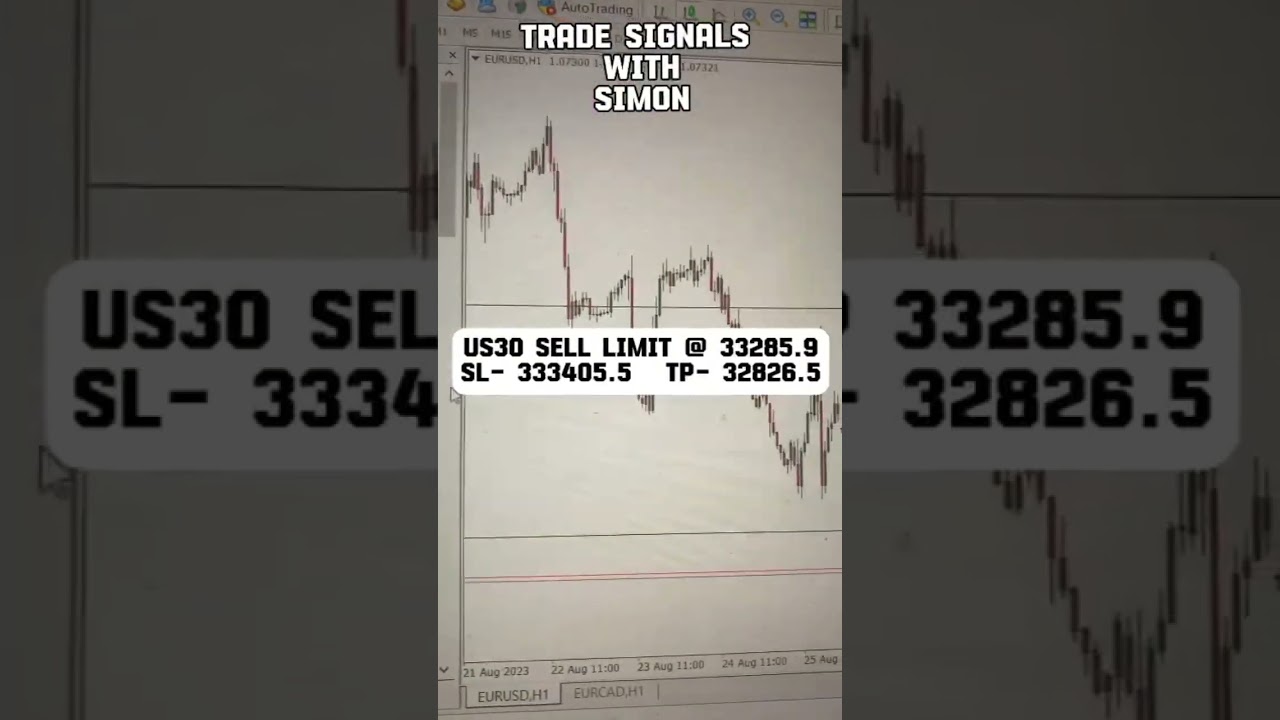


Hint: Average Hourly Earnings, Non-Farm Employment Change and Unemployment rate by 1:30 pm GMT