$300k Data Analyst Ranks: WORST vs BEST Tools To Get Hired

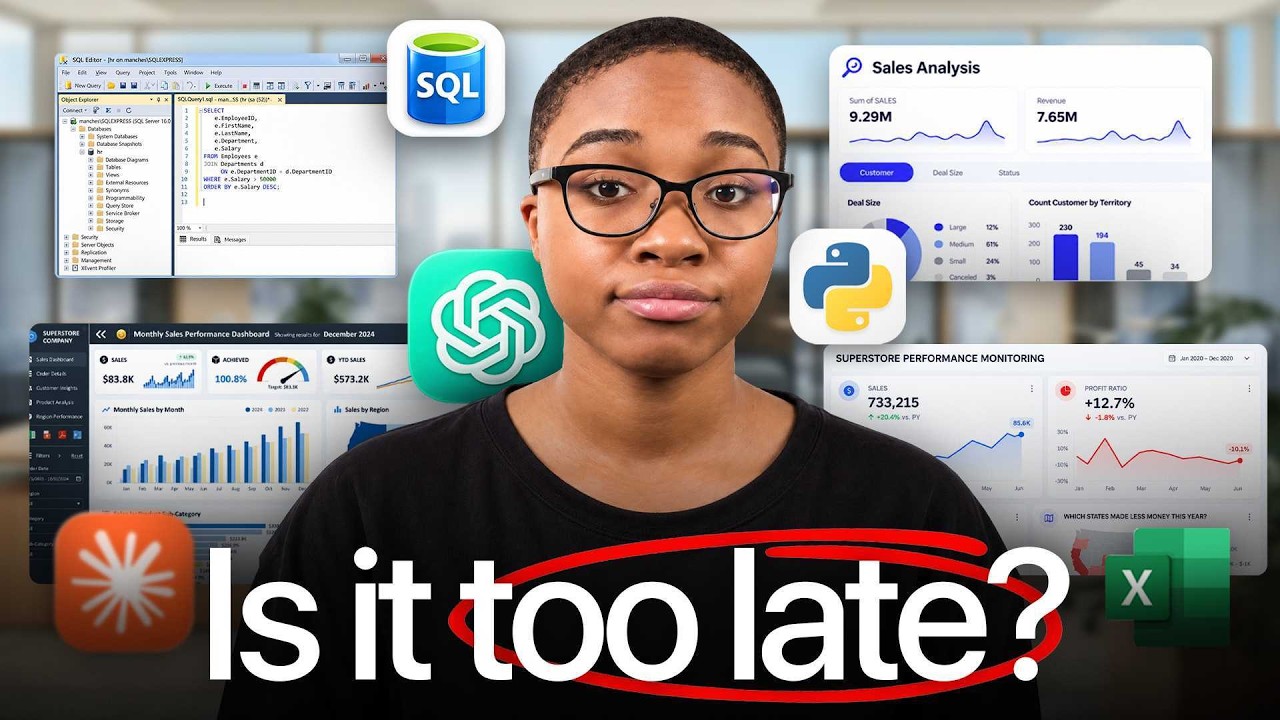
In this solo, career‑coaching video, Kedeisha Bryan—who has placed over 500 career‑changers into data roles—ranks the most common data‑analytics tools by hiring relevance and offers a concrete learning roadmap. She classifies tools into tiers: Excel (S‑tier) for daily data cleaning, SQL (S‑tier) for database access, AI assistants (B‑tier) as productivity copilots, Google Analytics (C‑tier) for marketing‑focused roles, Tableau and Power BI (A‑tier) for visual storytelling, Alteryx and GitHub (D‑tier) as niche or misaligned tools, and Python (A‑tier) for advanced analysis via Pandas. For each tool she outlines the specific features to master, realistic timeframes (e.g., 3 months for Excel, 2‑3 months for SQL, 1‑2 months for a BI tool, 2‑3+ months for Python), and cautions against over‑reliance on AI or spreading effort across multiple BI platforms. She emphasizes a sequential learning path—Excel → SQL → one BI tool → Python → AI—and provides actionable next steps, including a 90‑day job‑landing blueprint and one‑on‑one coaching offers.
Chapters
There's over 1,800 data analytics tools right now, but I've seen people land 6-figure data roles by mastering just 4. Now, if you're new here, I'm Kedisha, and I spent the past 5+ years helping career changers transition into high-paying data jobs. I placed over 500 into data roles, and in that time, I've seen exactly what makes candidates most likely to get hired and also what employers see as a waste of time. So in this video, I'm going to rank all the big data tools on how important they are if you're actually trying to land your first data job. Starting with Excel. Now you've probably already started here, and honestly, it's fine. It's already on your laptop, your boss lives in it, and about 3 out of 4 analysts are still doing their data cleaning and prep in spreadsheets. So no matter where you end up, your work is always going to touch Excel. But I don't need you learning all of Excel. I just need you to be good at the stuff that you'll see every single week. Pivot tables, XLOOKUP, IF statements, cleaning charts. If you can take a messy report and clean it up and turn it into a pivot table that answers a real business question, especially ad hoc questions, You know enough Excel to get hired. What I don't want you to do is spend 8+ months on macros and advanced formulas, collecting a few certificates, and then have a recruiter tell you that the next step is a SQL assessment while your stomach drops. Give Excel about maybe 3 months and then move on. Excel is S tier because you're going to use it in almost every analyst job, but just don't let it be the only thing that you know. And that SQL assessment is exactly why SQL is up next. If you only take one thing from this video, Learn and master SQL. It's how you pull data straight out of a company's database, and every job posting study that I have seen has ranked SQL number one skill for data analysts. Your data is going to live in databases, and SQL is how you get it. Now, I know it looks like code, and if you've never coded before, it can feel scary. But SQL reads a lot more like English than you think. Select these columns from this table where these conditions exist. Everyone can do this. But you don't have to learn every part of SQL. To get hired, you want to get comfortable with filtering with WHERE, summarizing with GROUP BY, combining tables with joins, labeling data with CASE WHEN, picking up window functions, and then things like CTEs and subqueries. If you can take a question like, where were total sales by region last quarter and write that in a query of your own, you're ready for almost every entry-level technical screen. Give yourself about 2 to 3 months of SQL though. It's usually harder to grasp. SQL is S tier and number 1 on this list because you cannot analyze a company's data without it. Now, Let's talk about AI. I know you might be nervous about this one. There's ChatGPT, there's Claude, Gemini, Copilot, Manus, and they can write your queries, fix your code, and explain messy datasets in seconds. So it's normal to wonder if there's even going to be a job left for you. Now there is. A Stanford study found that what's actually shrinking is entry-level hiring of the work that AI can automate, while jobs where people can use AI to do their work better and faster are holding steady or growing, i.e., data analytics. So AI is not coming for you. It's only coming for the busy menial task. And so if you know how to use it and leverage it, you're still going to get hired. So make sure you use it. A great way to use it is it can help you draft queries and code from plain English questions or explaining an error message or helping you troubleshoot a broken formula or even helping you write the first draft of a summary that you're going to send to your manager. Just make sure you're always checking and QAing the output of the AI. Say you ask Claude for a revenue query and you paste it in and send the numbers directly to your manager, but you didn't realize that the join quietly duplicated half the orders. Now your manager wants to know why revenue suddenly jumped 40%. If you check the row count before and after the join, you would have caught that in 10 seconds and fixed the AI, but you didn't. So you got to remember with AI, you are the pilot and AI is only your copilot, not reverse. AI is B tier because it won't get you hired on its own, but it will make you faster at everything else on this list. All right, quick pause. Now, if you want to land your first job in data analytics and avoid the lengthy mistakes that I did, click the link in the pinned comment where you can find the exact steps that my students use to land their job in data analytics without going back to school. All right, now let's get back to it. Okay, so let's talk about Google Analytics. This one actually depends completely on where you want to work. It tracks where website visitors are coming from, what they click on, whether they buy or not. So it matters a lot if you're going for marketing or e-commerce or agency jobs. It actually shows up in about 78% of marketing analytics job listings, but outside of marketing, I barely ever see it. So if marketing is your thing and your target, go for it. It's how you'll figure out which campaign is actually driving sales, where people are dropping off in the funnel. Google even allows you to get a free certificate. But if you want to get into like healthcare or finance or operations or pretty much anything else, do not spend any time on Google Analytics. If you open up the job listings, you'll never see it. So I put Google Analytics as C tier because it is a must-have for marketing, but a skip for everything else. Next up, Tableau. And this is where your work gets finally seen. It is a tool that you will use to turn your data into dashboards. And that matters because a spreadsheet full of numbers will often get ignored, but a dashboard showing that the West region is losing money on returns gets you a meeting. That is why it shows up in about 40% of data analyst job postings. And you don't need to learn everything in it either. Get comfortable with connecting your data, building core charts, writing calculated fields, adding filters, and putting it all in a clean, cohesive dashboard. Tableau Public is free and you can learn it on your own and show your work without paying a thing. And about 1 or 2 months is plenty for this. Just make sure you're building something useful, not just something pretty. If your dashboard has 12 charts, dark mode, custom colors, it might get all the likes and comments on LinkedIn, but when a hiring manager asks you what decision they could make from it, you need to have an answer. So make sure your charts are simple, your dashboard should be able to answer one business question, and put the finding write in the title like, hey, West region is losing money on returns. Now they see the answer before they even have to ask. Tableau is A tier because it's how your analysis gets seen and enterprises are always using dashboards. You can start learning it right after SQL since a dashboard is only as good as the data you pull for it. Now next up is Alteryx. If you've noticed, you barely see YouTube tutorials covering Alteryx and there's a reason. It's a drag and drop tool. Big enterprise companies use to clean and automate their data, but it's expensive. It runs about $3,000 a year per user, and there's no free version. So YouTube creators can't really teach it, and you can't easily follow along anyway when you're learning analytics. You'll see it most likely in finance, audit, and consulting roles at big enterprise companies on teams that run the same messy process every month and want to automate it. And if you have one of these jobs, they'll already have a license and you'll learn it there on the job. So if you see Alteryx on a job posting, don't panic and don't bother trying to pay $3,000 to try to learn it. Apply anyways. It's the same cleaning and joining logic that you already know, just drag and drop. And that's exactly what you'll tell them in the interview. Alteryx is D tier because it's expensive to learn on your own and only a few jobs actually use it. And those that do, you'll most likely just learn it on the job. Next up, GitHub. Now you're going to hear a lot of people tell you to put all your products on GitHub, use it as your portfolio, and I'm telling you That is a mistake. GitHub is where developers store and share code. It was built for software engineers, not data analysts. If your team ever uses it, you'll just pick it up on the job. Think about it from a recruiter side. They click your GitHub, see a bunch of folders and code files, and have no idea what the heck they're looking at. Then they're just going to move on to the next person. They were never going to read your code. Your project should absolutely make up for not having experience, but only if a hiring manager and recruiter can actually access them and understand that. That's why I always recommend people to use no-code tools for their portfolio, like Canva, not GitHub. GitHub is D tier because it hides your best work from people deciding whether to hire you, and it's really best for software developers. Next up, Power BI. Power BI is Microsoft's version of Tableau, and the reason you see it everywhere is simple. If a company already runs on Microsoft, Power BI is right there and just seamlessly integrates with all their tools. And it's cheap. It's about $168 per user, and job postings is roughly neck and neck with Tableau. If you go with Power BI, Focus on cleaning your data with Power Query, connecting your tables in a data model, and writing simple DAX measures for things like total sales or year over year or month over month growth. Give it about a month or 2 and you can be job ready in Power BI in no time. But please do not bounce back and forth between Tableau and Power BI. I know how it goes. You start a Tableau course, then you see Power BI in a job posting, and then you switch. Then you see Tableau in another job posting, then you switch back. And then 6 months later, you're not job ready in either one. The same amount of jobs in Tableau are the same amount of jobs in Power BI. Choose one, get really good, and then you can go to the next tool. Power BI is A tier right next to Tableau because you only need one BI tool and the skills carry over either way. All right, so next up is Python, and this is the one everyone can't stop talking about. It is the language behind AI and data science and machine learning, and it does everything. Things that spreadsheets and dashboards just can't. It handles millions of rows without slowing down like Excel, and it can turn that report that you build by hand every Monday into something that runs on its own and opens the door to stats and machine learning roles down the road. For you as an analyst though, the part that matters is Pandas, which is the Python library for cleaning, filtering, and summarizing data. If you load a file, clean it up, group it, and export the result, you're using Python the way most analysts actually use it. But I don't want you starting here. Python only shows up in about a third to half of data analyst job postings. So it's a tiebreaker, but not necessarily a requirement. And it can take you maybe 2 to 3 months to actually learn and feel confident in. And depending on where you're starting from and your background, Python can take anywhere from like 3 to 6 months to actually feel good and confident in. Less if you actually have the time to put in the work though. But out of everything in this list, Python should be the last thing that you learn out of all the core tools. If you start with it, it's very easy to burn out and decide that you're just not a tech person. When really you just started in the wrong place. Python is A tier because once you've got SQL, Excel, a BI tool, and data storytelling, it sets you up apart and sets you for like analytical engineer and full stack data roles. Now let's put this all together because the last thing I want you to do is leave this video trying to learn all 9 tools at once. If you're learning from scratch today, start with Excel and then move on to SQL. After that, then you pick your BI tool, Tableau or Power BI. It doesn't matter. Just choose one and get really good at it. And then you can move on to Python last. You can do all of this within 3 to 6 months, and then you can sprinkle in AI After you've learned the core tools, because it'll make you faster and 10x your results in all the tools. But avoid integrating AI too soon before you master the fundamentals, because you're going to end up like a lot of people where you're going to be over-reliant on AI and not know what to do unless you have a ChatGPT open. So that's it. If you follow that order and get good at those, you're going to be the candidate employers are actually looking for. Now, I want you to check out this video here where I give you the exact 90-Day Blueprint to Land a 6-Figure Data Role. But if you want one-on-one coaching to land a data job in the fastest time possible, click the top link in the description and join hundreds of other people already on their way to becoming data professionals. See you soon.
More from Kedeisha


Data Analyst Portfolio Project with AI | NBA Championship Prediction Model (End-to-End Project)