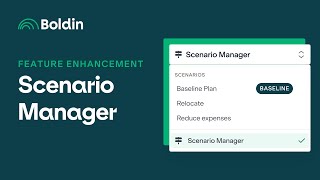
Zinia from Bolden walks through updates to Scenario Manager, showing how to create, edit, and compare financial scenarios. The tool now displays retirement age, spouse retirement age, net worth at retirement, and lets you toggle between today's dollars and future dollars in comparisons.
Chapters
Hi, I'm Zinia. I'm with the product team here at Bolden and today I wanted to go over the feature enhancements that we've made on Scenario Manager. It's going to make it easier for you to compare, add and manage all of your scenarios in one place. Okay, let's go ahead and get started. Okay, I am in the planner and there are two ways that you can access Scenario Manager. So there is one down at the bottom here. I'm going to move my face here. Scenario Manager within our left navigation and then there's one at the top. Scenario Manager right here. Okay, so now we're in Scenario Manager. And what we've done is made it a little bit easier to see at a glance how you can compare your scenarios. So we've added some high level stats like when you are retiring, your spouse is retiring net worth, and when that plan was last updated. And so within here, in order to compare some scenarios, let me go ahead and add one. So here I'm going to retire early, definitely. Let's create that scenario. Okay, so we can see that I have two scenarios, but I haven't changed anything within my retire early scenario. Let's go to that one. And here I'm going to make some changes. I'm going to retire at the age of 50 and, and my spouse will be 55. And let's see. Okay, I can already see that my chance of success has changed, but how does that compare into with my baseline plan? So I'm going right back into Scenario Manager and here I can see my retirement age and then my net worth at retirement. But now I actually want to compare these two scenarios because I don't know what that actually means. Let me move my face again. Okay, everything's been highlighted. See the comparison. And now I can see from here that yes, I can still actually retire early. Right. I'm fully funded. Get this view in my optimistic average pessimistic forecast and then view this in today or future dollars. Okay, let's get out of there. And within Scenario Manager there's a couple of other things that we can do here. In my baseline plan, I'm able to edit my scenario name and add some notes. I can also duplicate the scenario and go to a forecast comparison in which this comparison I'm viewing the differences between optimistic average and pessimistic and still viewing this in today or future dollars. Okay, now when I'm looking at my alternative scenario, my retire early scenario here, the options that I have are still edit and duplicate. But now I can delete the scenario. You can't delete your baseline because you will always need a baseline scenario. And we can still do a forecast comparison, but now we can also make this scenario my baseline. So of course I want to retire early. That will be my baseline. And these are the enhancements that we've made for Scenario Manager. Thank you for joining me today to explore Bolden's Scenario Manager. We're really excited to continue bringing you new features that will help you take control of your financial journey. If you found this video helpful, give it a thumbs up and subscribe to our channel for updates on the latest features and tips to make the most of Bolden. Of course, if you have any questions or feedback, please drop us a comment down below. We love to hear from you.