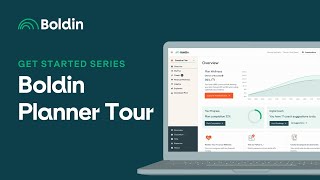
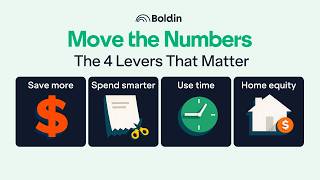
A short guided tour of the Bolden platform by Nancy (Bolden). The video walks through the main UI areas: the Overview dashboard (retirement, chance of success, net worth), left-menu setup pages (My Plan, Summary, Milestones Report, Digital Coach, Financial Wellness, Insights Library, Explorers, Plan Reporter), and lower-menu resources (Scenario Management, Bolden Classroom, Bolden Health Center, Press Community, coaching sign-up, release notes). The host directs users where to enter assets, income, expenses, view plan completion, print reports, and join community or coaching resources.
Chapters
Hi everyone, this is Nancy from Bolden and I want to welcome you to Day one of our Get Started series designed to guide you in accurately setting up your plan. In today's video, I'll provide a tour of the Bolden platform. We begin our tour on the Overview which allows you to view the important metrics of your plan such as your retirement, chance of success and your net worth. Opening the left menu allows you to access My Plan where you'll enter your assets, income, expenses and other important information. Make sure to access the Summary page which allows you to view your plan completion and easily navigate to any area you still need to complete. Below this you can access the Milestones Report which highlights the important milestone events and dates in your plan. The next menu item is the Digital Coach. Here you'll find suggestions about your plan tailored just for you. And below this is Financial Wellness where we answer important questions such as what's my savings rate? Moving down, Visit the Insights Library to view a wide variety of charts and reports intended to help you better understand your plan. And next up are the Explorers. These are tools designed to help you discover opportunities to do better with your money. The final section of this area is your Plan Reporter where I encourage you to print your customized report and download your plan data. Moving into the lower menu, access Scenario Management to add, delete and compare scenarios the Bolding Classroom to join our live events and view our pre recorded classes the Bolden Health center, which contains a wide variety of articles and videos intended to help you leverage the tool to its fullest potential and Press Community to join our private Facebook group and our subreddit where you can learn from the collective knowledge of your peers if and when you're ready for a little extra support. Press expertise to sign up for coaching or fee only financial advice. Last but not least, Press about to learn more about Bolden and access the release notes where we keep you informed about all the great features the team is building for you. Thanks so much for joining me in this video today. I look forward to seeing you in Get Started Series two where I'll discuss the top menu.