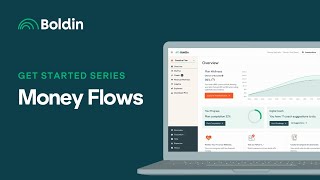
Instructional video (Get Started Series day 11) explaining the Money Flow section of the Bolden Planner. It describes two contribution types (Income Link for payroll/employer-funded contributions subject to annual limits, and Standard for post-expense contributions including after-tax 401(k) amounts); settings for Excess Income (choose a percent to save and an after-tax recipient); three withdrawal strategies (Default based on spending needs, Fixed percentage with inflation adjustments, Maximum spending down to legacy goal); withdrawal order options (Traditional and a customizable drag-and-drop order); Transfers for moving money (commonly to pay down debt); and Roth Conversions with a pointer to the Roth Conversion Explorer resources.
Chapters
Hi everyone, this is Nancy from Bolden.
And welcome to day 11 of our.
Get Started series designed to guide you in accurately setting up your plan.
In today's video, I'll discuss the Money.
Flow section of the Bolden Planner. Money Flows begins with contributions and you have the ability to add two types.
Of contributions in the planner.
Income Link Contributions are best used for contributions that are deducted from your paycheck or for funded by your employer, and.
They will always be funded, even if.
That requires withdrawals from savings to fund expenses.
All Income Link contributions will be subject.
To annual contribution limits depending upon the.
Account type, such as IRA, 401 or HSA.
Standard contributions are best for contributions that you want funded after all expenses are.
Met and they're not subject to the annual employee contribution limit.
You may use standard contributions for any.
After tax contributions to a 401k.
Moving down to Excess Income when your.
Income exceeds your planned savings and expenses.
You'Ll have excess income in the planner and need to tell the tool what to do with it. First, select the percentage of excess income.
You'D like to save.
Then select one of your after tax accounts as the recipient of your excess.
Income based upon what you would do.
With excess income in real life. The next section is Withdrawal Strategies and Bolden's three withdrawal strategies are available to Planner plus members.
The Default Based on Spending Needs Withdrawal.
Strategy will withdraw only enough to fund the expenses in your plan. The Fixed percentage withdrawals strategy includes annual inflationary increases. Note that this strategy does not override your spending, so there may be years when withdrawals exceed the fixed percent. And if the fixed percent withdrawals are higher than your spending, you may run.
Out of money sooner.
Under this strategy, The maximum spending strategy will withdraw down to your legacy goal.
Or zero if you don't have one.
To illustrate your spending capacity, There are also two withdrawal orders available in the Planner. Traditional withdrawal order will start with After.
Tax accounts and and move on in.
The order seen here.
You may use the customized withdrawal strategy to better manage tax brackets by dragging and dropping the accounts into your preferred order. With each of these strategies, the planner will take withdrawals from one account until it's depleted and then move on to the next.
At this time, they don't allow for.
Proportional withdrawals and you would need to.
Use the Transfer feature to add that layer of customization. The next area is Transfers, which allows.
You to move money in and around your plan.
Transfers are commonly used to pay down.
Debts and the last section is Roth.
Conversions where you may add Roth Conversions, which may also be applied directly from.
The Roth Conversion Explorer.
See our resources on the Roth Conversion.
Explorer to learn more about this feature. Thank you very much for joining me in this series. We look forward to seeing you in.