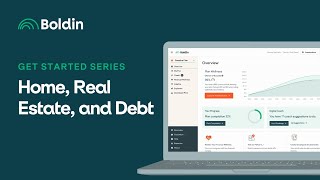
Nancy from Bolden walks through entering your home, mortgage, and debts into the Bolden Planner. Learn how to model your mortgage payments, track home equity in net worth, and schedule extra payments like a $1,000 lump sum to an auto loan. Note: capital gains tax isn't automatic, so you'll need to add seller fees and taxes manually.
Questions this video answers
April 12, 2025.
Nancy (from Bolden).
A $1,000 lump-sum payment to the Honda (auto) loan in December 2026.
Chapters
Hi everyone, this is Nancy from Bolden and I want to welcome you to Day seven of our Get Started series designed to guide you in accurately setting up your plan. In today's video, I'll discuss the home, real estate and debt sections of the Bolden Planner. Let's navigate to my plan Home and Real Estate we'll begin with accounting for the primary residence. You have the ability to model owning a home with or without a mortgage, or renting or having a reverse mortgage for your primary residence. In this plan, Jennifer and Darnell have a property with a mortgage. We've entered the current value and the mortgage balance, the monthly principal and interest payment, and the apr. The software applies the principal and interest payments based upon the rate you've entered until the home is paid off. The software will include any equity for your real estate properties in your net worth. Make sure to include property taxes and homeowners insurance in your recurring expenses. If you're a Planner plus member, I encourage you to enter your zip code as that will determine your state taxation. Once you've accounted for your current residence, you have the ability to model future changes. We can see the options available Relocate, sell and rent, reverse mortgage refinance or add a mortgage. The most common choice is a relocation. This is the sale of your primary when you add a relocation, the software will estimate the value of your current residence at the projected purchase date based upon your housing appreciation rate and determine how much of any proceeds to apply to the new property. You'll enter the relevant mortgage information for the new residence. The proceeds of the sale are deposited and any additional funds needed for the purchase are withdrawn. If your relocation results in a change in state of residency, there could be a subsequent decrease in state income taxes. In this plan, we see a relocation to Florida and the New York State. Taxes go away at the time of the relocation. Note that capital gains tax on property are not computed by the software because we don't know the cost basis of your home and whether you might qualify for any exclusions. So if you model a property sale, you should also include an accounting for any seller's fees and capital gains taxes in the expenses section of the planner. The Home and real Estate section also allows for other owned real estate, future purchases, and future sales, which are great places to include any vacation homes or rental properties. Any significant debts you currently have should be included in the debt section of your plan. In this plan we have an auto loan. The software will apply the principal and interest payments based on the interest rate you've entered until the date is paid off. If you want to model paying more than the principal on a mortgage or non mortgage debt, you may increase the monthly payment here or add a transfer in the money flow section here. We've added a lump sum payment from the savings to the Honda loan of $1,000 in December of 2026. Thanks for joining me in today's video. I'll see you in Get Started series 8 where I discuss how to account for income in the Bolden Planner.