Drawing the Future with AI featuring tldraw’s Steve Ruiz | E1863
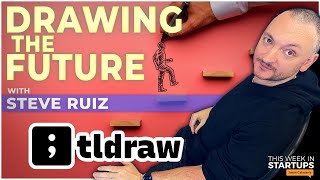
Steve Ruiz, founder of TLDraw, discusses the open-source infinite-canvas SDK and Make.Real, which turns hand-drawn sketches into functional HTML prototypes using GPT-4 Vision. The venture-backed startup has raised $4.7M and plans an open-core model charging for commercial use while keeping the core free.
Chapters
first off, to see how well this worked and how much it cut out, and to watch people who'd never programmed before or never really thought of themselves as folks who can, can have a creative experience with digital stuff, um, you know, just try this, kids, like, for the first time. It was incredible. And yeah, it went really, really viral.
This Week in Startups is brought to you by Miro. Helps take ideas from in your head to out there in the world. With its ability to democratize collaboration and input. Sign up for free at miro.com/startups. The Equinix Startup Program provides hybrid infrastructure solutions for startups, including up to $100,000 in credits and personalized consultations and guidance from the Equinix team. Go to equinixstartups.com to apply today. And NetSuite. Once your business gets to a certain size, the cracks start to emerge. Things you used to do in a day take a week. You deserve a customized solution, and that's NetSuite. Learn more when you download NetSuite's popular KPI checklist absolutely free at netsuite.com/twist.
All right. Last week, Sonny Madren and I demoed a really interesting product called Make Real. It's by a startup called TL Draw, and Sonny was able to recreate the classic game of Pong in just a few minutes by drawing. We were completely blown away. AI and building of products from sketches generally falls under two pieces of the AI puzzle. You have multimodal mode where you can take images, text, video, you know, all code data and then create output. And then there's, of course, writing code. And those are copilots like the GitHub Copilot and Ripplet has one and many other people have them. And so we have just been amazed at how many different facets of AI are coming together. And our guest today is the founder of TL Draw. His name is Steve Ruiz, and welcome to the show, Steve.
Hello. Hello. Thanks for having me.
Yeah. So you saw us playing with your tool and we were blown away. And so tell us a little bit about your company, how big it is, how long you've been working on stuff, and what is TL Draw? And then What is Make.Real?
Yeah, for sure. TL;DRAW is a company that kind of grew out of my own open source. I had started building a kind of a hackable whiteboard-like engine for myself. Basically, I created a bunch of different infinite canvas type of apps where you could zoom in and zoom out, move around kind of like Figma or Miro. And I wanted to have something that I could basically just reuse myself. They're quite complex and they're not worth building from scratch every time. So I was like, all right, I'll just kind of build all that undifferentiated parts of all those apps, um, the kind of the middle of the Venn diagram between a Miro, a Figma, and everything. And it turned out that, uh, that that was a pretty popular idea that a lot of other people had ideas about building these types of, types of apps or, or building features that felt like Miro or Figma into, into other types of products. And it got popular enough, uh, enough sponsorship, et cetera, that that sort of became the company. And so we have Essentially spent the last 2 years, um, not quite in obscurity, but kind of, uh, in, in relative obscurity building this, uh, component, this SDK for building whiteboards and whiteboard-like things called TealDraw. And we've done a bunch of different demos of how you can plug this into various technologies or how you might use it as a whiteboard or use it as an annotation layer or use it as a way of, you know, working with data or something on the canvas. When the GPT-4 Vision came out, we also picked up a project originally started by a Figma developer where they were using TealDry as the kind of the multimodal input to ChatGPT-4 with vision and saying, "Hey, here's a drawing of a website, give me back the real website." Now this thing came out like 5 hours after the API was around, so it was like almost instantaneous, but it was built on top of the canvas, which we had labored over for 2 years. And so you were able to express yourself very well, drop in screenshots, do whatever you wanted. And we took that and ran with it. The first thing we did, of course, was because our canvas itself is a normal website, like it's a React application all the way down. And that's how we were able to put these websites that you created back onto the canvas and even allow you to like draw on top of them as a kind of a markup strategy to create a new prompt based on the prompt that you got back last time. And it was just, I mean, I've worked in design tools, I've worked kind of in this sort of like pseudo-programming languages that you might build into a kind of a no-code platform. And to see the— like, first off, to see how well this worked and how much it cut out, and to watch people who'd never programmed before, never really thought of themselves as folks who can have a creative experience with digital stuff, um, you know, just try this— kids, like, for the first time— it was incredible. And yeah, it went really, really viral.
So this TL;DRAW is, just to be clear, an open source project. It's very popular. Uh, I see it's got, you know, it looks like 28,000 stars on GitHub and stars is basically how people subscribe to stuff. Yeah. Uh, on GitHub and, uh, 1,600 forks. So, which means people took the code base and then forked it, which means created their own flavor version of it. Yeah. So this is, is getting popular in the developer community. Let's do some demos here of, you know, what you're discovering. Sure. Now, as a business, you have the open source piece, but what is the business of your company? How do you make money? What's the goal here? Or is it a venture-backed business or is it a private?
Yeah, yeah, yeah. I should say we're, we're, we're a venture-backed business. We've raised $4.7 so far. Um, funny enough, we had just closed an extension round right before this thing went viral.
So, um, in a little twist of fate and yeah, I, um, so a bunch of VCs called you right after you closed your last round and offered you a massive uptick in your valuation and you banged your head against the wall.
Oh my God.
I just need to go viral and get more of these VCs on the line.
We have a, we have a hard stop at $7 for a good reason. Yeah. The business plan is to, to have this Canvas become the sort of the, the Mapbox of this type of experience, just reach ubiquity, get everywhere. Um, and in the short term we're licensing it, so it is open source, but at the 2.0 we're switching licenses. If you want to use this in a commercial product, you know, have a conversation with me, I'll set you up. But yeah, long story, or it's a longer conversation. I mean, WordPress does the same thing, right?
There's the wordpressopensourceproject.org and then there's the WordPress .com, the commercial project. Yeah, whatever, 40%, 50% of the web runs on WordPress. Some of them work on WordPress.com, other ones pop up their own servers and use the open source project.
Totally get it. I think you're seeing, yeah, open core is like a big— I guess it's a big topic these days in software. And I think for us, I don't know, front-end components, this is code you're giving to your users. People tend to like to read it before they hand it off.
Explain open core model. Yeah.
Or costs. For sure. Yeah. So, uh, without, I'm not a, um, not exactly an open source expert, nor am I a sort of open source zealot. Uh, but the, uh, the general idea with open core is that you have part of your product, which is available to anyone, um, with certain restrictions. And those could be like, you cannot use this. You have to use this in an open source project. You can't use this in a commercial product, et cetera, et cetera. and then you commercialize the use for which there's a, the business case for it. So I think Mapbox is a, well, you know, Mapbox is a complicated example because they've sort of changed their license a few times, but yeah, you have libraries.
MySQL is another one, right? Uh, that, that does it this way. Cassandra, the open source database. A lot of folks have the core and Cassandra is that open source database. We were investors in the company DataStax, um, which sells, you know, the more enterprisey version of it. So let's go to demos, man. Demos are so fun. Yeah, let's go to demos. I'll talk about open source all day. But I, uh, yeah, I mean, it's important for the founders, for the founders who are listening. It's, uh, there's a lot of pros and cons to doing it. And the pro is very simply more people are engaged. And the con is maybe you give up a little bit of control in order to get more people engaged and more richness. So choose your own adventure. Yeah. All right. So let's describe what we're seeing here. You're in a TL Draw, which just looks like a standard Figma or any other drawing, Balsamiq, InVision, any wireframe-y kind of drawing software where you get arrows. You can move stuff around layers and you're drawing what looks like an app.
Yeah, so I have a couple of different examples here. We could take one just to get the shortest point between here and where we're going. Basically, we have a drawing here, a little drawing made up of rectangles and things like that. And it is a, I guess it's a color picker, right? Click to copy, to copy this hex code. You have a slider between orange and pink. —and a circle in the middle. I'm not sure what exactly that's going to do. Well, you click on the Make Real button and you get back a little spinner. And speaking of monetization, we have considered running ads while you wait for this. Okay. So now it is a 30-second thing or not 30 seconds, but yeah.
Yeah. Just for people listening, you've drawn a color wheel. We've all seen a color wheel where you pick the color you want, whether in Microsoft Word or Google Docs or Photoshop. So you've drawn what that looks like, and now AI is looking at that drawing, uh, some language model. And when you said make it real, it's saying, how would this become code? Am I correct?
Uh, you know what, the prompt is really, really interesting. The prompt is, you are a web developer, uh, you specialize in making working prototypes using the low-fidelity wireframes that your develop— or your designers give to you. You love your designers and you want them to be happy. So when they ask you to make a prototype, send back a single HTML file, use Tailwind styles, pull in any dependencies you need from Unpackage, use any extra code you want, you know, you need JavaScript inside of there, but just make it real. Try and fill in the blanks, use what you know about applications and user interfaces in order to sort of infer the designer's intent and then send back your best guess. And we send that. We also send a picture, a screenshot essentially of whatever the user has selected. So in this case, I drew a little color picker and I selected that. We kind of took the screenshot, the same one that you would screenshot if I did like, you know, copy as PNG and paste it over here, basically send you this image. And we also send Well, it depends what you can do. And I guess what I'll do here as the example, like they did give us back a working little color picker here. What I can do is I can double-click into the iframe because again, it's a single page HTML. We can put that inside of our frame.
Yeah, we're in a web browser on desktop.
Yeah. We're sitting here. Yeah. And because our canvas, which is very unusual and very much unlike something like Miro or Figma or anything, our canvas is a normal website. Mm-hmm. We can put that iframe back onto the canvas, you know, and you can, you know, rotate it and resize it and move it around and draw on top of it and everything. Um, it's just like a normal thing on the canvas, but it is a working interactive website. So I can double-click in and I can move this slider and yeah, sure enough, it changes that color from, uh, from pink to orange and it gives us the hex code and I'm pretty sure I can copy this. Uh, and you know, let's see if it, yeah, it gave me it on the clipboard as well.
Which is— so this would normally be, you know, you have one person who's wireframing, a product manager, a CEO, a founder, whatever, um, and then you have somebody who might do a quick HTML prototype. So you've compressed those two things and you've eliminated, you know, somebody doing repetitive simple work. All right, founders always ask me for pitch deck punch-ups, and you know what, I got some great news for you. We worked with the team at Miro, the awesome whiteboarding software I've been talking about, to create an amazing pitch deck template for founders, which you can see if you're watching the video right now. This is gonna help bring your pitch deck from zero to hero, from zero to VC ready. And our Founder University participants love this template. We use it all the time. It saves them time and it gets them more meetings. So head to miro.com/miroverse, M-I-R-O dot com slash Miroverse, and search for pitch deck to check it out. And if your team is hybrid or fully remote, Miro is so useful for you. It's like an old school in-person whiteboarding session, but distributed and asynchronous so you can do it on your own time. Miro lets you brainstorm ideas and collaborate on projects from anywhere in the world. When you think Miro, think zero to one but faster. And Miro is so much more than a simple digital whiteboard. Your team can collaborate on important stuff like research, design, planning, and feedback cycles. And faster inputs equals faster outcomes. And we all know product velocity and startup velocity is how your company's gonna win. So to access our new Miroverse template and thousands of others, sign up today for a free Miro account at miro.com/steve. Miro.com/startups. That's miro.com/startups to sign up for free. This can then, I guess, be published. What would be the next step that you would do with this color wheel if you wanted to incorporate it? Like, you need hosting, you need to publish it somewhere. So can I take this little— I'll call it a widget and be old school. Um, some people might call it an app, whatever. Can I take this and publish it to a URL?
Yeah, so it kind of already is. So I can, I have a little, you know, dropdown here and we have a couple of different things that we can do with this. And by the way, we could also keep going and I'll show you what I mean in a second. One thing I can do is I can copy the HTML to my clipboard and paste it into a file, you know, look at it, edit it, whatever. I can also copy a link. Okay. And that link basically is this website.
Ah, so you could open that up in a URL or I could send it to friends, I could tweet it.
Yeah, right on. So I have my URL right there. And I can also open it in Code Sandbox. So Code Sandbox is a web-based IDE where, let's see, I'll close this one. Yeah, here's our that. And then normally we would have code on the left. Let me give that a little refresh here. Otherwise I'll show you the other demo.
Uh, IDE for those people listening, integrated development environment, like Replit. So it's just a, a, a, basically a browser window where you can write and publish code. So this is incredible. Um, but show me, you said you could iterate, so let's have a little iteration here, huh?
Maybe. Cool. So, um, again, the, uh, the thing that we got back from, uh, ChatGPT, we put in an iframe, we put the iframe on the canvas. So you can think of it that, you know, it looks like a picture of a website, though we know that it's an interactive website. Uh, but we could treat it like a picture and we could draw on top of it. So let's say I wanted to say, I mean, Maybe you can give me some ideas here as well. Let's make this full size, full size window maybe. Let's make our annotations red. I think there's something in the prompt about treating red as an annotation. Maybe I want this text that says click to copy. I want that to be like, what is it called? Sent start case? Sure.
And so what you're doing here is you're annotating. You're annotating the mockup of the color wheel and you're just using an arrow and just writing notes as if you were writing notes in Figma or, you know, any other whiteboarding or design software. Yeah, this is amazing. And you could put in, um, show me, um, uh, a more playful font. Oh yeah, yeah, sure. So this is like a really weird, like, what does it mean playful font?
You know? Yeah. I, I think this is good enough to, to the start. So, okay. This time, uh, Oh yeah, I'll do this. Like, uh, use, uh, more playful, uh, fonts. And, uh, I'm just putting that as a text, uh, above. Um, sometimes what I was also—
like you would do on a whiteboard, like you do on a whiteboard. Yeah.
What's wild about this and what is kind of like the running theme of all this multimodal stuff is that like, yeah, just pretend you're sending this to a person. Like, what would you use to send to a person? The, uh, the other things that, that are funny is that, uh, if you encourage it, or threaten it. Either one kind of gives you a better result. So like, you know, you can do it.
Go for it. Isn't that the weirdest thing about these LLMs? Yeah, it's emotional. Is if you keep giving them encouragement, they keep trying. So I don't know if we're, what's that word? Andromorphizing?
When you kind of anthropomorphizing. Yeah. Anthropomorphize.
Like, are we anthropomorphizing where we're projecting into these language models that they, you know, feel good with positive reinforcement? Or is it just that when you give positive reinforcement, it does a couple more iterations? I don't know. But you know, when I tell it, add more puppies or more rainbows or make it even more American— when I was playing with DALL-E the other day, it would just come back with something that was even more delicious. I did like, make me pasta spaghetti, and I said, make it even more delicious, make it absurdly more delicious. And when I did that, it just kept adding You know, more basil and steam and everything to my plate of pasta. The image, it was pretty nuts.
I think it's, yeah, I think they're kind of like meeting us halfway there in terms of the, uh, the, the treating us human. Okay. So we have this website, we've drawn on top of it. We said like, okay, make this button capitalize the first letters of all these sentences, make the thing for the full height of the window, et cetera. Uh, use a more playful font. And we've drawn that kind of as markup on top of. The website, and then we selected all that markup, including the website itself, and we used that as the new prompt to Make.Reel. So we sent that back and we got a couple of things. It ignored a couple of things. It got a few things wrong and a few things right. The pink thing still works. The font is certainly more playful, you know. It is rounded edges, et cetera. It lost our click to copy button. That's interesting. And it ignored all my comments about start case and case. So we could draw that click to copy button back in there and keep going. But basically what we've done here—
So like a lot of employees, they may not listen is what you've proven. They may not listen. As a manager, you may ask your employees to do something. They may be tired. They could have gone home. Gotten in a fight with their spouse, they have a sick kid, and now they forget to put the button back in. And you gotta be kind to the— things happen, you know. Yeah, AI overlord. Maybe they didn't have a cup of coffee yet. Maybe tell them, hey, get a cup of coffee, come back, and let's keep going here. Be kind to your AI slave.
The fun part about this is that, like, uh, and I guess I won't go too far with this one because it seems to really insist on— oh wait, it is capping, it's just an invisible button. Very strange.
Very strange. Oh, what the heck is that?
Look, it's there.
Yeah, it is there. Oh, maybe the font thing threw it off. Maybe it's my font. Is it there? See, I didn't get it.
It is there. It is there.
Look, it's, uh, this is kind of weird. Yeah, so this is where, you know, we're still in early days. I don't want to say hallucinate, but, you know, the, the understanding and reasoning that we project into language models is, you know, some people— I've heard some people call it a parlor trick. And then I've heard other people say it's reasoning. And so somewhere, you know, between those two is the reality. And I think everything that's been done in web design has been incorporated into these models. The entire corpus of open source has been put into these models. And so, you know, in every blog post, Medium post, YouTube video, they're all getting incorporated into this. So I guess in a way it is a parlor trick that it I digested all this stuff. And when you're making a color wheel, it knows to restate what color wheel information it has, but it is kind of reasoning and it wants to try to figure out what is playful, right? Or what is more delicious mean for spaghetti? What would make spaghetti more delicious? And it's like meatballs, more sauce. Because it might have found a document that said, if you want to make this even more delicious, add more sauce. Parlor trick or actual knowledge? I mean, I don't know how you think about this. Let's get philosophical for a second about what's going on inside of models. Do you believe we're recreating consciousness and how the human brain works, or that we're simulating that on silicon?
Um, what does your gut tell you? For me? Yeah. I'm curious. This, this feels much more like having worked with creative tools for, for years and years. Like you come to know those creative tools not as intelligences, but as patterns, as behaviors that you kind of accommodate what that tool can do well and what that tool can do poorly, and you kind of steer towards those things that it can do well. This is part of why good tools are really important because they kind of expand not necessarily those things that you can do, but those things that you can do with the least amount of friction.
Okay, cloud computing has revolutionized startups over the past decade, you know that. But the reality is, hey, a fully cloud-based solution is not right for every startup. Sometimes a hybrid solution is your answer, like if you're working with sensitive data that can't be trusted to the cloud, or if you need to connect to multiple cloud providers at once, or maybe you just want a much more cost-effective solution. In that case, you need to check out Equinix. Equinix Metal will give you direct access to physical servers, but you still get all the benefits of the cloud. So no need to rack and stack your own servers. No, Equinix provides on-demand infrastructure in over 25 major cities. And here's the best part. They have an amazing startup program for you. The Equinix Startup Program offers personalized consultations and guidance from the Equinix team. And of course, you'll get up to $100,000 in startup credits. So here's what I want you to do. Head to equinixstartups.com to apply. And when you apply, James from Equinix is gonna reach out to you directly. That's equinixstartups.com to apply. E-Q-U-I-N-I-X startups.com.
ChatGPT, all this type of stuff actually feels very, very familiar to me just having worked with creative tools. Um, and maybe it's not just creative tools, maybe, but those might just be the ones that I've, I've worked the most with. In this case, we have input and output and it's It seems to be misinterpreting the input as different output. Fun fact on this, I did a check to see what image are we pulling out of this thing. And funny enough, the colors, maybe it was pulling out of this one. The, yeah, the colors on— Oh, look at that fun font. On one of these buttons was, yeah, exactly. Like the fonts weren't loading correctly and the colors weren't loading correctly. So there was like no information for it to, to work from. So in that case, it was a failure, not necessarily of, of the model working from correct input and producing incorrect output. It was working from, in a way, like incorrect input. It just, we didn't know it. And that feels very familiar, like, for having worked with creative tools.
Well, and I think you're, you're, you're correct in your interpretation of it. We, we may be just, we may have over indexed on the magic of our brains and not realize that a lot of what we do is pattern recognition. And we finish each other's sentences. And when we make jokes, we have an archive of what's funny from a lifetime of hearing jokes or watching comedic comedians, et cetera. And so a lot of what we do is memetic, repetitive patterns, and we may believe that we're more creative when in fact we're more pattern-seeking and pattern-identifying and regurgitating machines. We just prefer to call it creativity, right? Yeah. Let's do one more demo here. You have some more down here. So here we have, uh, let's see, which one do you want to do?
I'm going to try and pick one that's a little bit harder. Maybe the, um, so one of the, I guess it's, it's really up to you, Jason. The, uh, Um, I like this one.
This is a stopwatch, right? Is that a stopwatch app? Let's do the stopwatch app because everybody knows this.
In this case, I have on the screen a really simple, uh, image of a stopwatch. And then I also have a state chart, essentially like a state machine that I've, I've drawn, uh, talking about how this thing should work. Um, and there's even a note there saying like, use this to determine how the state UI should work. But this, this is just the state chart. In other words, don't, don't render this.
So come up with your own. Yeah, got it.
Yeah. And I could even kind of like make it just to go back to what you were saying. I'm just going to send a prompt where I just do a box and I write the words kitchen timer here as the, the prompt. So I'm going to put this one over here. Got it. And then I'm going to send only the user interface of the thing that I drew.
And this user interface looks exactly like your timer on your iPhone where it has, you know, add minutes, add seconds, start, stop, reset. Just a standard, you know, egg timer, let's say. Yeah.
And then I'm going to send the UI and the, the state machine together. And then just for fun, I'm also going to send just the state machine. Okay.
So we're giving it This is very interesting. So you drew the UI, the state machine basically says, hey, click this button and it runs, it stops. And it's, you know, it's kind of think of it like a flowchart of what's supposed to happen if you're not familiar. Yeah, precisely. And so here we go. So what you're showing us is, hey, you can give a prompt, the UI and the state chart, the flowchart, or you can give just a flowchart or you can give just the state chart or you can give just the image and we're going to see all 3 outputs. Wow, this is exciting.
Yeah, yeah.
—so it's got— Exactly. It's got like either or plus a little bit of extra instruction. Okay, let's make it real. Yeah.
And we know. What's fun is that this, these prompts, by the way, don't have the words kitchen timer anywhere. That has to be inferred from here. Whereas this one, all we've given it is kitchen timer and nothing else. Wow. And what's fun is that— This is incredible. And what you'll see sometimes, like people doing demos where they draw a calculator and then they click, you know, they write calculator on it and click whatever, Make Real, and it shows a calculator. And that's, uh, that's pretty cool. But also sometimes you could just send the calculator or just send the word calculator because as you said, it knows what those things look like. Uh, so in this case we have a kitchen timer. Uh, I can reset it. I can start it up. But I said only this.
Only the prompt kitchen timer here created literally the code and app widget, whatever you want to call it, HTML basically. With start, stop, reset, and it's functional. Hey. Yeah, pretty great. It works.
Wonderful. Now we— now we have the one where we only sent it the, the user interface. So we didn't give it any information about what it was. We didn't say this is a kitchen timer. We didn't say like, these are what the buttons should do. And here we go. We create that pretty well. The question is like, does this do anything? Yeah.
And so in this one we had plus minutes plus seconds. So you could set a 1 minute and 40 second timer. And you could stop and start it and reset it. If you hit the reset button, does it reset? And it does. It does. Okay.
So it's just correct. The only thing it's gotten wrong.
It did what it was supposed to do.
The only thing it's gotten wrong is that it adds 10 seconds rather than 1 second. So it's kind of—
I mean, I wonder how it made that. I wonder how it made that decision. It probably is there are other timers that do it in 10-second increments that it found on the web. And it's part of the language model corpus.
And then here's the one where we've sent it the state chart and the user interface together. Okay. And in this case, the user interface looks kind of like a little bit, or the website kind of looks like a hybrid of these two.
Wow. The first two, you're right. It has blue tiles and it decided that reset should be red and start should be green. And that is what we do in the US. Green means go, red means stop. Got it. But it did decide to do some work and it doesn't work. Okay, great. It doesn't.
So, uh, and then here's, I forget which one we did today.
That one must be just the state chart. Cause it's just the state chart.
Exactly. State chart. Yeah. Um, and let's see if this works. This works correctly as well. Wow. This is unbelievable. And what's tells you what the state is, whether it's running, whether it's stopped, you know, whether it's whatever. So I think the fun part about this is not, not only just the wow of making things, you know, websites, working websites, and it is very addictive, especially when you get into these long iteration chains because you are able to push it into making things that are quite complex. If you go to our Twitter at Twitter, X, whatever. @TLDraw on Twitter.
Um, I mean, we've reached— @ScottKahn/TLDRAW. There you go.
There you go. Uh, dozens of these things where people are like, yeah, we've made this game with my kid, or I made this thing with my, uh, you know, with my project manager. Yeah. You're able to get like, push it into really, really complex stuff and, and, um, tweak it and modify your, your thing or whatever. Uh, but it's also just this amazing playground to explore multimodal prompting, um, and to, to have a way of. Doing what we just did, which was run 4 prompts simultaneously, you know, using, um, slightly, slightly tweaked things. So I think the canvas, like TealDraw just in general is just going to become, uh, well, my hope for it is that it is a great environment for exploring some of these models.
Uh, so many ways to go with this business. What do you think you're going to do? Just make it $25 a month and call it a day and just see if you can get 1,000 people or 1 million people to pay that? What's your plan? Yeah. I don't know. What are you thinking about on a business model?
So TealDraw.com is, was our little demo essentially for TealDraw. It was like a free, it still is a free whiteboard. There's no login. There is collaboration and the collaboration is really, really good. And we have like 8,000 people a day using it. Incredible. Like uniques, which is wonderful. I don't really want to be in the business of doing like a SaaS product in whiteboarding. I think the incumbents there are pretty pretty happy with where they're at. And I don't know, I don't think the world needs another Miro, but the world might need like 10,000 more Miros or little Miros. Miro is amazing.
We love Miro, uh, sponsor of our show, and, uh, we've used it a ton. Great, great product. But, you know, people want to make things that Miro is not going to make, right? So Miro could be your, you know, standard platform, but, you know, you may want to do other things.
And I was going to say, there was a time where like every You know, if you saw a Kanban board, people were using Trello, right? Kanban boards are everywhere. It's just like a really good paradigm for a certain way of working. I think the canvas is the same way. Uh, there's never really been a good way to get started unless the, um, the canvas was like your only thing. Yeah.
And Tealjaw sort of is filling that. Okay. Your business gets to a certain size and we know the cracks start to emerge. Things that you used to do in a day are now taking a week or a month. You have too many manual processes. You know that, and you don't have one single source of truth. If this is you, you should know these 3 numbers: 37,000, 25, 1. 37,000. That's the number of businesses which have upgraded to NetSuite by Oracle. You know NetSuite, it's the number one cloud financial system streamlining accounting, financial management, inventory, HR, and more. 25. NetSuite turns 25 this year. That's 25 years of helping businesses do more with less, close their books in days, not weeks, and drive down costs. One, because your business is one of a kind, so you get a customized solution for all of your KPIs in one efficient system with one source of truth. Manage risk, get reliable forecasts, and improve margins. Everything you need to grow all in one place. So here's your call to action right now. Download NetSuite's popular KPI checklist designed to give you consistently excellent performance, absolutely free at netsuite.com/twist. That's netsuite.com/twist to get your own KPI checklist. netsuite.com/twist.
I hope people take this and run with it. The business plan, or at least what to do with this, is much closer to empowering those dozens, hundreds, thousands of Folks who see this and say like, wow, this is great. But instead of using, uh, drawing and text and screenshots and whatever in order to make websites, let's do, uh, full stack apps. Let's do Python configurations or something like that. Like, uh, let's do backend stuff or let's do, uh, literally any design output, any technical output that you can imagine that has some way of rendering it visually, uh, as the input or just take screenshots of text.
Who cares? Business model. What do you think? Is it, is it like a freemium, like maybe get a certain amount of features or, you know, cycles, and then, hey, you know, please upgrade. Or maybe the collaboration mode, you know, is, uh, the mode where you start paying and you can do bottom-up, like 3 people can collaborate on something, but when you get past that, you gotta have a— somebody's gotta have a paid account. What are you thinking business model-wise here?
Yeah, I mean, those are essentially all those, those features that you described kind of fit into the, the TealDraw as an end-user product category. And we're still thinking about this as essentially a developer tool, an infrastructure product. So I would— I mean, we might need at some point to be like, well, we're using an API key. We want to make this available to everyone without having to figure out what an API key is. Right now you have to enter your own, which is— sure. So we're going to, we're going to, you know, make it part of like a premium, premium offering of some sort.
Where do we wind up with you know, uh, all these different models on Hugging Face. And then you saw Google's, uh, you know, new offering from DeepMind, uh, which was super impressive. ChatGPT-4, maybe ChatGPT-5 comes out early. There's like 20 different models that you could probably use to accomplish what you're accomplishing. I'm assuming you're using OpenAI's model to start.
Yeah, it's really the only, uh, only set of eyes that you could get, um, that at least said at the moment. I know that the team at Google have been poking around this repo. So my hope is that we see something with Gemini fairly soon. My real hope is that TealDrop becomes kind of like the battleground on which these different models can really compete. It's like, you know, how does this prompt do when it's up against, or in TealDrop, up against something else?
You could be independent of the model. You build your software. When you say make this, you could say make it with Google, Microsoft, OpenAI, Groq, whatever it is. Or you could say make it with all 4 and then just see how they all do if you have keys for all 4. And then if you want to abstract it, I could just give you $100 a month and you give me 1,000 renders and I pay 10 cents a render and who cares? And you abstract that and you show me all 5. And then you could have another language model say which of these 5 did the best job in your estimation. Have you tried that yet? Because we had those 4 timers. Have you ever had a language model say, which one of these do you think would be the best timer to give to consumers?
No. And my God, is there so much more that we could do here? Yeah.
Well, that's what I'm always thinking about is I'm always asking, well, what's the next step? And the next step here is, can somebody vet this and make sure it works? Well, why don't you have a language model make sure it works and then tell the model that got it wrong, hey, this doesn't work. So that second-tier prompt, the third-tier prompt is kind of interesting, right? And this is where you get into agents, right? And so I'm so impressed by what you're doing. Everybody go check out TLDraw, x.com/tldraw, type TLDraw into what you're doing. How many people you got at the company now? This is an early-stage startup. You raised your Series A?
Yeah. 6, going on 7, going on 8. Yeah. All right. All right.
Well, maybe you got to keep a slice-y poo for your bestie J-Cal to make a little investment here. I may need to slide a little slice-y poo. And here it is. There's going to be another round. Round. Okay, this year there's always another round. That's what I tell folks. And just, you know, if you got something interesting and you need my help, save a slice for Jake. Uh, Steve, great job. Really engaging, fun stuff. Where are you based? I'm curious. Is it a remote team? Oh, you're based— oh, right, because it's late at night. Living in London. Yep, yep. Beautiful place to live, huh? Make money in America and tech and then spend it in Europe. That seems to be the best part over here.
Yeah, does it really?
Yeah, I just, I just bought a $47 birthday cake that was like the size of a small personal pizza. And I, I, I felt poor for the first time in a long time. I was like, oh my God, I'm so poor. I can barely afford this cake. $47 for a cake, bro. What? I was— I literally said to myself, how much would it cost to bake this? And I came to the conclusion it would be $6 to bake it, like, to this specification, and maybe 1 hour of time. I was like, wait a second, the cake is worth it though. I You know, this was an okay cake. It wasn't a great thing. If I'm paying $47, it better be world class. All right, uh, Steve, great job. And, uh, hey, listen, as you make progress, we'd love to have you back on the, on the show.
Yeah, you guys are moving at a fast pace. This story is, uh, just getting started, moving fast. Yeah.
All right, brother, we'll talk soon, and we'll see you all next time on This Week in Startups.
More from Steve

Group Chats With AI Don't Work — He Built What Comes Next | Steve Ruiz, Founder@tldraw


Founder Fridays: The Side Project that Became a Startup People Needed with Steve Ruiz of tldraw