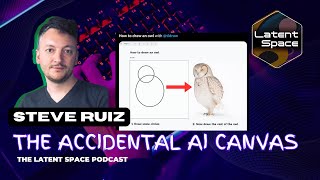
Steve Ruiz built tldraw, an open-source canvas UI that's spawned a whole ecosystem of projects like Legend Keeper for D&D world-building. He argues sponsorship models are broken and proposes corporate pools instead. The hosts also demo six lightweight tools: Floating UI, Code Hike, Telestrator, Kap, Sandpack, and Globs.design.
Chapters
I want them like on top of a mountain. I want it to be in Bali. When it comes to content for developers, I think that spending 3 days on the rotated cursor problem or these little things that would've been left behind, that's the yoga on the mountain, man.
Hello, welcome to the DevTools FM podcast. This is a podcast about developer tools and the people who make them. I'm Andrew and this is my co-host, Justin.
Hey everyone. Today we're joined by Steve Ruiz. Steve is a London-based developer slash interaction designer who just recently launched TL Draw. Congrats on the launch. It's really, really awesome. And it's been amazing to follow your Twitter feed and watch you develop this sort of real time. Yeah.
Thank you.
Would you like to tell our audience anything else?
Yeah. So my name is Steve. I am based in London, but I'm originally from Chicago. And I've been in the UK for a couple years. Most of my background has been, well, I guess prior to tech, I was actually in, uh, fine art and contemporary art, but within tech, uh, most of my experience has been in the design organization. I've never actually had an engineer or developer job title per se, but my design work has always been technical and sort of the prototyping guy, very much the 2017 designer who codes when that was really popular. And yeah, now I work increasingly on creative tools. And tools to help other people make creative tools. So that's where my focus has been.
Super interesting. So you, you started out in fine art. So like what type of degree do you have?
So I have two degrees. I have one degree in fine art and then I have another degree in fine art. I got my master's, my MFA in visual art from the University of Chicago in 2013. And yeah, if you ever go to steveruizart.com, you'll find my paintings, which were kind of like— look like the backgrounds of graphic novels. I encourage you to try and find parallels between the paintings and the work that I do now.
Yeah, I checked those out. They look really nice. I'm a big comic book nerd myself, and like the one with the trees and just like the thought squares in the background, really like that one.
Thank you. Yeah, that's definitely the radio hit.
Yeah, the style's awesome.
But then I turned 30 and I decided I should probably make some money. And so I'd always had kind of like, like many artists, I suppose I had a job in, in Chicago. I was, I worked for lawyers. I did research for lawyers, but it was a very kind of like analytical type of thinking job. And then I, it was also a fairly well-paid job, so I I could, you know, be in my studio for 2 or 3 days a week as well. And that kind of pattern you find a lot actually with artists is they'll have this sort of analytical profession, like side profession eventually. And then the kind of the creative stuff that is, you know, different part of the brain, different interest group. And yeah, after a couple of years in the UK, I decided to close the studio and kind of find something that could bring those two things together. And that ended up being technical user experience design with a lot of care for like the little details that go into interactive products.
I would like to know a little bit more about what your path was there specifically, because I mean, you don't just do like small, simple, like prototypes. You do some really complex, very detailed, very well thought out, but like technically challenging products. Like the stuff that you're building is like, would not be easy for anyone to build. And so I'm curious about like, you know, did you have sort of a history of just like messing around with programming as like sort of a side thing? Or was this like when you're like, hey, you know, I really want to dig into UX. Did you just like by nature of sort of really trying to dig into that, have to learn a lot from programming or like what was that for you?
Yeah. So the, it's, I had a little bit of technical skill, like many other artists. I would, I had a portfolio website and, you know, I'd done that, but that technical skill was essentially WordPress apps and cobbling together plugins for WordPress apps. So I knew a little bit of the basics, but for example, I didn't know JavaScript as of like 2016. So everything kind of like has, has been pretty rapid in terms of that. When I got into design, you know, I was like everyone else. I kind of went through the, well, for me it went from publishing design cuz there were some publishing companies in the, in the city that I was living in Cambridge in England. And then from publishing design into interactive kind of features of the publishing design software. So InDesign and then into other sort of interactive. Design kind of tools. I eventually found a piece of software called Framer, which would I guess now be Framer Classic. And that was, that was, um, yeah, that kind of changed my— God, it sounds a little bit sappy to say it changed my life, but it actually did. It changed my professional life for sure, because that was the first time that I could have an immediate feedback loop between like the code on the left and the the sort of the design or the result on the right, which, you know, certainly wasn't the first thing to do that, but it was the first thing that I'd ever found that it was just instant and I was there and I could say, you know, change the word green to blue and the thing changed from green to blue. And so I used that to, I just got really into it and started making designs that way and interactive designs that way. This was like the beginning of 2017, end of 2016. There was a wonderful group in London, a meetup group. For Framer. And so I started making my connections that way. It turned out I, I was kind of good at it, decided I wanted to be better at it. It was also a time where a lot of different design teams were excited about, you know, design and code meeting and specifically excited about Framer, especially after like Uber, like kind of promoted it as, as something that they were using internally. And but no one knew how to use it. Like no one, like we would go to these meetups and be, I would be like, yeah, cool. I wanna get some tips from people. And. You know, we would just be sharing our like awful prototypes together, which was wonderful. But it was also like, I thought a great opportunity for me just coming into this field to say, okay, well, here's something that I enjoy doing. Let me specialize in it and let's see where that goes. And so that actually went really well. I had a product job at a company called Clear Score here in London by the end of 2017 and had done some contracting in the meantime. And then went to an agency in 2018, a company called Invica, which really was a way of like rapidly learning product skills. I recommend agencies to everyone, but maybe not for so long, cuz that's, it was really intense. And then by the end of 2018, I had actually agreed to join Framer itself. And so I went to Framer, they're based in Amsterdam. I, I did remotely from London. But I did their, their educational content for a year. And so I had to buy this microphone. I had to, actually not this microphone, but, but one like it and, you know, learn how to make video tutorials. And so there was this whole weird twist into like content creation, I suppose, which was really hard. And by then I'd, I'd definitely learned to, learned to program and learned to, to use, you know, code and React and JavaScript pretty well. But I'd never really talked about it at length. And, you know, they say that whatever teaching is, the teaching is a great way to accelerate your learning. For me, that was definitely the case. And I probably got more out of that job than, than they got out of me. But after a year, it was, it was time to, time to leave. So by then I was, you know, the prototyping designer again and stayed in design tools, went from Framer to a company called Play, based in New York, that is making a really amazing design tool for your mobile phone, which sounds like it wouldn't work, but it does. And it involved rethinking a lot of the patterns of design tools, a lot of the software patterns and interactive patterns for mobile, and kind of like digging really deep into some of these patterns, which you have to do if you're, if you're re-implementing something like a layers list, which you know, has, hasn't changed since whatever Illustrator. And yeah, and then I started making the things that probably brought me to your attention, I guess. And I could talk about those as well. Yeah.
Yeah, absolutely.
So in between, this is, this is where the story, when I tell the story about what I'm working on now, this is kind of where it starts. So I was in between Framer and eventually what would, what would be Play. And I was working on projects just independently. This was also right when COVID started. So like, I think it was like April, May 2019, home with my kid, you know, nursery clothes, everything, you know, having this bizarrely nice, beautiful summer in London, but you know, in the midst of this, this terrible event. And so in the time that I did have, I started building a like design tool for state charts, which are. Kind of nested state machines where you say, you know, on or off, and I'm— if I'm on, I might also be in like quiet mode or loud mode, but I can never be in off and loud mode at the same time, whatever, kind of like a graph. And, you know, the benefit of state charts is that they're visual and you can make them into an actual chart. You can take your code and output like a visual graph of which states exist and which states are active and not active and importantly here for this story, like how do you get from one state to another? So if I'm in the quiet mode, you know, and maybe there's a button to increase the volume or something like that, and that'll take me, you know, conceptually it'll, it'll make the quiet mode inactive and the loud mode active or the loud state active. But conceptually it just feels like you're on a board game and you're kind of like moving from one part of the board game to another. And so you probably want an arrow in the UI to show, show this. This is at like state-designer.com if you're curious. There's a JavaScript library and then there's the, the like app.state-designer.com. Still there. It's free. You can use it, whatever. So I had this problem, which is like, well, how do I show the arrow? Because like, I'm not going to be designing this arrow. I want this to be generated automatically. I want to say like, well, here is a rectangle. And then here's another rectangle that's kind of at a different part of the screen. Find out where those rectangles are and then draw an arrow that connects the one to the other. And that turned into like, like I have so much faith in open source for just someone somewhere has solved every single problem that there is. I just have to find it. And that I could not find an answer for. And it's possible that there's some message board for, you know, Unity somewhere that I missed and it might have been out there, but it wasn't for me. Because arrows are hard and good-looking arrows are even harder. So I got really into it and I started kind of posting this problem that I had on, on Twitter first just to see if anyone else knew of an answer or like an existing algorithm for this, and then increasingly because like the attempts were— like my attempts at building an arrow that would, you know, look correct no matter where I'm moving my hands around is boxes are kind of rotating around each other or overlapping each other, all these nightmare situations. Yeah, those, like, those, my attempts were inherently visual. Like the debugging was very visual, the building out these weird skeleton arrows and all this stuff and arms that were going in all directions and flexing. Like they were really cool. And so I'd started taking like GIFs of them and putting 'em on, on Twitter and people started really enjoying them and asking me about them and having discussions about arrows and stuff like that. And so it became this wonderful place of me who, you know, I didn't have a background in, in like math or geometry or video game engineering or, you know, all this type of development that might have involved what I now know is like vector math and linear algebra and all this stuff. I was just learning it as I went. So it was good to talk to people in here about what I was actually doing or what, what the problems were that I was actually trying to solve. And I did eventually come up with a pretty good arrows algorithm, which is now available on npm as Perfect Arrows. And yeah, sure enough, if you just have two boxes and you need an arrow that connects them, if you're making that kind of thing, use Perfect Arrows. It's great. You're— you get good looking arrows for free. And it's not concerned with rendering, so you can draw them however you want using SVG or Canvas or, or anything. And the algorithm itself is pretty short, so you could bring it to a different language if you wanted. But that was like my first open source, like, I'm gonna come up with this problem in public, I'm gonna try and solve it in public, and then once I, I do solve it well enough, I'm gonna, I'm gonna open source it. And that was Perfect Arrows, and that sort of started this whole cascade of related projects.
Yeah, I, I think those, uh, those Twitter threads you did with the GIFs are exactly how I discovered you. It's like watching these really interesting breakdowns of like sort of the, the interactions. I was like, okay, well, here's what might be happening by the time scenes— like, here's like if we just projected the arrows out infinitely, and like, you know, here's the intersection points and all this stuff. I was like, Yeah, it's a, it's a dang hard problem. I had been interested in visual programming for a long time and, and back in a prior life, I had tried to build a node editor. And one of the things that you generally do with a node editor is you need to connect two lines between two points. And, you know, I, I experienced how like incredibly difficult that, that challenge is. So it was like, it was really impressive not just to see like a really good solution to the problem, but also breaking it down in a way that's like pretty, like visually expressive of the complexity underneath the hood, which is, I think is really awesome.
Thank you. Yeah, I think this is where that, like, maybe my experience with Framer and, you know, like, after trying to create a good looking tutorial video, which takes, you know, hours and way too long and I should have hired a video editor like on day one. Like I, I still wanted to create content, but I, I needed some way of like making interesting things that was much easier to, to do. And so making these like, well, much easier to do for me, but also like much easier to— and so I have like a lot of thoughts about, you know, what content kills for programmers and people in, in the development space on Twitter. I haven't, I haven't perfected the, the content pipeline for, for doing Twitter threads, but I can tell you that like 8-second GIFs at 125% speed showing how something works is just great. I love it. I love consuming it. I love making it. And especially if what you're working on actually can be like explained visually and it, and it can be well, or, or with, with commentary alongside, like Oh man, post that stuff on Twitter. I will, I will retweet it. I will like it. It's great.
A good tip about the length and the pacing. It's, it's an important thing. Cause if it's like, it's too long, you lose people's interest. If it's not the right speed, you lose people's interest. So it's like you gotta balance that out.
And if you can make it loop, um, which, which I spend way too much time trying to like get my cursor back to the place where it was before. That's good too. Yeah, since everyone asks me, I should probably just say I use— oh, maybe I'll save this for the tooltip section at the end of the episode. Hold on, I'll talk about— just a little teaser— I'll talk about what I use to record and the settings that I use to record. So stick around.
Yeah.
I tell many new developers that Twitter is a super valuable tool. Like for years I wasn't on Twitter and then when I got on Twitter, I was like, wow, mind expanding. Like I would have never been introduced to stuff like your work if I had never been on Twitter. Do you think Twitter has helped kind of like change the course of your career? Do you think you'd be working on what you're working on now without that?
Yeah, good question. I think earlier, no. I mean, I wasn't very active on Twitter until I was working in the role at Framer. It was, I mean, I completely agree with what you've said. It has been instrumental in introducing me to like, how do I say that? Like I shut down my LinkedIn account, which I I probably eventually will have to rebuild it, but I felt like that, I always felt like on LinkedIn, not, not specifically hating on LinkedIn, but my experience of it was, although maybe a little, you know, whatever. My experience of LinkedIn was that like that presence, that social media presence, it's professional, but it doesn't represent me in the way that I want to be represented professionally, like my interests, whatever, because I feel like that kind of grows out of the things that I I get excited about. And so Twitter is a much better representation of the things that I'm excited about. And yeah, if you, if you wanna employ me or something like that, I would much rather you be excited about the same things rather than just need a, need a developer in, in London. But yeah, especially when working on things that I didn't actually understand, which is almost always having other people drop into my DMs and be like, Dude, you're making a parametric, you know, whatever tool. And I'm like, I don't know what, I've never heard of that, but let me go, let me go look it up. And, and yeah, that is, that is definitely clarified, clarified a lot for me and helped me push it forward.
Yeah. It's, it's cool how you like stumbled backwards into all of this like super complex math. Like I, I think that's the best way to learn things is by, I want to build something, so I got to learn a bunch of shit. And the math that you learned is pretty impressive. So hats off to you for sure.
Thank you. Yeah, it's, you know, this is a whole field of like mathematics that just doesn't really matter as much in web development normally, web development, but it's, you know, it's like vector, vector math, which is like has to do with the direction of things and has to do with like moving things in certain directions and all that and also comes, well, basically it's like all over the place in, in, in, uh, game design, 2D game design. Um, you know, you need to know if your cursor is close to something else and, and all that, but it doesn't really come up that often in web development except in like visual tooling and creative tooling. And, you know, like the way that Sketch or Figma works is very similar to the way that, uh, whatever a game works, a 2D game. And so the more I got into, the more I got into that, the, the closer I got into, into design tools, which I was sort of already in. So yeah, it, it sort of became a natural place to, which, which I should say, I got into design tools not because I was interested in, you know, whatever vector math or, or the types of patterns used in video game design. I just discovered those, fell in love with them, and was already in the industry and the slice of the industry where they mattered the most. So it was a really happy accident for me and sort of like, yeah, my work. It made me better at my job. Go learn, go learn vector math. Go, uh, find yourself an arrow. Yeah.
Yeah, for sure. I mean, there's nothing quite like taking on a project like this though, to really get at the root of, you know, something that like seems inherently complex, but You know, ultimately the intro to linear algebra and doing some basic vector math is not necessarily always a supremely difficult task. If you try to conceptualize the entire field and you get into the like details, it can be really complex. Like, you know, if you're trying to approach it from like a purely mathematical, like theoretical standpoint, but, but a lot of times if you're just like trying to understand an algorithm So like, how do I, you know, translate this thing? Like, what does that look like? Those things can often be more approachable than, than you might expect. I think this is actually one of the problems with like how most educational facilities go about teaching mathematics generally is because it's like so hard to see the implied result of these things that you're doing that you have to sort of like not only pattern match against this problem and its solution, but also like kind of in your head, like, and visualize whatever you're trying to do. But if you reverse it and you're like, I have a specific problem and I need to have, know how to solve it, I feel like it makes it a little bit more.
Absolutely. Yeah. I, somewhere in the future, I'm, I'll probably be teaching a, you know, geometry through game design class at my kid's high school or something like that. Once you have a pretty good idea of what you're trying to do and you have ways of visualizing it in between, like, you can, you can go really far with those, those two things, especially in this type of thing. When I hit a thorny algorithm problem that does not allow me to sort of visualize it, that's, that's when I, that's where I start losing days. Because it's very hard to like, yeah, iterate and dial in and do all the things that I've learned to do through design with something that I can't put on the screen. Or record a 9-second GIF of and ask Twitter, like, why is this line going in this direction?
I'm sure another important part of this is like learning approximation. It's like, you know, there is surely there's a correct algorithm for all the things out there in some theoretical world, but sometimes you can just fake it. You know, sometimes you don't have to do exactly the correct thing.
Well, one of the, the things that I liked, um, and maybe I can talk about, um, Perfect Freehand probably is the next project. But one of the reasons I liked arrows was that you like drawing a straight line between two points is like a yes or no problem. Basically drawing a curved line is incredibly like subjective as to like what curves look good and what look curves look right. There's no, there's no real heuristic about like, when is this true or when is this a correct algorithm versus when is it not? It's, uh, I mean, you can have some, like, is it still pointing at the thing? Like yes or no, maybe. But, but mostly it's just like, does that look— I mean, my research for Perfect Freehand like devolved into just me drawing, you know, pages full of boxes and just connecting them with, with lines and then like staring at it and saying like, well, what's, what's the pattern? Because I was dialing it, not like the only terms of success were, would I actually have drawn that line or would I actually have chosen that line or that arrow? And that was, that was really fun because there wasn't, and even the name Perfect Arrows is sort of a riff on that, is that there's no actual answer for this, this type of thing. There's, there's few things that actually have answers, but there's even fewer for arrows just because it's like, yeah, it's just what looks good or what's, what's not. It's aesthetic. So in the same vein, Perfect Freehand, right? So the story there started, I was also making videos and I wanted to like draw on top of my screen while I was streaming, like streaming. And I knew how to do that in post. Like, you know, I could, I could do that while editing the video afterwards, but this was like, I wanted to be able to stream. I wanted to say like, you know, if I had the, this is still when I was working at Play, so there would be like a mobile phone on the screen. The problem with a stream of a mobile device Unlike a desktop device is that I can't like just wave the cursor at like one part of the screen like I might do if I was like, you know, streaming about how to use, you know, something on the desktop. I couldn't just like kind of like tap or, you know, wipe my finger around that area because, you know, that would be interpreted as an actual input. So I needed some way of indicating parts of the screen on the mobile phone that was on the screen without actually interacting with the device. And so I was like, okay, like, like a American football game. Like I'll just draw a circle on the screen and like maybe like draw an arrow to it. And I'd already made like a minimal drawing app for the state chart designer, like as an example. So I was like, okay, I'm just gonna grab that, whip up an Electron app. It's gonna sit on top of my screen. It's going to be transparent and that'll, you know, just let me draw on the screen while I'm, I'm streaming. And that worked. It was great. And I had like my stylus on my lap and I would just be drawing. And then I was like, you know, I'm using the stylus. The stylus can do pressure. I want this line to be pressure sensitive as well. And so I, you know, did a quick Google, like pressure sensitive or variable width line SVG, no hits. You know, I find a spec that is hasn't changed in 4 years and never got implemented. And I'm like, all right, well, whatever. Like, how do I turn a line with some pressure information into a polygon? You know? And then I'll just render the polygon. And again, like 8-year-old discussion that's still going for like Inkscape, you know, like, well, how do we actually do this? And it just didn't end. It was like, wow, there's no, like this, you know, the, the free store, the, the open source infinite bucket that I just have to look, look harder to find what I need. This is just not a solved problem. Like, there's nothing. I shouldn't say there's nothing. There was a— the way that they would do it, the way that you might have seen it done, is it's not in SVG but in Canvas. What you can do is kind of take the user's input points, turn them into a spline, and then draw lines between each point on that spline. And the width of the line is based on the, the kind of the pressure or whatever. So more pressure is a thicker line, less pressure is a thinner line. And with respect to the, the folks who came up with that, cuz it's a very smart solution to that. It just does not look good. And I was like, I was like, ah, I can't do that. You, you see it sometimes in like signature apps or something like that. Like Signature.js uses the same strategy. I think something in, in Android uses it. As well. But no, I wanted to like make a polygon, like input points are a line, give me back a line, like something that has an envelope around that line and have that envelope be thicker or thinner. And so I started working on it. I had like watched a video tutorial about like recreationally about how to create like splines for a racing game where you might have like a racetrack and you want, you know, the racetrack to follow the line or whatever. I was like, okay, cool, you have the input lines and then they kind of stick their arms out to either side and then now you have a row of left points and right points and you can kind of just go around, you know, down the left side and then back the right side and now you have that envelope. And I'm like, well, okay, perfect. And then I'll just use the pressure. So that envelope, those arms will be longer if it's a lot of pressure and shorter if it's not a lot of pressure. And that should give me the envelope, like the pressure sensitive envelope around the line. And it turned out to be a little bit, a little bit trickier. Like I lost, like, well, I didn't lose, but I spent like the next 6 months, if not longer, working on this variable width line that was fast enough that I could use it while drawing and that it could kind of recompute the line as needed, like while drawing. And stable enough so that the line didn't change behind like your cursor. So like as you were drawing the end of the line, that the beginning of the line wasn't changing, that could handle sharp corners. Eventually that could handle, uh, tapering at the start or at the end and different like line caps and all this stuff. And it, again, like I, I was, you know, doing the Twitter threads about You know, it's like 10 times a day of just, you know, after work being like, all right, perfect. Or like variable width line or freehand line time. Like just beat my head against this thing, trying to, trying to make it work. And eventually that did lead to the library that I released as Perfect Freehand, which again is like a very, like Perfect Arrows, it's a very small minimal library. You give it the information that you have, which in this case is just that that collection of input points, like here's what I recorded from the mouse, and maybe those input points have actual pressure with them as well, and then it'll use that actual pressure. Otherwise it'll simulate the pressure based on— you can tell it to simulate the pressure based on the distance between those points. So slow is more pressure and fast is, is less, although you can invert that or dial that in. There's a whole suite of options and settings and stuff for how it interprets that data. And so Perfect Freehand has now become its own, you know, I don't know, it's like used in a bunch of whiteboarding tools. I think like Next.js Live is using it. Like there's, it's everywhere because like, you know, why not? Like if you got, if you're going to have like a pen tool or a pencil tool, like why not make it a good looking variable width line? It seems like you'd have to come up with a good reason not to. If you're making a tool that involves a pencil tool or pen tool or some sort of thing in your application, you should definitely, definitely use Perfect Freehand. Just, uh, just throwing that out there.
Yeah, I completely agree. Another thing that I really appreciate about this is, you know, along your, your same common signature, it's like if you go to the repo, it has like a really nice visualization that's like, okay, here's kind of what's happening behind the scenes to make this You know, to make this polygon essentially. And it's just those delightful sort of touch points that, that takes this, what is really complex interaction with a really amazing output and sort of like reveals the magic a little bit. I think it's, I think it's pretty awesome.
Thank you.
Yeah. Of, of, you know, your, your many spectacular skills and talents, I think one of the things that makes all the work that you do so delightful is your ability to present it in a way that's like easily grokable just by someone who's like, oh wow, you know, I've never, I never thought about how that could be done. And it's like, now I can just visualize it in 8 seconds. And yeah, that's, that's pretty awesome.
I think it's like, yeah, I think the, the, there's a dopamine releasing part of every developer's brain that just wants to see a tiny explainer, a little GIF showing how it works. And I love nothing more than, than hitting that. So thank you. I appreciate it.
Yeah. So you, you already said it, but, but Perfect Freehand's used all over the place. I remember when it got integrated into Excalidraw and I was like, okay, this is like, this is like really, this is really cool. This is really interesting. So what point after Perfect Freehand did you start working on what is TL;DR?
Yeah. So probably right after. Well, I spent a week— that integration in Excalidraw, um, like, like I did that, they, they used some of the money from their Open Collective to kind of pay me to do that integration. And I'd done a little bit of work with that repo before. I did, um, I did the arrowheads in Excalidraw, which is, you know, I, that's what I tell people at parties. Yeah. So I, I was, I was familiar with the repo. Excalidraw is an amazing project. The way that it grew up, open source, again, kind of through social media. It's just a great story and I, I, I'm very, very happy to have been a part of it. But it, it got me thinking about how these sorts of tools work. Towards the end of, you know, my like really intense period of involvement with, with Perfect Freehand, there was another app, uh, for iOS called, or yeah, iOS, iPadOS called GoodNotes. And GoodNotes is, you know, it's a great note-taking app and it has like really good digital ink, like really, really good. And you know, I would use this app and I'd be like, how is, how are they doing this? Like, what are they doing? Cuz I, every time that I thought I had kind of figured out how that worked, I would, I would go back to it and it, it would work differently. So I was chatting with the, the founder of that, the, the company that makes that app. And I was like, come on, how do you, how do you do your lines? Like, just tell me, like how. You know, like, how do you do it? And all he would say is that he uses like circles. He was like, yeah, we use circles. And, you know, I didn't press him that hard for more information, but I was like, circles, huh? And so I had some, you know, made some, you know, sketches and, you know, spent some time in the notebook thinking like, okay, well, you know, what would that look like? And how do you do a variable width line using just circles? Without, you know, just doing it like the Photoshop way of interpolating and just cloning the same— stamping the same circle like into the canvas. How do you do that using vectors? And during that discussion, another person who had sort of been involved in helping me along suggested this article by a man named Andrew Glassner, who's kind of been involved in graphics for a long time now. And he had put out an article about this thing called a glob. And a glob is hard to describe over the air, but it's— you can look at a glob at globs.design or by looking up Andrew Glassner and globs. I got super into globs and like shamefully obsessed with globs for like, you know, 2 months. It is this primitive of 2 circles that are connected by 2 curves, and those 2 curves hit the circle at their tangents. So it looks like, you know, you know, it looks like the curve just kind of like runs right into the curve of the circle. So kind of like that curve between each circle kind of smoothly enters both circles on either side. And you can use this, you know, like make one circle smaller and the other bigger. And now we have this kind of teardrop shape, you can move the globs around, you have handles to determine the control points of each Bezier curve. It's very hard to describe this without show— like the tyranny of audio right now as I'm trying to, as I'm trying to come up with a way of describing this without, without showing it. Globs.design is the, is the app that I built to help me understand globs. And it was like I built for Perfect Freehand. This is another kind of like canvas app or canvas style app. I could zoom in and out and pan around. I took this one a little further in terms of the features because what was interesting about the glob was that Other design tools, you know, if you've used design tools or SVG graphics tools or anything like that before, you've probably used, you know, like squares and circles and maybe like lines and maybe the Vector Pen tool where you can kind of define curves that way. Those are all like different primitives. Uh, like the word that people use is primitive, like a, the Pen tool is a primitive or a curve is the primitive and Pen tool is used to create that curve. Or a vector network is a primitive and the pen tool is used to create the vector network. A glob is a different kind of primitive. And while I was very, very familiar with all the ways that software design tools, uh, or, or design tools like managed the primitives that I knew about, like I had no idea how a design tool would manage globs. Like they're just different. They need different things. Things snap to different points, you know, like they align in different ways. There's things that you do with a glob, like, you know, what if I want to make both circles change at the same time? You know, I don't know. It's all this weird stuff that I had to kind of, well, I didn't have to, but man, I got totally obsessed with like figuring out like all the UX around this glob shape. And, and along the way I learned a lot about how, like, again, more about how design tools were made and what's an efficient way of creating a kind of a canvas on the browser. What are all the hacks and what are all the tricks in order to make this fast and performant? How do I do snapping? How do I do all this stuff? And so after I kind of— I never did figure out how to do the circle handwriting variable width line using, using globs. That answer is still out there and it, it kills me, but, but I did learn a lot and I figured like, okay, well I'd made this type of UI for Perfect Freehand. I had made it now for Globs. I doubt that I'm gonna stop being interested in, in making this kind of, like, exploring these kind of questions. I doubt that I'm gonna stop making kind of content around it. So I should probably just make a generic piece of software that I can, you know, use to, you know, either experiment with visual algorithms or experiment with different primitives. So I made this kind of skeleton of— I took what I'd made with Globs and I started making this new app that, that didn't know about Globs, or it didn't know about circles or anything. It didn't know about any primitives. Primitives were something that you provided it, and so you could provide it with a line or a glob or anything you wanted, and This also let me kind of get into more general design tool questions. So Globs, the only thing you had to work with was Globs. And there was quite a lot of overlap, like a surprising amount of overlap between that and like what you would do in an app like Figma. But it didn't have everything. And this was an opportunity to sort of look at everything else and to look at, you know, like Z-ordering or so like what's in front of what. Or cloning, like holding the Option key in order to like copy things by dragging it. All the standard interactions or like the kind of table stakes interactions and features that you would expect from a, from a design tool. And again, I was posting this on Twitter and saying like, you know, what happens if I rotate something and then I wanna select something else and now I wanna stretch the box that contains the, you know, both of those things, like. What does the rotated thing do? Does it skew? You know, does it, does it get wider, but the lose the fact that it's a rectangle and different apps would answer that in different ways. So it was also really fun to kind of find these, these obscure corners of design tools and like compare against, you know, okay, well, what does Sketch do? What does Figma do? What does Framer do? And again, like I was kind of chasing the likes, man, like it got really popular on Twitter. People love this stuff because they, you know, if if you're a developer, well, there's two things. If you're a designer and, and most of the followers that I had at the time were like designers or, or in this kind of UX engineer hybrid role, you know, you, you worked with these patterns every day. And so, you know, it's cool to like learn about them and see how they work. It's also cool to see how different they are in different apps and that like, yeah, man, like selecting a rotated ellipse in Sketch is very different than selecting a rotated— it's, you know, these things don't really matter that much, but it was just good content and it was really interesting to work on. And at the same time, I started realizing that these, these kind of like edge cases, these small features, et cetera, especially where they differed between different apps or where it seemed like one app like got it right. Well, another one didn't like, oh, does the cursor rotate if I'm like resizing the edge of a rectangle and I rotate the rectangle, you know, like Figma does it. Does Sketch do it? Does, you know, does Framer? Framer sort of does it, but not the same way. Like, these are all places where I think the other developer, like, as a developer light, you know, there were always times where there was these like little details in the, in the app where I'm like, oh man, like I would love to stop what I'm doing and spend 3 days figuring out this little detail. I know it doesn't matter to the product. It's not gonna move any numbers. But like, it's fascinating and I'm going to have to skip it. And so I think if you've, if you build software, then, then you leave a trail of like unfinished, half-answered questions that you wish that you could go back to and you probably never will. That's just part of the job. But I think like the metaphor I use, or the example I use is that like, if I'm on Instagram and want to watch someone doing yoga, or, you know, if I'm watching someone play a video game on, on, on Twitch or something, like, I don't, I don't want that to remind, like, I want that to be a little bit of a fantasy, you know? Like, I don't want them doing yoga on their London flat's back porch or something like that. I want them like on top of a mountain. I want it to be in Bali, you know? Like, I want there to be a, you know, and so when it comes to content for developers, I think that like Spending 3 days on the rotated cursor problem or these little things that would've been left behind. Like that's, that's the yoga on the mountain, man. Like that's the content that fulfills that sort of fantasy of like, boy, I wish I had time to do that. You know? And so spending time on those things, especially since I wasn't really building anything, I was just kind of playing, you know, I knew what I wanted, but it wasn't like critical. I didn't have a runway or anything like that. And so. It was just interesting. So yeah, how do you, what do you do with a rotated rectangle when you resize the selection that includes it? Like I spent a week on that, you know, and I came up with some pretty good answers and they weren't answers that, you know, were necessary in a way. Like you could definitely cheat around that. You'd just be like, all right, well, whatever. The whole selection is now aspect ratio locked. Problem solved. Let's move on to the next, you know, ticket or something like that. Yeah, it's a good answer. It's a very flexible, good answer about how do you deal with like one aspect ratio locked thing inside of a group of things that are not aspect ratio locked. I won't say that people started losing their minds over it, but it was, the response was really good. And I, so I kept going on that and that project became TealDraw and TealDraw became a sort of a Excalidraw equivalent. I kind of set the feature set of Excalidraw as a good minimum for what I wanted to be like Build, like a collaborative diagramming/drawing tool that was vector-based, eventually SVG and CSS-based, and just felt like super good because of the abundance of tiny details. And so around July, I decided I wanted to, to work on this full-time. And so I, I canceled my contract with Play and started working on, on TealDraw and just say, okay, I'm gonna take the rest of the year. I'm gonna build this thing and I'll see where it goes. And by then I had also kind of decided to split it into teal_draw the app and then teal_draw like the kind of the core library that anyone else could use to build something like this. Because definitely after building like 3 or 4 of these type of UIs, I'm like, there's a ton of reusability here. I might want to reuse this. And in fact, I have. A couple times, so other people might as well. And I think that idea of having like a kind of a, a general purpose or abstracted away kind of toolkit for building these sort of UIs, like canvas style zooming UIs, that has been very influential in where I've taken the project since. It definitely started as like a, a personal tool turned into a little bit of a content play in order to, you know, be like, screw it. I'm going for 10K Twitter followers by the end of the year. Let's, let's go. And then like, well, TealDraw.com, which I launched maybe end of November, is, is pretty cool. It works really well. It has like sweet arrows, surprisingly. And I would, I, I can talk more about the arrows there too, cuz they're different and Yeah, it was, it was cool. It was like top of Hacker News. It was the number one trending repo on GitHub for a couple of days in a row. It's up to almost like 5,000 stars on GitHub, which, you know, these are all the, whatever, Hacker News, whatever. Like, I don't know, that's a good signal that it was, it resonated with people. Everyone likes a good free diagramming tool, especially one that like you can use inside of VS Code and has cool integrations. But yeah, I think it was, it was also just all those, all those little details that I hope add up to a pretty good, pretty good drawing experience or pretty good diagramming experience or whatever. And that's, that's TealDraw the app. That little idea that I had about having other people build on top of like a kind of a generic or like kind of toolkit for, for these kind of apps, that definitely took off. It turns out a lot of people have ideas for, for apps that involve this type of UI. And while I may love spending 4 days on rotated cursors, or while I may love figuring out the weird aspect ratio bounding box problem, like, people just wanna build their app and are more than happy of taking someone else's work in order to, to do that faster. So TealDraw is now spinning more into the, like, I don't know. I wanna turn it into something like, like if I was making an app that involved a map, I wouldn't build a map. Like, like I would use Mapbox. Like, you know, I would use, use Google Maps. They're like, these things are just too big to make on your own. And I, I can say with a fair amount of certainty that, that building the sort of engine for a canvas UI, which, which every Figma for X type of team needs to do in order to make Figma for X. The, the sort of the Figma side of that equation is like really hard to do it yourself. So anyway, that's TealDraw, the kind of the service or, or company that I'm, I'm working on building. And then there's, there's TealDraw the app, which right now is a tiny little drawing app, and eventually it may become like the kind of the flagship product for that company or for that service. But it has been a How do I say a wild couple of weeks since, since launch? I'll, I'll tell you that much. Yeah. I don't know. So that's the story of TL;DRAW. That's, that's amazing.
Yeah. Yeah. It sounds like you want, uh, TL;DRAW to basically become the Monaco of canvas-based editors where like Monaco is that like text editor as a package, go off to the races. You want TL;DRAW to be that.
Yeah. I mean, I don't think that everything needs to be. A service or needs to be solved, you know, by someone else. But like some things kind of do. And I wouldn't have said that this type of a UI might like be, be part of that thing, like be in the text editor map, you know, whatever, maybe checkout experience, like where I'm just like, oh God, I am so happy. I don't have to be responsible for this, but I think it does. I think if teams could license the canvas from Figma, they would. And, but that's, that's the product, you know? And I think that TealDraw is in an interesting position as an open source project and as something that is still pretty nimble, I suppose, that like, yeah, I can spend December and, and January kind of rewriting it for like teams first or plugins first or like What does this really need to be in order for teams to be able to say, okay, cool, I can use this for my project. Not that they're not already doing that, but how do I make that easier? I think it's kind of the bigger question.
Yeah, I think you bring up such a great point. It's like so many product organizations end up taking on a lot of incidental complexity when they're trying to build this product that's their vision. And you talked about all these details that are like, delightful for you and you want to spend time on, and that most programmers can't. And it's because generally that's the problem they're trying to solve, is just trying to ship the Figma for X, right? So they don't— they want to do all these things, but they don't have time to do it super well. They just need to make— they need to get the MVP out. They need to make it work. Um, back in episode 17, we talked to Pedro from Modjools about Radix UI. Yeah, they, they do awesome work, but they're also talking about like maybe even at a smaller scale thinking about just like a select box. It's like you want a really good select input, custom select input UI, you're going to spend weeks on that and you're going to do it wrong. And you know, it's like it's really, really hard to do well and most people aren't going to try to do it well. They're just going to get what works like for the minimal version of what they test and then get it out the door. And I think there's really something to be said for like the culmination of all these like shortcuts that people take and like making a product not as enjoyable. Because, you know, with TealDraw, it's like I can definitely feel it when I go in. I can, I can feel this sort of like craft in every little interaction and it's just a joy to use. It really is. And it's not really it's not really realistic that we take all the products that we're doing and like focus on every little aspect and make every little thing enjoy because you just never ship it, you know. So it's picking and choosing is important. So that's why I'm really excited that you're tackling this domain and especially coming at it with the way that you approach these things. It's like every little interaction is like, it's nice for this experience because it Often I like to use this phrase, but, you know, a rising tide raises all ships or lifts all ships. It's like, this is kind of what you're doing is like by making this sort of platform, you make all the products that use this platform just that much better, you know, feel that much better to use. And I mean, it's super admirable.
I hope that, well, I guess now that it's turning into more of like, oh, this can be this can be, you know, a company or this can be a team or something like that. Well, I hope that people, that the future is that people are building on TealDraw, right? Like, but failing that, the second thing that I hope is just that a project like this, a, like kind of sets the bar of, of like, this is, this is how this thing should feel, you know? And if you're building your, your own, like, you know, use it as a, as an example, like how does TealDraw do this? Since it is open source and kind of open core, that, that it also offers a way of like cheating around those problems. For example, if you have a rectangle and you have a stroke around that rectangle and that stroke has a dash, right? So like a dashed line around that rectangle, you probably want the corners of that rectangle to have like a dash at them. Do you know what I mean? You don't want the corner to have the middle of the dash because that just looks like the box is broken. That is a problem that I had to solve for TealDraw, you know, and there's a code in the TealDraw repo. It's like get-perfect-dash-props or something like that. And I've, you know, I've talked to plenty of people who are like, man, I love those dashes or whatever, you know, equivalent feature. And I'm like, yeah, like here's a link. Here, here's the gist or here's the, you know, the shortcut, right, right to the line, like use it, like go for it. And, and so I really do hope that the, both the availability of TealDraw as a service or just the availability of an example of how do you solve these types of problems that are part of every single app just contributes to, you know, maybe, maybe there's fewer things that need to get left behind or maybe the implementations are just that much better. My hope is that as we get the next, whatever, 1,000 apps that wanna be Figma for X, not that there's anything wrong with that. I definitely want more like Figma for X apps in the world. Like I love using this type of pattern and I, I, I clearly, I believe that it, it, it has more use just beyond, you know, design tools. But I hope that those apps just feel better. I hope that they're, they feel pretty good. And yeah, it's, I mean. I use Radix UI primitives like all over teal_draw. I think the code base is like 30% Radix. Um, like when I bundle it, because that's not the problem that I'm interested in. Like I'm, I'm interested in having a good context menu. I'm not interested in making a good context menu. That's not what motivates me. And without a good open source alternative for that, or a good, you know, available alternative to, to that alternative to me building it myself. Like I would have to build it myself and it wouldn't be very good because I want to get back to the canvas type stuff, or I wanted to get back to the multiplayer stuff. Open source for frontend is becoming so much better just in the last like 2 years. I don't know, maybe more people are taking it more seriously. Maybe more people have consolidated around certain like libraries like React where, you know, you can make something and, and have you know, a million downloads on, on npm and use it to, to promote a different product or, or something. But no, it's been wonderful and I've certainly benefited a lot from the type of thing that I'm, I'm hoping other people benefit from too.
Talking a lot about open source, I sort of agree with, with all the things you said, but there's like another, another side to this coin, if it were, like funding and open source is still a pretty contentious. Things, still pretty hard to navigate. So you've been doing relatively well with sponsors and, you know, much deserved. Thank you. What are your thoughts on open source and funding? And specifically, I'm really interested in, as you go about thinking about this, instead of just an open source product, but like actually building a company, which will have to ship some sort of product that people pay for. It's like, what is— how do you think about like monetization and how that changes how you approach this?
I've thought about open source a lot. I like open source. Like, I, I like it for like, as a consumer, I like it for as an alternative organization of labor. I've said that it's not very compatible with capitalism in its current state just because you can extract so much value from an open source project without having to return any of it or pay any of it. And, you know, we have folks that are working on things that are, you know, in their free time, like voluntary for passion or for themselves. And there are definitely like benefits to being an open source developer, like for your career or for your, you know, building expertise and things that you want to be an expert in. But maybe can't become an expert in through your job. So open source has a lot of benefits to the author, even, even, you know, never mind the money side, but it's just the money side does matter as well. And there are only so many passion projects that can exist in the world and be open. And if you like open source and you want more open source, then there's a whole field of projects that we have to figure out, well, how do we get those type of projects? To be open source. And I think what GitHub, for example, GitHub sponsors, I make like $2,000. I'm almost at $2,000 per month on GitHub sponsors, which is amazing. And thank you to everyone who has done that. That seriously means a lot. It's not, it's not big time Twitch streamer money or whatever, but I think part of that is because the, the, the types of relationships and things that cause someone to maybe want to sponsor someone on GitHub. Are very similar at the moment to something like Twitch is that you, you might be connected to the person. You might like the, well, mostly it's like, do you like the content that they create around the thing? And so like the current model of GitHub sponsors definitely encourages more people like me than, than any other type of project. And that's fine. That's good for me maybe, you know, but like, like not everyone needs to, you know, needs to fill up their hard drive with 8-second GIFs in order to, to fund their open source project. Although storytelling is always good, you know, story, everyone likes a good story. And yeah, so I, I think there's, I mean, other people are probably better equipped to tell about, talk about, um, you know, getting, getting larger companies, making it easier for people who belong to larger companies to donate. So whatever, giving Google like a million dollar pool of sponsorship and having each individual engineer say, okay, you have $200 this month to spend on sponsorships. Like it's up to you on how you want to spend it, or your team has this much this year. It's just the pool's there. You can use it. And I think that is a great solution for, for sponsorships in general, but that's also going to kind of fall more towards things that are more popular than it's— I don't know. We'll see how that shakes out. If GitHub wanted to use its current model, but make it really, really effective, it would have to make it easier, be easier to use GitHub as a content platform. Meaning like, I don't know, you just go to any other content platform that drives individual donations like Twitch or like Steam or something like that. I don't know. I, if it was about supporting open source through the existing individual donation model, like I go to. GitHub.com and I see whatever the Vue guys, you know, that team on livestream, you know, like making the next version and taking questions from the chat and having a little boo, you know, thanks for the 5 bits, you know, Vue user 245. Like, I mean, if it was going to go in that direction or if it wanted to stay in the direction that it finds itself in right now, I think it It would, it would just have to be better at doing that because I think that's what's driving donations at the moment. Most of my donations came from either people who knew me via Twitter and who liked my threads. I had TealDraw as sponsors only for the first, you know, up until November. And so there was kind of a cycle of I would post something cool on Twitter, like whatever arrows that would stay pointing at the shapes that you, you know, and you move the shape and the arrow is still pointing at that shape. And people would just be like, nah, I gotta try that. I gotta, you know, what's $5 a month? Come on. And then so that I would have the bumps of subscribers that way. It wasn't people like necessarily using it. It wasn't people building on it and it wasn't people just stumbling on it. Like I was driving that content or that those subscriptions through, through the content that I was creating. So yeah, if GitHub wanted to do, you know, individual sponsorships, well, I think it would have to be better at being a content platform that was made interesting content for developers and then encourage those people to express their interest through donations. I'm not sure that's really what GitHub wants to be, but that's, that's my, that's my take on it. Sponsorships also have an interesting role I'm learning to play in the early stage of a, what will be a company. For example, I am definitely not organized enough, or I mean, TealDraw is not definitely organized well enough as a company in order to take large customers or any customers almost. Is that like the type of, like, as a one-man shop that is in the process of kind of building even just like whatever building registering a company for TLDRAW. I have my own as a contractor and it's, it's run through that. Like, I don't have a team for support. I don't have other engineers for, for whatever. Like, I can't actually take customers, but I can take sponsors. And so the teams that have been working with TLDRAW, some of them very small, some of them actually surprisingly large, have been using sponsorship as, uh, it's a kind of way to, to encourage the fact that the, you know, you don't want the project to go away. You don't want me to get a job, you know, you want me to stay unemployed essentially. So this is a way of, of kind of keeping that, keeping that going so that they have the faith and the trust that it will be there so that they can build on it. And so sponsorships have an interesting opportunity there as like, yeah, like the non-transactional support, like non-transactional payment from what it would normally be a customer. And yeah, that has, that again, like for someone building something at this early stage, like that has been hugely helpful, especially just as signal as like, oh, we do want to pay for this. This is worth paying for, you know, get your stuff together and we will be normal customers, but in the meantime, we can be sponsors. And that's been great. That's been really, really good for the project.
Uh, you've mentioned a lot about projects being built on top of TL;DRAW in the perfect ecosystem. Do you have any examples of what people are building? One, one I saw in one of your tweets was this Dungeons and Dragons world builder, which like ignites a geeky fury in me to wanna start my own campaign. But have you seen any other cool things like this pop up?
Yeah. So first off, I haven't used the phrase perfect ecosystem, but I like it. I take it. I'm still looking for a potentially a new name for these projects or the platform project. I did register like trouble.dev, like T-R-B-L, but we'll see where that goes. Yeah. The project that you're talking about that has sort of built on TealDraw at the moment is Legend Keeper. And this is a T— this is a kind of a product for like world building. So whether, you know, normally that would be for like, uh, yeah, like a dungeon master, someone who's gonna be leading a story game to, you know, organize the, all the characters and the NPCs and the places and like the lore and, and keep track of that as, as things happen so that you can go back and say like, ah, you've been here before. This person remembers that you, you know, killed the dragon and left your coin here. I don't, I don't know. I'm, uh, never actually played Dungeons Dragons, so I want to. And they, well, they had an idea of like, well, we want to have like a kind of a whiteboard for, you know, you have all this data in the system. We want to be able to arrange it spatially. Um, so that you could kind of put it up like a, like a pegboard and say these, this is the family tree, or this is the relationship between these two things. But the way that they described it to me was that like, you know, this, this was essentially blocked cuz it's a very small team. It's a cool idea, but like, again, if you're gonna build a, a tool like this, you have to build the UI, which is really hard and is a project of its own. And so when they found, uh, TealDraw, it was like, oh, we can actually make that build, like that board view. We could actually do that. Like we're not starting from, you know, negative 1000. We're starting from zero. And so that's what they did and it's great. I like lurk their Discord channel, just looking at the boards that people are sharing and they're amazing. I encourage you to go, go, go find them yourselves or I'll, I'll retweet some of them sometimes from the, the TealDraw account. It's awesome. It like, you know, warms my heart to see this, this tech that I built being used for such a, like such a different type of creativity. And yeah, it's great. The other teams that have been building on this, there was a very large company that had a whiteboarding solution that was legacy and needed to come to the web. And so they were like, oh, shoot. Like, this is all, you know, highly optimized C++ code from, you know, a couple of years ago. This is, this is not something that we can just bring to the web. And then also, you know, in the years since, people's expectations have been driven by apps like Miro and now FigJam. It's like, yeah, you want, you want these like interactive, independently complex things, like on the board, depending on your implementation, that might be very, very hard to do. Might be very easy to do in like HTML and CSS. Might be very easy to create a timer, you know, using a React component or a to-do list using a React component. It might be very, very difficult if you've chosen a complex WebGL renderer something like that. So another kind of reason why you might look at, look at TealDraw. And then there's teams that have, you know, greenfield ideas, like we are building, you know, a, something for architects and we want to have, you know, like we need to find a technology for this. And so are just considering TealDraw as another sort of, you know, engine for it. Not that there are many others, But yeah, as something that can kind of, again, kind of skip them to the point where they can start working on, on their domain rather than spend the time building the, the canvas UI, the zoomable or the spatial UI. Those are the kind of the patterns that I see again, like either replacing something legacy in order to match new constraints, doing something completely out of the, you know, unexpected with it on top for a different domain. So like Legend Keeper or. Something new that, that is basically just, yeah, like we're gonna be Figma for X and, and now we need to go find ourselves a Figma. And those are the teams.
Awesome. Well, with that, I think we'll switch gears and start going through the Tooltips. My first Tooltip of the week in line with what we've been talking about of getting the tiny little details right. A new Popper library from one of the authors of Popper.js. This one's called Floating UI, and what really caught my eye about it is that they want it to be as small as possible. So I think in here they say it just— yeah, it's the core library is only 600 bytes, and that is like, you don't want your tooltips to weigh down your page any more than they have to, and switching to something like this could really help with that. And it looks like they implement most of the functionality of Popper.js itself, so this could be a a pretty easy to use popper replacement. And then it's also not tied to React in any way. So you could use it with whatever frontend framework that you want.
That looks great. I would use that.
Yeah. And they got a nice little, uh, icon up here. Little smiley guy.
What's it called again?
Uh, Floating UI. Cool.
There's something to be said about implementing the, like, hard functionality and just, like, giving you really, really good APIs. For this.
Yeah. Yeah. Poppers are definitely another one of those places where it's like, oh, that's simple. I'll just build it myself. Or, oh, CSS, CSS can do that. And it's like, nope. Edge cases galore. So it's, it's nice to have, uh, libraries like this.
Yeah. So my first tooltip of the week is something that I've actually been following for a while and I'm really excited about it. You can find it at codehike.org. It's called Code Hike. It's by Rodrigo Pombo. Rodrigo Pombo. If you've ever written code in Markdown, like a code example, you know, you have like the code fence, the three backticks, and then you like can describe the, the language that you're using. And that's basically it generally. Right. And then you just paste your code in there. Sometimes you want certain things to be highlighted and like these are the details that are important and everything else is unimportant. And there's some code highlighting libraries that will kind of do that for you. But like there's not a whole lot of great ones. Well, this does that and then so much more. It's like, do you want animations? Like to show going from one code file to another code file? Totally handles it. It's like just all kinds of like scenarios of let me show you a code example, but that's really rich and that focuses on exactly what you want to see. And it just is another piece of like really phenomenal work where Steve, like when I, when I think of you and I think of like TealDraw and like graphics, I also think of Rodrigo and his work around like documentation for Code Hike. It's really, really well done. And I think it's, you know, just an excellent resource. This is also somebody who's like doing great open source work that you can sponsor alongside Steve Ruiz. So that's the thing that you need. You need good documentation.
Please, please check it out. That is an amazing doc site as well. Speaking of losing weeks on something that seems incidental to the actual thing that you're working on. My God, doc sites.
Oh, that's beautiful. Yeah, I think he's been working on this for quite a while at this point.
Right on.
Good job. So the first one, I guess I have two, right? The first one is a project that I mentioned earlier in the stream. It's one of my own projects, uh, Telestrator. So this is T-E-L-E-S-T-A-T-O-R. R-A-T-O-R. I didn't come up with that name. That's like the name for this type of thing that lets you draw on top of your screen when you are watching American football and they draw this yellow line or whatever. Like, they're using a telestrator invented by the '60s or in the '60s. In any case, this works really well if you do any sort of, uh, live screen shares or demos or things like that. You know, it's just a— it's like a drawing tool that you can kind of summon from the, the left-hand side of your screen, you know, make your marks, they'll fade away after a few seconds, and then if you need to go back and kind of give control back to the, to the regular window or app that you're using, you just press Escape. So again, if you're doing streaming or live demos or screen recording, like, it's a pretty good way. You can get pretty fast at annotating what's on the screen. So that's Telestrator. It's free, it's on GitHub. Has a little Electron app for Mac, probably needs a landing page, but it's open source. So if you want to get involved, let me know. The second one, I mentioned that I was going to say how I do my screen recordings because, or make my GIFs and things like that. And I use an app called Kap, which is much easier to spell. It's just K-A-P. And that is what it, gitkap.co. And that is a, yeah, like a screen recording app, and this is made by, I think, I'm not sure if this is actually an agency or not. It's a team called Volcano, like kind of volcano, but with a W. Um, I'm pretty sure it's a couple of people, but it's definitely Christopher Skillicorn who works on this. And again, it's open source. It has a really good UI and a really good plugin system as well. You could just kind of select the part of your screen that you want to record and then record and then, then choose how you want to export that, which I think that, that the control that it gives you over how you export is really what sets it apart from something like CleanShot, which is great in many ways, but yeah, kind of limited in that way. The way that I use it, I, um, record at a 16:9 kind of dimension, so whatever I, I, you you're able to select the dimensions that you want to kind of choose on your screen. I do 16:9. I record it and I export it at— well, I record it at 60 frames per second, but for GIFs, you want to export it at 50 frames per second, which is the maximum that GIFs allow you to export at. Didn't know that before. Had to learn it here. I export at 720 by like 404, I think is the size, but 720 wide. And then I normally tweak the speed. I normally give the speed, unless I'm doing something about performance, which is where speed would actually be cheating. Like, I normally do videos for that. I put the speed up by like, you know, to like 125% and make the length about 8 to 10 seconds long. Less than 8 kind of is distracting. More than 8, you're risking attention. But I think they've done studies that people will stare at just about anything that is moving for about 8 seconds before You know, being able to decide that they're not interested in it. So if you're, as long as your content is worth, you know, you gotta just promise me that it's worth actually looking at for 8 seconds. But as long as that's the case, then, then 8 seconds is a pretty good, pretty good target. And since it's at like 125% speed, that's actually like, you know, 12 seconds of content. So you get, you get an extra 4 anyway. So that's what I do for, for my GIFs. It also gives you the option to compress the GIFs. Like with a lossy compression algorithm, like nice FFmpeg, and it works great. And Twitter will take them and turn them into videos anyway, so you don't have to worry about the size as much. But that's how you make a good Twitter GIF. With CapCut. Noted. GetCapCut.com.
That is a pro tool tip. That's amazing. Yeah.
Okay. My last tool tip for the day is a library from the makers of CodeSandbox called Sandpack. Sandpack. Yeah. Sandpack is a, I don't really know how to describe it, but it's like a bundler in the browser where you can have like this full live code editing environment without like almost any setup. I think it does, it does a lot of really cool things. Like it does npm dependencies all in the browser, hot module reloading, caching. And it's another one of these like building blocks that you can easily use to make your website and your examples and your demos a lot better. So some of the examples they actually give is in the new React docs, the hook-based docs that we talked about a few episodes ago. All of the interactive tutorials in those docs are made with Sandpack. So that's super cool. And then I think coincidentally enough, Code Hike, the adjustments tooltip from this episode, is also built with Sandpack for those live demos, and they use just the editor part in, in the demos, but it's there too. So cool cross-pollination this week on our Tooltips.
Pretty awesome. Yeah. Maybe, uh, rounding it back out, my, my final Tooltip for the week is this visual programming environment by Samuel Timbo. It's called Iounit. The, the website is ioun.it. It's just like a really interesting exploration in visual programming. It looks very sci-fi. It It takes a little bit of, of, of getting, building up some intuition to, to sort of like really figure out how to navigate it. But there's like this little panel at the bottom where you can add new primitives and you can essentially just build up like this really like visually pleasing flow, which is like really nice. I really love all things visual programming and this is, this is a fun exploration in the space. You know, with, with all —like visual programming tools that I feel like generally they're not necessarily super intuitive when you just step in them the first second. But, but this one, yeah, it's interesting. So if that's your kind of thing and you like playing around with futuristic circles, then, you know, jump into it. Because especially when you build something out, it looks very— it looks very fun.
I have a call with this guy tomorrow. I am so excited to talk to you about this. I love how Cryptic like cryptic the UI is. It definitely like is.
Yeah. No clue how to use this.
Intentionally, intentionally cryptic. It feels like alchemy, you know, like, but that's part of the fun of it. I think the onboarding experience is wonderful. You don't even know what you're looking at. The onboarding experience is like, what the heck? You know, is this a game? Is this? Yeah. It's wonderful. I'd love it.
But really when you, when you build it out, it's like these like it reminds me of like alchemy. It's like all these symbols and everything, like putting everything together. It's like flowchart kind of thing. I don't know.
It's, it's, it's pretty fun. Well, I already did my two, but if you, if you wanna throw up globs.design, you know, I'm, I'm trying to, trying to build that out into something bigger here. Um, I tell you, this might not be the future of design, but it's, it's, it's somewhere, somewhere around the future of design. There is a place for globs in this world.
Have you heard of NURBS?
Yeah, the different kind of spline algorithm.
Yeah, what it kind of reminds me of, of NURBS, it's like, and what I think of it in like a 3D space almost, because it's like, yeah, it's, it's different, but with like two NURBS spheres, when you like get them close to each other, they can kind of like connect too sometimes. It's like, it feels like very blob-like.
So it's cool. Yeah, I don't know how I would ever use a tool like this. I, I saw when you originally tweeted about it, I was like, oh, that looks really cool. And then I tried to like make I'm like, oh, I'm not a designer.
It's really popular with, or it had some popularity with folks who were working on like, uh, script-based languages, like, uh, like Chinese or Japanese and, uh, made some really amazing stuff. Some of it even 3D, like based on this. Yeah, it was great.
Cool. That's Globs. Awesome. So that wraps it up for our tooltip segment. Thanks for coming on. This has been a super interesting conversation about topics I've never even thought about.
So thanks for coming on. Thank you. No, thanks for having me. It was, yeah, it's a lot of storytelling, but it's, they're fun stories to tell. Yeah.
Well, it was listening to your story was, was absolutely lovely and, and it brings all the things together because you've already been telling this amazing story on Twitter. So it's like following all of that and now getting all the details is really great.
Anytime. Anytime. Well, that's it for this week's episode of DevTools FM. Be sure to follow us on YouTube and wherever you consume your podcasts. Thanks for listening.
More from Steve

Group Chats With AI Don't Work — He Built What Comes Next | Steve Ruiz, Founder@tldraw





Founder Fridays: The Side Project that Became a Startup People Needed with Steve Ruiz of tldraw