A short YouTube demo/transcript discussing new Excel Online features (October 2025). The speaker describes Microsoft’s online-only agent rollout for certain accounts, demonstrates Excel Online UI behaviors (toolbar hiding when enlarged), and opens Excel Labs—calling out its advanced Formula Editor, generative AI custom functions, and a Python editor. The speaker emphasizes that Excel Labs makes writing long formulas easier and that some features are online-only (not in desktop Excel).
Oh, Microsoft, 40 years old.
They just announced.
Their new agent. What the announcement said is we have an agent. It's online only in.
Excel, does.
Not work in desktop. Excel only.
For certain accounts.
So I downloaded it yesterday.
You're going to see on.
My screen and let me enlarge this. I'm going to enlarge.
This a fair amount.
And why did as I enlarged that, it got rid of my toolbar. That's what I wanted.
To show bigger.
Why did my.
Toolbar go away?
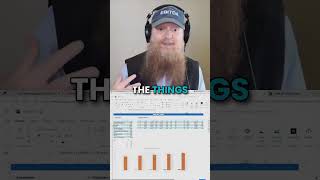
Interesting. As soon as I go to a certain size, it goes away and doesn't there came back. So I can enlarge only. I have to go back to zero. I can enlarge it 10%. The things we.
Learned with Excel online.
Finally did build what I asked it to build. So we'll look at it here in a minute. But what I was going to say is, through Excel Labs, you can see on the right hand screen, I have Excel Labs open. I'm going to reopen it. This will stay on the screen. So we'll look at it in a minute. Let me close it so I get a completely brand new one. If you open Excel Labs. So they have this advanced Formula environment.
From before lab.
Generative AI function. Use a custom function to send prompts. They have the Python editor. This is actually pretty cool. The advanced Formula Editor environment.