Named Ranges & External Links Fixes for Professionals to Build Accurate Models - Joel Steendam
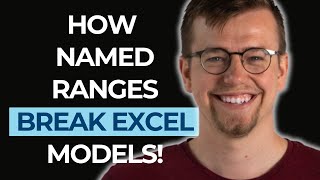
Joel Steendam talks with Paul Barnhurst about fixing named ranges and external links in Excel models. They cover best practices for building accurate spreadsheets, reducing errors in complex models, and tools that help professionals catch mistakes before they cost money.
Try to keep each individual thing as simple as possible. Hole I see a lot of people fall into is to make their formulas much more complex than their current understanding level. If you build something on Monday that you don't understand on Wednesday, you're not building the right thing on Monday.
You stay current and really take advantage of a software that is constantly changing.
A general sense of excitement or curiosity about the program. So if I can block 10 or 15 minutes every week just to try something in Excel I've never done before. You learn so much from that sort of playing and experimenting process that comes in the finance space. Ms. Is that the app per Excel user also uses Excel to build shopping list keeps track of the people they invited to their party, but also makes sense to some degree that the sort of core package of Excel doesn't necessarily contain applications that help at the sort of high end level of Excel. If you're really specialized in something, then it is helpful to have more specialized tools. The risk level of the average financial model is just a lot higher than the average dropping list. Trying to understand not the ideal way to build up a model, but how to build up a model or suggest build up a model for someone foreign.
Welcome to Financial Modelers Corner where we discuss the art and science of financial modeling with your host, Paul Barnhurst. Financial Modelers Corner is sponsored by Financial Modeling Institute. Welcome to Financial Modelers Corner. I am your host, Paul Barnhurst. This is a podcast where we talk all about the art and science of financial modeling with distinguished financial modelers from around the globe. The Financial Modelers Corner podcast is brought to you by the Financial Modeling Institute. FMI offers the most respected accreditations in financial modeling and that's why I completed the Advanced Financial Modeler. I'm thrilled to welcome this week's guest onto the show, Joel Steedman. Welcome to the show.
Thank you so much, Paul. Great pleasure to be here. I'm excited to chat a little bit about financial modeling and Excel specifically.
And funny enough, he was telling me how to say the name in Dutch beforehand. So give us the Dutch version here.
Your last name in Dutch would be staying dumb, but it comes essentially from Stone Dam, so you could also say it that way I guess if you.
Wanted to like say Joel Stone. Damn.
Yeah, go for it. We'll see if I respond, but you.
Might be like, right, I would if somebody said that like my last name, Barnhurst is English and it originally came from a house that was on the hill, like a barn house and then somewhere it was banister and in there Mr. Barnhouse. Yeah. So somewhere along the line it got turned into Barnhurst. But it was the way of knowing some guy back in like the 1600s, he had the Barnhome up on the hill and so anyway, kind of funny how names work, right?
A rich lineage, that is for sure.
Tell me about that worst model. I know you have a horror story for us.
Absolutely. You sent over some of the questions beforehand. So I had, I had a little bit of time to think about the worst model. I mean, there's so many bad Excel models out there. Right. You're looking at things like tons of merged cells or super, super overly complicated formulas for things that could be really simple. But I think one of my favorites is actually at a relatively big company we went into, we, we came across a model with 6,000 unused defined names that linked to all kinds of external sources and stuff. So it had 3 to 400 external links. So when you open up the file, you just start clicking away one by one. These ridiculous amounts of pop ups and errors and issues. And there were old stuff being referenced from 10 years back and stuff like that. And the issue is just that users don't know about this functionality at all. Right. Like they're not comfortable or familiar with defined names. So the model was fully populated by information that nobody was actually making use of. And a little bit of a waste of space, a little bit of a waste of kilobytes, but also a real brain scratcher for the people involved.
Yeah. And I'm sure kind of a little bit of time to clean it up, to trace all that out. I think we've been there. I, I've had someone who, I think they said there are 400 external workbook links in one file there.
This one was 320. But none of them were supposed to be used. Right. So there was no actual external links that were supposed to be in the model at all. I was like, are you sure? Because there's 320 of them right here. Yeah.
You're sure, right? Because I'm going to. That's when you're like, okay, back up first, then we'll kill it and see what happens.
Well, just to be sure. Oh no. My whole dashboard's gone. Yeah.
What's your key takeaway from an experience like that? Seeing that model with all, you know, the name ranges and external workbook links. What did you take away from that?
Yeah. I think from my perspective it's good to understand that not everyone is at the same time level of Excel use and even in the same company. Or in the same team or in the same function. You just have different ways that people go about using Excel models. So I think using something like named ranges, I guess often in our world, Paul, we talk to people that try to suggest things like named ranges because they are best practice, right? Giving a little bit more information as to what's going on with a certain value. If you're working with a VAT percentage, whatever it might be, it's generally seen as good best practice. But it's also really important to remember who's working with you or who's working with a model. And if you're going to use name ranges, great. But maybe give a little bit of instruction as to why they're there, how they work, how you can remove the ones that are not supposed to be there, things like that. I think, I think the core takeaway was just that even some things that we sometimes see as best practice when misuse can have a massive negative impact as well. So always sort of balancing that theory and the practicality is really important.
Yeah, I mean, they're saying that, right? Moderation in all things. And that can go a long way with a number of things in Excel, particularly named ranges. I'm hyped that if you want to use them, fine, I've used them in some models, others I haven't. But please just don't use them everywhere and constantly.
Yeah, yeah. And, and if you use them, try, try to be clear about the fact that they're being used at least somewhere, whether it's in an intro sheet somewhere or whether it's just in the explanation you're giving the colleagues that are supposed to be working.
So documentation matters, if I hear you right.
Yeah, yeah. I don't know how many people in practice or in business could agree with me on that, but I definitely think documentation matters, or at least the transference of information matters a lot.
I think everybody will agree it matters. Nobody likes doing it. So we're all waiting, being able to complete your model, give it to AI and it does your documentation for you, right? That's what we all want.
Yeah, let's hope. Hope so. Maybe, maybe that will work, maybe it won't, we'll see. And maybe people still won't do it, right? That's like still too much time invested.
Hopefully one day Excel will just have it, hey, here's your documentation for your model. As you close it, automatically run by the AI.
The problem is the people reading it will also run it through AI and be like, give me the Spark Notes version of this documentation, you'll miss all the context again, we'll find we're humans.
We find a way to screw things up. But let's talk a little bit about your background. Introduce yourself to our audience. Tell us a little bit about yourself. Joel?
Yeah, well, I've got a little bit of a strange upbringing. I think maybe my English sounds relatively American because I did study in the US for university. That's where I got my degree and everything like that. Where I grew up was in China. I spent about 16 years there. I was born in England before that. But my nationality is that I'm from the Netherlands originally and that is where I am back today. So definitely I grew up kind of all over the place. And I think a lot of people always ask me, well, how was it to grow up in China? And I think we. It's. It's quite difficult to see your own context and where you grew up from somebody else's perspective. Because for me it was normal. For me it was childhood. When I think back to being four years old, it was in China. That's just where I was. That's how it was. So understanding exactly which impact it makes on me today is still of variable. But I really like the fact that I grew up with people from different cultures and can better understand people from different cultural backgrounds as well. I think it can be easy maybe in the west to sometimes miss the fact that cultural nuance is important also in like client relationships and with colleague relationships. We Dutch people are known for being really direct and that works really well with certain cultures. And they love the fact that you're able to bring across the truth as it is sort of thing. Others not so much. So kind of balancing out those cultural differences and also understanding where someone's coming from or trying to understand why they're doing something that might bother you or it might not sit right with you. It's often kind of a cultural mismatch rather than something somebody's doing intentionally.
Sure, yeah, there, there's a huge cultural aspect. So how many languages do you speak?
I speak three sort of semi fluently, I guess. Dutch, English and Chinese, Mandarin and I'd like to learn a few more. My wife speaks Spanish as her first language, so probably going to be on the Duolingo starting to learn that her parents are Dutch. So family situation's fine, but learning a little bit of Spanish would be great as well. Love it.
Here's how many languages I know and I kind of speak it called American English. World is always like, why do you do why do you spell everything differently, use miles instead of metrics? And we just have to be different here in, in America.
And so it is a little bit of a superiority complex maybe, but.
I, I usually don't like to brag about it, but yeah, speaking of cultural differences, you know, how, how did having that diverse background, how do you think that's helped you in your career? And I think you hinted at that a little bit of understanding how to work on different cultures. Would that be kind of one of the biggest benefits or. Well, it's maybe one of the two of the biggest benefits of having that diverse background.
I think definitely the cultural differences are helpful when you're working with people from, from a different country. That's kind of a more straightforward one. But I also think like growing up with people that think really differently than you or look really different than you can be really helpful also in understanding how other people think and act. Because again, I guess going back to kind of what I said earlier about spreadsheets, that if I'm working in Excel, which is a lot of what I do, trying to understand not the ideal way to build up a model, but how to build up a model or suggest build up a model for someone that could actually work for them so that they can not only go in and fill in some data in sheet A and get the output in sheet B, but actually understand why a spreadsheet is giving a certain output. People are at different levels in that sense, not necessarily that their intellectual capacities are different or something like that. Had less time to dive into Excel or to understand how the program works, stuff like that. I think meeting people where they're at is a big part of connecting culturally, but also connecting kind of with things like building a spreadsheet, for example.
I really like that, of how you kind of even bring that into building a spreadsheet. So let's talk, let's talk about your job today. You work for Perfect Excel and I know you wear many different hats, but at the end of the day, the company, your focus is all about helping people be better with Excel out. So what are some of the ways you do that? How do you do that?
Well, I think, I mean, I'm the. The biggest business model for Perfect Excel is just the fact that we sell software. So I think it's kind of ingrained in our software, that idea. I mean, we started as a project from a university as well, so it was really a research to look at how square sheets are built up and try to do that across industry as well. So rather than saying, hey, this is a profit loss statement, for example, what can we say about profit and loss statements that will help mitigate the risk in this specific industry or in this area? We were trying to look at what consistent variables do we see across different industries that use Excel that might hint at good or bad quality when it comes to modeling. And I think those core concepts that are kind of core, not just one industry or one user, but really core to the software itself, do strongly hint at best practice use of Excel. I think so in the development of software to try to mitigate risks in Excel, we definitely have developed a sort of set of principles and best practices around Excel modeling that really try to encourage people to build better models from the start. And so a big part of that is the software. On the other hand, I do love going to events, speaking at events. I'll be at the Global Excel Summit in February as well, in a couple of weeks. So I love sort of just speaking about Excel in a general sense. We also have a course on Coursera about best practices pitfalls of Excel modeling. And I do just speaking at different companies and stuff like that around. Yeah, producing better models and what that looks like for the specific industry or workplace that certain people are in. So I guess it's. It's pretty much those two sides practically just training and speaking on the topic. And then also our software really has that sort of underlying academic idea around what does a good model look like?
Yep. And we'll get a little bit more into that as we go. Quick question. So, Excel Summit. So are you speaking at the Global Excel Summit or just a participant this year?
This year I'm just a participant. A couple of years ago I did speak at the event as well, but I'm just joining in. I'm along for the ride, I think.
So. Good. Hang out with all those good Excel nerds.
Yeah. And it's good to balance that out as well. I think. If you're constantly only going to events as the speaker, it's not really the attitude that I want to have towards others or towards Excel either. I think constantly having that sort of attitude and that feeling of wanting to learn and understand what other people think about the subject and what kinds of things are moving in the space, I think there's a lot of value in that. So if, if I want to speak at an event, I also really want to be able to go to events that I'd like to participate in, I guess.
Totally understand. I really enjoyed getting to spend a few days listening when I Was at the financial modeling World cup versus.
Yeah, yeah. Meaning or anything. I was attending.
It was good. It's a really. It's a really good experience. If you get a chance. I recommend it.
It's fun, fun event. I watched a little bit of it. I loved Oz and Giles, their commentary and everything. A lot of fun to experience. But it would be great to be their life sometimes though.
Yeah, Oz and Giles are great. I did so funny enough and I've talked about this a little bit. The video, I think drops potentially today. So Giles does the show called Excel on the Road, little YouTube series he does and he did one for our trip. So he came in from London to Salt Lake. Oz drove up from Vegas to Salt Lake and we all drove down together and recorded the whole thing. We had a videographer follow us and turned it into a little video. Yeah, it's fun. There's. The trailer is already out there. It was. Giles posted it on his LinkedIn page, like a little 40 second trailer. But I believe the full video drops today or tomorrow. So anyway, so it was a lot of fun being a car with the two of them.
Their character, for sure. For sure. Their character. No doubt about that. I've had the pleasure of working with both of them separately.
Yeah, they're both great. So, you know, learning Excel, obviously, and trying to help people be better. With Excel. One of the ways we do that is training, as you mentioned, teaching. And it's been several years now since Excel went to the subscription model. Anyone who's as old as I am can remember, oh, you have Excel 2008 or 2016 or 2010 or whatever version. And now the updates just keep coming. Right. With a subscription model, there's something every month and sometimes there's a new formula every month and they're in beta and there's all these different channels. I mean, honestly, I think it's partly my job to stay up to date and I struggle. So what would you tell people of how do you stay current and really take advantage of a software that's just constantly changing?
Yeah, yeah. I mean, I'm in the same boat as you. I think in the sense that it's part of my job is just to stay up to date on Excel and the new features and the functions and everything. I think what really helps me is not necessarily one specific thing. I mean, I could suggest a bunch of YouTube channels or a blog or something like that, but more just a general sense of excitement or curiosity about the program. So if I can block like 10 or 15 minutes every week just to try something in Excel I've never done before, or if I see a new button pop up, I'll reserve a little spot in my calendar just to go click on that button. I just want to see what the button does. I'll open a blank spreadsheet. Whatever it is. I think that sort of childlike excitement or curiosity comes quite naturally to me maybe, but it's something that I really advise people to do. Make time to just play with the thing that, like, you work in all day because that makes your work more enjoyable because you're excited to try this new feature in the next model you build it, whatever it might be, and it helps to stay up to date with stuff. I mean, if you're still using Vlookup or you have sort of your set way of doing things and you stick to it up because it works, then you're missing so many of the new functions and the ideas that Excel is bringing to the table to make your life easier. So just stay curious. You know, like Excel posts their sort of updates and blogs and stuff. Reading that stuff can be a little bit boring. But if you just spend a little bit of time playing in Excel, try to do something you've always done a certain way, a different way, see if there's another way to accomplish it. I think you learn so much from that sort of playing and experimenting process, even if it's not the most like, time efficient method to learn something.
Sure. And one thing I really love that you said there is curiosity. I ask people on FP&A tomorrow to kind of give one last piece of advice to be a better business partner in fpa. And almost half the time it feels.
Like in that learning process because it can be a slog, right?
Yeah. I mean, I think it's fun to learn new stuff, but I still remember I was interviewing a guy and I asked him, you know, about how he goes about learning new stuff. He's like, to be honest, I don't like learning new stuff. Like, I'm just getting ready to consider hiring you and you're gonna be learning a bunch of new stuff. We went on to explain why and it was like, all right, you crossed yourself off the list. Like, don't like learning new stuff. There's. You got to know how to manage an interview. But it was pretty. It was pretty because it made it really easy for me to narrow down the list. All right, moving on. When people ask you for advice, you know, on learning Excel, not even necessarily keeping up, but just kind of in General, do you have a place you typically tell someone to start? Let's say they're fairly basic in Excel. You know, they've used it a little bit, they know some, maybe they know Vlookup, maybe they don't. But they're early in their journey, right? They played with a little bit, but by no means are they experienced in Excel. Do they really, you know, realize its power.
Really good question, I think. I mean there's tons of resources out there, I think for learning how to use Excel and use Excel. Well, I think I wouldn't dare to say a lot of the resources are very good. I guess I'm on a lot of learning platforms, things like Coursera and Udemy and I keep track of things like that. There's a lot of the sort of clickbaity here. In two hours you become an expert in Excel. I don't totally think that exists.
I will say it doesn't exist. We'll just put it out there. Nobody's going to be an expert in two hours, a week, a month. I don't know if there really is an expert in Excel. When you talk of everything in Excel that truly could be considered an expert, I'm not sure they exist.
Well, I mean you have the MVPs, I mean yourself as well, right? Like there's, there's people that are seen as very high level Excel users and, and very fairly so. But some of the MVPs that we work with as well, I ask them how, what percentage of functionality in Excel do you think you know? They're usually like, well like maybe 60, 65% on a good day I might know and then yeah, well that's not even a passing grade in school, right? So definitely I think an all rounded expert in Excel that doesn't necessarily exist that way.
I think I was going to go 30, 40% so I completely failed.
We keep learning. No, I think if someone's really, really basic level, like they've never touched Excel before, I would say the easiest way to learn Excel is to have a specific project that you're trying to work through. So try to create. If you don't have specifically for work, you have to learn Excel for something, then try to think of some kind of case or a story around it that will help sort of lead the learning process as well. If you really don't know anything about Excel, I've seen some people actually get quite a bit of value about from the sort of standard template files in Excel itself when curb Excel and you just go to file and you're going to open up a new blank template. You can also open, like the formula breakdown thing that Excel has to offer. I've never gone through it all the way, and I do disagree with a few of the points that they give. But if someone's quickly trying to learn, if you're curious, click on that. You know, you'll learn a couple of formulas, you'll have a couple of specific test cases. In Excel itself, you'll get a few of the basics down. And I would say step two is like, with your use case in mind, really go in there and grab all of the data and all the information you think you'll need to reach the output that you want to get to. But as you're doing that, don't just pop a bunch of data in a sheet. Try to give everything a clear name or a clear place. So name your worksheets, name your ranges, create tables, your tables. You can give those names as well. Give your columns names. Try to sort of like tag all the information you're putting with this break. Sorry. Then look at the output that you want. Even if it's. If it's a graph or something, draw it down and paint or set up a fake graph. If it's an output of some kind, like, write down what it is that you want as a result, based on this sort of data that you've now gathered and collected and tagged and named well, and then from there sort of work backwards. You've got all the information you need. In theory, you've got the output that you want. Finding those in between steps can be super doable, even with the most simple formulas, but just break it up into little steps. I think if we watch a YouTube video where someone's explaining how to do something in one go, often they're writing a relatively complex formula. If you're working with things like sumifs, or you've got like a filter of an xlookup that's doing some kind of unique selection out of it. They're really cool stuff, but you're not going to learn the sort of basics of intrinsic modeling that way. So I would suggest break it up into as many parts as possible. One cell, one function, even do a sum here and then do an average of those sums and then do an if statement. If you have to do an if statement, do that afterwards and you just break it up into its logical parts. And then as you get more experience, you can kind of start to put a couple of those pieces back together. But I'd say the two Most important things when you're learning to work with Excel is know exactly what you've got to start with, label it, give it a place, understand what you have, and know exactly where you want to get to. So try to get your output in place, think about what you want as your output, and then sort of the calculations in between will fall into place. As long as you have like a basic understanding of platform.
Yeah, it's basically start with knowing what you want to accomplish, have some good design and structure principles to it, because at the end of the day, as I like to say, design matters. And I built my share of Franken models so I can speak to lack, you know, and, and then kind of break it apart and start small and learn. I, I, I think that's great. Is the best way we all learn is by getting our hands dirty, so to speak.
Absolutely. And I think, I guess the biggest part of that is, is try to keep each individual thing as simple as possible. I think especially like very, very basic users, don't struggle with this as much. But as soon as you learn a few formulas, the kind of hole I see a lot of people fall into is to make their formulas much more complex than their current understanding level. And if you build something on Monday that you don't understand, on Wednesday, you're, you're not building the right thing on Monday. That's kind of like the point I like to make. So keep it dummy proof for yourself as well on Monday, build something that is easy to read and understand so that on Wednesday when you come back to it, you can continue on that sort of same track in that same trajectory.
Yeah, I think we've all been there where you open it up and you've written some formula and you're looking at.
It going, what does this do?
And, and it only magnifies when it's somebody else's formula that when they're in the workbook, as I like to say. What do you call a broken spreadsheet? You know, we call broken spreadsheet.
I don't.
The intern's problem.
It's good that it's painful because it happens. Genuinely, it is often the intern's problem. And that is not the place you want to put the spreadsheet that you're calculating your return on investment of a $10 billion investment for your company. Somehow those are easy into something that.
Actually is important that you're making decisions off. But yeah, we do. So you talk a little bit how perfect Excel does a lot of software. So talk a little bit more what kind of software are you doing? What's the resources that help people build better models? Maybe just tell a little bit of what those are.
Again, I guess perfect. Excel's core is software. We have kind of four core functions and those core four functions come together to form a sort of suite and we like to call it a sort of audit or a model validation suite, I guess. So the core underlying principle of our software is simply that we're trying to provide software tools that help people audit and validate models to make them better. So to eliminate risk, mitigate risk, whatever you want to call it, but also to be able to build and develop better models yourself. So it's kind of those two ends of the spectrum. You've got people that send it to somebody that's checking the model needs to make their life easier and it needs to make the life easier of the person actually building and developing the model. Because I guess kind of the underlying idea is we think Excel is a really powerful tool, but Excel itself doesn't invest enough of its resources into providing sort of data and quality and consistency checks, which allows potentially for a little bit too much freedom for the average modeler to be able to do whatever they want. And we kind of want to give tools to help people understand what's actually going on in those.
So is that the reason why Excel alone is not enough? Right. They have trace dependence, they have compatibility, they do checks, they now have the year formula history. So they've done a few things. But you know why? Why is that not enough for the average user in your mind, FP and a guy here.
And as you know, I am very passionate about financial modeling and in the Financial Modeling Institute's mission. I have been a huge fan of the FMI for years and I was super excited when they decided to sponsor the Financial Modelers Corner. I recently completed the Advanced Financial Modeler certification and loved the entire experience. It was top notch from start to finish. I am a better modeler today for having completed the certification. I strongly believe every modeler needs to demonstrate they are a qualified financial modeler. And one of the best ways to do that is through the FMI's program. Earning the accreditation will demonstrate to your current and future employers that you are serious about financial modeling. What are you waiting for? Visit www.fminstitute.com podcast and use code PODCAST to save 15% when you enroll in an accreditation today.
Yeah, I think that Excel is gearing their software as much as possible to the average Excel user. And I think what we maybe sometimes in the finance space miss is that the average Excel user also uses Excel to build a shopping list or keeps track of the people they invited to their party or like a very simple database file. So I guess the average usage of Excel isn't these really complex financial difficult to understand formulas. So it also makes sense to some degree that the sort of core package of Excel doesn't necessarily contain pools or applications that help at the sort of high end level of Excel. So if you're really calculating return investments, you're estimating cost and expenses, you're doing P and L statements and you're sort of at that upper echelon of Excel user I guess saying which in our world the basic users are already at the upper echelon of Excel use. Kind of from a worldwide perspective, it makes sense that if you're sort of at that peak capability within the Excel space that you need a different level of pools to be able to check and validate those models as well. I think it's maybe not in Excel's best interest to over index on on these kinds of pools. And yeah, I think we try to make our tools sit as closely as possible to how Excel functions. Excel also really encourages a sort of marketplace of providers to be providing these kinds of applications. I think they really like the idea that a lot of different developers from different areas and ideas, I mean just to name a few, like something like Zebra BI makes some beautiful visuals that you can apply in Excel as well. Not affiliated to them at all. Never have used the software extensively myself, seen some of the stuff they do. I think it's super cool. And I think Excel yeah, just doesn't invest the same amount of time into each specific part because they created this very broad toolkit that can do so many different things. Right. So I think if you're really specialized in something then it is helpful to have more specialized tools. And I think the risk level of the average financial model is just a lot higher than the average shopping list or sort of simple thing built in Excel.
But what if I get the wrong cookies?
You're right, you're right. I think shopping lists also need perfect though. That's kind of what it comes to.
All right, I'll have to try on a shopping list. No point. Right. It's very clear Excel welcomes the developer community, as does Google Sheets as well. And you can build a lot of applications on top of it. There's thousands, probably tens of thousands in different ways, whether they're add ins or you know, their own product that integrates with Excel or has an add in or whatever it might be because there's so many different use cases and you know, Excel wants to build the most flexible, usable spreadsheet in the world.
Absolutely.
And then allow it to be used for thousands of purchases. I mean, I don't know if you've ever seen the guy in Japan that made a living off doing artwork on Excel.
Gorgeous, beautiful.
Really impressive stuff. Right. Or I. I'm getting ready to interview a guy by the name of Tom Hinkle for a different podcast I have and he built Minesweeper using ChatGPT in Excel. I've played with.
I've played his Minesweeper version in Excel as well.
I have too. I like wasted an hour one day reliving my childhood.
It's great.
Maybe even longer. It was quite fun. But I'm like, am I really doing this? You know, like I probably were, but yeah. So, right. You name it, it can pretty much be done within reason, obviously.
Yeah, I mean, that's exactly what you're saying. I think the power of Excel as well is that anything that you can sort of imagine can be done in Excel, but I think in the sort of financial spaces where you're dealing with money made investments, all that kind of stuff, we should sort of encourage each other to limit a little bit the possibilities of Excel in a way. So having some tools that very simply show where potentially something's going wrong. It's not even hard like, this is wrong. This is not going to work if you've got our tools. It's just purely be giving a little bit more insight into things like that structure that we talked about earlier, highlighting areas that might potentially be causing an issue, checking for things like consistency, the stuff most financial modelers want their spreadsheets to look like. It's helpful to have tools that sort of help encourage those best practices and give just a little bit. Yeah. An easier way to approach that process.
No, I agree. And one way I think about it, you know, I talk to a lot of FPA software providers which are building modeling tools at the end of the day. And as I like say, you know, Excel spreadsheets always have a place in every company's tech stack. But does, does that mean you should be using them for everything? Right. A lot of these tools have been built to bring in a lot of the structure you're talking about automatically. As I, I get, people ask me all the time like, I want to get a planning tool and I want it to be as flexible as Excel. I'm like well then don't get a planning tool.
Yeah, then get Excel.
Because if flexibility is really the most important thing to you, just stay in Excel. If you can handle the downfalls of having nearly unlimited flexibility, let's talk. Because you're gonna, you're gonna trade one thing for another. And I think that's what a lot of people sometimes don't understand. Right. That's the kind of the double edged sword of Excel. It's the beauty and it's also the frustration sometimes when you're like, I always had this guy that you could tell he was a programmer and a coder because he would always write his formulas kind of coding like and they were different than I would always write them. So it always took me a while, he's one of my employees to figure out what he was doing in his formula because he just thought differently in the way he'd write every, even basic formulas. I'm just like, why did you do it that way? And it's like using Bully Boolean logic or whatever. That comes more from kind of his coding experience.
Yeah. Different thought processes and it accommodates pretty.
Much all of them. All right, so do you have a favorite functionality in, in the software you guys offer, is there something that's kind of your go to that you're like, I couldn't live without this and Excel.
Yeah, I mean it's a little bit like asking to pick like a favorite child or pet. Something that everybody clearly knows which one it is, but you're not supposed to say it out loud. I guess it's kind of.
Yeah, I'll tell you, favorite child is have one. So it's really easy. Your name's.
Hey. Yeah. You're cheating. I get it. No, I mean I think our company was built originally around being able to detect risk in Excel models and now sort of our case by case view in the Risk finder. That functionality that shows an actual screenshot of the issue where it's going on a little bit more context. What exactly is going wrong in this case? For example, if you've got like a sum that's calculating over a part of a range of cells, it suggests that maybe the other cells should be included as well. With a little bit of advice on how to potentially resolve the issue and the possibility to jump directly to it. I love that little overview because it just feels really clear, easy to explain to someone. And sort of at all levels of Excel you see people that are like, oh, this is really helpful to be able to quickly jump to and understand what's going wrong in a. I like it.
All right, so now I'm going to ask you to pick another favorite child here.
Yeah.
Favorite shortcut.
It's a painful one. I think it's. It's something that's asked on almost every interview podcast, all this kind of stuff. I've thought about it a decent amount. I think, like just very simply. The one that I use all the time that some people don't know about is control or Control shift and the arrows to be able to jump to the edges of a range. I don't even know if that fully counts as a short, but people don't know that it exists.
It saves you a lot.
It saves so much time selecting ranges stuff. The other one I would say is Control T because you can insert tables just by going to insert table. But sometimes it's easier for people to understand that Control T does the same thing because anything that looks like a table, I think it's not in every case. Definitely not in every case. But often creating tables in your Excel makes it a lot easier to understand what's going on in the data. It makes references more readable. It's a really quick and easy way to give a little bit more structure to the information.
I'll give an amen to that one all day long to tables.
Great.
It's funny, I asked Ken Pulse that question. He's like Control T but not Excel's Control T. He's like my monkey tools Control T. That's cheating. His is designed when you hit Control T, it creates the table and requires you to name it.
Oh, smart. That's nice. I was, I was thinking about it today as well. I was thinking wouldn't it be better if Excel just had a pop up, even one that you can click away that has the pre selected name of the table. That would be fine if it just popped up in screen for a second with like, hey, this is the name of your table, do you want to change it? You can just select Table 1 and type something else in. I don't think it would negatively impact a lot of people's experience and it does make it easier than going over the table design.
And thrilled to have it.
It'll be great.
The other one that he has that you'll laugh about is he actually replaces Merge center with center across selection.
Yeah, that's great. I've seen a lot of post.
It changes the English depending on whether it's British or American. So center is spelled different depending on your fine. Your local settings. So anyway, total nerd Part if anyone's still listening at this point.
Sorry, yeah, our apologies. It is what it is.
You are listening. At this point, I'm gonna assume you're a nerd as well.
So it's probably all welcome to the group.
What's the funniest thing or most unique thing you've ever built in Excel? Craziest.
Craziest thing.
I don't know.
I don't know if that funny. I. I really like to play a card game called Ups and Downs with my family and the point system is a little bit annoying to write out because for each like you deal a different amount of cards each round. So it's that sort of a scaling number of cards and then for each round you guess how many hands you will win out of that set of cards. So if there's eight cards, I'm guessing at the beginning, I'll probably win three based on the cards I have in my hand. If I'm correct, I get a score based on the number that I guess and if I'm incorrect, I'll get a minus points based on how far off I was from my original guess. So it's a little bit of an annoying thing mathematically because you get like the square root of what you got correct or you get minus some kind of complex thing.
Too hard.
It's really fun. The game itself is really fun, but keeping track of the scores is a little bit annoying. So I built it in Excel, which in. In and of itself is. I mean it's kind of fun that it increases the. You can check how many rounds you're going to play, who needs to deal at what time, how many cards you're playing with, all that kind of stuff. But the annoying thing was I built it in Excel 2016 on a MacBook with semicolons as the delimiter instead of commas because it was somebody else's computer that I was working on and that was mind bogglingly frustrating and miserable because it was also in Dutch. The language settings. So like everything I tried to do from dynamic arrays don't work in Excel 2016. You're trying to type out your commas to separate the different arguments. Doesn't work because that's a semicolon delimiter. So it took me a while, but we got there in the end.
Just say no to Mac and Excel.
Yeah, exactly. Like Absolutely. I 100% agree, but I needed a spreadsheet to calculate this stuff.
So this is a public service announcement brought to you by Paul and Joel P. And J.
Stop IT.
And J. When it comes to Mac and Excel. Right on. PB and you're J. PB and J. Great.
Just to Mac and Excel PC only.
All right.
I have a lot of friends.
Going to get a lot of angry people sending me a note.
Nah, it is what it is. I have a lot of friends that work with pictures and videos and stuff. If you're using Mac completely, fine. Just if you're working with Excel, consistently use Windows, please. I promise it'll make your life better.
You're not going to get any disagreement from me. All right, we're going to move into rapid. So I'm going to lay the ground rules here. You can't say it depends. You don't get to elaborate on the answers. It's just a quick one or the other. So, you know, circular references, It's a yes or no. Then at the end you could pick a few that you're most passionate about and elaborate a little bit, because I realize there's nuance to all of these. Everybody. So you ready?
It's good. Let's go.
All right. Circular references, yes or no?
No.
Vba, yes or no?
No.
Do you prefer horizontal? By horizontal, I mean lots of sheets or vertical? Kind of building it all in one sheet with schedules?
Horizontal.
All right. Excel dynamic arrays in your model, yes or no?
Absolutely, yes.
How about fully dynamic array models? It did.
No.
Yeah, that. You can elaborate on that one. There's a lot of debate.
Sounds good.
That one. Right now. External workbooks.
No. External workbook leaks. Yes. Power. Great.
But yeah, I had someone else say the same thing and I agree. Named ranges. We talked about this. Yes. In moderation, probably.
Yeah.
All right. For the modeling you do, do you follow like any of the formal standards, like FAST or SMART or some of the others out there?
This one really is. It depends. I. I love guidelines. I don't follow standards strictly to the letter, so.
And I'm with you. I'm more of a guideline than, hey, follow these standards.
Yeah.
Should we learn Python in Excel as financial modelers?
I haven't learned it yet, so it's really hard for me to answer this question. I'm going to say yes.
All right. How about Power Query?
Yes, absolutely.
Power. Bi.
Yeah.
All right. Is Excel ever going to die?
Not anytime soon.
Fair enough. Will AI build the models for us in the future?
Depend. No, I think not. All models.
Okay. That's a fair model. Okay. So do you believe financial models are the number one corporate decision making tool?
Yeah, I think so.
Okay. And then what's Your lookup function of choice. Your favorite lookup function. I'm not even going to give you the list. Just let me know.
A strict. Strict lookup function. Xlookup. But filter is like kind of the close.
I will tell. Here's a lookup function. I get. It's a database lookup function in many ways.
Yeah. And in theory you use it for a lot of the same use cases. So. Yeah, I think Filter.
Yeah, that works. You're not the first one that says that. Mark Proctor gave me filter as well. I would agree among. Among good Excel nerds. All right.
Absolutely.
One or two you want to elaborate on. I know you. You wanted to throw in plenty of it depends in there. So.
Yeah, I would love to throw plenty of it depends. I think, I mean the, the first two circular or no circular references, MVBA or no vba. I think there's very specific cases where it's okay to use them, but as a general rule across the board I'd be generally against them. So that's why I said no for both of those. That's just a little. A little bit more elaboration, I guess, on the formal standards and guidelines thing. I think something like FAST standards is something we referenced in our risk factor as well. But the issue with standards is I think they sometimes claim to be the end all, be all. And so I guess that's what you're also saying in terms of principles. Like The ICAW has 20 general principles for good tunneling practice. I love those principles. Yeah. Because I think they also encourage you it's okay to break a principle every once in a while. Right. That's just the way a principle feels. But it does encourage a different perspective when it comes to Excel modeling.
Well said. You really hesitated on fully dynamic array models. Elaborate a little bit there. Ask you to elaborate on that one.
I think there are contexts where it's okay to use Excel as a sort of front end, if that makes sense. So in some IT teams or departments, some, some people are just filling in data and they need their output and that's all they're going to do. And then you do have a professional Excel modeler or an IT team that's developing a model for those people. I think in that case a fully dynamic model is fine. I think models that are evolving over time and are being sort of developed by more than one person or it's something that you're making changes to as you go. Probably fully dynamic models are not the easiest to understand or modify as you go because the formulas get A lot more complicated. So the efficiency gain you get maybe in the initial build or for the person developing model originally is lost on the backend because just the readability goes down a bit. So, yeah, it's hard to say. I've seen some really good fully dynamic models and I've seen some really bad fully dynamic models.
So yeah, I think there's two things and you know, a lot of people are like, hey, when are we going to get to fully dynamic models? And I think there's really two ways you can do it. Complex lambdas, if you have core cues and things like that, or you're dealing with complex algebra and math. Some people will solve it mathematically, most will solve it through complex lambdas and some of those lambdas have complex math in them. So there's, you know, and I think until they solve that and make that part simpler, I wouldn't recommend it to most people. I agree with you. Maybe some back end. I know there are some firms that, there's one I know in UK, they're doing 100% dynamic models. Me personally, I'm like you, I'm not there yet.
Yeah, me too. And it could, it could really be that my own skill level was maybe just not there yet in theory, right.
My skill level isn't there yet. So I get it.
But worked a bit with the lesson lambdas, but I think it just gets out of hand, right. And I think in general the dynamic spill ranges again when used. Well, incredible. Like having a few spilled formulas across your model. Pulling in sort of a filter or subset of something's fine. But I've seen several models where they did both. So they would kind of calculate things out, they'd have their hard values and then they'd be pulling in full filter ranges on every subsequent sheet and referring back to that. It becomes such a convoluted mess because your cell references are no longer referencing something specific, right? So a filter that references a range and in that range something's calculated and then you're referring back to that filter on the backend somewhere. You're, you're losing sort of that clean flow of where's the information coming from? What substantiates this? And it just makes the model perform more.
I mean, and you get the same, even if you're not doing dynamic where you, you reference, you're not referencing back to the source. Much easier to do with dynamic when you're filtering. But if you write your formulas right, you can always go back to the source. Might get a little more complex. But it's going to be easier to follow. We're all guilty of it sometimes, though. Oh, the data's here. I'll just take this subset and before you know it, you got to Daisy and the auditor hates you.
You're 20 deep and you've got no idea where the information comes from yourself.
But yeah, I've been guilty of it. So I think that's a good point. And I think that definitely a lot of that can be solved through design, but at the same time, you know, dynamic arrays, even if you can solve a lot of it through design, I don't think they're there for mass adoption.
Yeah, I agree.
All right, well, we're kind of on wrap up here, so I'm gonna give you a second before I have one more question I want to ask you. Any questions you want to ask me, Anything you want to put me on the spot for before we wrap up?
Yeah, I mean, I, I really liked your first question. In terms of what's the worst model you've run into? Are there any. Yeah, I, I guess recurring things that you see come back in the models you're running across that make you want to rip your hairs out or frustration always sells well. Right.
So I think the worst model I dealt with was really around a commission model. And the guy who did it did a great job. He was early in his career and he hadn't been taught design principles and this process was taking him like two weeks to do. And it was super complex. Tons of different plans, you know, tons of one offs. And when I inherited it, you know, I got some instructions on it. There were things like, you know, sort this and highlight the first 50 blue. Not even tell you what way to sort it and why. And there are hard coded numbers in multiple places, you know, repeat of stuff, finding things that were wrong. And it was a really long process to kind of convert and fix all that. And so that was probably the most frustrating model I dealt with. And it was multiple models and files, but it was calculating 100 people sales commissions. And that was just a complete mess. Copying and seeing and that kind of thing.
The files can get really convoluted. And then I guess the other thing you, you said I wear quite a few hats. I guess currently what you're doing for work also is kind of quite diverse and spread out. You have sort of one aspect of what you currently do for a living that you most enjoy.
Great, great question. If I was to sum them up one, I love doing podcasts. It's fun to interview people So I, I would say there's probably two or three things. So one, I love the interviewing. I love training people and more seeing when they're like, hey, what you did, help me. Yeah, they actually take it and benefit from it. And then third, I love meeting with startups. I get to talk to a lot of software startups, and that's just fun to see what they're exploring and talk to them about their journey. I mean, I've talked over 100 software companies, so if I was going to say. And you can see those all have something in common. It's talking to people, it's those relationships, it's educating. But those three things are probably my favorite.
Great, good little subset.
Yeah. And I get to do a lot of them, sometimes more than I'd like. But that's another story. That's what happens when you, you have three podcasts.
A story for another time. Yeah.
All right, so if you could offer one piece of advice to our audience to be a better financial modeler, so not necessarily better in Excel, but a better modeler, what's the one piece of advice you're going to give? And keep in mind, our audience is probably a little more knowledgeable than your average audience. I'd hope so.
You'd hope so? You'd hope so.
Yeah, I know so. I'm not going to insult my audience.
It is what it is. I, I mean, I think, I think we hinted at it or we talked about it quite a bit earlier as well, but I still think in pretty much any space that you're in, the number one advice would be to stay curious. I think that, yeah, having. I, I think it's something you can do intentionally as well. I think maybe sometimes we think some people like learning new stuff and some people don't. I think you can become addicted to learning by doing it as well and learning how to learn well. So I think just. Just staying curious, trying new things, be willing to try new things the right way as well. I think AI is one of those examples where people will learn AI for the sake of learning AI. I think AI is, is super interesting as an innovation technique for very specific use cases or needs. And learning something generally about AI is okay as well. But just going ahead and just randomly starting to apply that in a much place is probably not the best way. But be curious. Think about whatever process you're in. Is AI a good solution? Is there something you could be doing more efficiently? Is there someone you could talk to about this or someone you could learn more from? Stay curious.
So, you know, we'll go ahead and put your link in in the show notes and you know, mention perfect Excel or your work so people can get in contact you if they want to ask more questions and we'll let you go before it gets dark. Wait, never mind. You're in.
You're in the new pitch dark already. It's hopeless.
Yeah.
Is there someone you could talk to about this? There's someone you could learn more from. Stay curious.
So, you know, we'll go ahead and put your link in in the show notes and you know, mention perfect Excel or your work so people can get in contact you if they want to ask more questions and we'll let you go before it gets dark. Oh, wait, never mind. You're in. You're in the pitch dark already.
It's helpless.
Yeah, I. I can imagine. Well, thank you so much for joining us. Had a great time chatting with you, Joel, and enjoy the rest of your day.
Yeah. Thank you so much for the interview and the podcast. Thanks.
Financial Modelers Corner was brought to you by the Financial Modeling Institute. This year I completed the Advanced Financial Modeler certification and it made me a better financial modeler. What are you waiting for? Visit fmi@www.fminstitute.com podcast and use code podcast to save 15% when you enroll in one of the accreditations.
More from Paul



Trust and Leadership Lessons for FP&A From 100+ Top Leaders with CFO Jon Laudie






