The Future of Financial Modeling with George Mount
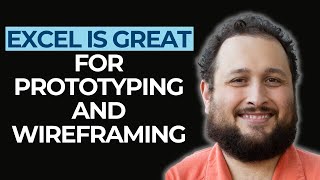
This is a YouTube video titled "The Future of Financial Modeling with George Mount" recorded in 2024, featuring a podcast-style interview hosted by Paul Barnhurst with guest George Mount, an Excel MVP and data analytics expert. The discussion covers the integration of Python, R, and Excel in financial modeling, data analytics, and the evolving role of technology in finance, including AI and data engineering. The conversation also includes personal insights, Excel tips, and resources for financial modelers to enhance their skills.
How can you be a data scientist, a data engineer, and a data analyst? In Excel particular, there are opportunities to use Pythons in the program. That's probably the best place to start for most people in financial modeling. We can do that in Excel now too. There's more opportunity to do that with things like Power, Automate, Office scripts, all that stuff. One of the big takeaways is that, like, I really want to disentangle Python from being necessarily super complex and hard.
Why did you feel it was necessary to learn Python in R if you were already good in Excel? A new power query, and we're using that a lot.
Python in Excel is really just the tip of the iceberg for what you can do with Python as an Excel. It's very good at raw computation, not the easiest tool to build outputs that users might want to look at or care about. It's really hard to kind of flow data in and out of Excel. So I think Excel is really good in ways that traditional programming language isn't necessarily best suited for. There's this new cool field of data coming out now called foreign.
Welcome to Financial Modelers Corner where we discuss the art and science of financial modeling with your host, Paul Barnhurst. Financial Modelers Corner is sponsored by Financial Modeling Institute. Welcome to Financial Modeler's Corner. I am your host, Paul Barnhurst. This podcast is where we talk all about the art and science of financial modeling with distinguished guests from around the globe. The Financial Modeler's Corner podcast is brought to you by the Financial Modeling Institute. FMI offers the most respected accreditations in financial modeling. This week I'm thrilled to welcome Excel mvp, an all around good guy, George Mount to the show. George, welcome.
Hi, Paul. Hi everybody. Thanks for having me.
Yeah, no, really excited to have you. I know you and I have got to know each other over the last couple of years. It'll be fun to have you on the show. So this is the question I ask everybody to start the show. Tell me about that worst spreadsheet model you have ever seen. Tell me that horror story.
Yeah, I think this is what set me off into the Excel world when I was working in healthcare and I was responsible for for physician incentives and physician compensation. You know, physicians aren't exactly known as easy people to work with and I think everybody is sensitive about their paychecks. So it was a worst of all worlds scenario where it was all done in Excel and I had to learn a lot about Excel to do it well and to get people paid on time and in the right amount.
Yeah, Oh, I, I think you and I could talk a long time about commission file horror stories. You'll, you'll laugh at this. I took one over and I took it over from a guy who had left the company. And the thing was just complete, my hard coded numbers, you know, copy paste this, sort it this way, then do colors for the top 10. Like, well, okay, I don't know. That's just the way we do it. It's horrible process and I, I'm starting to try to fix it all. And my boss hadn't looked at the files the whole time. This guy owned it. He opens it up and he calls me, freaking out. He's like, this is going to fail. An audit, I would have failed, not it for the last two years. I'm trying to fix that. You're going to have to give me some time. But I, I definitely paid some wrong people, had some real pain. So I learned a lot in Excel, just like you said. Trying to do commissions.
Absolutely. Yeah. Mine was the same. Just lack of rules, right. A lot of exceptions that weren't really documented and, you know, no real such thing as any data integrity. Right. Just kind of a, kind of a free for all. And I guess that gets to Excels, right? The strength and the weakness is the flexibility. And I think that that showed it right, to a T. Because, you know, when you're dealing with something like compensation, right, I understand it's a very complex matter, right, to pay people. So sometimes you do, for the sake of the business, want to develop different rules and strategies and things like that, but you need to model it in a way, right, that can be achievable. And I think that that's, you know, talk about sometimes a disconnect between management and then the person with the spreadsheet, right? It's easy to come up with some, you know, really brilliant, complex compensation model, but then like, hey, how are we going to model this in Excel and actually do it well, right? Nobody often thinks about that. So it's good that there are resources like yours for the people who actually have to, you know, put rubber on the road and build these models and execute on them.
We've all been there where you're just like, would you please think about the data you're asking for in this compensation plan? You know, how much work that is. Like there are some they tried to come up with and I, fortunately, I was involved in that side of as well. And a few times like, yeah, you're going to need better data before we go down that rabbit Hole, because I'm not going to be calculating those. So I get it. So why don't you tell our audience a little more about yourself, your background, what you're doing today.
Yeah, so as you mentioned, I am an Excel mvp. I do a lot of training when it comes to Excel and more so the analytics side of Excel, whether that's getting into like Power Query, Power Pivot, or more recently, topics like Python and Excel or AI. I'm the author of a couple of books and of course I have my props here. First one is advancing into analytics with O'Reilly. This one was my first on learning Python and R, mostly for statistical analysis outside of Excel, with an intro to those topics in Excel. And my most recent one is modern data analytics in Excel. This one is your 101 guide to power Query, Power Pivot, and then the kitchen sink of analytics tools that are now in Excel, like dynamic array functions, Python, AI and all that business.
I actually own both books. One you sent me, the digital copy I had a chance to review and the first one I had bought. And I will say they're great books. That's one of the reasons I wanted to have you on the show. And we'll get into just our audience knows is thought it'd be great to talk to someone more around Python and data analytics because there's a convergence, right?
Yes.
Financial modelers are often doing data analytics to a certain extent. They're starting to figure out, okay, how do I use Python to clean the data to be better at what I'm doing, to augment the visuals, the, you know, the model, whatever. So I feel like it's really important for them to hear from somebody who's an expert in that area. But before we jump into some of the Python, R and Excel, you started your career in finance, you didn't last long. Can you talk about that? What happened? Come on, we want you to be a financial modeler with us.
Well, so I do have a master's degree in finance. I feel like I can run with the crew a bit. I started as a FPA kind of guy. That's actually where I was doing some of those compensation models. And I think it really was the lack of tech savvy and just overall just apathy toward doing things better, more efficiently, more robustly. Had thought about going back to school for something a little more on the techie side, which is what I ended up doing. And that's where I started getting more into things like Python in R. So I think I've been able to Take those two paths, right. And find my own third way. Right. Where, you know, I do use Excel. I do understand finance and fpa, but I also have a foot in the door when it comes to, like, data science, AI, Python and R and all that stuff, too.
I think it's a great path you've carved out. I think it makes a lot of sense. You know, I kind of say it tongue in cheek, the whole finance thing and abandoning us, you know, but I get it. I started my career in FPA and the apathy studies have shown right now the department that's furthest behind in technology and using AI is generally finance. And there's some reasons for that. Risk adverse, the fact that everything goes public. Like if marketing makes a mistake with an AI, okay, a campaign went wrong. If you post something that goes public because you used AI to help generate it and it's wrong and the stock drops 10%, that's a big difference.
Yeah, yeah, that's right.
I get some of the reasons. But nonetheless, I think people need to be more open. We need to advance so that finance doesn't always feel like it's a little behind on the tools. So what I wanted to ask you is, I know you, like you said, you focus a lot on data analytics. Would you consider that kind of your area of expertise at this point? Or where would you say, if you had to describe yourself? You mentioned, hey, I got a little bit of Python, you got the finance background. How do you kind of define yourself to people when they're like, okay, what, you know, what do you do? What's your area of expertise?
Yeah, so I think what I had been doing in the past was explaining that you think about data science as this exciting, glamorous new profession, and then you have your data analytics that might be not as glamorous, but meeting in the middle of those two. Right. And finding the best of data science and what's possible with Excel for data analytics and helping people, you know, build things like an ECL process in Excel, which sounds really complicated, but that's just power query, Right. Or doing a relational data model, which also sounds really complicated, but that's just power pivot or dax, which I guess is complicated, but. So that was really what I was focused on now. But I think I'm expanding that out with what we're seeing in Excel, which is there's this new cool field of data coming out now called data engineering, right? Which is, well, let's take a step back and think about our data quality, how we get it, how we build our pipelines and things like that. We can do that in Excel now too. There's more opportunity to do that with things like Power, Automate, Office scripts, all that, all that stuff. So I think really where, where I'm going forward professionally, but I think Excel is the tools that it too is. You know, how can you be a data scientist, a data engineer and a data analyst in Excel and really looking forward to exploring how those fields kind of interconnect right inside of a spreadsheet.
It's exciting times. You know, when I did my undergrad I did a Master of Science in Information management and I really wish they now have instead of that. The primary focus is the data analyst degree, kind of data science, data analyst combination. And I'm like, I wish they had that. When I did my MBA, you know, it really became big kind of early 2010 and I graduated around 08, so most schools didn't really have a dedicated program at that point. And so I hear you, it's very exciting to watch. And you know, speaking of that, I know you've learned Python and R if I can speak. And you're also a big Excel advocate. So why did you feel it was necessary to learn Python and R if you were already really good in Excel? A new power query and we're using that a lot.
Yeah, I think at the beginning it was just like pure trial and error. I mean, there was a time that I was like trying to learn Ruby and JavaScript and like all these languages because I had no idea what was going to help my spreadsheets. I just knew I needed help. You know, I kind of mucked around a little bit in access and databases as well. So it was just purely explorational. And then once I started thinking, well, maybe I want to go into grad school, I was in like a very quantitatively heavy kind of a program where learning things like Python and R just for that next level statistical analysis that I don't think a lot of people in the business world need to know. But right. If you are going to do, you know, build a regression model and you want to check your assumptions and, and you know, stress test it and things like that and you know, maybe some of your listeners do things like that. But yeah, so it was really just a combination of like trial and error and also just necessity based on the new like field I was getting into.
Got it. It's a little bit of necessity, a little bit of trial error and I definitely do think, you know, for financial modelers it's beneficial to know some statistics, being able to build a regression, you know, sensitivity analysis, being able to do something like Monte Carlo simulation and be able to show that end user. All right, the number we came up with 6 million. But here's kind of the range, here's our real how we think about it, the chances of that happening. Because so often, as you know, having been in FPA and financial models, somebody sees that estimate and they expect that to be the number and you're like, no, it's never going to be that number. There's all kinds of risks and assumptions around that. And I think being able to bring some statistical modeling to financial modeling can help better bracket what that range is, what that risk looks like. I know an example of that is, you know, the cfa, right? Chartered financial analyst, they redid the program about a year, year and a half ago now. And one of the sections they added was Python as an optional learning path, right? I think it's like 10 hours of learning Python. And so it just shows that recognition because you're not using, at least most people aren't building their three statement model in Python. You're not writing all that. You're generally doing that in Excel because as we'll talk about later, it's the better interface, right? That prototyping wireframe where you kind of see it all versus write all the code, look at it, right? Just a different, different purpose. So I think there's a lot of opportunity and speaking to that, what do you think? Do you think most financial modelers should learn kind of basic Python and R, like, what would be the benefit to them to. To learn some of that?
Yeah, that's a good question. Individual results may vary as I'll start out with. However, with Cell in particular, there are opportunities to use Python specifically in the program. That's probably the best place to start for most people in financial modeling. And I would say the two biggest areas that if you are thinking, is there a better way for this? Then your answer might be yes. Try out Python would be your time series analysis, which is obviously important for finance, right? If you are struggling working with dates or changing the aggregation, you've got weekly returns and you want to turn them into daily or monthly, or maybe build a simulation that, you know, forecast things over time. Any of those things work really well in Python. Also, visualizations, you know, if there are certain plot types that you've maybe heard about, you've seen online, and you just got a little intimidated by all of the hacking and pointing and clicking that you need to do to build it in Excel or you don't really want to buy the add in that would let you do it. There's probably a way to do it in Python with like a line or two of code. So I'm hoping with your listeners that one of the big takeaways is that like, I really want to disentangle Python from being necessarily super complex and hard. Right. Like a lot of you probably built functions in Excel that are harder than any Python code I've ever written because it's just another tool. Right. And a lot of these packages that are in Python that are totally free were really developed for people like you and me. Right. Like, these are not for software developers. This is just for everyday people trying to build a model, clean their data and do with like, you know, line or two of code here. You're not going to build an app or you're not, you know, it's. We're not talking thousands of lines of code, we're talking like three at the most. So it's, it's pretty achievable, I think, for most Excel users who have probably written, you know, a nested if that could fit on like an 8 1/2 by 11 piece of paper.
Yes, we've all seen the nasty nested if we've all written it. Yeah, it will, will go down in infamy, I guess, or whatever you want to call it.
Glory.
I don't know. But I like how you shared that. It's not that difficult. I've started down the Python path and never really committed to learning more. It's still something I want to put a little more time into because I know it would be beneficial. But now that I do so much more of talking and content creation and training, I have as much time as I used to to fix all that crappy data, so to speak. I think that you make a great point of one. Look, if you can write complex formulas in Excel, you can learn Python. It's not that much. It's not like it's that difficult. I think that's a great point. And then you mentioned the use cases, you know, the time series, cleaning data graphs. You know, one that comes to mind is seeing K means. I know that's pretty easy. I've seen some assemble doing that in Python. You know, when, when does Python go for general release? As Excel announced that still in beta, right?
Yeah, I think there was an announcement recently that it is moving out of beta, but I, I don't know the timeline as far as longer term plans. That's not been announced too much. You know, whether it'll be paid and to what extent and that sort of thing.
Yeah, no, it'll be exciting and I definitely think it's something that modelers should at least learn at a basic level, learn how to do a few things that can enhance their work. So I think like your book is a great resource. There's a lot out there. Any other resources or thoughts you'd give them on learning it? I know you have your book, but any other ways you'd recommend if they want to get started?
Yeah, I would definitely check out my blog. I've been writing a lot on different I just posted something yesterday about calculating investment returns. I calculated did something the other day on creating like a moving average interactive kind of plot. So those might be some good resources, specifically in finance for how to work with Python and Excel. There's also a great book by a guy, Felix Zoomstein called Python for Excel. Yes, that is a really large, comprehensive, good overview of a lot of stuff that isn't quite there yet with Python and Excel. Right. So if you're thinking about, well, how can I do stuff like automate my workbooks and almost build the, you know, applications and things like that with Python, that's going to be a good book for that. You're going to learn pretty quickly that Python in Excel is really just the tip of the iceberg for what you can do with Python as an Excel user.
In today's business world, financial modeling skills are more important than ever. With Financial Modeling Institute's Advanced Financial Modeler Accreditation program, you can become recognized as an expert in the field by validating your financial modeling skills. Join the Financial Modeling Institute's community of top financial modelers, gain access to extensive learning resources and attain the prestigious Advanced Financial Modeler accreditation. Visit www.fminstitute.com backslash podcast and use code podcast to save 15 when you register. And I have heard that, right? It's not every library. It's not like you can do everything in Excel that you can do with Python, but what you can do can enhance what you're doing in Excel. So speaking of that, do you have a favorite use case for Python and Excel?
Yeah, I think where I've been finding cool uses is combining. If you think about Excel as this user driven tool, right, where you can have the user select what time range do they want or what interest rate do they want or what asset do they want or something like that. We're all used to building the data validation and the dropdowns and having those inputs, and then from there you can actually feed those inputs into Python, have it do whatever you're looking to do, whether that is doing a K means or a simulation or, you know, how many periods of N do you want to smooth for in your moving average and building those outputs in Python. So you really are getting the best of both worlds. You know, Python is just very good at raw computation. Not the easiest tool to build outputs. Right. That users might look, want to look at or care about. Right. So whether that's even having your data formatted. Right. You know, having it interactive so your inputs can be entered in, you know, workbook like that. So I'm finding a really cool combination of Excel inputs, right. And then Python models and things on.
The output, you know, other than Python, you know, Excel has made a ton of changes last few years, as I know you talk about on LinkedIn. I've talked about, you know, today's Excel is not the Excel of 10, 15 years. I often like to kind of think of it as modern Excel with Power Query, Power Pivot, now Python Dynamic arrays, Lambda let. Right. And. And other things, adding the job, descripting Office script in there and all that. Is there something you want to see next or where. I mean, what. Is there something you're excited about, that you're looking forward to, that you think maybe come into Excel or that they've announced in beta or. Any thoughts on where we're kind of going with all this?
Yeah, as I mentioned, I think the new frontier of, I guess, citizen data engineering in Excel is exciting. Being able to do more stuff with Office scripts and Power Automate and really let you kind of bake Excel into the wider set of tools that you might be working with. Right. Often it's really hard to flow data in and out of Excel. Once data's in there, it kind of stays in there and once you have your model built on Excel, it kind of stays in Excel. So I think it's exciting to think about how could we do something more with Excel to integrate it with other tools we're working with. That's really exciting. So letting people do all those things and you know, obviously with Copilot and AI, I think the way I'm thinking about that is just, you know, as we have more and more things that you mentioned, right. Like nobody's going to become an expert in Lambda lap, Power Query, Da. There's so many things, but with that help of AI, you know, ideally that's going to give you that, that assistance that you need Right. To refresh your memory, help you question, make sure you know that you're doing the right thing and, you know, give you that kind of sanity check for. For what you're trying to build. Because I think we've all experienced that AI itself can use some sanity checks now and then, as can we.
Yes. Every so often, AI goes off the rails, so to speak. In one of my other podcasts called Future Finance, we have a section where, you know, your job is safe for now, if AI said what you know, and then we share different things that it's done that, you know, kind of make you go, all right, it has room for improvement. So the next question I want to ask you is around a comment I've heard you make a few times. You've talked about how Excel is great for prototyping and wireframing. Can you elaborate on that, what you mean by that?
It's really difficult in tools like Python or R to see the data, right? The whole point is that you're storing data away in memory, and the only way you can really see it is if you have to print it. You have to, like, really go out and look for it. In Excel, it's kind of the opposite, right? Like, you see the data first and foremost. I think that's what most people think of, right, With Excel, that all the numbers are there, you can drill in, right. You can see the formulas, but really it's kind of the outputs come first and the inputs are layered underneath that. So what makes that really useful is. Is you get to understand your data, you get to see it. It's a fast tool, right. You know, you really talk about, like, that envelope math, right? If you just need to. To bake something up really quick and move with it and, you know, not get too worried about that analysis paralysis that can set it. If you think too long about trying to build the perfect model, right. It's. It's often better to just try to get something on the page and iterate. So I think Excel is really good for that in ways that, you know, traditional programming language isn't necessarily best suited for.
Yeah, I really like the example you shared about, you know, how it's great for prototyping, wireframing, how you can drill down and see everything. And I think for me, often when I work in Power Query, when I'm trying to convert somebody's process, saying, no, you shouldn't be doing this in Excel, but I can go through and understand every formula, dig into it, break it apart, think about how I do it. In Power Query, I don't load the data to Power Query and try to make it look like the Excel file. I analyze it all there, kind of do that wireframing and work. Then I go to Power Query and figure out, okay, how do I get it to do that? I think that's one example. Yes, I get Power Query is technically part of Excel, but it's really a separate application that works within Excel. So I think that's one area. I use it a lot. Next couple questions. I want to have a little bit of fun with you here. What's your favorite Excel shortcut?
Control T. Ah, yes.
I love it. Tables guy.
You know, I'm trying to shift, however, to Control L, because Control T doesn't work so good on a lot of browsers. And I think Excel online is. Is definitely catching some momentum. So you might want to try Control L here soon because Control T, I think it like opens a new tab or something like that on a lot of browsers. Not really web compatible. Shortcut.
Yeah, I still try to avoid online Excel, although I know it's catching up. I still find myself 99 desktop, so that's. That's a good trick to know favorite formula.
I agree. Yeah, I'm definitely more of a desktop.
Good, I'm glad.
It's good to go into it online every so often and see what. What's going on there.
All right, well, I might have to start doing Control L. That's from when it used to be a list, right? I'm guessing because it was a list in like 2007 and then it became a table I think in 2010, or maybe it was 03 and 07 or something like that.
Yeah, you might be right. I just thought it was arbitrary. But. No, there's something to that.
Yeah, that's what I'm guessing, because it was lists originally and then they turned it into tables, so I'm guessing that's where it came from. Who knows though? But favorite function in Excel. What's your favorite right now?
You know, I've been having a lot of success with XMatch lately. I keep forgetting that it's a lot better than Match. I see a lot of people using like the match function with the dynamic arrays, but I mean, we should be using xmatch. You don't have to specify what match type you want. And even if you want to specify, you get a lot more options. So I think that's my favorite one right now.
Funny enough, I finally started really using that one and I've incorporated my Training. I'm like, I'm not going to train them on Match anymore. I'm just going to train them on X Match. Like, I just never picked it up. And now I'm like, I really should be using that. It has a lot more power. So funny you mentioned that one because that's just in the last month, I've really finally kind of started to catch on to go, why am I not using this? Next question I want to ask you here is, what's the one lesson you've learned over your career that's helped you the most?
So I remember the Wall Street Journal had an article a few years ago, and the title was something like, the first rule of knowing Microsoft Excel is not to tell anyone that you're good at it. And I think I've made a career by subverting that rule. You know, it is unfortunate that in a lot of organizations, right, if you are that Excel wizard, you're going to get a lot of, you know, unsolicited and underappreciated requests for, for help. You know, ideally you're going to find yourself or build a culture where it's not that way and that, you know, culture sharing is both accepted and beneficial to you. You know, as a professional, I think everything that I've accomplished has been through sharing my knowledge freely, whether it's starting my blog, which I really did start, going back to my beginnings with Excel is just like a log of, oh, here's what I learned today that I thought was interesting, right? It was just me kind of summarizing because I personally helps me a lot to write things, really understand and retain them. So, yeah, whether you can find yourself an organization or, you know, work through your own social media network or whatever community you've got, you know, try to put yourself in a way where the first rule is to, you know, share what you know about Excel rather than think that you need to. To hide it.
I like that. Great point. So we're coming toward the end of our time and so I want to move into a section. It's kind of what I call a rapid fire section. How the rules are. You get 15 seconds for the answer and then at the end you can elaborate on one or two of the questions. Most of them will be quicker than that. You can't tell me. It depends. You have to pick a side. That's where the fun comes in. That's why we let you elaborate at the end. And I think we just have seven or eight here for you. We've modified this a Little bit of the list. Knowing you're not a full time modeler, like many of our guests, you're not building a lot of three statement models. But the first one, what's your view on circular versus no circular references and models?
I'm pro.
All righty. VBA or no VBA in models?
Anti vba.
Anti vba. I like it. External workbook links and models. Yes or no?
That's a big no from me.
Yes. That's what I like to hear. Do you have a favorite data visualization tool?
I think right now it's the Seaborn package in Python.
Okay, cool. If you could only use one of the following for the rest of your life, which would you pick? R, Python or SQL?
This is going to surprise people, but I'm going to say R. Why? It's just not that popular anymore. But I just, I find it very intuitive and it, it knows me, it gets me. Like a lot of languages don't. I don't. I can't explain it.
Interesting. I. I wouldn't have guessed. I was surprised by R as well. I figured you'd probably pick Python, maybe SQL. I would have put R third. So there we go. Learn something new every day. Will Excel ever die?
Quote John Maynard Keynes, in the long run we're all dead. So yes.
Yes. It's like I had one guest say yes. I just hope it's not in my lifetime.
Okay.
Will AI build models for us in the future? Like financial models?
Yes.
Okay.
Not that they'll be that great, but they will build them.
Yeah. It'll be interesting to watch for sure. I think there always will need to be human interaction and the more you can structure it. Yes. The more it can build or get you started. But I think there's going to be a balance. What is your lookup function of choice? So I'm going to give you four options. There are others. If you want to choose them, you can pick one. Choose Vlookup, Index Match or xlookup.
I'm with xlookup. It's the newest. It's got to be the best, right? I mean, that's not always true, but I think in the case of dynamic. Dynamic array functions are just something that I can't imagine that I live without in Excel. So whenever I have the choice to use a dynamic array function, I try to err on the side of using a dynamic array function.
Isn't it funny how so many of us that have now used them, like, how do we live without this? Like, you could put multiple inputs and get it to spill and so many things you can do. And you know, I think. Was it you that posted last week about the nested xlookup? Yeah, somebody else. First time. You hadn't done that before, right? Is that what you're saying?
No, I'd never done a two way X look up. Somebody asked in training and I, I did spin my wheels a bit on it, but I was able to figure it out and I guess that part's. It's not my favorite. You know, I did find index match a little more intuitive, but I'll get used to it. And it does just give you that ability, like you said. I mean, maybe I want to look up the whole row or something like that. You have that opportunity with xlookup. So I just find it more flexible. Works really well with tables as your source input. You know, I just find that syntax, it's very like, it's very programmatic. Right. It makes Excel feel like more of a programming language and it lets you build really cool things. Right. Like if people have used Group Buy or Pivot By. I've been experimenting with letting people. I mean, pivot tables are great, but I'm sure we've all had people who aren't great with them. Right. But with Group Buy or Pivot By, I mean, I, you know, you can build a dropdown, let people choose what values and categories they want and that data refreshes automatically. So it really is great tool to make Excel even more interactive.
Yeah. And speaking of dynamic grades, I'll put a plug in. We just recently had an episode with two brothers, Cameron and Nicholas Hay. They run a consulting firm over in the UK and they're doing their three statement models 100% dynamic. They're not using. Everything in the entire model is dynamic. They work with a guy by the name of Craig Hatmaker. I don't know if you know him, but he's really big on lamb. Built some 5G models to help manage things like Corkscrew. Right. Because how do you manage opening and ending balance with the dynamic ray? You really can't by themselves. And so he's written some lambdas that can handle that and other things. And so with his lambdas, they now do dynamic rays with 100% of their clients. And so that was kind of okay. Interesting to see. So it's exciting to see how people keep pushing the envelope. I'm definitely not there. I don't build my full. I haven't built a full three statement model using dynamic rays. I'll build things with dynamic Arrays for sure, but that full just because of some of those challenges. So it's exciting to watch. I'm going to ask you just kind of one or two personal, kind of fun questions here and then we'll let you go. So the first one, if you could travel anywhere in the world tomorrow, where would you go?
I have really enjoyed traveling to Santa Barbara. I've been doing some courses with LinkedIn learning and I just find it my place. You know, the weather, the culture, the food. It's a very, very nice atmosphere. So I think I'd go back and maybe I could record a course if I'm there.
I don't know, I figured you might say somewhere else in Ohio.
Well, the state fair is coming up, so if I have a time machine, I guess I could head down to Columbus. But yeah, I'm sure there are other places. But I think about Santa Barbara a lot. So, you know, if you've got listeners out there in, in the area, you know, if you're looking for an Excel trainer, not gonna, not gonna hesitate to.
Come by Central California, put it out there. Your team needs to get a little better at Python. Some of the data analytics you want to upscale, your modelers call George. How's that? Was that a nice plug?
Good? Yeah, absolutely.
All righty. And then last one is, do you have someone you really like to follow around Excel? What's one or two names you would recommend to people that have helped you in your Excel journey?
You know, I don't want to go with the obvious, but I think Oz is kind of my go to guy. I mean, I feel like him and Jordan were the two that really opened the. Jordan Goldmeier really opened the door up for me as an Excel person. And you know, as I came up the ranks, I mean, they were always really supportive. You know, Oz, I mean, he really cares about the community like nobody else I've met. You know, comment on your post, I'll answer your questions and you know, just a really, really good guy. So I think that that's one person that you know, even not just for Excel, just to like follow him and get to know him as, as a person has really been, been a great thing for me. So those are my, my two guys. Jordan's been really tremendously helpful as well. He's dominated a lot of MVPs and done a lot for the community, so. So I think those two guys have really shaped the Excel community, but also my journey in Excel really highly.
Yeah, they're both great guys. I've got to know both of them. Funny enough, Jordan was the first person I ever had on for a podcast.
Oh, that's cool.
Yeah, over two years ago now. And I had Oz on when he referred to the angels came down, the lights parted. How Power Query was his Jesus or whatever. And I had him and John Ankapora on. And John.
Oh, John. Yeah, John's a good guy, too.
And John commented with. He goes, well, I guess if that was his Jesus, then Ken Pulse is my Jesus. That's how he learned Power Query. So it was a. It was a fun conversation. You know, Oz is quite the character, but probably should wrap up here. Others are like, what are you guys talking about? We don't even know. So those are great resources. I agree. But if our audience wants to learn more, get in touch with you, what's the best way for them to do that?
Yeah, I think LinkedIn is a good one. I have a pretty easy name. It's very monosyllabic. I'm George Mount. So you can look for me there. I post pretty much every day on data analytics and Excel. And you can also, while you're there, go to my website. You can link to it or you'll find it on my website. I mean, and there's a lot of resources as well, in longer form. Right. Than you would find on LinkedIn. So those are. Those are the places to find me.
All right, well, hey, thank you for joining me today, George. I really enjoyed chatting and I would just encourage our modelers to get out there and, you know, expand your knowledge a little bit. Python, data analysis, that kind of data engineering can really help with cleaning up the data as you're building the models, visualizing it, statistical analysis. And thank you for sharing some of your thoughts with our audience.
Thank you, Paul. Take care, everybody.
Financial Modelers Corner was brought to you by Financial modeling institute. Visit fmi@www.fminstitute.com podcast and use code podcast to save 15% when you enroll in one of their accreditations today. Sam.
More from Paul



Trust and Leadership Lessons for FP&A From 100+ Top Leaders with CFO Jon Laudie






