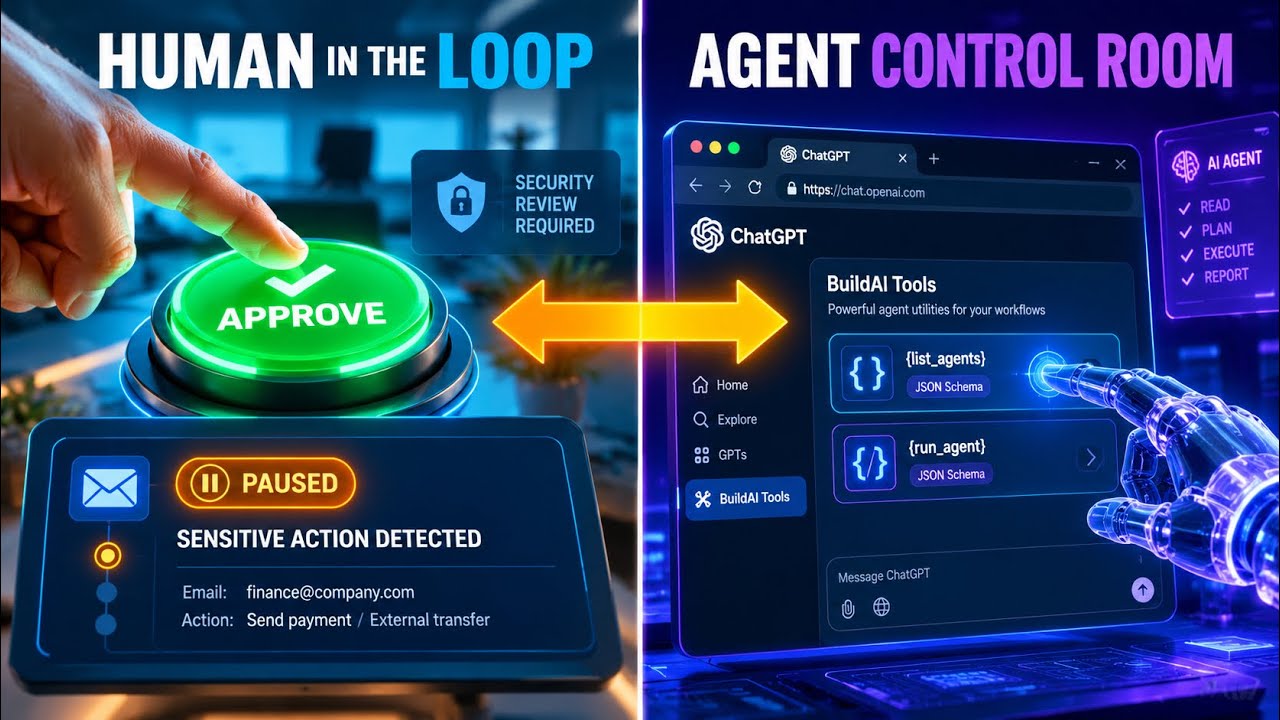
Build AI Command's WebMCP integration exposes eight tools in the browser so AI agents and humans can work together safely. A support agent drafts an email, then automatically pauses before sending it, creating a pending approval that appears in both a dashboard and ChatGPT. An admin approves the action, the dashboard updates instantly, and the agent resumes and completes the task.
Chapters
AI agents can navigate the open web, but traditional interfaces force them to guess through buttons. Build AI Command exposes 8 structured WebMCP tools directly to the browser, allowing users and agents to collaborate safely from one workspace. In ChatGPT's browser, we prompt the AI to list agents and run the support agent to summarize open tickets and send a client email. Using native WebMCP tool calls, ChatGPT launches the workflow. The support agent processes the task and reaches the email step. It automatically halts at the risk boundary, surfacing a pending approval both in the human dashboard and back to ChatGPT. The workspace admin inspects the action. We ask ChatGPT to approve it via the approve_action tool. And the live dashboard updates instantly to reflect the decision. Once authorized, the support agent resumes execution and completes the task. Both the user interface and browser agents share the exact same live state in real time. We prompt ChatGPT to check the final run status. WebMCP retrieves the execution logs, confirming the task succeeded safely with explicit human oversight. Finally, a check for pending approvals confirms the queue is clear. Build AI Command delivers agent speed with uncompromising human accountability on one page for both of you.