How To Use Docusign To Virtually Wholesale Real Estate
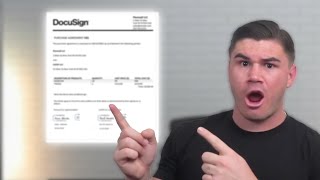
Tyson Smith shows how to set up DocuSign templates for wholesale real estate contracts, automating the signing process across buyers and sellers. DM "contract" on his Instagram for free templates. The workflow takes about two seconds to send once you fill in property details like address, price, and earnest money.
Chapters
What's going on, everybody? In today's video, I'm going to show you exactly how you can use the program DocuSign to send contracts to anybody in the world from you being anywhere in the world. DocuSign is one of the instrumental programs that allow me to wholesale real estate completely virtually nationwide without me having to go travel to all of these different places. The first step is you're going to need a great contract to use. If you guys don't know, I actually give away the exact contracts I use every single day in my business. Absolutely for free. So I'm gonna start there, show you exactly how to get that contract. Um, first thing, you just go to my Instagram and you're gonna send me a message with the word contract. Okay? Contract. Just as you can see at the bottom, uh, scrolling below this video. You don't need to put the quotation marks in there. Once you send me the word contract, then you will get an email, or it'll lead you to a website where you can enter in your information, to get the contract, and then we will send you an email that looks just like this, where I have the contracts, all the different contracts you need, including the purchase contract, the assignment contract, and I even include the exact sales script I use for free as well. Um, if you haven't gotten the contract and you're confused about the contract, um, in the, in the, uh, email you get, you will get a link to a video explaining you the contract, walking you through it. So if that's something you're worried about, you can go check out that video as well. But this video is gonna be focused around how do we actually get the contract and put it into DocuSign so we can go ahead and send it to people. So first things first, once you get it, you're gonna wanna download, um, the contract as you can see there. And then you're gonna wanna go get signed up for DocuSign, which I obviously have already done here. Um, but once you've gotten signed up to DocuSign, you have your DocuSign account, you're gonna go to templates and you're gonna create a new template. Okay, um, you can name this whatever you want. I'm just going to call it Purchase Agreement, and then we're going to just upload that document that we just downloaded right here. Okay, so it's going to take the template. We're just going to upload it in. Now we're going to need to add some recipients. So you should— you're going to need 3 recipients on here. The first is going to be you, and this is just going to be called Buyer. So you're going to type Buyer up right here. and then you'll just go ahead and put your name. So I'm gonna do my name and then I'm gonna do my email right here. Right? Um, second thing I want to tell you about is this little button right here. That is the signing order. And we are going to set the signing order and it'll automatically just go right here. 1, 2, and 3. The most important thing is that you, the buyer or the wholesaler, is number 1, right? And is what this signing order means is when you send out this contract it's first going to send to whoever's number 1. So when you send it, it doesn't send to all 3 people at once. It'll send to you, then once you sign it, it'll then send to the next person, number 2 on the list, and then if there's a third seller, right, it would send to them after this second person is signed. And once all 3 people have signed, the document is considered complete. But we're gonna go ahead and here's how we're gonna do our roles, right? We're gonna have buyer, we're gonna have seller 1, You'll leave these blank because we don't know who our Seller 1 and Seller 2 is, right? Every single time you send a contract, you're gonna be the buyer on it. But when you're sending this out to sellers, the seller's name and their emails are obviously gonna change depending on the different houses. Um, also I'm gonna mention that when you're actually putting this into use, if there's only one seller, meaning there's only one person whose name is on the title of the property, you can just go ahead and delete this person, right? So it only sends the one. And I'll show you how that works in a second. But this is how you're going to want to set up the recipients. Then for the message, I like to do something like this. Complete with DocuSign is fine. And I just like to call it offer for. And then I put in here address. And then I just know when I'm sending this out, right? Because when you use this template, I'll show you later this. When you just click use this template, this is automatically going to pop up and I'll just go in here and change this address to whatever it needs to be. Right. And then for the actual message, I really don't ever put anything in here. Nobody reads it. Hey, I used to have stuff in there in the beginning, but because I always get contracts signed on the phone, I don't ever find that I need to have a message in here. So I don't put anything. Frequency of reminders, you can do every day, right? Because in case somebody doesn't sign right away, we want to make sure they're getting reminded once a day about it. So once you have this, you're going to press next, and here's where we're going to start putting in the fields. So one thing to keep in mind here, the way DocuSign works is you get to adjust who fills out what in the contract, right? Now we want to fill out everything we possibly can, and the only things we can't do on their behalf are their signatures, right? So we are going to want to fill out every single part of the contract. So we're going to take— make sure that we're on our, our thing, which you should always be yellow. We're going to want to make sure we're on our part, and we're going to go ahead and start putting in some text box. Because we're gonna need to put in the address, right? Every single time we're sending out a contract. And I'm gonna go ahead and put 2 here in case the address is too long and we need to take up 2 lines. And then we also are gonna need to put in the APN, so we'll put that there. Earnest money, that's also gonna be something that we'll be putting in. So we just— as you can see, this is just all text boxes. We have all kinds of different things here. Right now we're only dealing with text boxes. Purchase price, that'll be something we'll be putting in. Close of escrow, this will be putting something we're putting in. A quick little tip here on the date, something that I do that you can do if you want, is anything you put in the template is going to last, right? It's going to be in there every single time you open it up. So I'm just going to put 2024 right here just because I know for this entire year all of my close of escrows are gonna be in 2024. But you don't have to do that if you don't want to. It's just a little something. Um, also like if you have an escrow agent that you use every single time, you could just prefill their information in right here. But I change my escrow officers all the time depending on what state the deal's in. So I'm not gonna fill in anything until we get to this next part. Oh, whoops. Don't want that. Text box. Okay. Now, parties, the seller, here is where we're just going to go ahead and we're going to put— we're going to switch to the seller stuff and we're going to put the seller's full name of both of the sellers, right? So when we put these here, it's just automatically going to put whatever we put earlier. It's just automatically going to put their names right there, so we don't have to fill that in. For buyer, we're just going to put our name. Right. So automatically fills that in. Inspection period. We're going to go ahead, put a text box. Now for the closing months, we pay as follows. There's a couple of ways you could do this. You could just do a text box and you could just like put X's in here and that'll do. Or you can use these radio buttons, right? That you then can check. You want to delete this one, right? Radio button. All the closing costs will always be by buyer, so I'm just gonna go ahead and check them. As you can see, it automatically puts 2, so I'm just deleting the second one so that they're just— boom, they're already put in there. Now for this part, personal property to be included in the sale. This is where we're going to put a text box. We're going to make it bigger so it fits the entire thing, so we can put text in this entire thing. But we're going to want to change this to be a required field, right? We don't want this to be a required field because we're not going to be putting things in here every time. We want all of these to be required fields because they need to be filled out on the contract. Now we get to the bottom. This is time for initials. So we're going to put our initial because we're the buyer. But then we need to put the seller's initials. So we're gonna go Seller 1, put their initial. We're gonna go down to Seller 2, put their initial, right? Now keep in mind, guys, like I said, sometimes you're only gonna have one seller. But at the beginning— I'll show you later— when you go to send this, you can just delete the second seller and it'll automatically delete all the fields for them, right? And I'll show you that in a moment. But on the bottom of every single page, we're going to need to put these initials here, right? But now we have additional terms and conditions. This is another thing that we're not always going to be using. So we're going to put in our text box and we're going to change it from required field. Now there's nothing else we need to put here except for initials, right? So we're going to go ahead, boom. And I'm just going to go down right now and I'm going to put all my initials on here so I don't have to switch back because I just want— I just know every single thing my initials need to be in, right? So I'm just gonna put them all there. Scroll back up. Okay, now we're gonna put the seller's initials, and I'm just gonna put all the initials in again for Seller 1, right? Because I just know this needs to be done. We'll come back up to all this in a second, all this other stuff, but right now we're just going to get all the initials taken care of so we know that all the initials are on all of the bottoms of the pages. Also, quickly to know, it doesn't matter that these are like covering the text, but if you want to, you can adjust them to be smaller or bigger if you want. If you're a person who really cares about the way things look, I'm not one. Oh shoot, I just realized that my camera is covering a bunch of things. My bad. We're, we're gonna move it right here to the beginning so you can kind of see. But as you can see, all the initials, right? We're all there. Cool. Let's, let's move this camera. We're gonna go over here for now. All right, so once we've got all the initials on there, now we're gonna fill in all these other parts. I'm just going up just to make sure I didn't miss anything. Okay, so next line right here. Um, if you— right here I have in this agreement that they— we're just disclosing that a member of my company is a real estate agent. If you are not— if you do not have a real estate license, or nobody in your company has a real estate license, you can delete this part. Okay, so you would put this document into a PDF editor before you uploaded it into here, and you would just delete that. But because a member of my company, right, where I'm gonna come in here and I'm gonna put my my company, so We Buy Homes Cash LLC, is a licensed real estate agent in the state of Texas. I put this, or I'm sorry, not Texas, Arizona. And I put this in here just because that's true for me. If it's not true for you, you can just delete this entire sentence and just keep it here to, you'll only wanna keep buyers, a wholesale buyer, which means buyer's an investor who in its discretion may assign its contractual interest in the property for a profit. Purchase price may not reflect the property's fair market value. You wanna keep that part in there. But all the rest you can delete if you're not licensed. So next, we gotta fill out this portion. First, I'm gonna do mine. So first, approved by and accepted by buyer. All we do is go date signed and put that right here. Buyer's company name, you just would not put your company name here if you do not have a company name, okay? And we just put by, and then we put our signature. And then it's is where you put your title. So for instance, like, I'm a member of my LLC, so I would just come here and put member. If you are just signing in your personal name, just ignore it. You don't need to put anything in this section. And then you're gonna put your address here, right? So just whatever your mailing address is. You can put the, the address of your mom's house. You can put a PO box, anything. It doesn't matter here. You're gonna put your email. And your phone number. This is all for the title company to know how to contact you, right? So I would go in and right now I would pre-fill my address, but I'm not gonna actually put my address in here. You're also gonna want to put your email and your Phone number. Okay, now over here we need to go Seller 1, and we're gonna put date signed, and we're also gonna put for Seller 2 date signed right here. I know it's not gonna fit perfectly, it doesn't matter. Name, we're gonna go Seller 1. Their name. Then we're going to put their signature, and I know it overlaps, it doesn't matter. Now email, boom. Seller 2 name, signature, email. Oh whoops, absolutely never mind, my bad. Move the seller 2 date to right here, okay? Just like that. Then boom, you have it, you're good, you're ready to send a contract, okay? So we're gonna go ahead and save and close this. And then once you're ready to send a contract, you're gonna go to your purchase agreements, which will be right here in your templates, right? I just created this one. I'm gonna press use. And so when I'm ready to send a contract, boom, immediately it's got my name in there. I'm gonna go ahead and seller, we're gonna say John Doe, and he's gonna be john@jd.com. And Jane Doe. It's going to be Jane at GED.com, whatever, right? So as you can see, I'll come in, I'll put their address here, whatever. I'm just going to leave this blank. And then you're going to click Advanced Edit because we can't just send it right now. We have some other stuff we need to put in, right? So now everything's good. Perfect, perfect. We're going to go next. Now here's where we start filling everything out, right? So we're going to put the address of the property, right? And we just fill out all of these lines that we need to. We go look, find the APN and batch, whatever it was, something. Earnest money. You know me, I always do $100 earnest money. Purchase price. Let's say we offered them $100,000. Close of escrow. Let's say it's a month from now. All right, as you can see, we already have the date there. Escrow agent, we put in the escrow agent's name, everything, their name, the officer, their email. This is already filled out. Inspection period, we just want 20 days. The button's already filled out. We don't need to fill out anything here. Don't need to fill out anything here, right? It's already got all my stuff filled in. Boom, boom, perfect. And then we're gonna press send. Okay, now like I said, it's gonna send to me first, right? So now I'm gonna get an email that looks like this. Boom, sent a document, review document. Now as you can see, all the stuff is there, okay? So this is like what they would see. So then I'm just gonna go here and I would initial, an initial, an initial, an initial, an initial. Now it's like, okay, this is required. So the thing is, because it's required, you're gonna have to fill this out, right? Obviously I would have filled it out before, but just for the sake of things, I just went through fast. But then basically anything that needs to be required would already be filled out. And then when you're done, you press Finish. Okay, once I press Finish, then it would send to the next person in the signing order. So it would send to John Doe or whatever, right? But that's how easy it is. This is, you know, why I can send out a contract and only takes me 2 seconds because I already have everything already prefilled. I just need to enter in you know, the address of the property, the APN, my earnest money, the purchase price, close of escrow, whatever title company I want to use in the inspection period, and then I'm good to go. Then I just hit send, I go through, sign it, and it sends to them. But this is how I use DocuSign, uh, to send out purchase agreements. DocuSign is one of the reasons that makes it super easy for you to buy and sell properties all across the United States right now. If you are still having trouble getting your first deal or anything like that, and you'd be interested in working with me one-on-one where I will guarantee that I will help you get your first deal in the next 90 days, and if I can't get you your first deal in the next 90 days, I will work with you for free until I do, then go ahead, go to my Instagram and send me a DM with the word one-on-one, and we'll see if you'd be a good fit for the program. If you found this video to be helpful, go ahead and please click the like button and subscribe to my channel, okay? I'm going to get 10,000 subscribers on YouTube. This year, okay? And in order for me to do that, I'm going to be making the best possible content I can to help you guys out in your wholesaling and your real estate investing journey, okay? But anyways, guys, thank you so much for watching. I appreciate it more than you know. Gonna be continuing to make these videos, so again, go subscribe, and we'll see you guys on the next one.
More from Tyson

Join My Luxury Wholesale Coaching Call For FREE // Tyson Smith & Matthew Tooker