The Best CRM for Real Estate Wholesalers in 2024 (Live Setup)
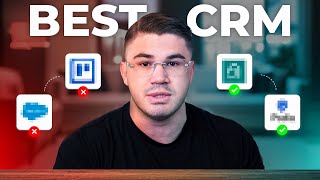
Tyson Smith walks through RE/Simply, a CRM built for real estate wholesalers, showing the dashboard, pipeline stages, integrated dialer, SMS, direct mail, and automated drip campaigns. He used Podio and Salesforce before but says RE/Simply works best out of the box at $149/month. Use code TYSON for 50% off your first month.
Chapters
What's going on, everybody? Tyson Smith here. And today I'm going to be talking about the best CRM to use for your real estate wholesale business in 2024. Now, to give you some background, I have used all kinds of different CRMs. The two that I use the absolute most were number one, Podio, which I used in the beginning of my career. I have spent tens of thousands of dollars on developers getting my Podio up to where I wanted it to be so that tracked all my KPIs, that it— that all of my lead processes were the right way. We had the right drip campaign campaigns firing and everything like that. Now, honestly, I really liked Podio. It had its issues with the way it was. You know, it looks old. It was really slow and it's kind of clunky. But for the most part, it did what I wanted to do. The second CRM that I used a bunch was Salesforce. And I'll be honest with you, I did not like it whatsoever. It had a lot of issues. Number one, the Salesforce product I got did not feel like it worked really well out of the box. I also had to spend tens of thousands of dollars on developers for that, and I ended up scrapping that system after like 6 months because of how much I disliked it. But I recently moved to a new system this year, and now that I've had a chance to use it for about a month, I can confidently say that this is the best out-of-the-box CRM on the market today, and I have been absolutely in love with it. So that CRM is going to be RE/Simply. So if you're new to wholesaling and maybe you don't even know what a CRM is, I'm going to give you a brief explanation. A CRM is essentially going to be a cybernetic— like a cybernetic upgrade to you. It's how you are going intertwined with technology so that you can get more done, follow up with more people, and just overall have a higher level of output. In addition to, it's going to track the important figures about your business so you can make educated decisions in the future. In the context of wholesaling real estate, um, a CRM is going to keep track of all of your leads, where they're at in your pipeline, right? Is this a new lead? Is this somebody you talk to? Is this a cold lead? Is it a hot lead? Is it somebody we're following up with? We made an offer this person, um, also all the details about them, right? What, what properties are we looking at? There's what are the conditions of the property? Why does this person want to sell? When do they want to sell? How much are they asking? Right. Everything like that, as well as it's going to do a lot of your follow-up for you, right? Automatically send out texts and emails and set tasks for yourself automatically so that you're making sure that no lead gets slipped through the cracks or anything like that. This REsimply does incredibly well. And also just letting everybody know in the beginning here, I have built out my RE/Simply system in a way that is perfect for my business with all the drip campaigns I use and the exact pipeline I need. And everybody who signs up using code Tyson is not only going to get 50% off their first month, but you're also going to get all of my drip campaigns. Again, the link is going to be down below where you can sign in. You can even get a free trial. But if you use code Tyson when you sign up, you're going to get 50% off your first month and all of my drip campaigns. So with that being said, let's get into it. Let's kind of show you what features RE/Simply offers, why I like it so much, and how much it costs. So if you go ahead and click the link in the description below, you're going to be brought to this screen right here. This is where you can go ahead and get signed up. But let's go ahead and look into the pricing. So for the vast majority of people, you're going to need— you're going to be running with this basic plan, which starts at $149 a month. I am on the enterprise plan, and trust me, I get loads of value from it. But if you are a solopreneur, which I'm guessing that 90% of people watching this video are, you're just getting started, you don't have any employees, all you're going to need is this basic setup right here. That's going to give you one user for yourself. You're going to get two phone numbers. So RE/Simpli has a phone system connected into it. You won't have to use your cell phone. You'll have your own number specifically for this that has call forwarding to a cell phone or anything else like that you may need. You're going to get 500 minutes in SMS a month. There's also some list stacking features. I actually don't use these. If I do in the future, I'll come back and make some videos about it. But really cool part as well is you're also going to get a website for your sellers, a website for your buyers. There's Driving for Dollars functions. You're going to get the drip campaigns. You can even send direct mail right within the app, which is super cool. I'll talk about how I'm using that when we go to the demo portion. And then you also get a lead dialer right now. This isn't a triple line dialer, but it is great. You know, if you have like a— once you start to accumulate a lot of maybe cold leads and you have some extra time to do some more prospecting, see if you can revive any of them, throw them in this dialer real quick and get going. But with that being said, let's go into the system and I'm just going to talk about a few things of what really sold me on REsimply and why I'm enjoying it so much. Let's go ahead, go in here to my dashboard. And the first thing I want to talk about is going to be just the function of how it's going to work. So as you can see here, I have my pipeline set up, right? So if I had any new leads, there would be another column right here. But obviously I've got my team cranking and making sure that all of our leads are contacted right away. Here's all my uncontacted leads, right? These are people that they've been new, but we have not been able to get them on the phone yet. Nurture. These are people we're talking to. You know, we're just sort of following up with. They're not ready to make a decision right now. Lead bucket. This is kind of our cold lead section, right? It's just make sure that they're still being followed up with. They're still on a drip campaign. We're still keeping track of them negotiating. These are all people that appointments have been set for us to make offers to. Offers made. These are people that we're currently negotiating with. We've made an offer. They've either declined and we're working them through an offer decline follow-up sequence, or we're currently negotiating with them. And then under contract, right? These are deals that are currently under contract that are waiting to close. So when it comes to working a lead, you go ahead and click any of the cards. It's going to pull up a thing like this. Now, this is my favorite setup of any CRM I've ever used. I love the information that's available. It's all very intuitive. It works well, right? We can automatically see, hey, what campaign this lead came from, what number we're calling from, you know, the address of the property. Here you have the contact. A really cool feature that I love about RE/Simply is, you know, if you've worked in wholesaling, you know that all of a sudden there are new players that get involved in the transaction as it goes on. And all of a sudden you realize, oh, we also need the husband's contact. You just go here and you can add in new contacts so that you can go ahead and manage them all really easily. So let's say, you know, the husband or a daughter or the probate attorney or a real estate agent, right? Makes it really easy to go add all of these people in right here. Here's where you can keep track of the property info. All of this is editable, of course, so that you can have the most up-to-date information. And also REsimply does pull from some kind of tax record or something to fill out as much of this information as it can automatically. You then have all these customizable custom fields. I have these set up just to mimic my exact script, which, by the way, if you guys do not have my exact script or the exact contracts, you know, my purchase contract and assignment contract, go ahead and DM me the word contract on Instagram. That's @tyson_smith, and I'll send you my contract and my— my contracts and my script absolutely for free. Anyway, these questions just mimic the exact questions that are on my script so we can keep track of all this information for all of our leads, right? In addition to that, we have a kind of an activity field right here showing, hey, when was the last time a call was made? All the call recordings, all right here. Right. So I can see here, Mary, that's one of my virtual assistants, called this person. It was 23 seconds long, meaning they probably didn't answer. She might have left a voicemail. I'd be able to listen to all of that right here. We can see all of the texts, all the reminders, everything like that, as well as any notes that were going to pop up. A really cool thing here. So if we want to go in and call this lead, it would be as simple as opening this. And this kind of opens up the dialer function. And this is this is kind of how you're actually working through the system. Let me go ahead and move my camera real quick so I can call this lead right here. Boom. It would open up a call report. We make a call. If she answers, I just go into edit lead. And then as you can see that here, up here, this is kind of where that call still is. So it's still right here. Anyway, this is where I'm going to come in and be able to edit all the information. So when I'm on the phone with them, this is kind of the page I have open where I'm, you know, typing in the information. I'm asking them the questions that I need and we're just moving through our process, right? But let's— I'm just going to go ahead and make a call and hang up real quick just so you guys can kind of see. But anyway, we call, it starts to dial. When you end the call, it's going to bring up a page like this. And this is how you keep track of what's going on with the lead, right? So first things first, they didn't answer. We're going to want to send an SMS, of course. So send it right to this number. I have, you know, tons of different templates set up already. The, you know, I can go ahead and send them to some friends and she didn't answer. So I can go ahead and send this one. Hey, Kelly, did you get my voicemail? No answer. 3. Hey, you still interested in selling? Whatever. You can even add an attachment. One thing I like to do is throw in some GIFs. I find that that really increases our follow-up rate, especially if we've got somebody that we're trying to get a hold of and we can't go ahead and send them a Kermit GIF or something like that. They like that. You could also add a task real quick to the lead and go ahead and enter notes, right? So I can leave a note and say, hey, I left a voicemail. I said this. Or hey, didn't answer, whatever it was. We go ahead, we mark, right? Obviously, if it was a lead connected, right, we put at the end what happened. Hey, did we make an offer? Do we set the appointment, moved it to dead, whatever it was, but it didn't connect. So we, you know, we just put, hey, we left a voicemail, whatever. We can immediately redial. If you guys don't know, you should always call leads twice or even 3 times if they don't answer. So normally we redial. Or let's say this was the second time, we can just do this call next contact and it's automatically going to move to the next person in the sequence of the uncontacted. As you can see, it just did there. Now, I've I don't want to make a call right now because we're making this video, but same thing pops up. Now, this is what has allowed me and I've just already seen with our team are able to move through people so much faster. And other systems I've used like Salesforce and Podio, if you're manually dialing leads like this, it can take a long time. And obviously, most of the time it's not practical to, to put all your leads into like a triple line dialer, especially if these are a lot of like hot leads and things that you need to look up the notes and stuff while you're talking to them. And this makes the system so easy. So the number one thing, or I should say the first thing that I'm talking about, I really love RE/Simply is their phone system and how it's set up to move through leads so you can make sure that you're maximizing your time and your system just allows you to talk to more people so you can help more people, make more offers, do more deals, make more money. Right. Besides that, another thing that I really want to talk about is the features that they have in the— within the lead. So in addition, I can go ahead and send a direct mail right here to this lead. So let's say that we got somebody, we talked to somebody on the phone. Here's a situation where I would use this. We talk to somebody on the phone, they seem super motivated, but then, you know, we— they're asking a price that is going to make sense, something like that, but then all of a sudden they ghost us and we can't get a hold of them. I can just come right here and go to send direct mail. Now I would have to buy some direct mail credits, but I can just boom, send them a flyer. I can customize the flyer, everything I want right in here, send it out to them, and it costs about like a dollar or something like that. And boom, it gets sent to them, gets sent to their house, right? It's a great way to follow up with hot leads that maybe you are unable to engage with at a certain point because you know how sellers be, they They ghost you sometimes. Um, another real cool thing is let me move to a lead that, uh, has some information too. So when I show you this, well, let's say that, uh, this property right here, right? We're gonna go ahead. As you can see, this is that exact situation I'm talking about earlier when all of a sudden we have to add new people, right? Because we have the seller, we have the seller's wife and the seller's real estate agent. This is a deal we're looking at doing a, uh, creative deal on. So as you can see here, my partner had a conversation. He has the notes about the mortgage. So we know, because this is the most important. And also, as you can see, you can pin certain notes to the top as he's done here, because this is by far the most important note, right? It's all the details about their loan information. So when we're talking creative, we can see if it's a good deal or not. Anyway, let's say that we go ahead, we talk to them, and we work out a creative deal with them, and now it's time for us to send a contract. We can just send for e-sign right here. We choose the exact purchase agreement that we need. So this one would be a purchase contract with 2 signers, right? We probably need an addendum too because it'd be a creative deal. But let's just say this, we come here We'd fill out the party's information, submit, it would show us the contract, and then boom, we send it over just like on DocuSign or anything like that. Sends for e-signature, works the exact same way. Setting up the contract is all super easy, and boom, we can send a contract that easily. It takes like 5 seconds using REsimply. It's an amazing feature. All right, um, the next, uh, really cool feature and just really think the— just a thing I really like the way they've done here in REsimply is going to be the tasks and appointments. Appointments. So when you can, you can set tasks and appointments and the way it's set up is awesome. And the biggest thing for me is the task reminder system. So in other CRMs I've used, things like Podio, Salesforce, it was great that you had tasks, but sometimes, right, there was no really good notification system telling you when you had a task due or anything like that. Whereas when you set a task with RE/Simpli, you can go ahead and create some task templates, right, that we have, or you can just come in and manually do it. Where task name, let's just say it's, hey, we need to send a contract to this person, right? And we're going to make that a call, right? Task detail, you know, we agreed to sub to $300K with $20K cash to close, blah, blah, blah, blah, blah, right? Whatever it is. And then I'm going to go ahead. I can assign this to the acquisition manager, the owner of the lead, whatever it is. And then when the task is due, make sure you do the right time zone. But this I love. Would you like to notify the assignee on task creation? I set this up, sends an SMS not to your— to my actual cell phone number, right? If it's me on here, I have my actual cell phone number. Well, send an SMS to me on this reminder, like, you know, right here. So like I can do send me an SMS 1 minute before it's due or 1 hour, whatever you want to do. You can do multiple, right? You can just add a couple on here. But I love this feature. It makes it so easy to stay on top of your leads and make sure nothing's falling through the cracks. You're not missing appointments. Look, I have a hectic life. I got a lot of things going on, a lot of moving parts. It can be easy for me to forget about things like this. And forgetting about things like this can mean $10,000, $20,000, $30,000, $40,000 lost by not showing up somewhere when you're supposed to, at the time you're supposed to. Right. So this is a phenomenal feature. I love the way they've done the tasks here. In addition to that, if we go up here to just the homepage of REsimply. All right. Looks like they made some changes. They're talking about whatever that is. Cool. But check it out. We can see what tasks are due today, how many, how many new leads. We can see any open messages we have. So if we have a lead that sent us a message and we haven't responded to it, boom, we can check it out right here. But all kinds of really cool information about, about your business. Hey, Look, it keeps wanting me to see this. All right. Anyway, tons of cool information about your business, keeps track of everything. Now, I don't have this fully set up on my whole system migrated. Obviously, I have, you know, thousands and thousands of leads, so not everything's all in here yet. I just started running some new marketing to this and just trying it out. And I mean, shoot, we've already gotten some good deals from it and everything like that. But, um, we also have like really cool KPIs set up, or no, we don't have this set up, but it has the functionality to connect this to your QuickBooks and you can start to see all kinds of revenue deals, net income, you know, marketing ROI. It'll pull from your QuickBooks and be like, hey, you're spending this much on marketing, so you have this much money coming in. Here's your ROI. This is great. All kinds of different stuff, right? Really important stuff. for a business owner to know. You can see how much money you're spending on these other, you know, channels to, to see, uh, your, your KPIs. Just makes everything super easy. Um, a lot of really cool stuff, really cool leaderboards right now. Um, so you can, you know, see your sales team once you start to have a team and things like that. Start to see, you know, people can go ahead and see where they're at, create some competition in your company. It's a great thing. Um, also keeps track of all your properties, right? So when you do have deals that are under contract, see where they're at in that system and everything like that. Yeah, there's a whole lot of great things. Again, there's also stuff on the website. I don't currently use the websites, but I have heard that they're amazing for the people who have, or people who are using them. So that's something to check out as well. You know, as part of your REsimply subscription, you're gonna get your own website too. But all in all, this is just a phenomenal system, and I can't recommend it high enough. If you guys have any questions about REsimply or how I'm using it, make sure to drop them in the comments below. Another thing I want to talk about is if you're a part of any of my trainings, any of my communities, you do have access to my entire setup guide on getting your REsimply account set up. I'll go ahead and show you guys that here. We have a whole section in the classroom about how to set it up, you know, how to create, you know, how the general leads work, how we work leads, how the drip campaigns work, how to go ahead and set up your e-sign. How to send the purchase contract, how to update email templates, how to create new campaigns, create deal flows, update lead strategies. All this plus more, all available within my community. You guys are interested in joining the community? Go ahead and hit the link down below that says to apply for one-on-one mentorship. We have different options available, everything from we'll guarantee you a deal in 90 days, we'll hold your hand through getting your first contract, we'll even hold your hand through selling that contract and everything in between to a more of a self-directed approach where we're just going to give you all the information available. You can run with it and still have access to me to ask questions and stuff when you do need help. If you're interested in that, hit the link below, sign up, book a call with me or my team, and we'll figure out what option works best for you. Um, again, when you sign up for REsimply using code TYSON, T-Y-S-O-N all caps, or just using the link down below, you are going to get 50% off your first month and my drip campaigns, which actually I realized I didn't even show you guys. So So let me go in, back in, uh, to, uh, a lead and we'll kind of show you, uh, how these drip campaigns work. So this, this property, let's say we need to add it on a drip campaign. It should already be on one. Oh, it is. So we got the drip campaign right here. There would just be an add drip campaign right here that we could do. And then let's go and look. Where was our— where are our drip campaigns at? How do we see these drip campaigns? Cool. So these are the drip campaigns that you will get. These are the main ones we use are uncontacted, long-term, and offer rejected. Okay. These are filled with text messages that are going to automatically send to them, emails that will automatically send to them, and also tasks that will be created at the times you need to. So for instance, in the offer rejected step number 1— so this is when you make an offer to somebody and they decline it— step number 1, 20 minutes after, it's going to send them a text. Hey, appreciate the opportunity to buy your property. Wish our deal could have worked. If you change your mind, please let me know, right? Great message. Um, then 1 day after, they'll get an email that's very similar to that text. Then 7 days after, they're gonna text, says, hey, this is Tyson, quick question, and of course it's 100% up to you 'But if you ever did decide to sell the property to an investor like me, why would you?' Again, just a little message to kind of open up the channel of communication, see if we missed something, see if we can make a deal. Then, 3 days after that, it's going to go ahead and send you a task for the acquisition manager to do an offer decline follow-up call. If you're not familiar, an offer decline follow-up call looks something like, 'Hey Tyson,' or, 'Hey John, this is Tyson. We spoke about a week ago about buying your property over there, and I know our offer didn't work out. I was just wondering, did you end up selling the property already?' Oh no? Well, hey, listen, I just wanted to see if maybe we could have another at-bat. Is there anything we could change about our offer that would allow us to do a deal today? Now look, most of the time they're going to say, yeah, you can give me $100,000 more, or whatever it is. And obviously that's not going to work. But there's 1 time out of 10 where they're going to say, hey, look, if you could actually close in 30 days rather than 45, we could go ahead and do something today. Hey, if you could give me $1,000 extra bucks, then maybe it's something we can go ahead and do today. Something like that. That's what we're looking for, right? Do not sleep on the offer decline follow-up. Campaigns. Okay, but there you have that. Um, we have a long-term one that lasts a year, all, you know, filled with different texts and emails and different tasks. And then also in our uncontacted one that's going to hit them every single day until we get them on the phone. Anyway, you get access to all of these when you sign up using my program. Again, if you are using the link below or code TYSON, um, if you guys have any questions, drop them in the comments below. If you haven't already, please make sure to subscribe to the channel so you do not miss the most up-to-date tips on wholesaling real estate that we will be making every single week. Also, if you guys are not aware, we've— I've been doing a bunch of live calls where I've been locking up deals on live. So make sure you subscribe to the channel so you're notified of when those calls are, and we'll see you on them. Okay, thank you guys, everybody, for watching, and we'll see you guys next time.
More from Tyson






Join My Luxury Wholesale Coaching Call For FREE // Tyson Smith & Matthew Tooker